
Introduction
This manual provides essential instructions for the setup, operation, maintenance, and troubleshooting of your INNOVAR Electric Standing Desk, Model P2.01.013.0005. Please read this guide thoroughly before assembly and use to ensure safe and efficient operation.
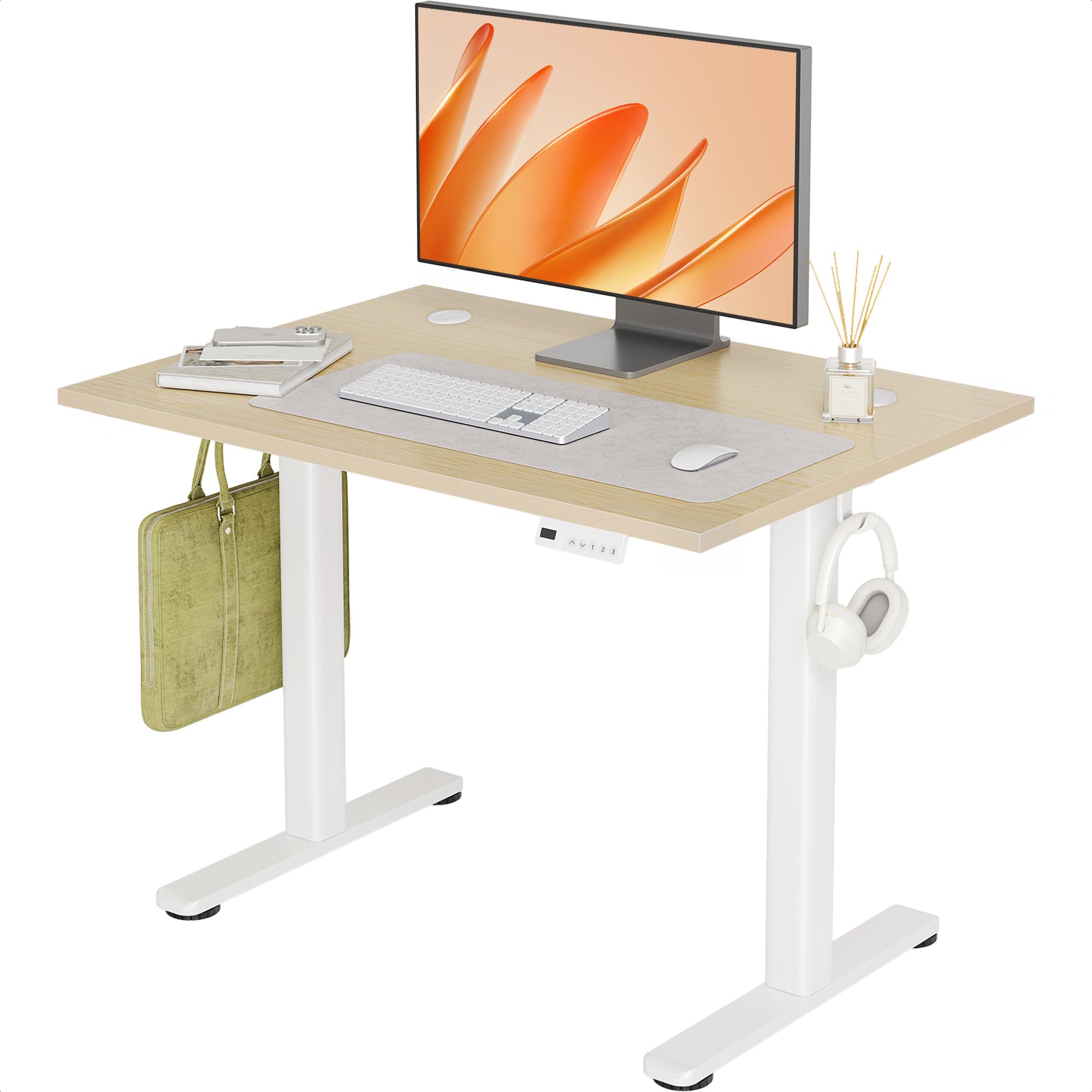
Image: The INNOVAR Electric Standing Desk in a modern home office environment, showcasing its sleek design and functionality with a laptop and monitor setup.
Important Safety Information
- Weight Limit: Do not exceed the maximum weight capacity of 176 pounds (80 kg).
- Stability: Ensure the desk is properly anchored to the wall to prevent tipping.
- Assembly: Follow the assembly instructions carefully to ensure stability and safe operation.
- Power: Use only the provided power adapter. Disconnect power before cleaning or maintenance.
- Children & Pets: Keep children and pets away from the desk during operation.
- Environment: Use the desk in a dry indoor environment. Avoid exposure to moisture or extreme temperatures.
Setup and Assembly
The INNOVAR Electric Standing Desk is designed for easy assembly. Every package includes the height-adjustable standing desk components, an installation instructions manual, and necessary installation tools. First-time users can achieve rock-solid desk readiness in under 30 minutes by following the detailed instructions and video guide.
Assembly Steps:
- Unpack all components and verify against the parts list in the instruction manual.
- Assemble the desk frame according to the provided diagrams, ensuring all screws are tightened securely.
- Attach the desktop to the assembled frame, aligning with the embedded screw hole locations.
- Connect the motor and control panel cables as indicated in the manual.
- Install the headphone hooks and cable management holes as desired.
- Plug the desk into a power outlet.
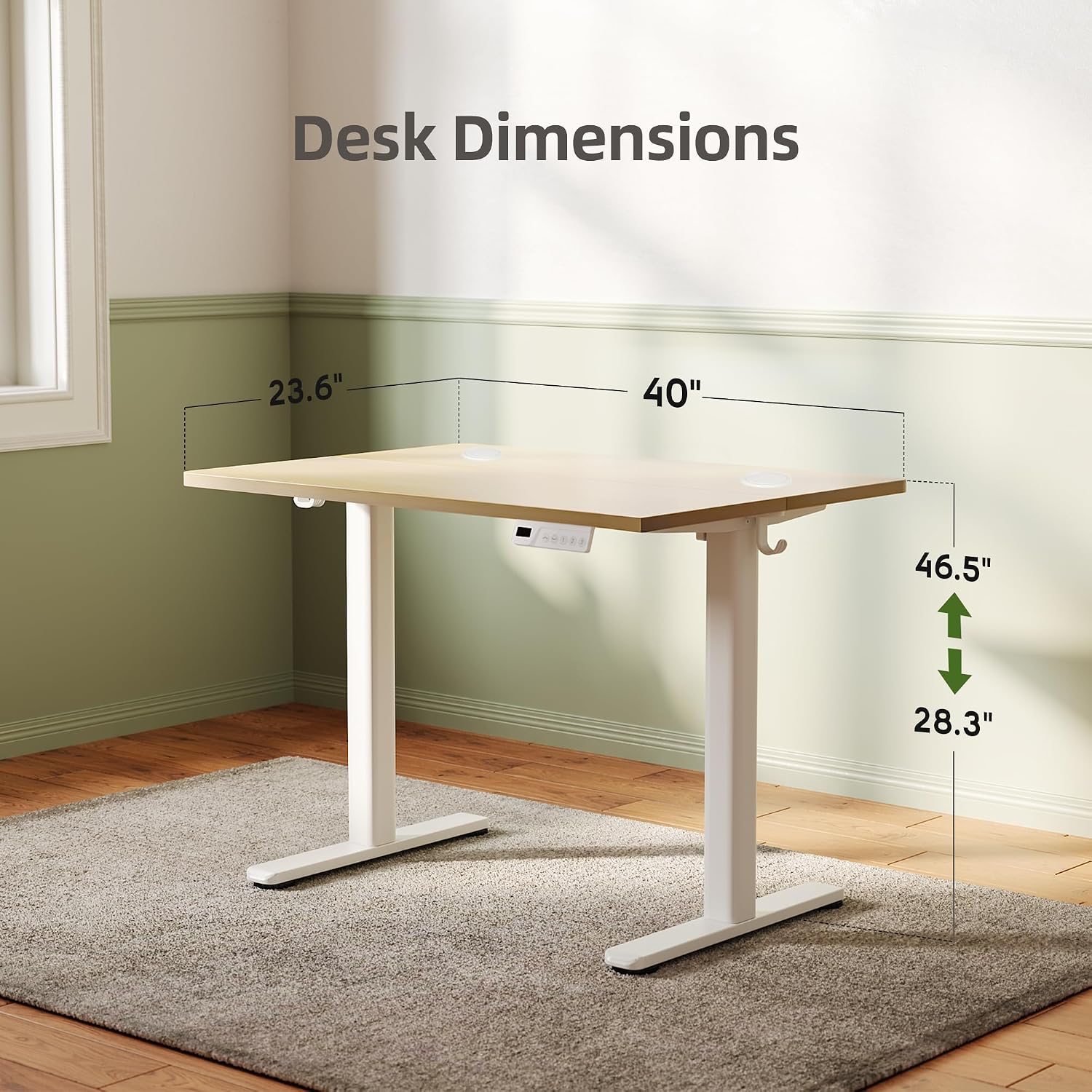
Image: Diagram illustrating the dimensions of the INNOVAR Electric Standing Desk, including width (40 inches), depth (23.6 inches), and height range (28.3 to 46.5 inches).
Assembly Video Guide:
Video: A detailed video guide demonstrating the assembly process of the INNOVAR Electric Standing Desk. This video is provided by the seller to assist with installation.
Operating Instructions
The INNOVAR Electric Standing Desk features an intuitive LED touchpad for height adjustment and memory presets. The desk's height can be adjusted from a minimum of 28.3 inches to a maximum of 46.5 inches.
Height Adjustment:
- Use the Up (^) and Down (v) arrow buttons on the LED touchpad to manually adjust the desk to your desired height. The current height will be displayed on the LED screen.
- The desk is equipped with an upgraded brushless motor for faster, more stable, and whisper-quiet operation (≤45dB).
Memory Presets:
The desk offers 3 programmable memory presets to quickly recall your preferred sitting and standing heights.
- Adjust the desk to your desired height using the Up/Down arrows.
- Press the "M" button (Memory button). The LED display will flash.
- Immediately press one of the preset buttons ("1", "2", or "3") to save the current height to that preset.
- To recall a saved height, simply press the corresponding preset button ("1", "2", or "3"). The desk will automatically move to the saved position.
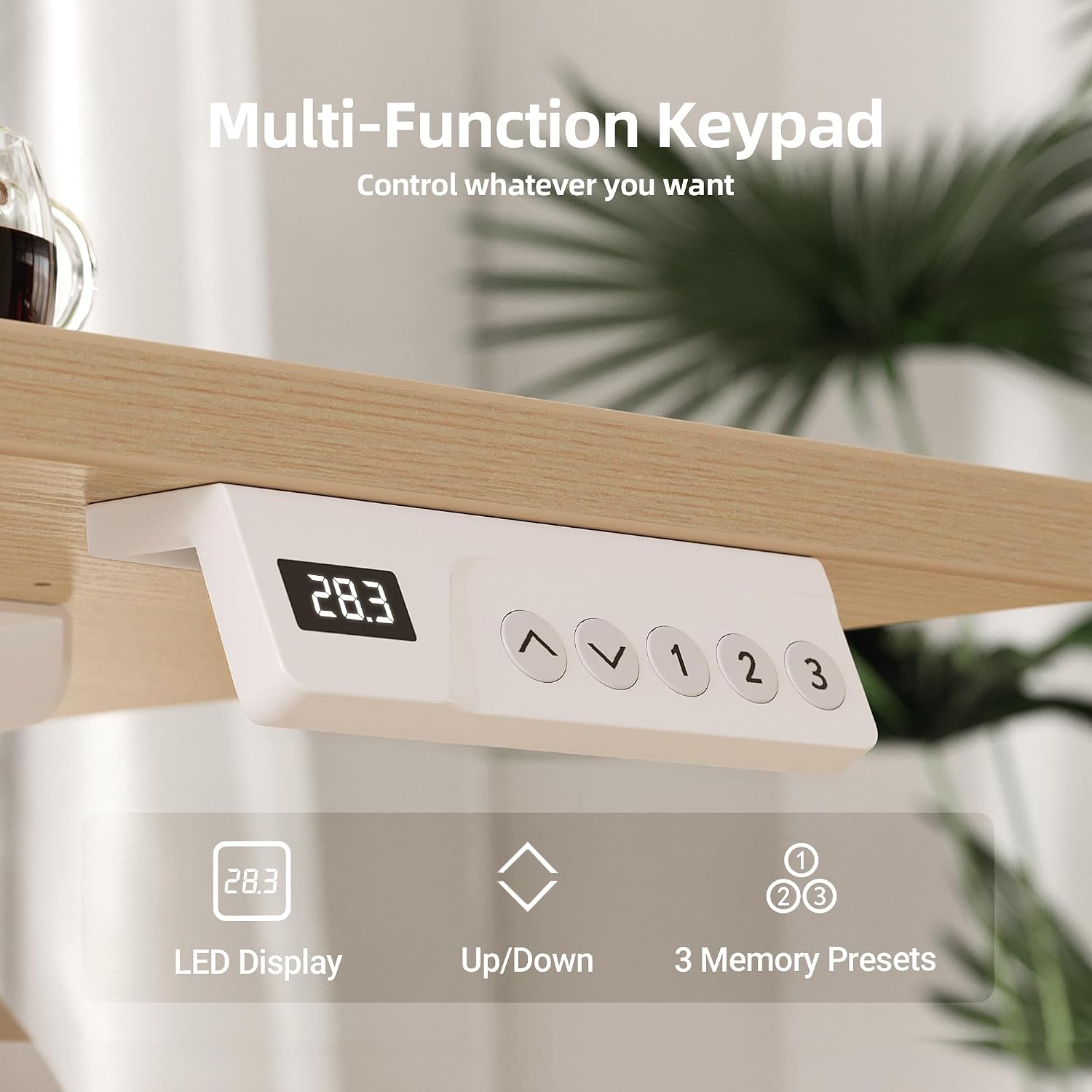
Image: A close-up view of the desk's control panel, highlighting the LED display for height, up/down adjustment buttons, and three programmable memory preset buttons.
Key Features
- Excellent Stability: Robust T-shaped steel frame and durable wood desktop, supporting up to 176 pounds. Certified for 50,000 durability cycles.
- Ergonomic Workspace: Spacious 40 x 24 Inches desktop crafted from odor-free premium wood with rounded safety corners.
- Cable Management: Includes dual wire-collection holes and 2 side-mounted hooks for headphones/bags to reduce clutter.
- Upgraded Motor: Brushless motor extends life to 7-10 years, is 60% more energy-efficient, and requires no maintenance.

Image: Visual representation of key features: dual cable management holes, two side-mounted hanging hooks, and adjustable feet pads for stability on uneven surfaces.
Maintenance
- Cleaning: Wipe surfaces with a damp cloth, then dry with a soft cloth. Avoid harsh chemicals.
- Motor: The upgraded brushless motor requires no maintenance.
- Inspection: Periodically check all screws and connections to ensure they remain tight.
Troubleshooting
No specific troubleshooting steps are provided in the product information. If you encounter any issues with your INNOVAR Electric Standing Desk, please refer to the contact information in the Warranty & Support section for assistance.
Specifications
| Feature | Detail |
|---|---|
| Brand | INNOVAR |
| Model Number | P2.01.013.0005 |
| Product Dimensions | 24"D x 40"W x 28"H |
| Size | 40 Inch |
| Minimum Height | 28.3 Inches |
| Maximum Height | 46.5 Inches |
| Maximum Weight Recommendation | 176 Pounds |
| Base Material | Alloy Steel |
| Top Material Type | Wood |
| Lifting Mechanism | Electric |
| Number of Height Positions | 3 (Programmable Presets) |
| Item Weight | 55 Pounds |
| Noise Level | ≤45dB |
Warranty & Support
The INNOVAR Electric Standing Desk comes with a Limited Warranty. For specific details regarding the warranty period and coverage, please refer to the warranty card included in your product packaging or contact INNOVAR customer service.
For any questions, concerns, or support regarding your INNOVAR rising desk, please feel free to contact us through Amazon. Our customer service team is ready to assist you.