
Introduction
Thank you for purchasing the Panasonic LAMDASH PRO 5-Blade Electric Shaver ES-L551U-S. This manual provides essential information for the safe and effective use of your new shaver. Please read it thoroughly before use and keep it for future reference.
The ES-L551U-S is designed to provide a gentle yet deep shave, featuring a 5-blade system, high-speed linear motor, and LAMDASH AI+ technology for optimal performance.
Safety Precautions
Always follow these basic safety precautions when using electrical appliances to reduce the risk of fire, electric shock, and injury.
- Do not immerse the AC adapter in water or use it in a wet environment.
- Keep the shaver away from children.
- Do not disassemble, repair, or modify the shaver yourself. Contact authorized service personnel for repairs.
- Ensure the charging port is dry before connecting the USB cable.
- Do not use if the outer foil or inner blades are damaged, as this may cause skin injury.
Package Contents
Verify that all items are included in the package:
- Shaver Main Unit
- Pouch
- USB Cable (Type-A to Type-C)
- Dedicated Oil
- Cleaning Brush

Figure 1: Shaver main unit and included accessories.
Setup
1. Initial Charging
- Ensure the shaver is turned off.
- Connect the USB Type-C cable to the shaver's charging port.
- Connect the other end of the USB cable to a compatible USB power adapter (sold separately).
- Charge the shaver for approximately 2 hours for a full rapid charge. The charging indicator will show the charging status.

Figure 2: Connecting the USB-C charging cable to the shaver.
2. Attaching/Detaching the Outer Foil Frame
To attach, align the outer foil frame with the shaver body and press until it clicks into place. To detach, press the release buttons on the sides of the shaver head and lift the frame off.
Operating Instructions
1. Shaving
The Panasonic LAMDASH PRO ES-L551U-S can be used for both dry and wet shaving, including in the bath.

Figure 3: The shaver is waterproof and suitable for wet shaving.
- Dry Shaving: Turn on the shaver and gently press the outer foil against your skin, moving it slowly against the direction of beard growth.
- Wet Shaving: Apply shaving foam or gel to your face. Turn on the shaver and shave as you would with a manual razor. Rinse the shaver head under running water during and after shaving.
2. LAMDASH AI+ Technology
The LAMDASH AI+ system automatically detects beard density and adjusts the motor power for an optimal shave, reducing skin irritation. The shaver's drive sound may change depending on beard thickness, which is normal operation.

Figure 4: LAMDASH AI+ automatically adjusts power based on beard density.
3. 5D Flexible Head
The shaver features a 5D flexible head that moves in multiple directions (up, down, left, right, forward, backward) to closely follow facial contours, ensuring a smooth and comfortable shave.

Figure 5: The 5D head pivots 360 degrees for close contact.
Maintenance
1. Cleaning the Shaver
Regular cleaning ensures optimal performance and hygiene.
- After each use, turn off the shaver and remove the outer foil frame.
- Rinse the outer foil frame and the inner blades thoroughly under running water. Ensure no stubble remains.
- Use the provided cleaning brush to remove any stubborn hair clippings from the inner blades and shaver body.
- Shake off excess water and allow the shaver to air dry completely before reattaching the outer foil frame or storing. Do not rinse the USB cable.
2. Oiling the Blades
To maintain smooth operation and blade sharpness, apply a drop of the dedicated oil to each outer foil and inner blade once a week, or as needed.
3. Blade Replacement
For continued optimal shaving performance, it is recommended to replace the outer foil and inner blades approximately every 1.5 years. Replacement parts can be purchased separately.
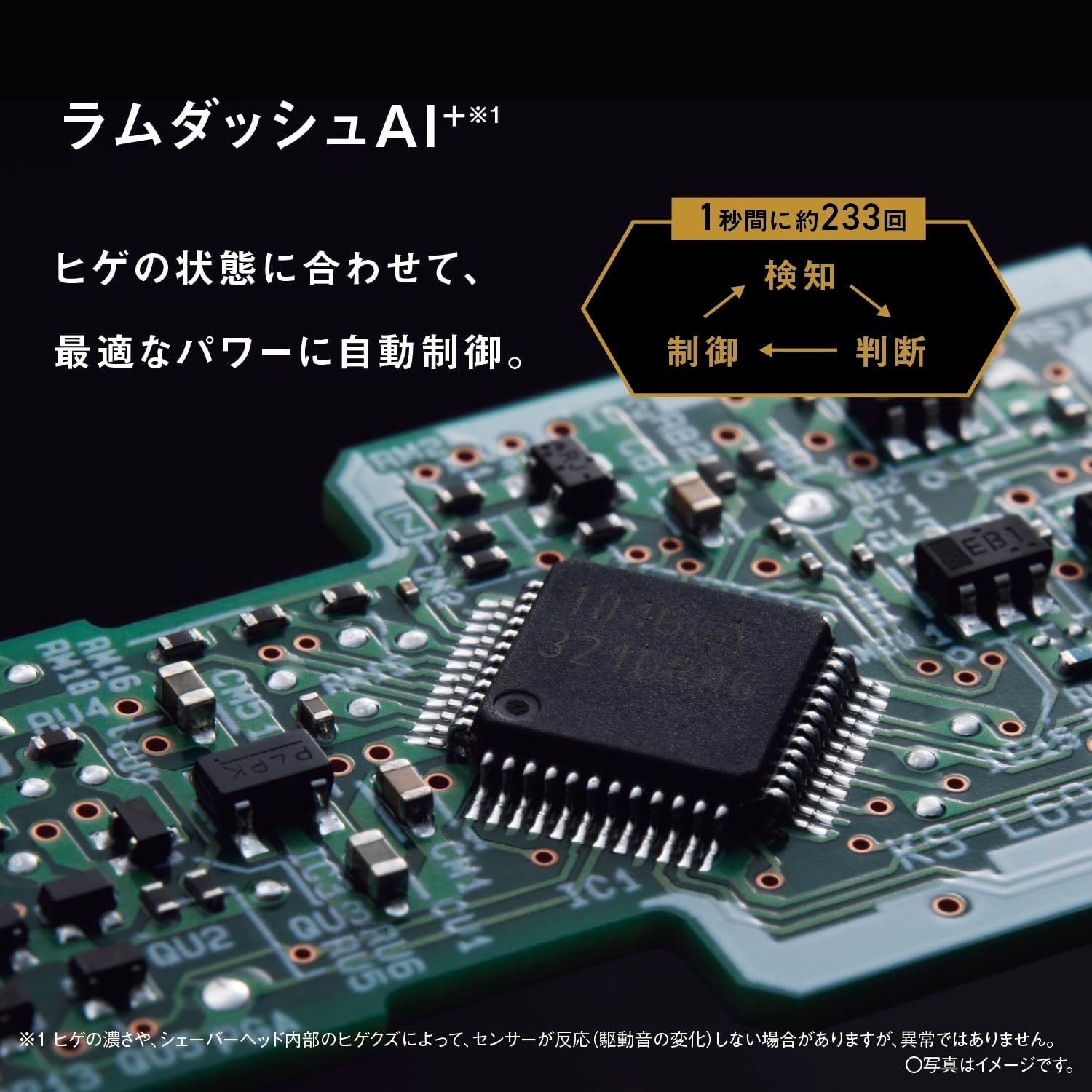
Figure 6: Recommended blade replacement interval is approximately 1.5 years.
Troubleshooting
| Problem | Possible Cause / Solution |
|---|---|
| Shaver does not turn on. | Battery may be depleted. Charge the shaver for at least 2 hours. |
| Shaving performance is poor. |
|
| Shaver makes a different sound during operation. | This is normal. The LAMDASH AI+ sensor adjusts motor power based on beard density, which can cause changes in the drive sound. |
| Skin irritation after shaving. |
|
Specifications
| Feature | Detail |
|---|---|
| Model Number | ES-L551U-S |
| Brand | Panasonic |
| Blade System | 5-Blade |
| Motor Type | High-speed Linear Motor (approx. 14,000 strokes/minute) |
| Special Features | LAMDASH AI+, 5D Flexible Head, Wet/Dry Shave (can be used in bath) |
| Power Source | Rechargeable (USB Type-C) |
| Charging Time | Approx. 2 hours for rapid charge |
| Dimensions (H x W x D) | 18.0 x 7.2 x 5.7 cm (excluding cap) |
| Weight | Approx. 210g (excluding cap) |
| Cleaning | Water washable (excluding USB cable) |
| Overseas Use | Yes (requires separate plug adapter) |
| Country of Origin | Main Unit: Japan / AC Adapter: China |
| Included Accessories | Pouch, USB Cable (Type-A to Type-C), Dedicated Oil, Cleaning Brush |
Warranty and Support
Warranty Information
This product comes with a manufacturer's warranty of 12 months from the date of purchase. Please retain your proof of purchase for warranty claims. The warranty covers defects in materials and workmanship under normal use.
The warranty does not cover damage caused by misuse, accident, unauthorized modification, or normal wear and tear of consumable parts like blades.
Customer Support
For product inquiries, technical assistance, or to purchase replacement parts, please contact Panasonic customer support in your region. Refer to the official Panasonic website for contact details and service center locations.