
Introduction
This manual provides essential information for the proper setup, operation, and maintenance of your Kaidi KMF4-C Wireless USB-C Lavalier Microphone system. Designed for content creators, journalists, educators, and professionals, this dual microphone system delivers clear, professional-quality audio with wireless freedom. Please read this manual thoroughly before using the product to ensure optimal performance and longevity.
Package Contents
Verify that all items listed below are included in your package:
- 2 x Wireless Lavalier Microphones
- 1 x USB-C Receiver
- 1 x Charging Case
- Fixing Accessories (e.g., magnetic clips)
- 1 x USB Charging Cable
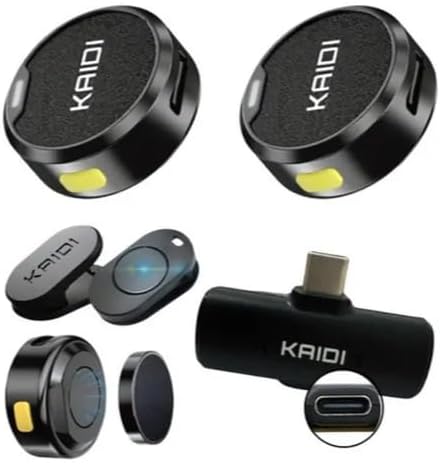
Image: All components included in the Kaidi KMF4-C package, showing two microphones, a USB-C receiver, and a charging case.
Product Overview
The Kaidi KMF4-C system features two compact wireless lavalier microphones and a USB-C receiver, designed for seamless audio recording. Key features include noise reduction and sensitive sound capture.
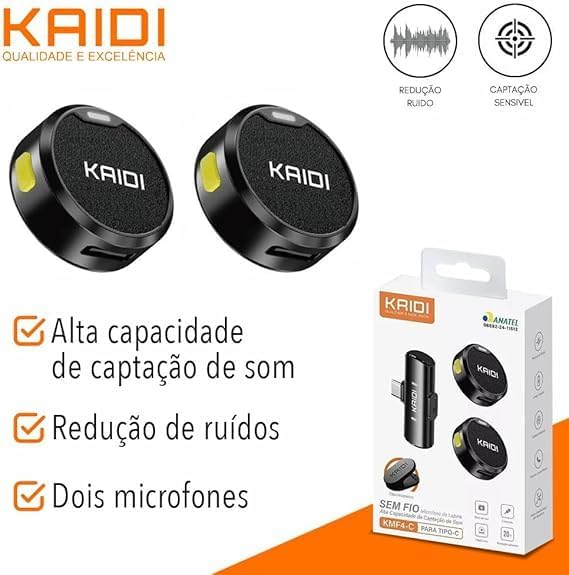
Image: Two Kaidi KMF4-C wireless microphones highlighting noise reduction and sensitive sound capture capabilities.
The microphones offer versatile attachment options, including a magnetic back for easy placement on clothing and a magnetic clip for secure fastening.
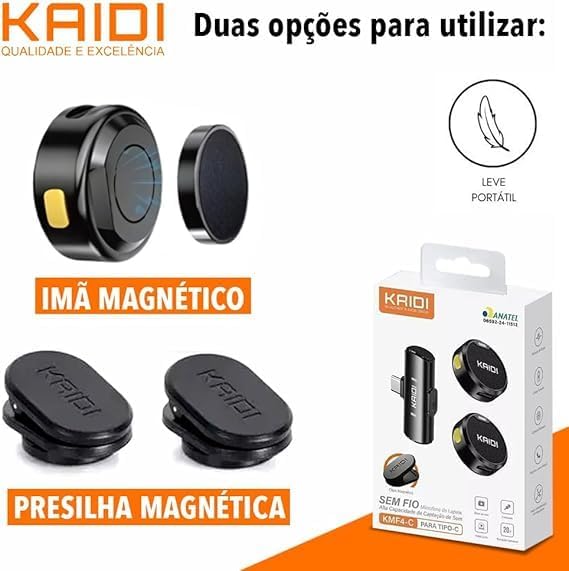
Image: Close-up of the Kaidi KMF4-C microphone demonstrating both magnetic attachment and magnetic clip options for secure placement.
The system is suitable for various applications such as interviews, short videos, live shows, and features effective noise reduction for clear audio up to a 20-meter reception distance.
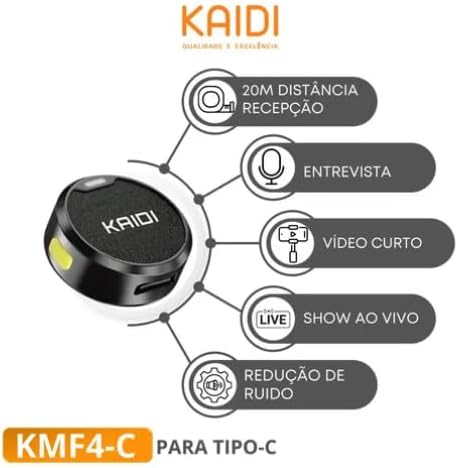
Image: Diagram illustrating the Kaidi KMF4-C microphone's applications, including interviews, videos, and live shows, along with its 20m reception distance and noise reduction.
Setup
- Charge the Microphones: Before first use, ensure both lavalier microphones are fully charged. Place them in the charging case and connect the case to a power source using the provided USB charging cable. The charging indicator lights will show the charging status.
- Connect the Receiver: Plug the USB-C receiver into the USB-C port of your smartphone, tablet, or compatible device. The receiver is plug-and-play, requiring no additional drivers.
- Power On Microphones: Press and hold the power button on each lavalier microphone until the indicator light turns on, indicating they are powered on.
- Automatic Pairing: The microphones will automatically pair with the receiver. A solid indicator light on both the microphones and the receiver typically signifies a successful connection.
- Test Connection: Open your device's recording app or camera app and perform a quick test recording to ensure audio is being captured correctly.
Operating Instructions
Wearing the Microphone:
- Magnetic Attachment: For quick and easy placement, use the magnetic back of the microphone to attach it to your clothing. Ensure the microphone is facing towards your mouth for optimal sound capture.
- Magnetic Clip: For a more secure hold, especially during movement, use the magnetic clip. Attach the clip to your clothing, then place the microphone onto the clip.
- Position the microphone approximately 6-8 inches (15-20 cm) from your mouth for the best audio quality.
Noise Reduction:
The Kaidi KMF4-C features intelligent noise reduction. This function is typically active by default, helping to filter out ambient background noise for clearer voice recordings. No manual activation is usually required.
Battery Life:
Each microphone is powered by an internal lithium battery, providing approximately 6 hours of recording time on a full charge. The charging case extends the overall usage time by allowing multiple recharges on the go. Monitor the battery level indicators on the microphones and charging case.
Using with Recording Apps:
Once connected, the microphones will function as the primary audio input for most recording applications on your USB-C compatible device. Ensure your app settings are configured to use the external microphone if an option is available.
Maintenance
- Cleaning: Use a soft, dry cloth to clean the microphones and receiver. Do not use liquid cleaners or solvents.
- Storage: Store the microphones and receiver in their charging case when not in use to protect them from dust, moisture, and physical damage.
- Battery Care: To prolong battery life, avoid fully discharging the batteries frequently. Recharge them regularly, even if not in constant use. Store in a cool, dry place.
- Avoid Extreme Conditions: Do not expose the device to extreme temperatures, direct sunlight, or high humidity.
Troubleshooting
| Problem | Possible Cause | Solution |
|---|---|---|
| No sound or low volume | Microphones not powered on, not paired, or device volume too low. | Ensure microphones are powered on and paired. Check device volume settings. Confirm receiver is fully inserted into the device's USB-C port. |
| Connection issues | Out of range, interference, or low battery. | Move closer to the receiver (within 20m). Avoid obstacles. Recharge microphones. Restart both microphones and receiver. |
| Poor audio quality (static, distortion) | Interference, microphone placement, or environmental noise. | Ensure microphone is positioned correctly. Move away from strong electromagnetic sources. The built-in noise reduction should handle most ambient noise. |
| Microphones not charging | Charging cable or adapter faulty, or microphones not properly seated in the case. | Check charging cable and adapter. Ensure microphones are correctly placed in the charging case. Try a different USB-C cable or power source. |
Specifications
| Feature | Detail |
|---|---|
| Model Name | KMF4-C (Microfone Lapela Duplo Sem Fio) |
| Brand | Kaidi (Generic) |
| Connectivity Technology | Wireless, USB-C |
| Compatible Devices | USB-C devices, Android smartphones, Tablets |
| Special Features | Noise Cancellation, Dual Microphone, Portable, Wireless |
| Polar Pattern | Omnidirectional |
| Microphone Form Factor | Lavalier |
| Power Source | Battery Powered (Internal Lithium Battery) |
| Signal-to-Noise Ratio | 75 dB |
| Frequency Response | 20 Hz - 20 kHz |
| Noise Level | 20 Decibels |
| Number of Channels | 2 |
| Color | Black |
| Material | Metal, Plastic |
| Part Number | MC4232 |
Official Product Video
Video: An overview of the Kaidi KMF4-C Dual Lavalier Microphone system, demonstrating its features and components.
Warranty and Support
Warranty information for this product is not explicitly provided in the product details. Please refer to your point of purchase or the seller for specific warranty terms and conditions.
For technical support, troubleshooting assistance, or any inquiries regarding your Kaidi KMF4-C Wireless USB-C Lavalier Microphone, please contact the seller or manufacturer's customer service through the platform where the product was purchased.