
1. Introduction
Thank you for choosing the truke Mega 7 True Wireless Earbuds. This manual provides essential information for setting up, operating, and maintaining your earbuds to ensure optimal performance and longevity. Please read this manual thoroughly before use.
2. What's in the Box
- truke Mega 7 True Wireless Earbuds
- Wireless Charging Case
- USB Charging Cable
- Eartips (various sizes)
- User Manual
3. Product Overview
The truke Mega 7 earbuds are designed for an immersive audio experience with advanced features. They come with a premium leather finish charging case.

Image: truke Mega 7 True Wireless Earbuds in their open charging case, showcasing the earbuds and the leather-textured case.
Key Features:
- 24-Bit 360 Spatial Audio: Provides an immersive, theater-like sound experience.
- 60 Hours Total Playtime: Extended battery life with the charging case.
- Dual Pairing Technology: Connect and switch between two devices simultaneously.
- 40ms Ultra Low Latency Gaming Mode: Optimized for gaming with minimal audio delay.
- Quad-Mic PureVoice ENC Technology: Enhances call clarity by reducing background noise.
- 13mm Titanium Drivers: Delivers rich bass, clear mids, and crisp highs.
- IPX5 Water Resistance: Protected against sweat and light splashes.
- Premium Leather Finish Case: Stylish and durable charging case.
4. Setup
4.1 Charging the Earbuds and Case
Before first use, fully charge the earbuds and the charging case. Place the earbuds into the charging case. Connect the USB charging cable to the charging port on the case and to a power source. The LED indicator on the case will show charging status.

Image: The truke Mega 7 charging case held above a hand, illustrating its compact size and fast charging feature (10 minutes charge for 160 minutes playback).
- A full charge provides up to 60 hours of total playtime with the charging case.
- Fast charging allows for approximately 160 minutes of playback from a 10-minute charge.
4.2 Initial Pairing
- Open the charging case. The earbuds will automatically enter pairing mode.
- On your device (smartphone, tablet, laptop), enable Bluetooth.
- Search for available Bluetooth devices and select "truke Mega 7".
- Once connected, a voice prompt will confirm successful pairing.
5. Operating Instructions
5.1 Power On/Off
- Power On: Open the charging case, or long-press the touch area on both earbuds for 3 seconds.
- Power Off: Place the earbuds back into the charging case and close the lid, or long-press the touch area on both earbuds for 5 seconds.
5.2 Touch Controls
| Function | Action |
|---|---|
| Play/Pause | Single tap on either earbud |
| Next Track | Double tap on the right earbud |
| Previous Track | Double tap on the left earbud |
| Answer/End Call | Single tap on either earbud |
| Reject Call | Long press on either earbud for 2 seconds |
| Activate Voice Assistant | Triple tap on either earbud |
| Toggle Gaming Mode | Long press on the right earbud for 2 seconds |
5.3 Dual Pairing
The truke Mega 7 supports connecting to two devices simultaneously. To use dual pairing:
- Pair the earbuds with the first device as described in Section 4.2.
- Disable Bluetooth on the first device. The earbuds will re-enter pairing mode.
- Pair the earbuds with the second device.
- Enable Bluetooth on the first device again. The earbuds should automatically connect to both devices.

Image: truke Mega 7 earbuds and charging case positioned between a laptop and a smartphone, illustrating the dual pairing connectivity feature.
5.4 Gaming Mode (40ms Low Latency)
Activate Gaming Mode for a synchronized audio-visual experience during gaming. Long press the right earbud for 2 seconds to toggle Gaming Mode on or off.
5.5 Call Management (Quad-Mic PureVoice ENC)
The Quad-Mic PureVoice ENC technology helps reduce environmental noise during calls, ensuring clear communication.
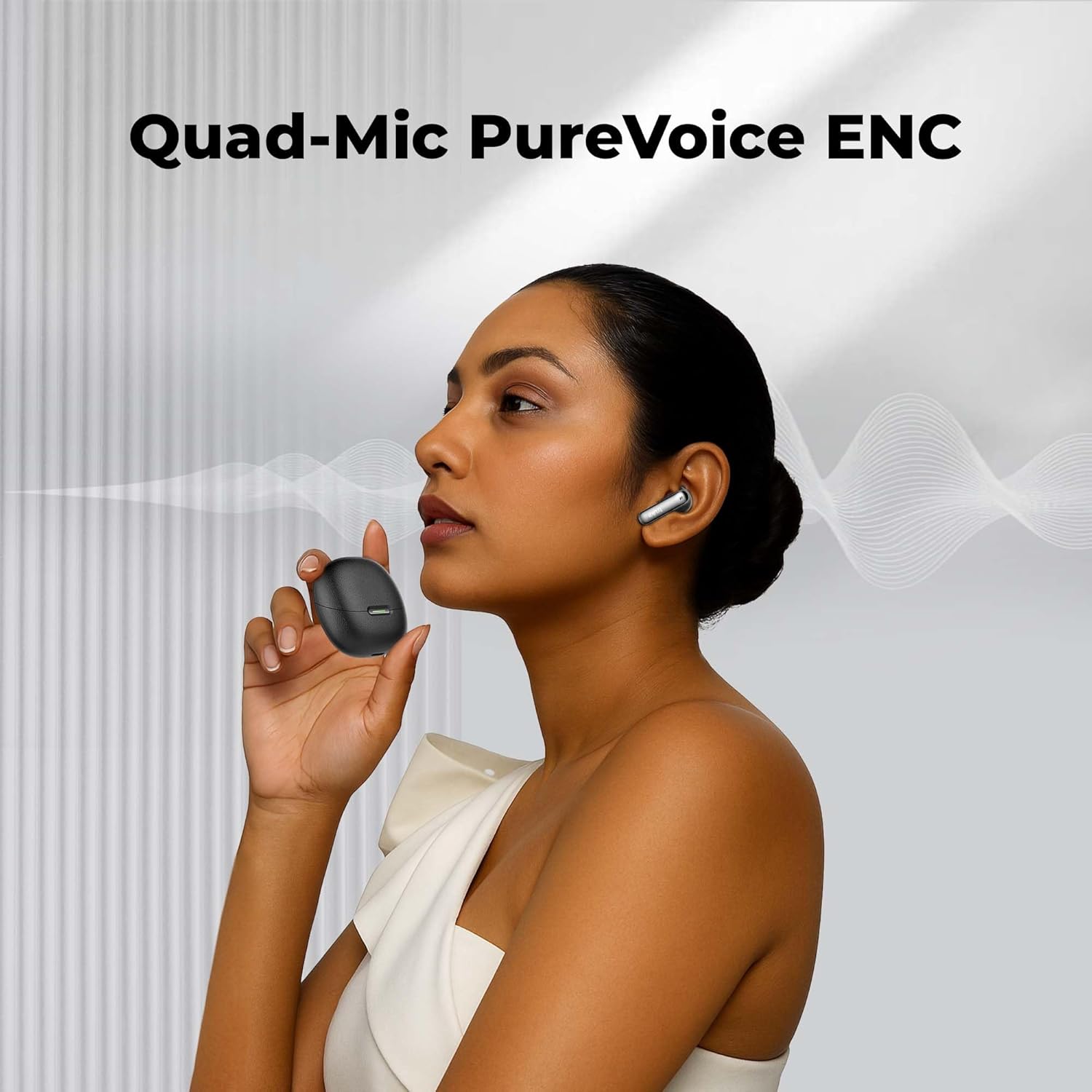
Image: A woman wearing a truke Mega 7 earbud and holding the charging case, with sound waves emanating from her mouth, symbolizing the Quad-Mic PureVoice ENC technology for clear calls.
6. Maintenance
- Cleaning: Use a soft, dry, lint-free cloth to clean the earbuds and charging case. Do not use harsh chemicals or abrasive materials.
- Eartips: Regularly remove and clean the eartips with a damp cloth. Ensure they are completely dry before reattaching.
- Water Resistance: The earbuds are IPX5 water resistant, meaning they can withstand sweat and light splashes. Do not submerge them in water or expose them to heavy rain. Ensure the charging port is dry before charging.
- Storage: Store the earbuds in their charging case when not in use to protect them and keep them charged. Avoid extreme temperatures.
7. Troubleshooting
7.1 Earbuds Not Pairing
- Ensure both earbuds are charged.
- Make sure Bluetooth is enabled on your device.
- Place the earbuds back in the case, close the lid, wait a few seconds, then open it again to re-enter pairing mode.
- Try forgetting "truke Mega 7" from your device's Bluetooth list and re-pairing.
7.2 No Sound from One Earbud
- Ensure both earbuds are charged and properly seated in the case.
- Try resetting the earbuds (refer to manufacturer's specific reset instructions if available, otherwise, place in case, close, open, and re-pair).
- Clean the charging contacts on both the earbuds and the case.
7.3 Charging Issues
- Ensure the charging cable is securely connected to both the case and the power source.
- Try a different USB cable or power adapter.
- Clean the charging port on the case.
8. Specifications
| Feature | Specification |
|---|---|
| Model Name | truke Mega 7 earbuds (B200) |
| Connectivity Technology | Wireless (Bluetooth) |
| Bluetooth Version | Not specified (assumed modern standard) |
| Audio Driver Type | 13mm Titanium Dynamic Driver |
| Battery Life | Up to 60 Hours (with charging case) |
| Charging Time | 10 mins charge for 160 mins playback (Fast Charging) |
| Low Latency Mode | 40ms |
| Microphone | Quad-Mic with PureVoice ENC |
| Water Resistance | IPX5 |
| Control Method | Touch |
| Ear Placement | In Ear |
| Item Weight | 43 Grams |
| Product Dimensions | 5.4 x 6 x 3 cm |
| Material | Plastic |
| Manufacturer | Optiemus Electronics Limited |
| Country of Origin | India |
9. Warranty and Support
The truke Mega 7 True Wireless Earbuds come with a 12 Months Warranty & Service Support. For any warranty claims or technical assistance, please contact truke customer service through their official channels. Keep your purchase receipt as proof of purchase.