
1. Introduction
This manual provides essential information for the safe and efficient operation of your KUNKAJNGM 4.2KW 24V Dual Output Hybrid Solar Inverter. This device is designed to convert direct current (DC) from solar panels into alternating current (AC) for household or commercial use, supporting both on-grid and off-grid applications. It features a pure sine wave output, built-in WiFi for monitoring, and a 100A MPPT solar charge controller.
2. Safety Instructions
Please read all instructions and warnings carefully before installation and operation. Failure to follow these instructions may result in electric shock, fire, or serious injury.
- Installation must be performed by qualified personnel.
- Do not attempt to repair the inverter yourself. Contact qualified service personnel.
- Ensure proper grounding of the inverter.
- Do not expose the inverter to rain, snow, spray, or any liquids.
- Keep flammable materials away from the inverter.
- Disconnect all power sources (PV, battery, utility) before performing any maintenance or wiring.
3. Product Overview
The KUNKAJNGM 4.2KW 24V Hybrid Solar Inverter (Model: ANJ-4.2KW-24V-WIFi) is a versatile power solution integrating a solar charge controller, inverter, and battery charger functions. It is designed to provide uninterrupted power support with its dual output capability and pure sine wave technology.
Key Features:
- Model: ANJ-4.2KW-24V-WIFi
- Power Rating: 4.2KW / 4200VA
- Battery Voltage: 24V
- Output Type: Dual Output, Pure Sine Wave
- Operating Modes: On-Grid and Off-Grid
- MPPT Charge Controller: 100A, supports PV input up to 500V
- Communication: Built-in WiFi, BMS RS485 for Lithium Batteries
- Frequency: 50/60Hz (Auto sensing)
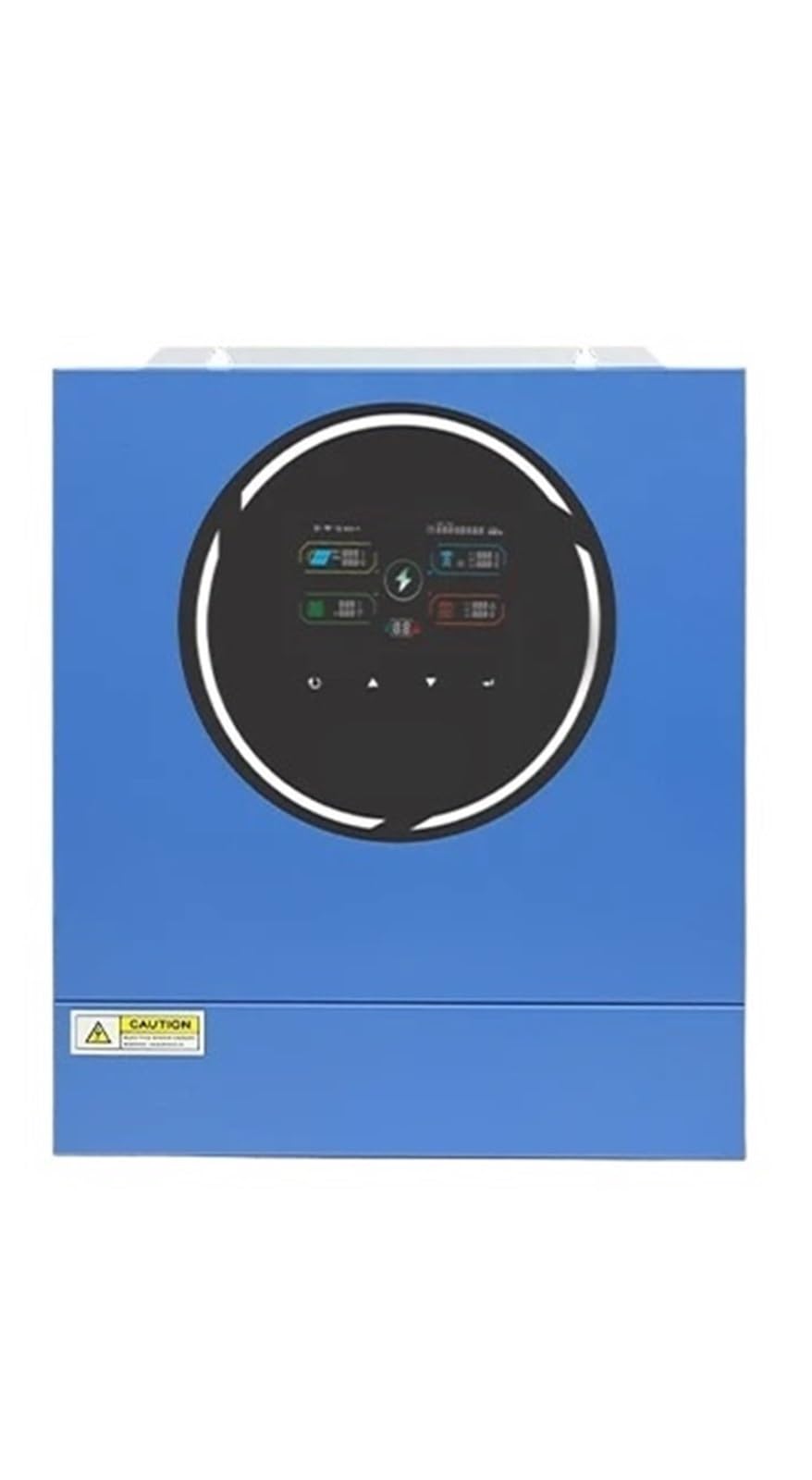
This image displays the front panel of the KUNKAJNGM 4.2KW 24V Dual Output Hybrid Solar Inverter, showing its display screen and control buttons for user interaction and status monitoring.
4. Setup and Installation
Before installation, ensure the mounting surface is strong enough to support the inverter's weight (approximately 7kg) and that there is adequate ventilation around the unit.
4.1 Wiring Connections
- Battery Connection: Connect the 24V battery bank to the inverter's battery terminals. Ensure correct polarity. The inverter supports Lithium Battery communication via RS485 and activation by PV or Utility.
- PV Input Connection: Connect your solar panel array to the PV input terminals. The maximum PV input power supported is 5000W, with a maximum PV input voltage of 500V.
- AC Input Connection: Connect the utility grid AC power to the inverter's AC input. The acceptable voltage range is 170-280VAC for personal computers and 90-280VAC for home appliances. The frequency is auto-sensing at 50/60Hz.
- AC Output Connection: Connect your loads to the inverter's AC output terminals. The inverter provides a nominal output voltage of 220/230VAC ±5%.
- Grounding: Ensure the inverter chassis is properly grounded according to local electrical codes.
4.2 Initial Power-Up
After all connections are secure and verified, turn on the battery breaker first, then the PV array breaker, and finally the AC input breaker. The inverter will initiate its startup sequence.
5. Operating Instructions
The inverter operates automatically once powered on, managing power flow between solar, battery, and utility. The built-in display provides real-time status and operational parameters.
5.1 Display and Control Panel
The front panel features an LCD display and buttons for navigating menus and configuring settings. Refer to the detailed user interface section in the full manual for specific menu options.
5.2 WiFi Monitoring
The built-in WiFi module allows for remote monitoring and management of the inverter via a dedicated mobile application or web interface. Follow the instructions provided with the inverter for connecting to your local WiFi network and setting up the monitoring platform.
5.3 Output Power
The inverter offers dual outputs with a maximum main output power of 4200VA/4200W and a maximum second output power of 4200VA/4200W. The maximum total output power is 4200VA/4200W. Note that this model does not support parallel capability.
6. Maintenance
Regular maintenance ensures optimal performance and longevity of your inverter.
- Cleaning: Keep the inverter's ventilation openings clear of dust and debris. Use a dry cloth to clean the exterior. Do not use liquid cleaners.
- Connections: Periodically check all electrical connections for tightness and signs of corrosion.
- Environment: Ensure the operating environment remains within the specified temperature and humidity ranges.
- Battery Health: Monitor battery voltage and health, especially for lead-acid batteries. For lithium batteries, the BMS communication provides detailed status.
7. Troubleshooting
If the inverter is not operating as expected, refer to the following common issues before contacting support.
7.1 No Power Output
- Check if the battery is connected and charged.
- Verify that the PV input is active and generating sufficient voltage.
- Ensure the AC input (utility) is present and within the acceptable voltage range.
- Check all circuit breakers and fuses.
7.2 Inverter Display Not Working
- Confirm the battery is connected and has sufficient voltage.
- Check the power switch on the inverter.
7.3 Error Codes
The LCD display may show specific error codes. Consult the full product manual for a comprehensive list of error codes and their corresponding troubleshooting steps.
8. Specifications
| Parameter | Value |
|---|---|
| Model Number | ANJ-4.2KW-24V-WIFi |
| Output Type | DUAL |
| Weight | 7kg |
| Output Frequency | 50/60Hz |
| Smart Device | Yes (Built-in WiFi) |
| Dual Outputs | Yes |
| Maximum PV Input Power | 5000W |
| Phase | 1-Phase In/1-Phase Out |
| Maximum Main Output Power | 4200VA/4200W |
| Maximum Second Output Power | 4200VA/4200W |
| Maximum Total Output Power | 4200VA/4200W |
| Parallel Capability | No |
| Lithium Battery Communication | YES (RS485) |
| Lithium Battery Activation | YES (By PV or Utility) |
| AC Input Nominal Voltage | 230VAC |
| Acceptable AC Input Voltage Range | 170-280VAC (Personal Computer), 90-280VAC (Home Appliances) |
| AC Input Frequency | 50/60Hz (Auto sensing) |
| AC Output Nominal Voltage | 220/230VAC ±5% |
| Brand | KUNKAJNGM |
| Power Source | Battery Powered |
| Wattage | 1 kWh |
9. Warranty and Support
Specific warranty details for the KUNKAJNGM 4.2KW 24V Dual Output Hybrid Solar Inverter are not provided in this document. Please refer to the product packaging, purchase documentation, or contact the manufacturer directly for warranty information and technical support.
For technical assistance or inquiries, please contact KUNKAJNGM customer service through their official channels.