
1. Introduction
This manual provides essential information for the safe and efficient operation, maintenance, and troubleshooting of your Toursor Amakou ST500 Pro Electric Scooter. Please read this manual thoroughly before your first ride and retain it for future reference. Understanding the features and proper handling procedures will ensure a safe and enjoyable experience.

Image 1.1: Overview of the Toursor Amakou ST500 Pro Electric Scooter.
2. Safety Guidelines
Always prioritize safety when operating the electric scooter. Failure to follow safety instructions may result in serious injury or damage to the scooter.
- Wear Protective Gear: Always wear a helmet, knee pads, elbow pads, and appropriate footwear.
- Check Before Each Ride: Ensure tires are properly inflated, brakes are functional, and all fasteners are secure.
- Observe Traffic Laws: Ride in accordance with local traffic laws and regulations.
- Avoid Hazardous Conditions: Do not ride in heavy rain, on icy surfaces, or in areas with poor visibility.
- Single Rider Only: The scooter is designed for one rider at a time.
- Weight Limit: Do not exceed the maximum weight limit of 200 kg (440 lbs).
3. Setup and Assembly
3.1 Unpacking and Initial Inspection
Carefully remove all components from the packaging. Inspect the scooter for any signs of damage that may have occurred during shipping. Ensure all parts listed in the packing list are present.

Image 3.1: The Amakou ST500 Pro Electric Scooter with its toolkit and dual chargers.
3.2 Handlebar Installation
Attach the handlebars to the stem using the provided screws and tools from the toolkit. Ensure they are securely fastened and aligned correctly. Refer to the assembly diagram in the separate quick start guide for detailed steps.
3.3 Initial Battery Charging
Before first use, fully charge the scooter's 72V 40Ah lithium battery. Connect both chargers to the charging ports on the scooter and then to a power outlet. The charging time is approximately 8-10 hours for a full charge. Do not overcharge the battery.

Image 3.2: The 72V 40Ah battery system, offering up to 75 miles range and 8-10 hour full charge time.
3.4 Tire Pressure Check
Verify that the 13-inch road tires are inflated to the recommended pressure. Proper tire pressure is crucial for safety, performance, and battery efficiency.
3.5 App Connection and NFC Card Pairing
The Amakou ST500 Pro features smart control via the Tuya Ride app and NFC card access. To connect, scan the QR code located on the back of the display to download the Tuya Ride app. Follow the in-app instructions to pair your scooter. The NFC card can be used for dual ignition modes, providing enhanced security.
Video 3.1: Demonstrates connecting the Amakou ST500 Pro Electric Scooter to the Tuya Ride app via NFC and adjusting settings.
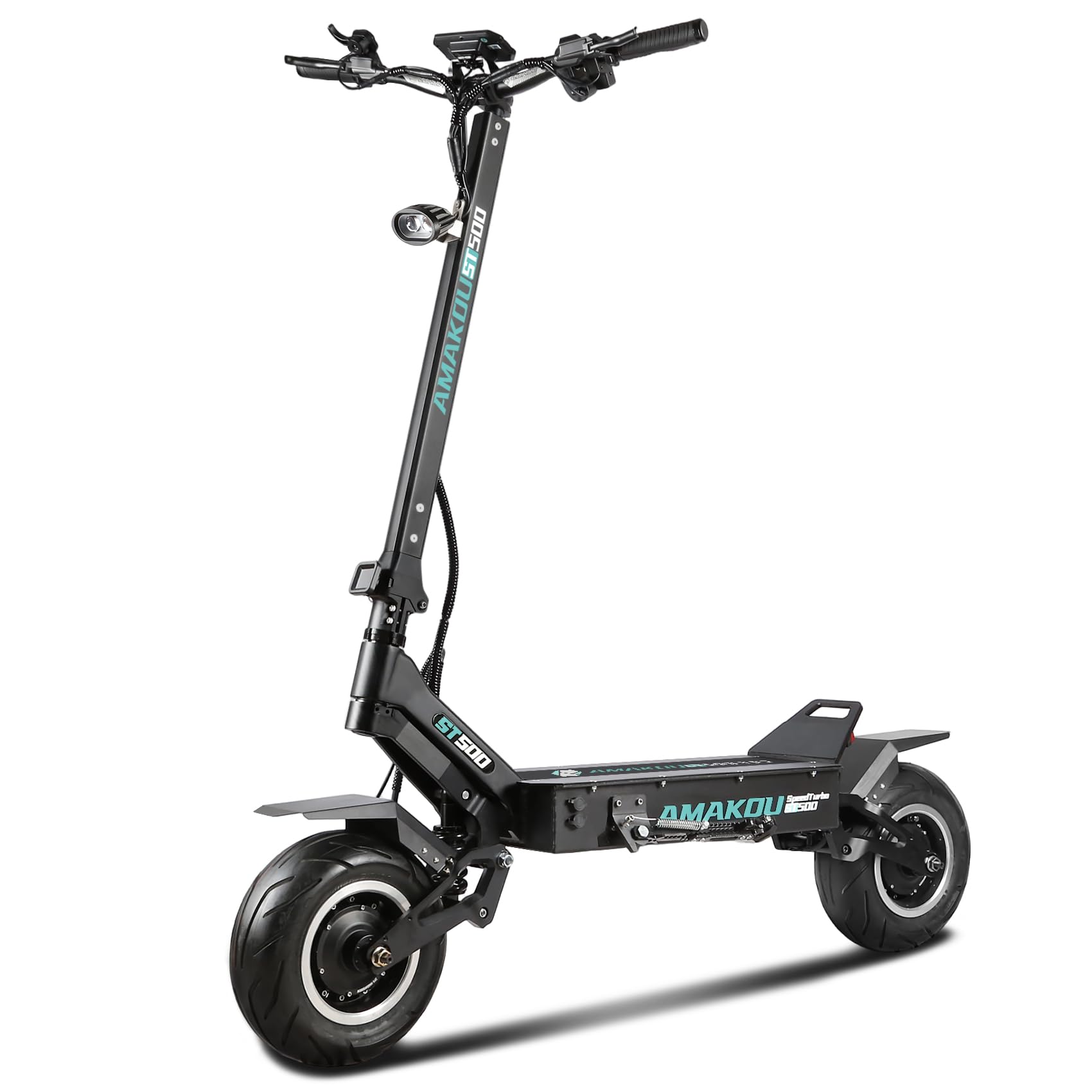
Image 3.3: The Liquid Crystal Display and NFC function area on the scooter handlebars.
4. Operating Instructions
4.1 Powering On/Off
To power on the scooter, use either the physical key or the NFC card. Insert the key and turn it, or tap the NFC card on the designated area near the display. The Liquid Crystal Display will illuminate. To power off, reverse the process or use the app's lock function.
4.2 Display Functions
The digital display provides real-time information including speed, battery level, riding mode (ECO, Sport, Race), and total mileage. The display brightness can be adjusted to 3 levels (1-3 gears) for optimal visibility day or night.
4.3 Speed Modes
The scooter offers multiple speed modes to suit different riding conditions:
- Mode 1 (ECO): Max efficiency, smooth power, lowest speed, longest range (approx. 27 miles).
- Mode 2 (Sport): Strong power, fast acceleration, balanced range (approx. 48 miles).
- Mode 3 (Race): Full power, high burst top speed, shortest range (approx. 74 miles).
Switch between modes using the function button on the handlebars or via the Tuya Ride app.
4.4 Throttle and Braking
The scooter is equipped with a throttle for acceleration and front/rear brakes for stopping. Apply brakes smoothly and gradually. Avoid sudden braking, especially at high speeds, to prevent loss of control.
4.5 Riding on Various Terrains
The 13-inch street-specific tires and 2500LBS hydraulic shock absorbers provide a stable ride on paved roads. The scooter is also capable of handling varied terrains, including snowy, MTB trails, sandy, and paved roads, with a 50° slope capability.

Image 4.1: The 13-inch tires are designed for superior power and adaptability across diverse terrains.
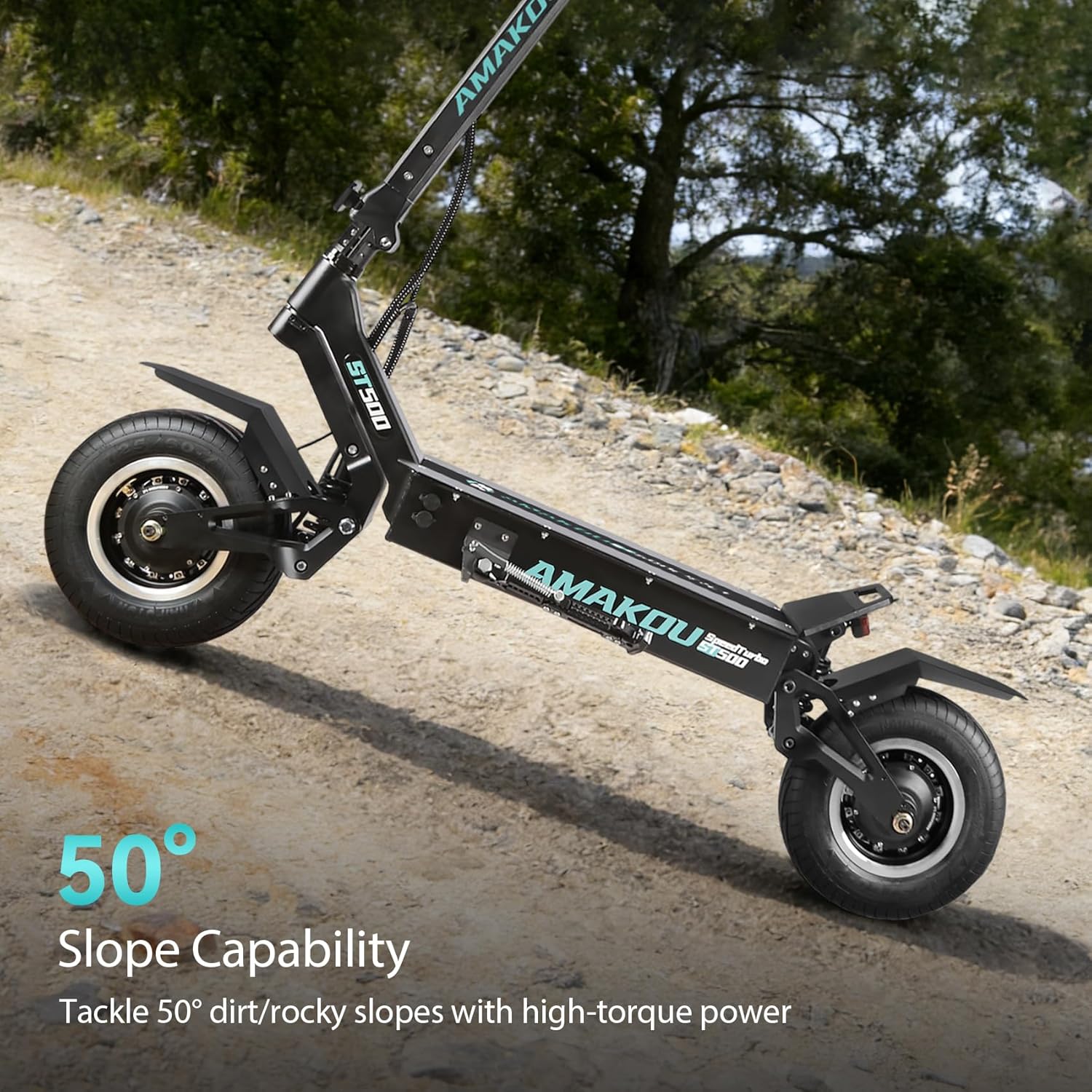
Image 4.2: The scooter's design allows it to tackle slopes up to 50 degrees.
5. Maintenance
5.1 Battery Care
To prolong battery life, avoid completely draining the battery. Charge it regularly, even if not in frequent use. Store the scooter in a cool, dry place, and ensure the battery is charged to at least 50% if storing for extended periods.
5.2 Tire Maintenance
Regularly check tire pressure and inflate to the recommended PSI. Inspect tires for wear, punctures, or damage. Replace worn tires promptly to maintain optimal grip and safety.
5.3 Brake System Inspection
Periodically check the brake levers, cables, and pads for wear or damage. Ensure brakes respond effectively. If you notice any issues, have them inspected and serviced by a qualified technician.
5.4 General Cleaning and Storage
Clean the scooter with a damp cloth. Avoid using high-pressure water jets directly on electrical components. Store the scooter indoors in a dry environment to protect it from elements and extend its lifespan.

Image 5.1: The high-performance hydraulic shock absorbers ensure a smooth ride by absorbing jolts and vibrations.
6. Troubleshooting
This section addresses common issues you might encounter with your Amakou ST500 Pro Electric Scooter.
- Scooter Not Turning On: Check if the battery is charged. Ensure the physical key is fully inserted and turned, or the NFC card is correctly scanned.
- Reduced Range/Power: This could indicate a low battery charge, improper tire pressure, or riding in a high-power mode (e.g., Race mode) for extended periods.
- App Connection Issues: Ensure Bluetooth is enabled on your smartphone and the scooter is powered on. Try restarting both the app and the scooter.
- Unusual Noises: Stop riding immediately and inspect the scooter for loose parts, debris in the wheels, or brake issues.
- Brakes Not Responding: Check brake levers and cables. If issues persist, professional inspection is required.
For issues not covered here, please contact customer support.
7. Specifications
| Feature | Specification |
|---|---|
| Brand | Toursor |
| Model Name | X7 (ST500 Pro) |
| Motor Power | 10KW (Dual 5000W brushless hub motors) |
| Top Speed | 65 mph |
| Battery | 72V 40Ah Lithium Battery |
| Max Range | Up to 75 miles (under specific riding conditions) |
| Charging Time | 8-10 hours (with dual chargers) |
| Tire Size | 13-inch |
| Suspension Type | Dual Suspension (2500LBS hydraulic shock absorber) |
| Weight Limit | 200 Kilograms (440 lbs) |
| Product Dimensions | 53"L x 12"W x 53"H |
| Special Features | Digital Display, NFC Card Access, Tuya Ride App Control |
8. Warranty and Support
Toursor provides reliable after-sales support for your electric scooter. For any inquiries, technical assistance, or warranty claims, please contact Toursor customer service. To facilitate faster troubleshooting, be prepared to provide photos or videos of the issue if requested.
Please refer to your purchase documentation for specific warranty terms and conditions.


