
1. Introduction
Thank you for choosing the MFVLP D16 Smart Watch. This device is designed to enhance your daily life with features such as Bluetooth calling, comprehensive health monitoring, and various sports modes. This manual provides detailed instructions to help you set up, operate, and maintain your smart watch effectively.
2. Package Contents
Please verify that all items are present in your package:
- MFVLP D16 Smart Watch (1 unit)
- Watch Band (1 unit)
- Magnetic Charging Cable (1 unit)
- User Manual (1 unit)
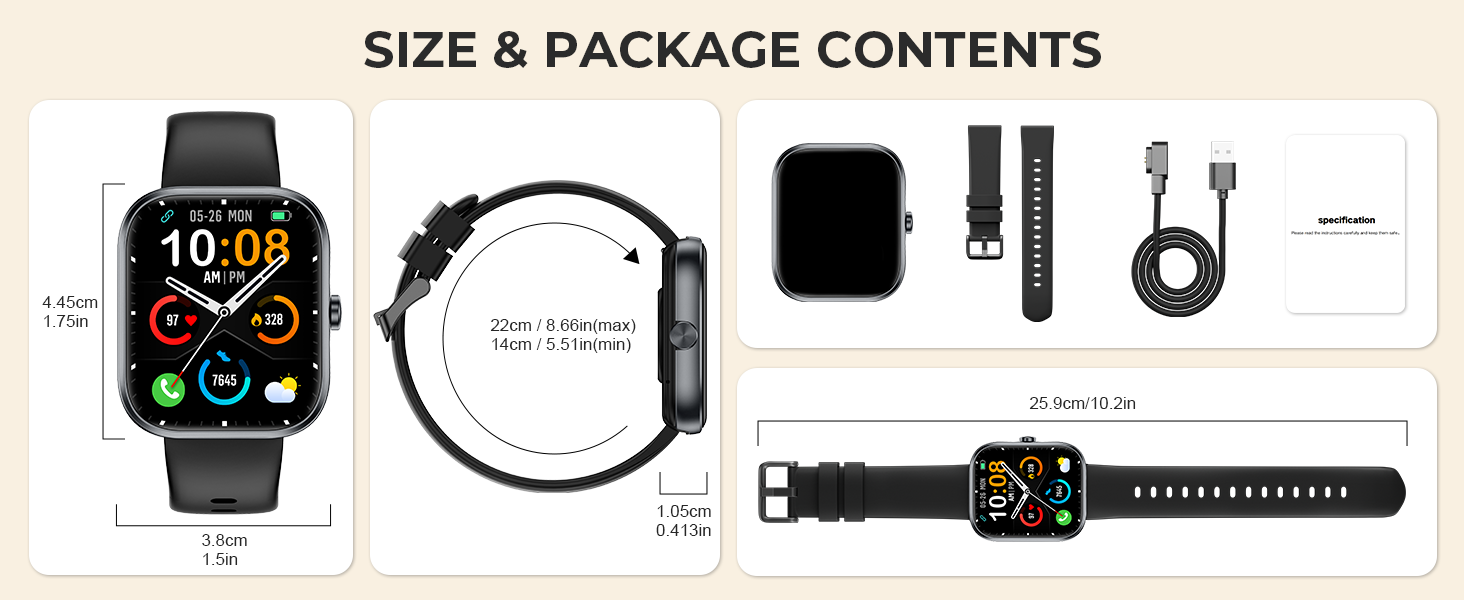
Image: The MFVLP D16 Smart Watch, its magnetic charging cable, watch band, and a diagram illustrating the watch's dimensions and package contents.
3. Product Overview
The MFVLP D16 Smart Watch features a 1.83-inch HD full touch screen and a durable design. It includes a side button for navigation and a sensor array on the back for health monitoring. The watch is designed for comfortable wear throughout the day.
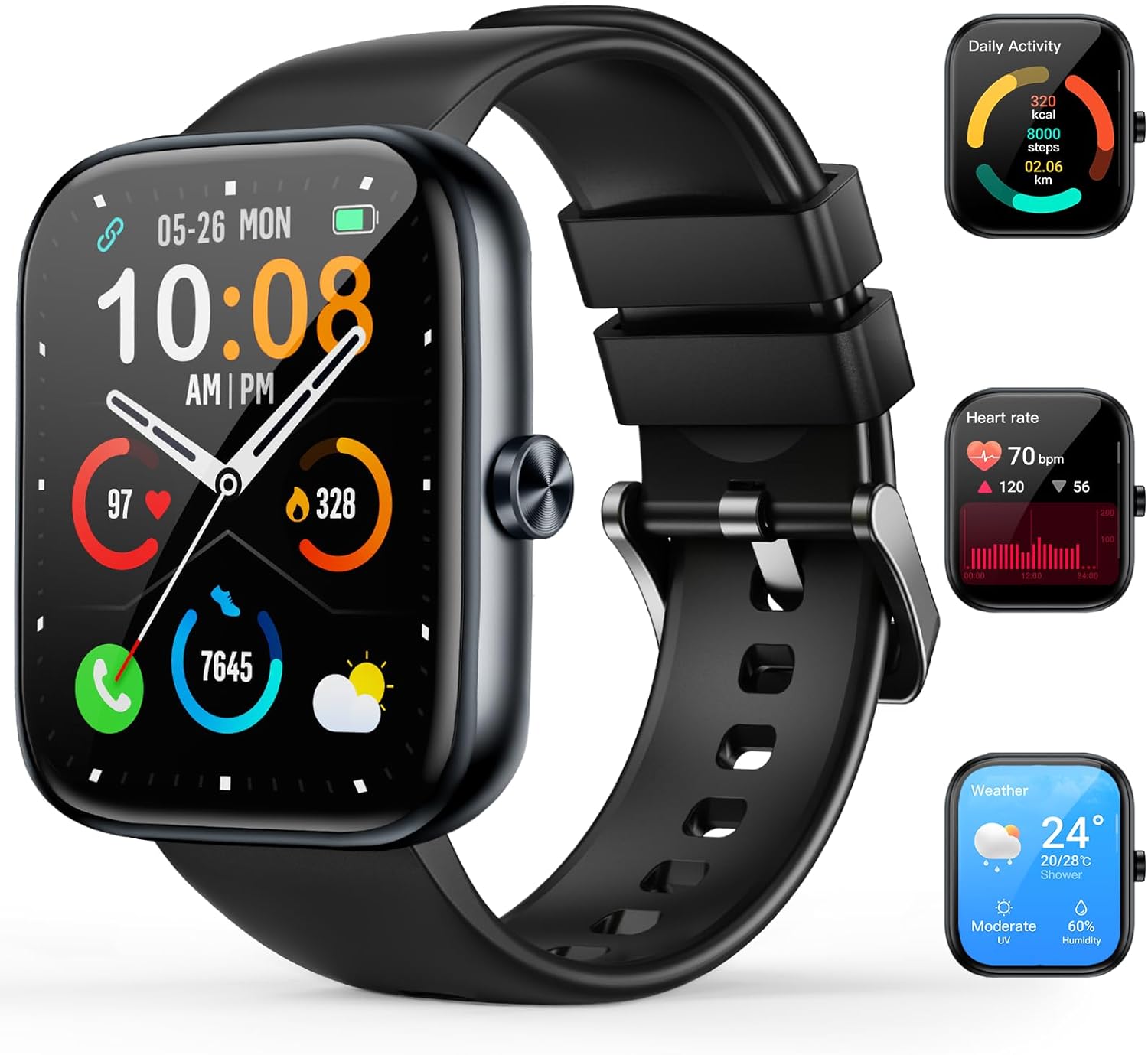
Image: A black MFVLP D16 Smart Watch displaying the time and various health metrics, alongside smaller images showing daily activity, heart rate, and weather screens.
4. Setup Guide
4.1. Charging the Device
Before initial use, fully charge your smart watch. Connect the magnetic charging cable to the charging contacts on the back of the watch and plug the USB end into a power adapter (not included) or a computer's USB port. A full charge typically takes approximately 2 hours.
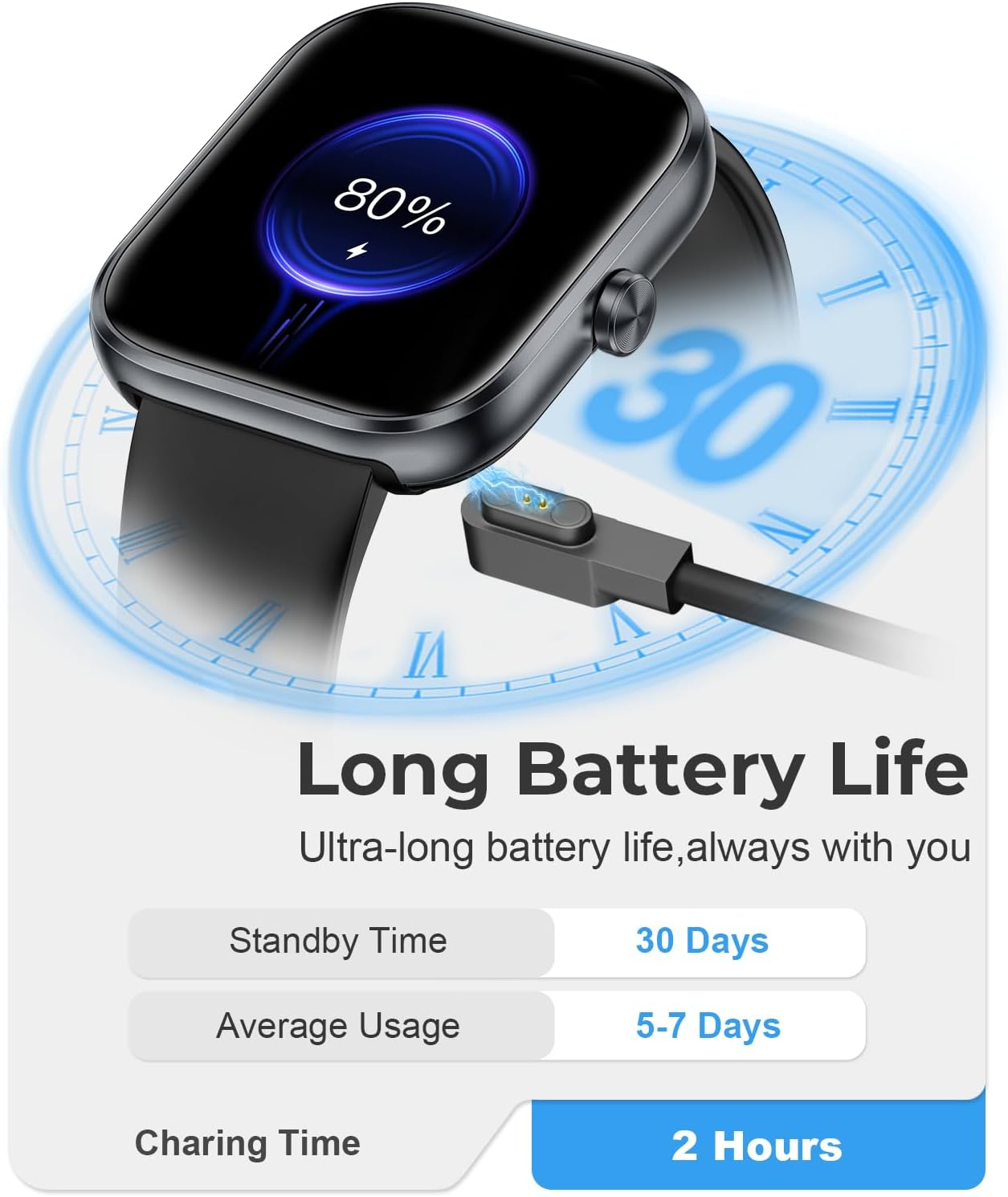
Image: The MFVLP D16 Smart Watch connected to its magnetic charging cable, illustrating the charging process.
4.2. App Installation
To access all features and synchronize data, download and install the GloryFit application on your smartphone.
- Search for "GloryFit" in the Apple App Store (for iOS devices) or Google Play Store (for Android devices).
- Alternatively, scan the QR code provided in the watch's packaging or on the watch screen (if available) to directly download the app.
- Install the application and create an account or log in if you already have one.
4.3. Device Pairing
After installing the GloryFit app, pair your smart watch with your smartphone:
- Ensure Bluetooth is enabled on your smartphone.
- Open the GloryFit app and navigate to the device section (usually labeled "Device" or "My Devices").
- Tap "Add Device" or "Bind Device" and allow the app to search for your smart watch.
- Select "D16" or the device name that appears in the search results.
- Confirm the pairing request on both your watch and smartphone.
- Once paired, the app will display a "Connected" status, and the watch will synchronize time and data.
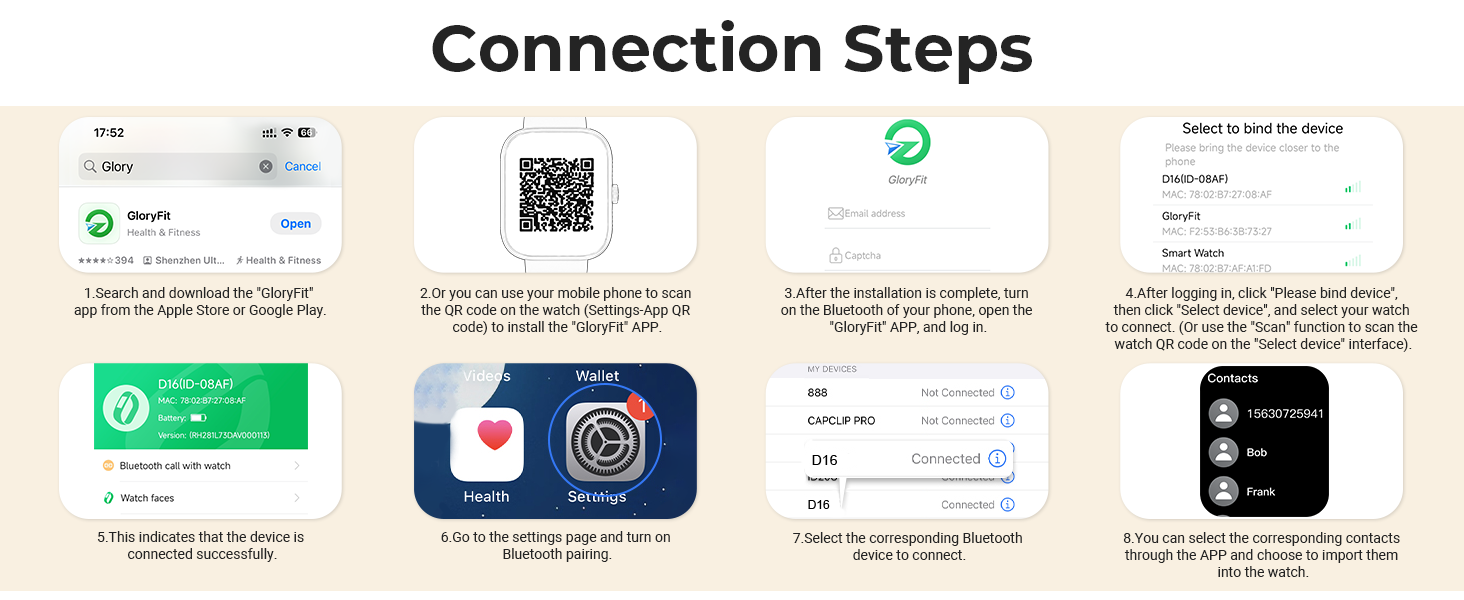
Image: A visual guide demonstrating the connection steps for the MFVLP D16 Smart Watch, including app download, QR code scanning, device binding, and contact synchronization.
5. Operating Instructions
5.1. Basic Navigation
- Touch Screen: Swipe left, right, up, or down to navigate through menus and functions. Tap to select an option.
- Side Button: Press to return to the previous screen or the watch face. A long press may activate specific functions (configurable in settings).
- Raise to Wake: The screen will automatically light up when you raise your wrist (can be enabled/disabled in app settings).
5.2. Bluetooth Calling
The D16 Smart Watch supports Bluetooth calls, allowing you to make and receive calls directly from your wrist when connected to your smartphone.
- Making Calls: Access the call function on the watch, dial a number, or select a contact from your synchronized phonebook.
- Receiving Calls: When a call comes in, the watch will display the caller ID. You can answer or reject the call directly from the watch screen.
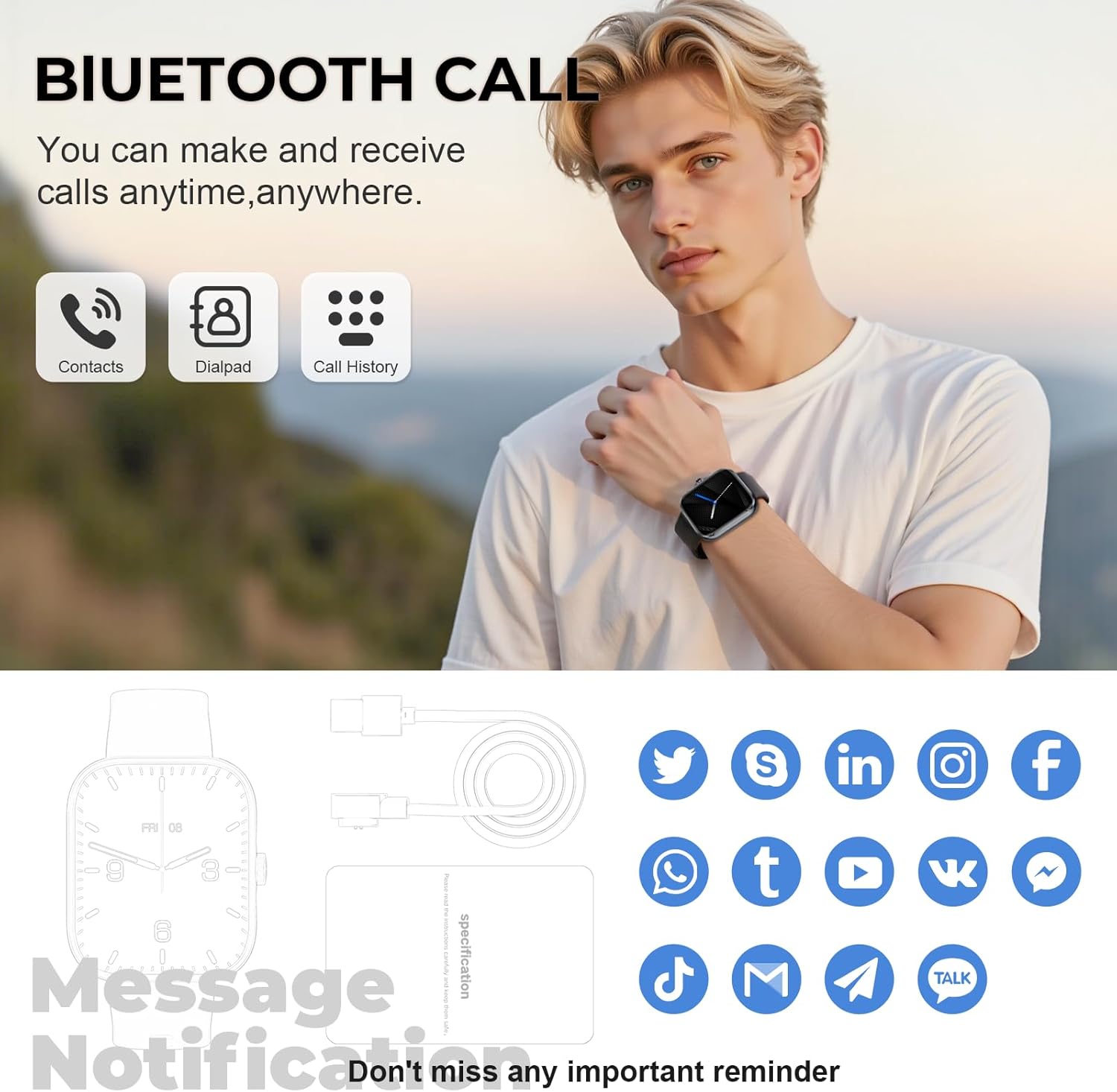
Image: A man wearing the MFVLP D16 Smart Watch, demonstrating its Bluetooth call feature with icons for contacts, dialpad, and call history.
5.3. Smart Notifications
Receive real-time notifications from various social platforms and apps directly on your watch. Ensure notification permissions are granted in the GloryFit app and your phone's settings.

Image: A woman's hand wearing the MFVLP D16 Smart Watch, displaying various app notification icons floating around it, such as WhatsApp, Facebook, Instagram, and Twitter.
5.4. Sports Modes
The D16 Smart Watch supports over 110 sports modes. Select your desired activity from the watch's sports menu to track real-time data such as calories burned, steps, distance, and heart rate during your workout.
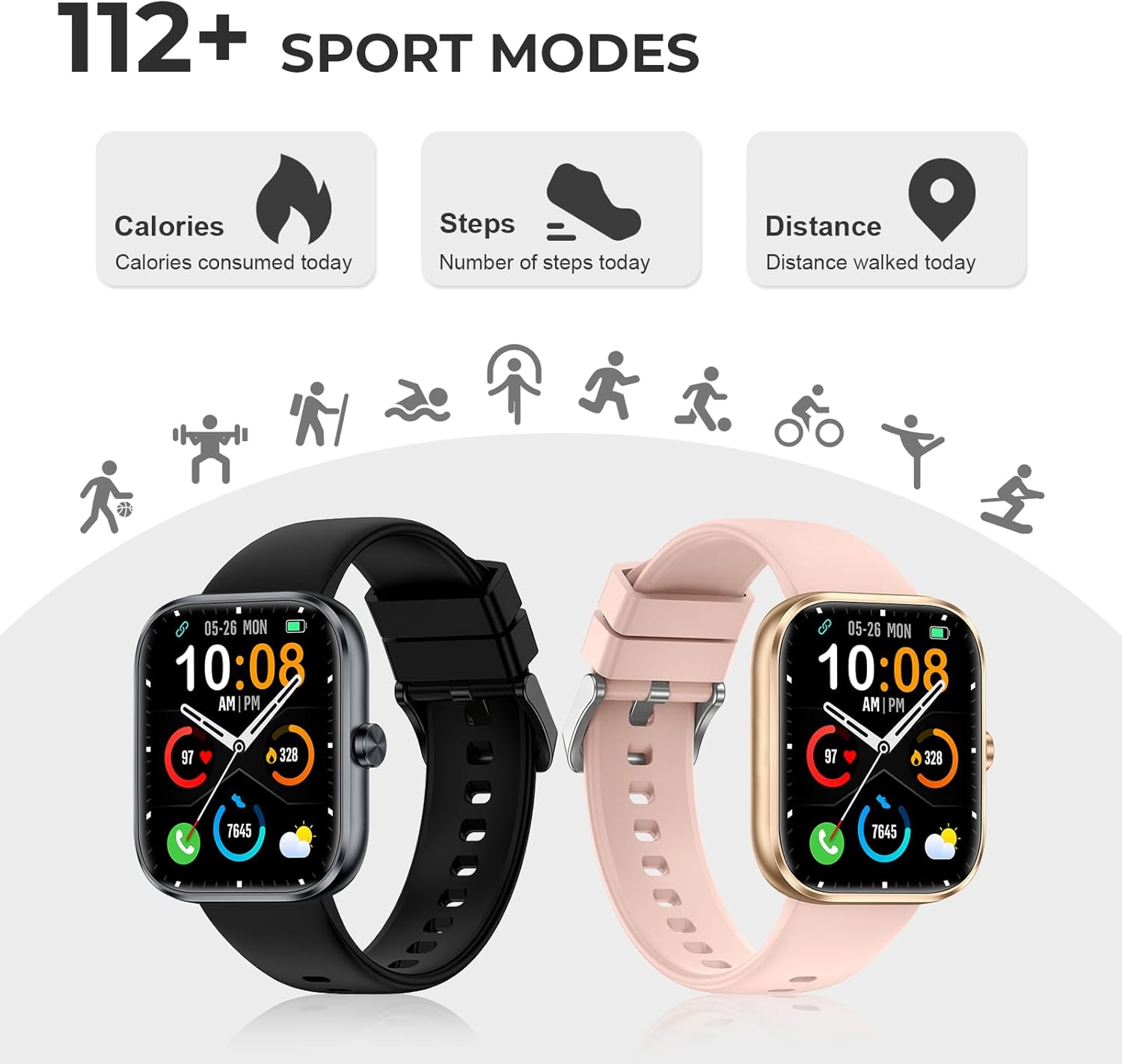
Image: Two MFVLP D16 Smart Watches (black and rose gold) with icons representing various sports activities like running, cycling, and swimming, highlighting the 110+ sports modes feature.
5.5. Health Monitoring
The watch provides continuous health monitoring features:
- Heart Rate Monitor: Continuously tracks your heart rate. View real-time data on the watch or detailed graphs in the GloryFit app.
- Blood Oxygen (SpO2) Monitor: Measures your blood oxygen saturation. Access this function on the watch to get a reading.
- Sleep Monitor: Automatically tracks your sleep patterns, including deep sleep, light sleep, and wake times. Provides a comprehensive analysis in the app.
- Female Menstrual Cycle Tracking: For female users, the watch can track menstrual cycles and provide timely reminders. Enable and configure this feature in the GloryFit app.
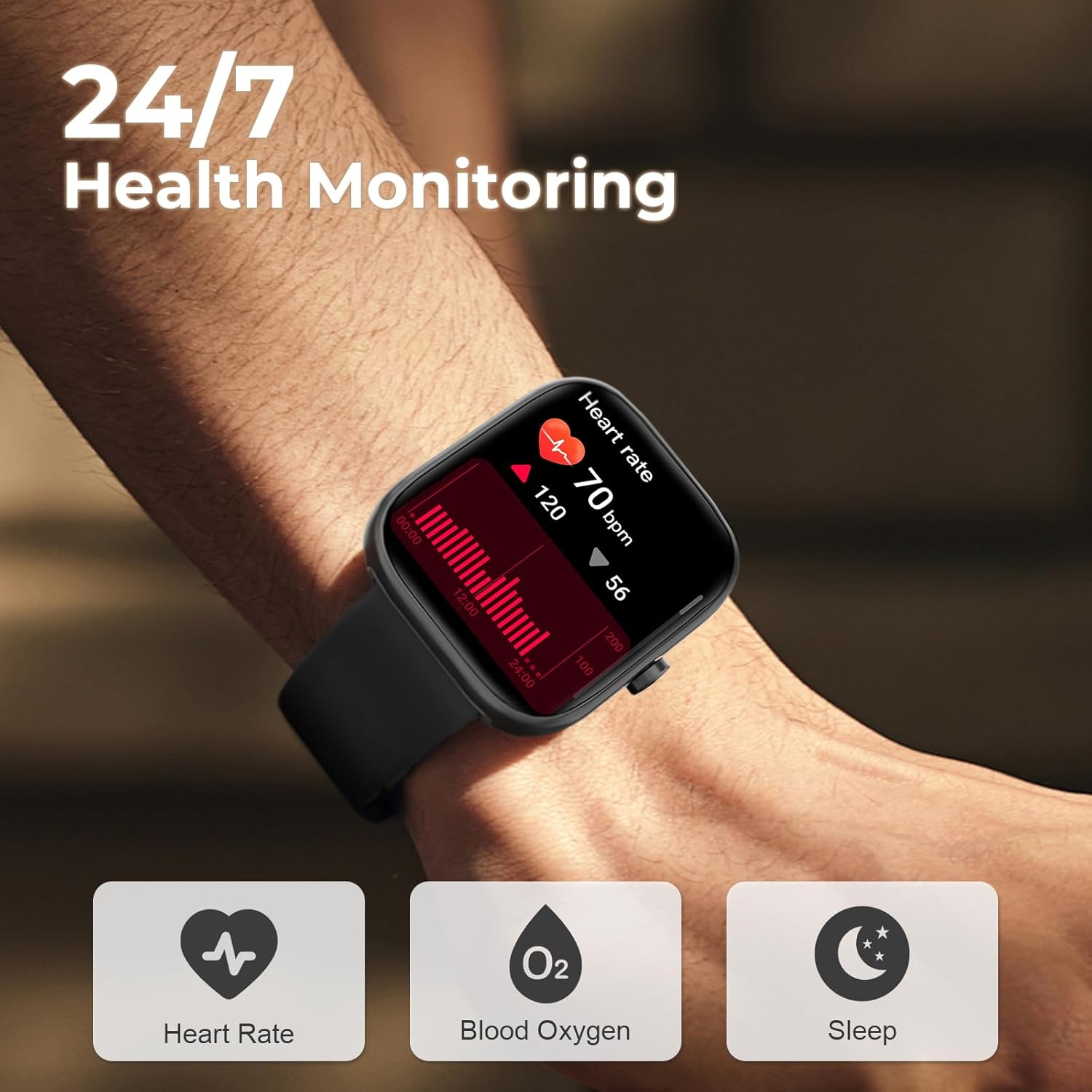
Image: A close-up of the MFVLP D16 Smart Watch on a wrist, showing a heart rate graph and icons for Heart Rate, Blood Oxygen, and Sleep monitoring.
5.6. Customizing the Watch Face
Personalize your watch with over 100 online dials available through the GloryFit application. You can also upload your favorite photos to use as custom wallpapers.
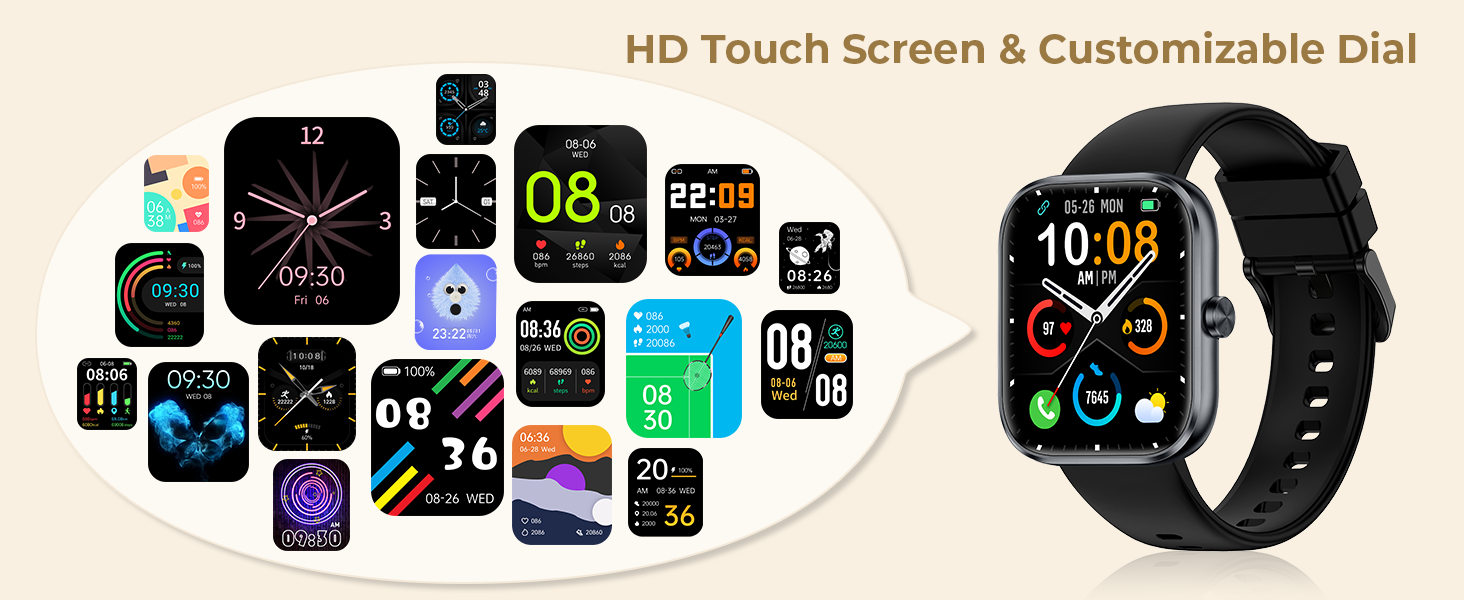
Image: The MFVLP D16 Smart Watch displaying a digital watch face, surrounded by numerous examples of customizable watch face designs.
5.7. Additional Functions
The D16 Smart Watch includes a variety of practical functions:
- Music Control
- Camera Remote Control
- Sedentary Reminder
- Alarm Clock
- Calculator
- Flashlight
- Voice Assistant
- Stopwatch
- Calendar
- Find Phone
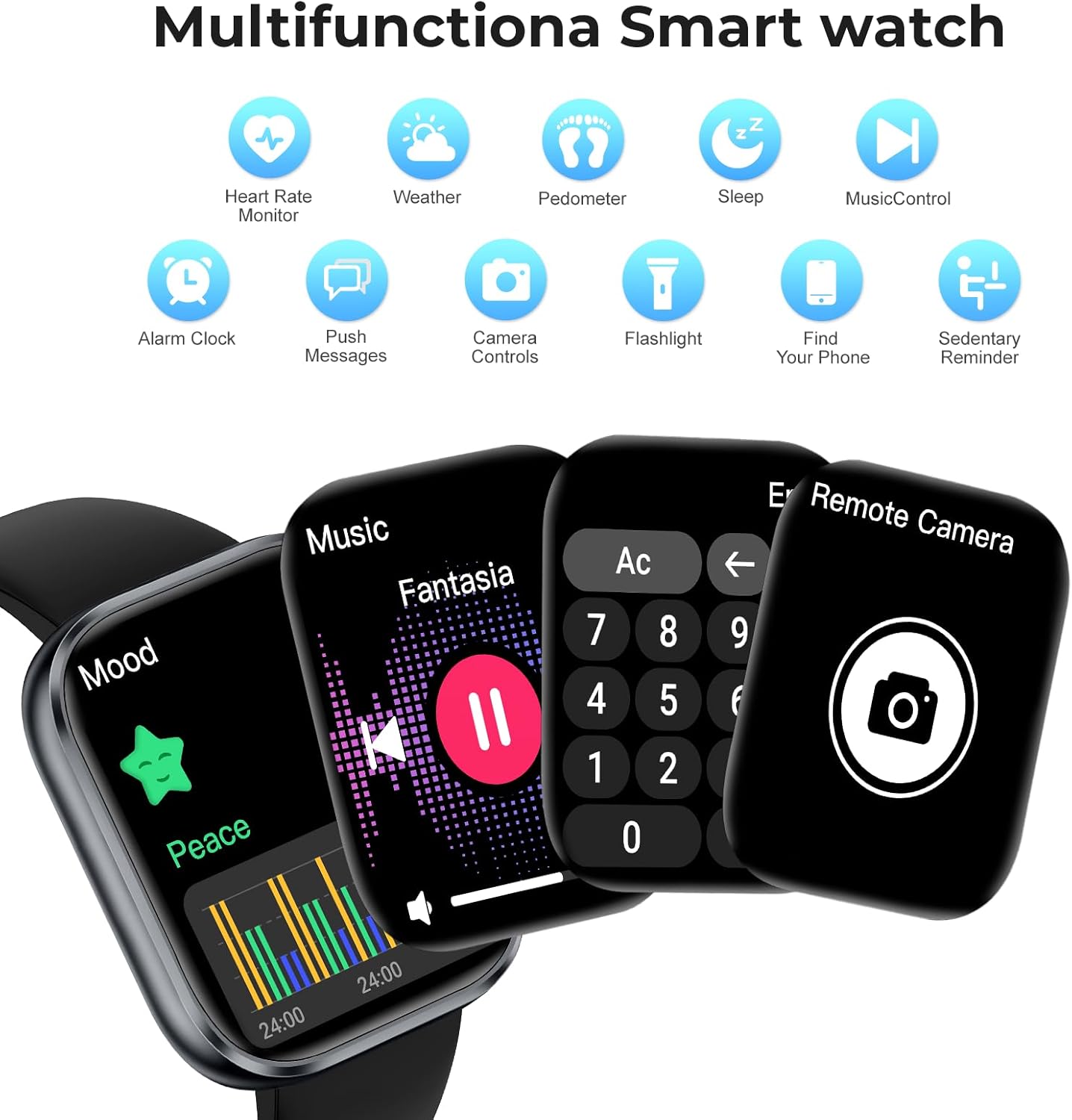
Image: The MFVLP D16 Smart Watch showcasing multiple functions like music control, calculator, and remote camera control, with icons for other features such as heart rate monitor, weather, pedometer, sleep, and alarm clock.
6. Maintenance
6.1. Water Resistance
The MFVLP D16 Smart Watch has an IP68 waterproof rating, making it suitable for daily activities such as washing hands, exposure to rain, and sweating during exercise. It is not recommended for use in hot water, saunas, or seawater, as these conditions may compromise the seal.
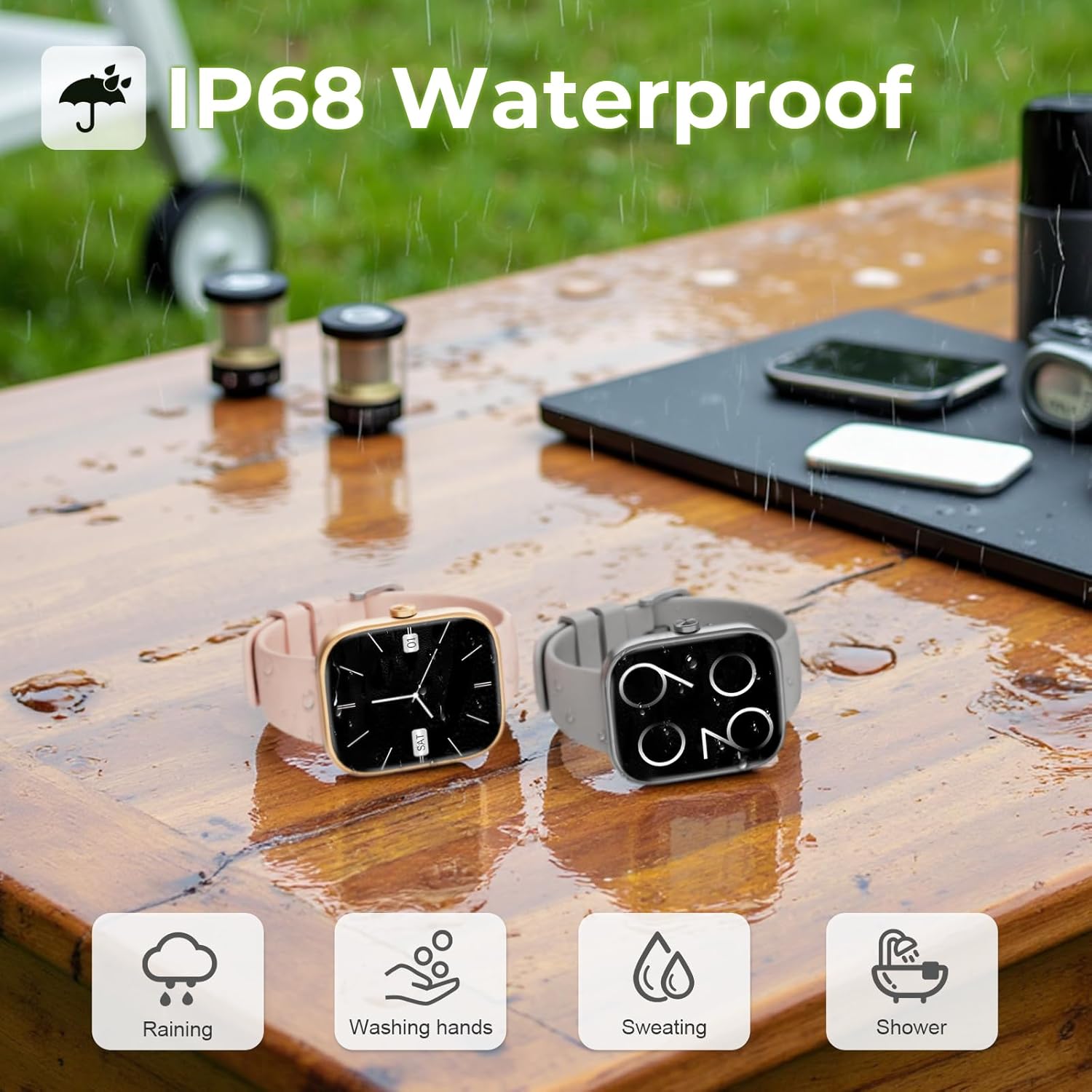
Image: Two MFVLP D16 Smart Watches on a wet wooden table, with water droplets, illustrating the IP68 waterproof feature for activities like raining, washing hands, sweating, and showering.
6.2. Cleaning
Regularly clean your watch and watch band to prevent skin irritation and maintain device functionality. Use a soft, damp cloth to wipe the screen and body. For the band, follow the manufacturer's cleaning recommendations for the specific material.
6.3. Battery Care
To prolong battery life, avoid extreme temperatures and fully discharging the battery frequently. Charge the watch using the provided magnetic charging cable.
7. Troubleshooting
- Watch not turning on: Ensure the watch is fully charged. Connect it to the charger for at least 10 minutes before attempting to power it on.
- Unable to pair with phone:
- Ensure Bluetooth is enabled on your phone.
- Make sure the watch is within Bluetooth range of your phone.
- Restart both your phone and the watch.
- Clear the Bluetooth cache on your phone (if applicable) and try again.
- Notifications not received:
- Check if notifications are enabled in the GloryFit app for specific applications.
- Ensure notification permissions are granted to the GloryFit app in your phone's settings.
- Verify that the watch is properly connected via Bluetooth.
- Inaccurate health data: Ensure the watch is worn snugly on your wrist, not too tight or too loose. Clean the sensor area regularly. Note that the watch is not a medical device and data is for reference only.
- Short battery life: Reduce screen brightness, disable unnecessary notifications, and limit continuous heart rate monitoring if not needed. Ensure background app refresh for GloryFit is enabled on your phone.
8. Specifications
| Model Number | D16 |
| Brand | MFVLP |
| Screen Size | 1.83 Inches |
| Display Type | TFT-LCD HD Full Touch Screen |
| Resolution | 240*284 |
| Connectivity | Bluetooth 5.3 |
| Battery Capacity | 300 mAh Lithium Polymer |
| Charging Time | Approx. 2 hours |
| Typical Usage Time | 5-7 days |
| Standby Time | Up to 30 days |
| Waterproof Rating | IP68 |
| Health Monitoring | Heart Rate, Blood Oxygen (SpO2), Sleep Tracking, Menstrual Cycle Tracking |
| Sports Modes | 110+ |
| Compatibility | Android, iOS |
| Item Weight | 40 Grams (1.41 ounces) |
| Memory Storage Capacity | 128 MB |
| RAM Memory Installed Size | 640 KB |
9. Warranty and Support
Specific warranty information for the MFVLP D16 Smart Watch is typically provided with your purchase documentation or can be found on the official MFVLP website. For technical support, troubleshooting assistance, or warranty claims, please refer to the contact information provided by your retailer or the MFVLP customer service channels.
Please retain your proof of purchase for any warranty-related inquiries.


