
1. Introduction
This manual provides essential information for the safe and efficient operation of your HANTECH H-PRO 9000 BTU Split Air Conditioner. Please read it thoroughly before installation and use, and retain it for future reference. The HANTECH H-PRO is designed to provide efficient cooling and heating for spaces up to 30 m², featuring Inverter technology, eco-friendly R32 refrigerant, and smart control capabilities.
2. Safety Information
- Installation must be performed by a qualified professional in accordance with local and national electrical and safety codes.
- Do not attempt to repair or modify the unit yourself. Contact qualified service personnel for any repairs.
- Ensure the power supply matches the unit's specifications (220-240V~ / 50Hz).
- Keep the indoor and outdoor units clear of obstructions to ensure proper airflow.
- Do not insert fingers or objects into the air inlet/outlet.
- If abnormal operation, smell, or smoke occurs, immediately turn off the unit and disconnect the power supply.
- The unit uses R32 refrigerant. Handle with care and ensure proper ventilation during installation and servicing.
3. Package Contents
Verify that all components are present in the package:
- Indoor Unit
- Outdoor Unit
- Infrared Remote Control
- Copper Pipes (3 meters)
- Wall Bracket for Outdoor Unit
- Installation Accessories
- User Manual

Image 3.1: Overview of HANTECH H-PRO Split Air Conditioner components, including indoor unit, outdoor unit, remote control, and installation pipes.
4. Product Overview
4.1. Key Features
- Capacity: 9000 BTU (2.6 kW) suitable for areas up to 30 m².
- Inverter Technology: For energy efficiency and precise temperature control.
- Eco-Friendly Refrigerant: Uses R32 gas with low GWP (675).
- Self-Cleaning Function: Patented gold oxidized nano-titanium coating helps eliminate bacteria, odors, and residues.
- Smart Control: Built-in Wi-Fi for control via mobile app, compatible with Alexa and Google Home.
- Multiple Operating Modes: Cold, Heat, Ventilation, Dehumidification.
- Advanced Functions: Turbo, Super Silence (as low as 22 dB(A) indoors), Eco Mode, 24-hour timer, Air Ionization, Anti-mould protection, 8°C heating to prevent frost.
- iFeel Function: Measures ambient temperature from the remote control for more accurate comfort.
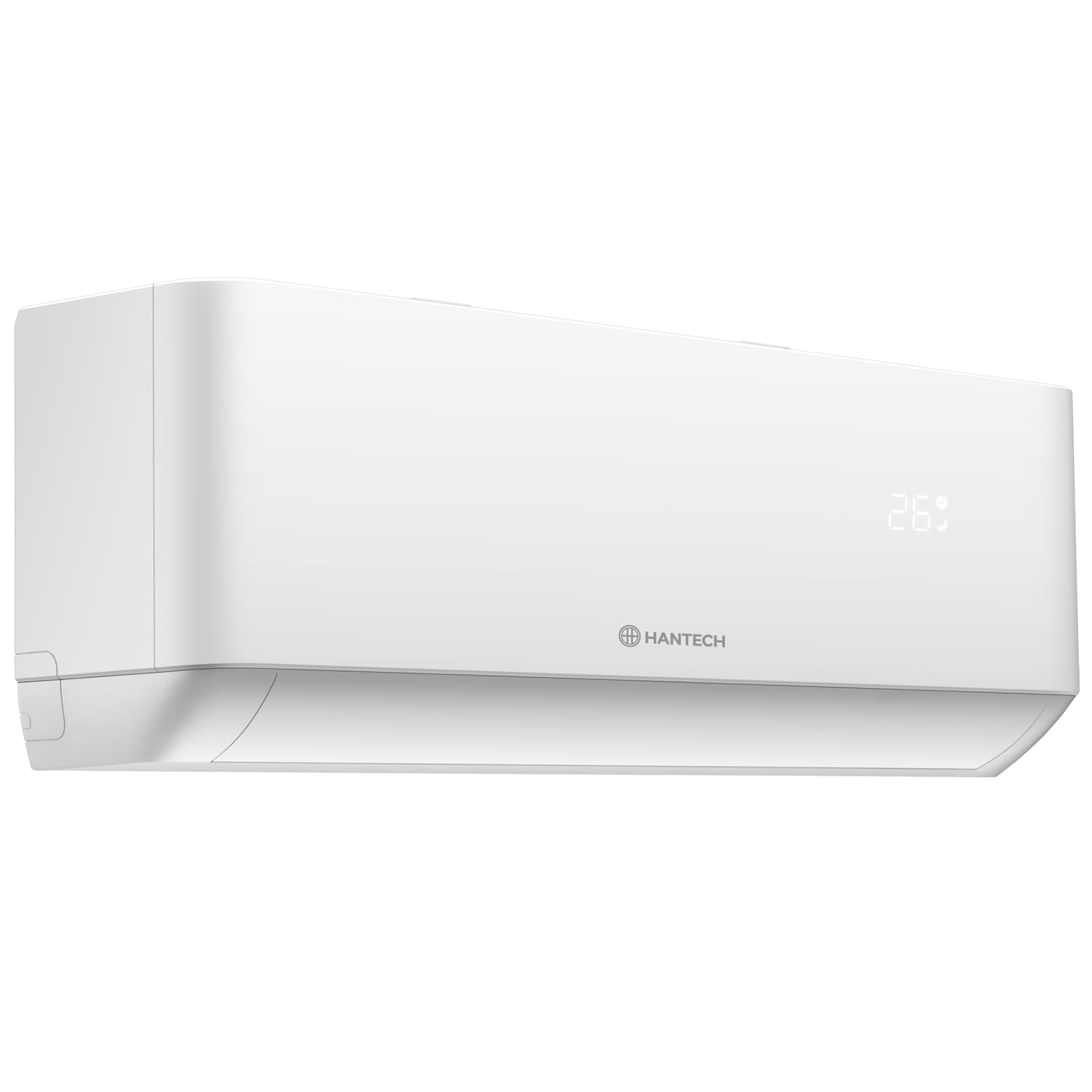
Image 4.1: Front view of the HANTECH H-PRO indoor unit.
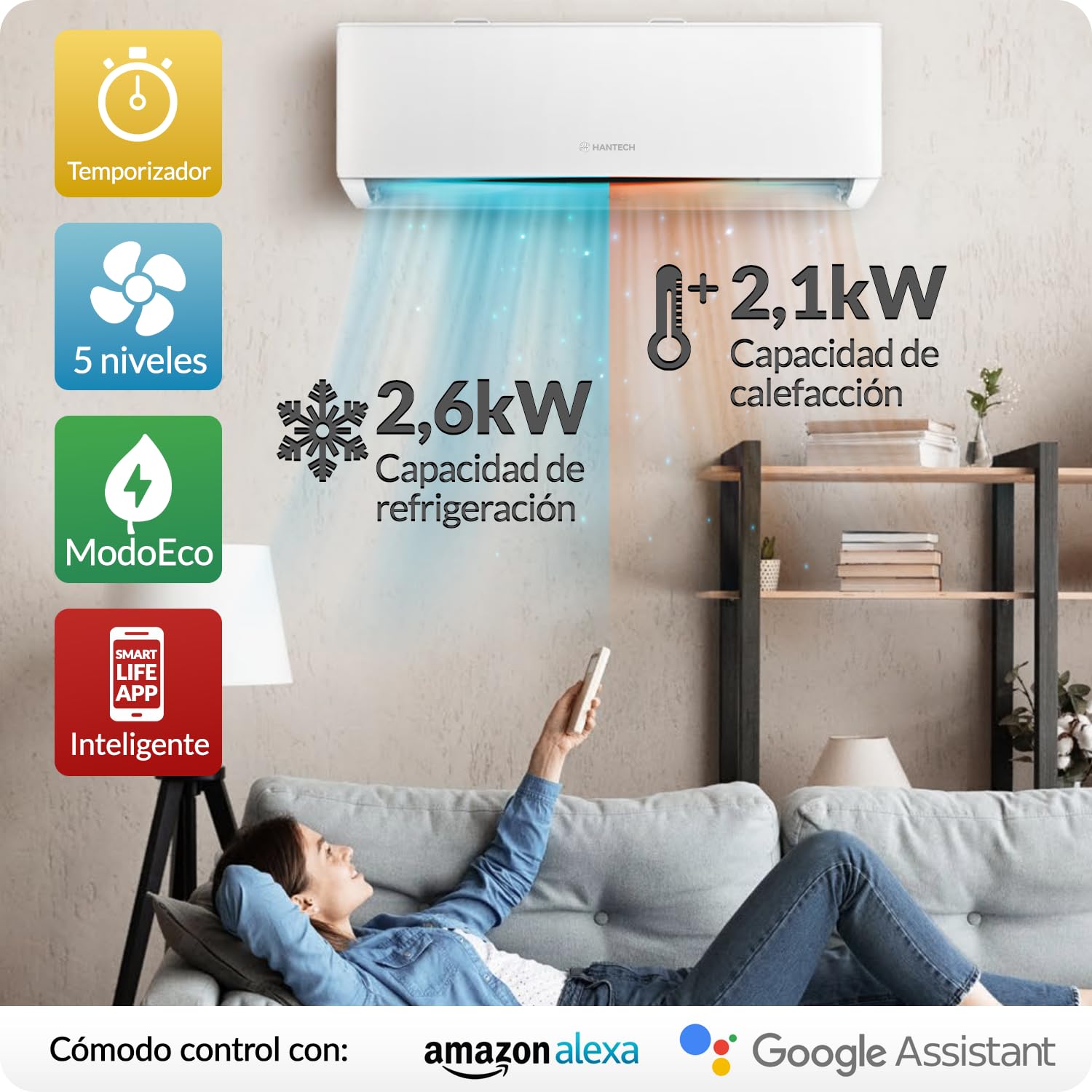
Image 4.2: Visual representation of key features including 2.6kW cooling, 2.1kW heating, timer, 5 fan levels, Eco Mode, and Smart Life App compatibility with Alexa and Google Assistant.
5. Setup and Installation
The HANTECH H-PRO Split Air Conditioner requires professional installation. Do not attempt to install the unit yourself unless you are a certified technician. Improper installation can lead to electric shock, fire, water leakage, or other damage.
5.1. General Installation Guidelines (for professional reference)
- Location: Choose a location for both indoor and outdoor units that allows for optimal airflow, minimal noise, and easy access for maintenance. Ensure the outdoor unit is not exposed to direct sunlight or heavy rain without proper shielding.
- Mounting: Securely mount the indoor unit to a wall and the outdoor unit using the provided wall bracket.
- Piping: Connect the indoor and outdoor units using the 3-meter copper pipes. Ensure proper insulation and leak-free connections. The unit comes pre-loaded with R32 refrigerant for this pipe length.
- Drainage: Install a drainage pipe for the indoor unit to ensure proper condensation removal.
- Electrical Connection: Connect the unit to a dedicated power circuit as per local electrical codes. Ensure proper grounding.
6. Operating Instructions
6.1. Remote Control Operation
The infrared remote control allows you to manage all functions of your air conditioner. Point the remote control directly at the indoor unit when operating.
- Power Button: Turns the unit On or Off.
- Mode Button: Cycles through operating modes: Cool, Heat, Fan, Dry (Dehumidification), Auto.
- Temperature Adjustment: Use the Up/Down arrows to set the desired temperature.
- Fan Speed: Adjusts the fan speed (Auto, Low, Medium, High, Super Silence).
- Swing Function: Controls the vertical louver movement for air distribution.
- Timer: Set a time for the unit to turn On or Off automatically.
- Eco Mode: Activates energy-saving operation.
- Turbo Mode: Provides rapid cooling or heating.
- iFeel: Activates the temperature sensor in the remote control for localized temperature sensing.
- Sleep Mode: Adjusts temperature and fan speed for comfortable sleep.

Image 6.1: The remote control displaying the iFeel function, which measures ambient temperature from the remote itself for enhanced comfort.
6.2. Operating Modes
- Cool Mode: Provides cooling. Set desired temperature and fan speed.
- Heat Mode: Provides heating. Set desired temperature and fan speed. Includes an 8°C heating function to prevent frost in winter.
- Fan Mode: Circulates air without cooling or heating. Fan speed can be adjusted.
- Dry (Dehumidification) Mode: Reduces humidity in the room.
- Eco Mode: Optimizes operation for energy saving. When the set temperature is reached, the unit may cycle off and on to maintain efficiency.
- Super Silence Mode: Operates at the lowest possible noise level (as low as 22 dB(A) indoors) for quiet environments.

Image 6.2: Illustration of the versatile operating modes: Refrigeration, Heating, Dehumidification, Eco Mode, Sleep Mode, and Timer, each designed for specific comfort needs.

Image 6.3: Explanation of HANTECH Eco Mode, detailing how the unit cycles off and on to maintain temperature and save energy.
6.3. Smart App and Wi-Fi Control
The HANTECH H-PRO features built-in Wi-Fi connectivity, allowing you to control your air conditioner remotely via a mobile application. It is compatible with both Android and iOS devices, as well as voice assistants like Amazon Alexa and Google Home.
- App Download: Download the 'Smart Life' app from your device's app store.
- Pairing: Follow the in-app instructions to pair your air conditioner with your Wi-Fi network and mobile device.
- Remote Control: Once paired, you can control all functions of the air conditioner from anywhere with an internet connection.
- Voice Control: Integrate the Smart Life app with Amazon Alexa or Google Home for convenient voice commands.

Image 6.4: The Smart Life App interface shown on a smartphone, illustrating remote control capabilities for Android and iOS devices. An internet connection is required for remote operation.
7. Maintenance
Regular maintenance ensures optimal performance and longevity of your air conditioner.
7.1. Self-Cleaning Function
The H-PRO unit features a self-cleaning function utilizing a patented gold oxidized nano-titanium coating. This technology helps to prevent the accumulation of bacteria, odors, and residues, maintaining energy efficiency over time. Consult your remote control or app for how to activate this function.
7.2. Filter Cleaning
- Clean the air filters of the indoor unit every two weeks or more frequently if used in dusty environments.
- Open the front panel of the indoor unit and remove the filters.
- Wash the filters with lukewarm water and a mild detergent. Rinse thoroughly and allow them to dry completely before reinserting.
7.3. General Cleaning
- Wipe the indoor and outdoor units with a soft, damp cloth. Do not use harsh chemicals or abrasive cleaners.
- Ensure the outdoor unit's coil is free from debris (leaves, dirt) to maintain efficient heat exchange.

Image 7.1: Depiction of the innovative 'Gentle Wind' technology, featuring 1422 micro-apertures for soft, uniform airflow, preventing direct cold drafts.
8. Troubleshooting
Before contacting service, review the following common issues and solutions:
| Problem | Possible Cause | Solution |
|---|---|---|
| Unit does not turn on | No power supply; Remote control batteries low; Circuit breaker tripped. | Check power connection; Replace remote batteries; Reset circuit breaker. |
| Insufficient cooling/heating | Dirty air filters; Doors/windows open; Temperature setting incorrect; Outdoor unit obstructed. | Clean air filters; Close doors/windows; Adjust temperature; Clear obstructions from outdoor unit. |
| Unusual noise | Loose parts; Unit not level; Debris in fan. | Contact service for inspection; Ensure unit is level; Check for debris. |
| Water leakage from indoor unit | Clogged drain pipe; Improper installation. | Clear drain pipe; Contact professional for inspection. |
| Wi-Fi connection issues | Router issues; Incorrect Wi-Fi password; Unit too far from router. | Restart router; Re-enter Wi-Fi password in app; Move unit closer to router or use a Wi-Fi extender. |
9. Specifications
| Feature | Specification |
|---|---|
| Brand | HANTECH |
| Model | H-PRO |
| Cooling Power | 9000 BTU (2.6 kW) |
| Energy Efficiency Class | A++ |
| Annual Energy Consumption | 144 Kilowatt Hours Per Year |
| Noise Level (Outdoor Unit) | 65 Decibels (max) |
| Installation Type | Split System |
| Voltage | 220 Volts |
| Wattage | 2.6 KW |
| Refrigerant | R32 (GWP 675) |
| Item Weight | 30 kg |
| Product Dimensions (LxWxH) | 19 x 71 x 46 Centimeters |
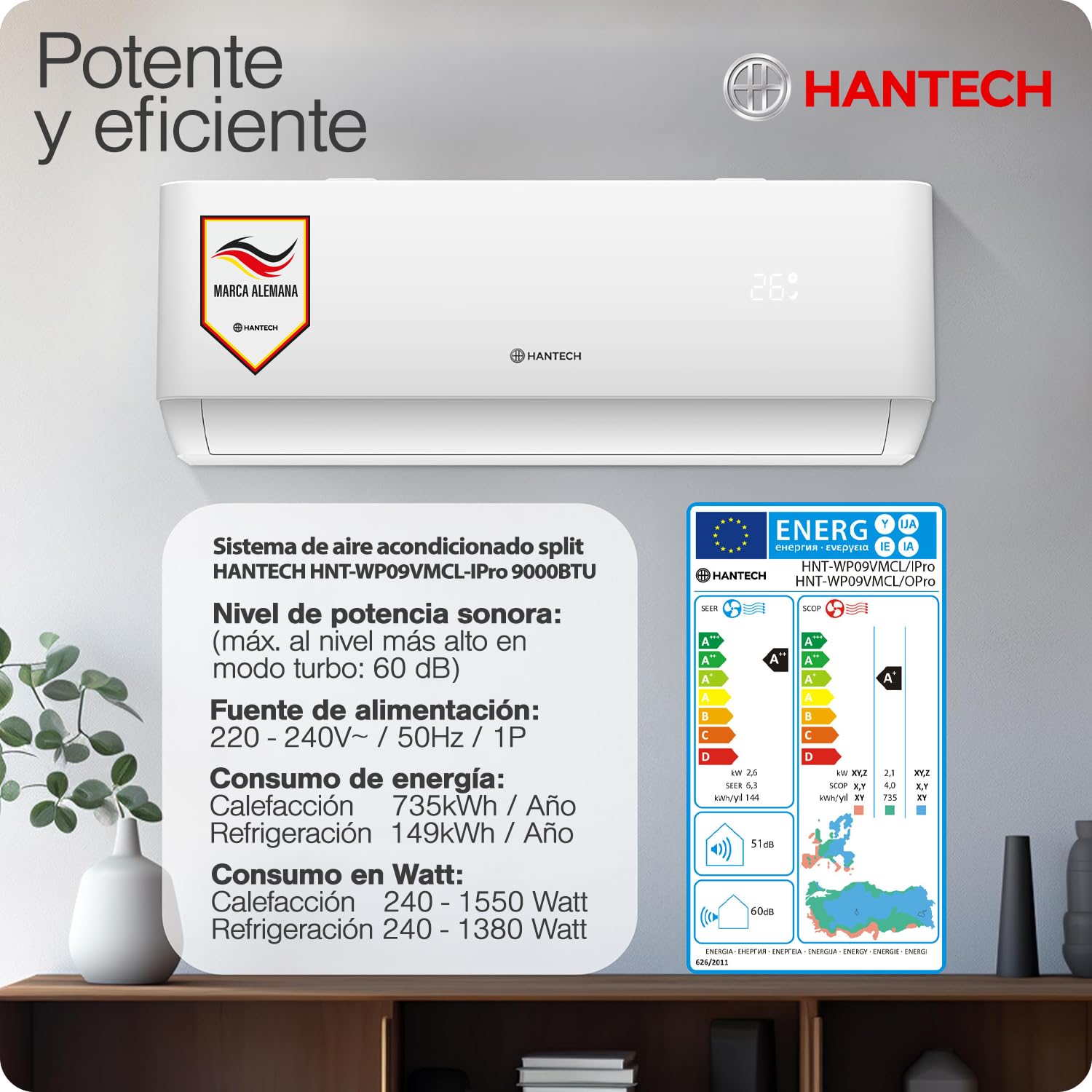
Image 9.1: Energy label and detailed technical specifications for the HANTECH H-PRO 9000 BTU air conditioner, including sound power level and annual energy consumption for heating and refrigeration.
10. Warranty and Support
For warranty information and customer support, please refer to the warranty card included with your product or contact HANTECH customer service through their official website or authorized distributors. Keep your purchase receipt as proof of purchase for warranty claims.


