1. Introduction
Thank you for choosing the Redragon H610 Wireless Gaming Headset. This headset is designed to provide an immersive audio experience for gaming and multimedia, featuring Bluetooth 5.3 connectivity, Active Noise Cancellation (ANC), and a built-in microphone. This manual provides detailed instructions for setup, operation, and maintenance to ensure optimal performance.
The H610 is compatible with various platforms including PS5, PS4, PC, Mac, and Nintendo Switch, offering versatile connectivity options through both Bluetooth and a 3.5mm AUX cable.
2. Package Contents
Please verify that all items are present in your package:
- Redragon H610 Wireless Gaming Headset
- USB-C Charging Cable
- 3.5mm AUX Audio Cable
- User Manual (this document)

Image: The Redragon H610 headset shown with its USB-C charging cable and 3.5mm AUX audio cable.
3. Product Overview
The Redragon H610 headset features intuitive controls and a comfortable design for extended use. Familiarize yourself with the main components:
- Adjustable Headband: For a personalized and secure fit.
- Over-Ear Earcups: Padded with soft PU leather for comfort and passive noise isolation.
- 40mm Dynamic Drivers: Deliver clear and powerful audio.
- Built-in Microphone: Integrated into the earcup for clear voice communication.
- Control Buttons: Located on the earcups for power, volume, ANC, and mode selection.
- USB-C Port: For charging the headset.
- 3.5mm AUX Port: For wired audio connection.
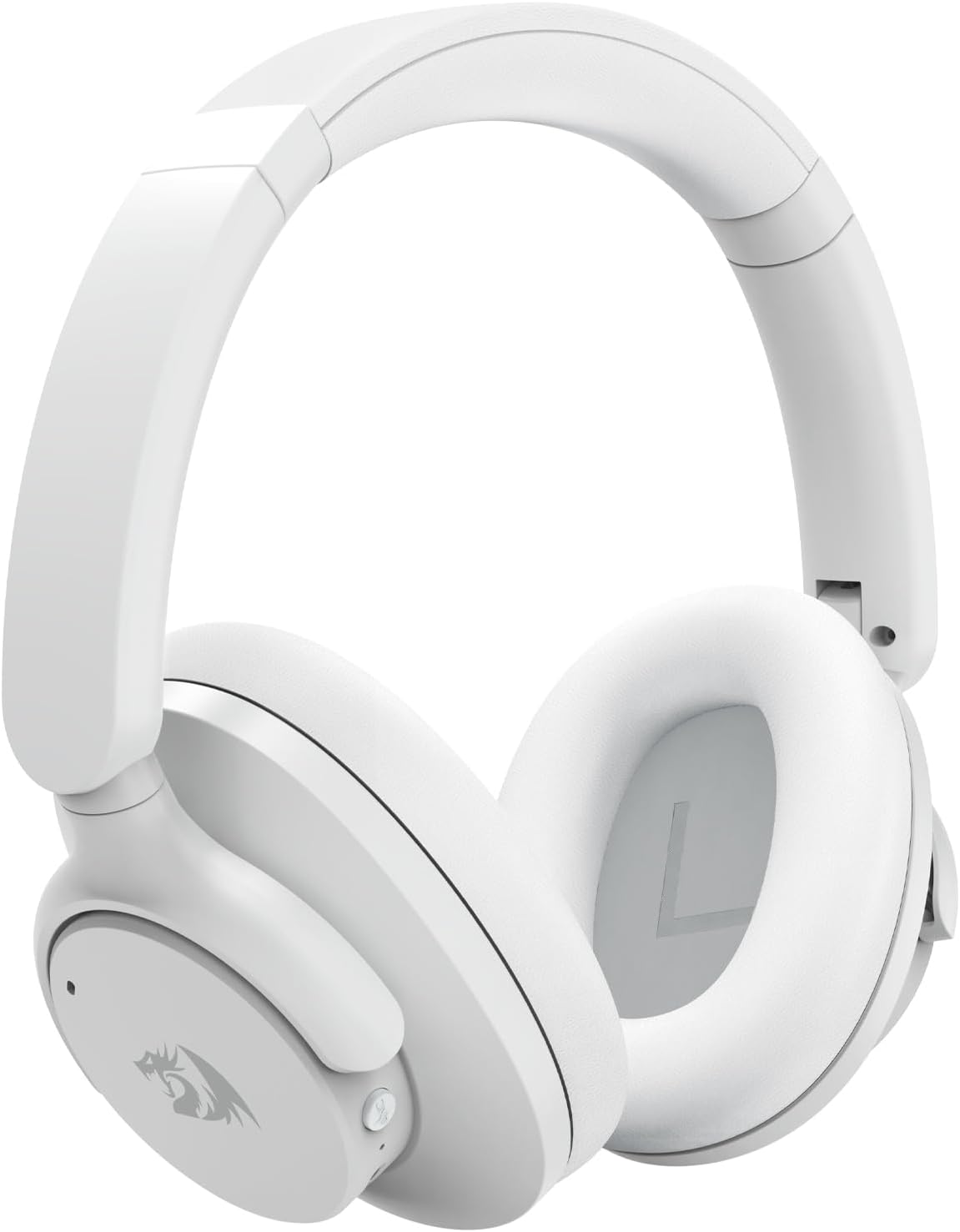
Image: A detailed front view of the Redragon H610 Wireless Gaming Headset, highlighting its sleek white design and over-ear cups.

Image: An exploded view diagram illustrating the 40mm large moving coil diaphragm, responsible for the headset's sound quality.
4. Setup
4.1 Charging the Headset
- Connect the supplied USB-C charging cable to the headset's USB-C port.
- Connect the other end of the cable to a USB power source (e.g., computer USB port, wall adapter).
- The LED indicator on the headset will show charging status. A full charge provides up to 43 hours of battery life (40 hours Bluetooth playback, 36 hours with ANC on).
4.2 Bluetooth Pairing
- Ensure the headset is powered off.
- Press and hold the Power button until the LED indicator flashes blue and red, indicating pairing mode.
- On your device (PC, Mac, PS4/PS5 with compatible adapter, Nintendo Switch with compatible adapter, smartphone), enable Bluetooth and search for new devices.
- Select "Redragon H610" from the list of available devices.
- Once connected, the LED indicator will turn solid blue.
4.3 Wired Connection (3.5mm AUX)
- Connect one end of the 3.5mm AUX audio cable to the headset's 3.5mm port.
- Connect the other end to the 3.5mm audio jack on your device (e.g., PC, PS4 controller, smartphone).
- The headset will operate in passive mode, and battery power is not required for basic audio. ANC functionality may be limited or unavailable in wired mode.
5. Operating Instructions
5.1 Power On/Off
- Power On: Press and hold the Power button for approximately 3 seconds.
- Power Off: Press and hold the Power button for approximately 5 seconds.
5.2 Volume Control
- Volume Up: Press the '+' button.
- Volume Down: Press the '-' button.
5.3 Active Noise Cancellation (ANC)
The H610 features advanced ANC technology to reduce ambient noise by -35 to -40 dB.
- Activate/Deactivate ANC: Press the dedicated ANC button (usually marked with an 'ANC' icon). The LED indicator will change to confirm activation.
5.4 Audio Modes
Switch between different audio modes to optimize your listening experience:
- Switch Modes: Press the 'M' (Mode) button to cycle through Noise Reduction, Game, and Music modes.
- Noise Reduction Mode: Enhances ANC performance.
- Game Mode: Optimizes audio for gaming, emphasizing directional sound cues.
- Music Mode: Provides a balanced audio profile for music listening.

Image: A user wearing the Redragon H610 headset, demonstrating its use during a gaming session with a computer.
6. Maintenance
6.1 Cleaning
- Use a soft, dry cloth to clean the headset.
- Do not use harsh chemicals, cleaning solvents, or strong detergents.
- Avoid getting moisture into any openings.
6.2 Storage
- Store the headset in a cool, dry place away from direct sunlight and extreme temperatures.
- The headset features a foldable design for easy storage and transport. Gently fold the earcups inward as shown in the diagram.

Image: An illustration demonstrating how the Redragon H610 headset can be folded for compact storage and portability.
7. Troubleshooting
If you encounter issues with your Redragon H610 headset, please refer to the following common solutions:
| Problem | Possible Solution |
|---|---|
| No sound from headset |
|
| Microphone not working |
|
| Bluetooth connection unstable or failing |
|
| Active Noise Cancellation (ANC) not effective |
|
| Headset not compatible with PS5 |
|
8. Specifications
| Feature | Detail |
|---|---|
| Model | H610 (VIBECORE) |
| Connectivity | Bluetooth 5.3, 3.5mm AUX (Wired) |
| Driver Size | 40mm Dynamic Drivers |
| Frequency Response | 20 Hz - 20 kHz |
| Noise Control | Active Noise Cancellation (ANC) |
| ANC Capability | -35 to -40 dB |
| Microphone | Built-in |
| Battery Life | Up to 43 hours (Bluetooth playback), 36 hours (with ANC on) |
| Charging Port | USB-C |
| Material | Polyurethane (PU) leather, ABS plastic |
| Weight | 0.62 kg (1.36 lbs) |
| Ear Placement | Over-Ear |
| Compatible Devices | Gaming Consoles, Laptops, Desktops, Tablets, Smartphones |
9. Warranty and Support
For warranty information and customer support, please refer to the documentation included with your purchase or visit the official Redragon website. Warranty terms and conditions may vary by region and retailer.
If you require further assistance or have questions not covered in this manual, please contact Redragon customer service through their official channels.


