
Introduction
This manual provides essential information for the safe and effective use of your ZonLi Ourea Portable Cordless Heating Blanket. This blanket features a 7.4V low-voltage heating system, 6 high-efficiency 15W heating elements, and an ultra-soft Sherpa inner lining for warmth and comfort. It is designed for versatile use in various indoor and outdoor environments.

Image: The ZonLi Ourea Portable Cordless Heating Blanket in use, highlighting its comfort and portability.
Product Features
The ZonLi Ourea Portable Cordless Heating Blanket is engineered for optimal warmth and convenience:
- Multi-Layer Construction: Features a durable nylon outer shell, high-density microfiber insulation, and an ultra-soft Sherpa inner lining to effectively retain heat and provide lasting comfort.
- Targeted Warmth: The Sherpa lining gently diffuses heat from internal heating elements, providing warmth across the shoulders, back, and waist. This design helps avoid uncomfortable hot spots.
- Portable Design: Lightweight and easy to fold, making it suitable for use on the sofa, in the bedroom, office, car, or during outdoor activities.
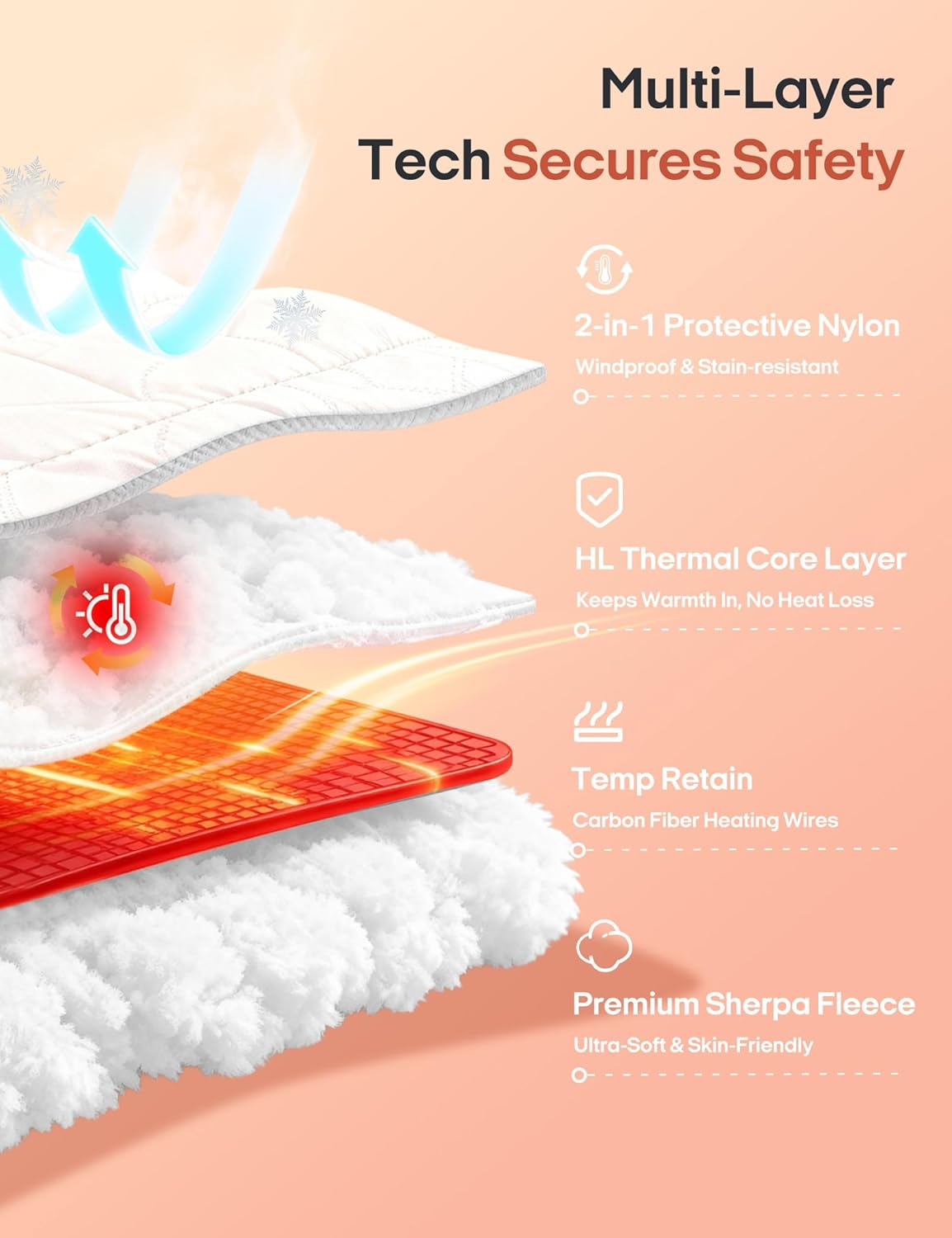
Image: Detailed view of the blanket's multi-layer technology, designed for safety and efficient heat retention.
Safety Information
Please read all safety instructions carefully before using the blanket. Failure to follow these instructions may result in electric shock, fire, or injury.
- The blanket operates on a 7.4V low-voltage system, which is safer than traditional 110V heating products.
- Equipped with an automatic 2-hour shut-off feature for enhanced safety, preventing overheating and excessive battery drain.
- Do not use the blanket if it is wet.
- Do not use pins or other metallic objects with this blanket.
- Do not use if the power cord or battery pack is damaged.
- Keep out of reach of infants, children, and individuals insensitive to heat.
- Always remove the battery pack before cleaning the blanket.
- Ensure the industrial-grade DC connector is securely attached to the battery pack for stable power.
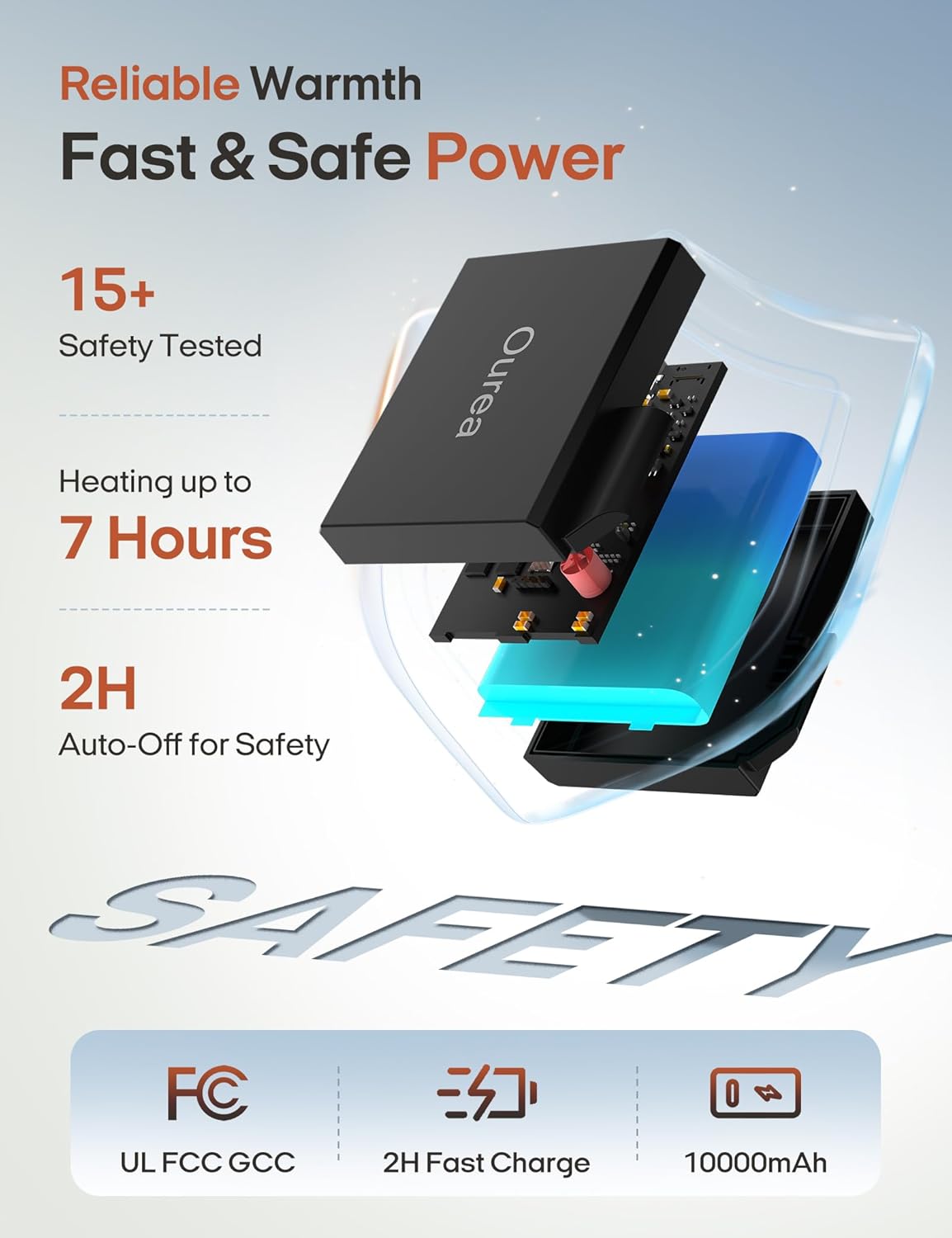
Image: Internal view of the power bank and safety certifications, emphasizing reliable and safe power delivery.
Package Contents
Please check the package contents upon receipt:
- 1 x ZonLi Ourea Portable Cordless Heating Blanket
- 1 x 10,000mAh Portable Power Bank
- 1 x AC Adapter for Power Bank Charging
Setup
- Charge the Power Bank: Before first use, fully charge the included 10,000mAh portable power bank using the provided AC adapter. Connect the adapter to the power bank and plug it into a standard wall outlet. The charging indicator on the power bank will show its status.
- Locate the Blanket's Power Pocket: Find the designated pocket on the blanket, typically with a zipper, where the power bank is stored.
- Connect the Power Bank: Inside the pocket, locate the DC connector cable. Plug this cable securely into the output port of the fully charged power bank.
- Insert Power Bank: Place the connected power bank into the pocket and zip it closed to secure it.

Image: Illustration of connecting the power bank to the blanket, demonstrating ease of setup for use in an office setting.
Operating Instructions
The blanket features user-friendly controls for adjusting heat levels.
- Power On: Press and hold the power button on the blanket's control panel for approximately 3 seconds until the indicator light illuminates. The blanket will typically start on a medium heat setting.
- Adjust Heat Level: Briefly press the power button to cycle through the available heat settings:
- Low (113°F): Indicated by a specific color (e.g., blue).
- Medium (131°F): Indicated by a specific color (e.g., white).
- High (149°F): Indicated by a specific color (e.g., red).
- Heating Zones: The blanket is designed with 6 heating elements targeting the neck, back (3 zones), and hip (2 zones) areas for comprehensive warmth.
- Automatic Shut-off: The blanket will automatically turn off after 2 hours of continuous operation for safety. To continue use, simply power it on again.
- Power Off: Press and hold the power button for approximately 3 seconds until the indicator light turns off.
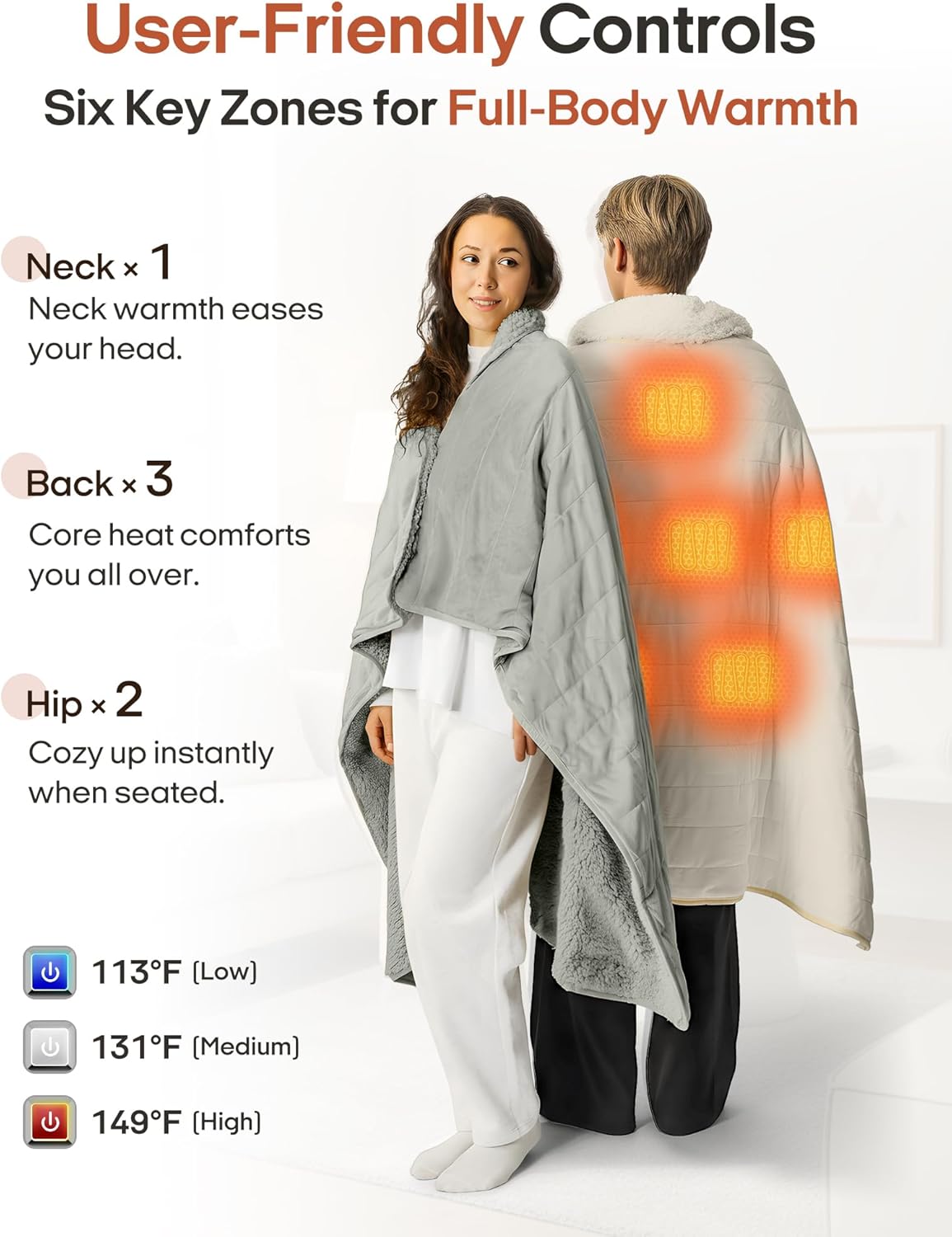
Image: Visual guide to the blanket's heating zones and temperature control options.
Maintenance
Proper care ensures the longevity and performance of your heating blanket.
- Remove Battery: Always remove the portable power bank from the blanket's pocket before washing.
- Cover Connector: Ensure the DC connector cable inside the blanket's pocket is covered with its protective cap before washing to prevent water damage.
- Washing: The blanket is machine washable. Use cold water on a gentle cycle.
- Drying: Tumble dry on low heat. Do not iron or dry clean.
- Storage: Store the blanket in a cool, dry place when not in use.
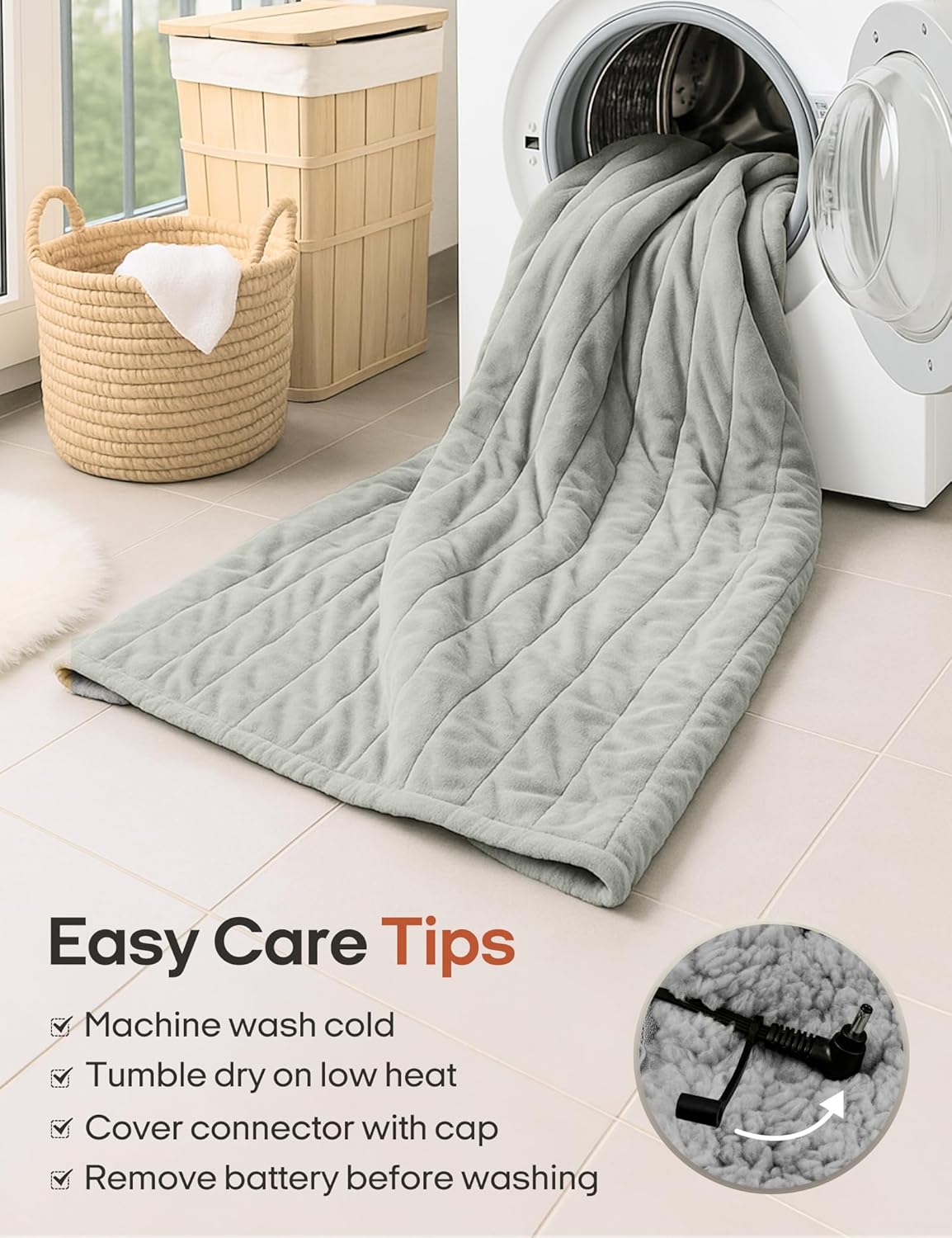
Image: Visual guide for cleaning the heating blanket, emphasizing the importance of removing the battery and covering the connector.
Troubleshooting
If you encounter issues with your heating blanket, please refer to the following common problems and solutions:
| Problem | Possible Cause | Solution |
|---|---|---|
| Blanket does not heat. |
|
|
| Heat is uneven or weak. |
|
|
| Power bank does not charge. |
|
|
Specifications
| Feature | Detail |
|---|---|
| Model Name | OUYJ24007 |
| Brand | ZonLi |
| Material | Polyester (Fabric Type), Cotton (Fill Material) |
| Color | Grey |
| Product Dimensions | 60"L x 30"W |
| Item Weight | 3.87 pounds |
| Voltage | 7.4V (Low-Voltage System) |
| Heating Elements | 6 x 15W heating elements |
| Power Bank Capacity | 10,000mAh |
| Heat Settings | Low (113°F), Medium (131°F), High (149°F) |
| Auto Shut-off | 2 Hours |
| Care Instructions | Machine Wash Cold, Tumble Dry Low Heat |
Warranty and Support
For warranty information or technical support, please contact ZonLi customer service. Details can typically be found on the product packaging or the official ZonLi website.
Please retain your proof of purchase for any warranty claims.