
Introduction
This manual provides essential information for setting up, operating, and maintaining your DUNHOO A1 Gaming Laptop. The DUNHOO A1 is a high-performance 15.6-inch laptop designed for gaming and demanding tasks, featuring an Intel Core i7-1195G7 processor, 32GB of RAM, and a 1TB SSD. Please read this manual thoroughly to ensure proper use and to maximize your laptop's capabilities.
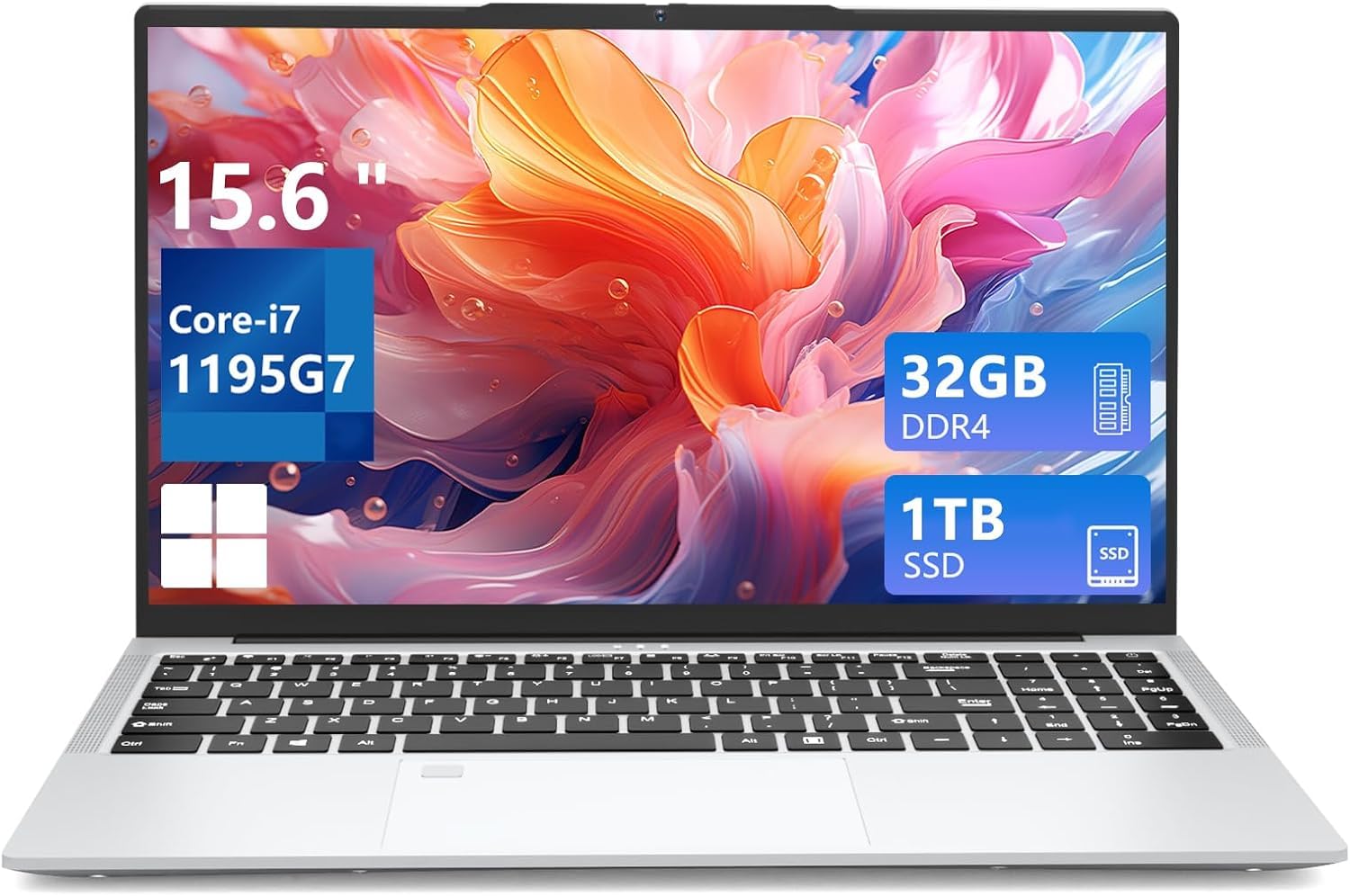
Figure 1: DUNHOO A1 Gaming Laptop
Getting Started
Unboxing and Initial Setup
Upon opening the package, ensure all components are present:
- DUNHOO A1 15.6 Inch Laptop
- AC Adapter
- Instructions (this manual)
Connect the AC adapter to the laptop's charging port and then to a power outlet. Allow the laptop to charge for at least 30 minutes before initial use, or until the battery indicator shows sufficient charge.
First Power On
Press the power button located on the keyboard. The laptop will boot up and guide you through the Windows 11 Pro initial setup process. Follow the on-screen instructions to configure your language, region, network, and user account.
Hardware Overview
Display
The A1 laptop features a 15.6-inch Full HD (1920 x 1080 pixels) IPS screen. This display offers a 16:9 aspect ratio with a 5mm ultra-narrow bezel, providing an immersive visual experience and a 90% screen-to-body ratio.

Figure 2: 15.6-inch FHD IPS Display Features
Processor
Equipped with an Intel Core i7-1195G7 processor, the laptop features 4 cores and 8 threads, with a turbo frequency of up to 4.7GHz. This processor is designed for smooth performance in gaming and multitasking applications.

Figure 3: Intel Core i7-1195G7 Processor
Memory and Storage
The laptop includes 32GB of SODIMM RAM, allowing for efficient handling of graphic-intensive software and multiple applications. Storage is provided by a 1TB SSD, which can be upgraded to 2TB (SATA/NVMeSSD). Additionally, it supports TF card expansion up to 64GB.

Figure 4: Memory and Storage Capabilities
Keyboard and Touchpad
The A1 features a full-size backlit keyboard with a dedicated numeric keypad for enhanced productivity. A large touchpad provides precise navigation, and a fingerprint reader is integrated for secure and quick login.

Figure 5: Backlit Keyboard with Numeric Keypad and Fingerprint Reader
Ports and Connectivity
The laptop offers a variety of ports for versatile connectivity:
- USB 3.0 x 2
- USB 2.0 x 1
- HDMI x 1
- Type-C x 1
- 3.5mm audio/microphone jack x 1
- TF card holder x 1
- DC jack x 1 (charging port)
- RJ45 (Ethernet) x 1
Wireless connectivity includes 802.11a/b/g/n/ac Wi-Fi and Bluetooth 5.0.

Figure 6: Laptop Ports for Data Transfer
Camera and Audio
The laptop is equipped with an HD front camera, stereo sounder, and a digital microphone, facilitating clear video calls and online meetings.

Figure 7: Communication Features (Camera, Audio, Wireless)
Operating System
The DUNHOO A1 comes pre-installed with Windows 11 Pro. This operating system provides a modern interface, enhanced security features, and improved multitasking capabilities.
Fingerprint Unlock
To set up fingerprint unlock, navigate to Settings > Accounts > Sign-in options > Fingerprint recognition (Windows Hello) and follow the on-screen instructions to register your fingerprint. This allows for quick and secure access to your laptop.
Maintenance and Care
Cleaning
- Use a soft, lint-free cloth to clean the screen and exterior surfaces.
- For stubborn smudges, lightly dampen the cloth with water or a screen-safe cleaner.
- Avoid using harsh chemicals, abrasives, or solvents.
- Keep vents clear of dust and debris to ensure proper airflow.
Battery Care
- Avoid fully discharging the battery frequently.
- Store the laptop in a cool, dry place when not in use for extended periods.
- Use only the provided AC adapter for charging.
Software Updates
Regularly check for and install Windows updates to ensure optimal performance, security, and compatibility. Go to Settings > Windows Update to manage updates.
Troubleshooting
This section addresses common issues you might encounter with your DUNHOO A1 laptop.
Laptop Does Not Power On
- Ensure the AC adapter is securely connected to both the laptop and a working power outlet.
- Verify the power outlet is functional by plugging in another device.
- If the battery is completely drained, it may take a few minutes of charging before the laptop can power on.
Slow Performance
- Close unnecessary applications running in the background.
- Check for and install any pending Windows updates.
- Ensure sufficient free space on the 1TB SSD.
- Run a system scan for malware or viruses.
Wi-Fi or Bluetooth Connectivity Issues
- Ensure Wi-Fi or Bluetooth is enabled in Windows settings.
- Restart your router/modem for Wi-Fi issues.
- Update wireless drivers through Device Manager.
- For Bluetooth, ensure the device you are trying to connect is in pairing mode and within range.
If you encounter issues not covered here, please refer to the support information provided by the manufacturer or seller.
Technical Specifications
| Feature | Specification |
|---|---|
| Brand | DUNHOO |
| Model Name | A1 |
| Screen Size | 15.6 Inches |
| Screen Resolution | 1920 x 1080 Pixels (FHD) |
| Processor | Intel Core i7-1195G7 (2.8 GHz, up to 4.7 GHz) |
| RAM | 32 GB LPDDR5 |
| Hard Drive | 1 TB SSD |
| Graphics Coprocessor | Iris Xe Graphics (Integrated) |
| Operating System | Windows 11 Pro |
| Wireless Type | 802.11a/b/g/n/ac, Bluetooth 5.0 |
| USB 2.0 Ports | 1 |
| USB 3.0 Ports | 2 |
| HDMI Ports | 1 |
| Type-C Ports | 1 |
| Average Battery Life | 8 Hours |
| Item Weight | 5 pounds |
| Product Dimensions | 14 x 0.7 x 9 inches |
| Color | Silver |
| Special Features | 180 Degrees Open, Backlit Keyboard, Fingerprint Reader, HD front camera, Numeric Keypad |
Warranty and Support
For warranty information, please refer to the documentation included with your purchase or contact the seller directly. DUNHOO offers various protection plans that may be available for purchase separately to extend coverage.
For technical support or further assistance, please contact the DUNHOO customer service or visit their official website. Keep your purchase receipt and product model number (A1) handy when seeking support.