
1. Introduction
This manual provides instructions for the proper use and maintenance of your Sanag Z60S Open Ear Free Clip On Headphones. Please read this manual thoroughly before using the product to ensure optimal performance and longevity.
2. What's in the Box
Verify that all items are present in the package:
- Sanag Z60S Open Ear Headphones
- Charging Case
- Type-C Charging Cable
- User Manual

Image: Sanag Z60S headphones and their charging case, as typically found in the product packaging.
3. Product Overview
The Sanag Z60S headphones feature an open-ear clip design, allowing audio playback while maintaining awareness of your surroundings. They are equipped with 12mm composite double magnetic film drivers for sound delivery and utilize AI noise separation for clear call quality.

Image: A close-up of the Sanag Z60S open-ear clip design, highlighting its ergonomic shape.

Image: A diagram illustrating the 12mm Composite Double Magnetic Film driver technology within the earbud.
4. Setup
4.1 Charging the Headphones and Case
Before first use, fully charge the headphones and charging case. Connect the provided Type-C cable to the charging port on the case and to a USB power source. The indicator lights on the case will show the charging status. A full charge typically takes 1.5 hours.
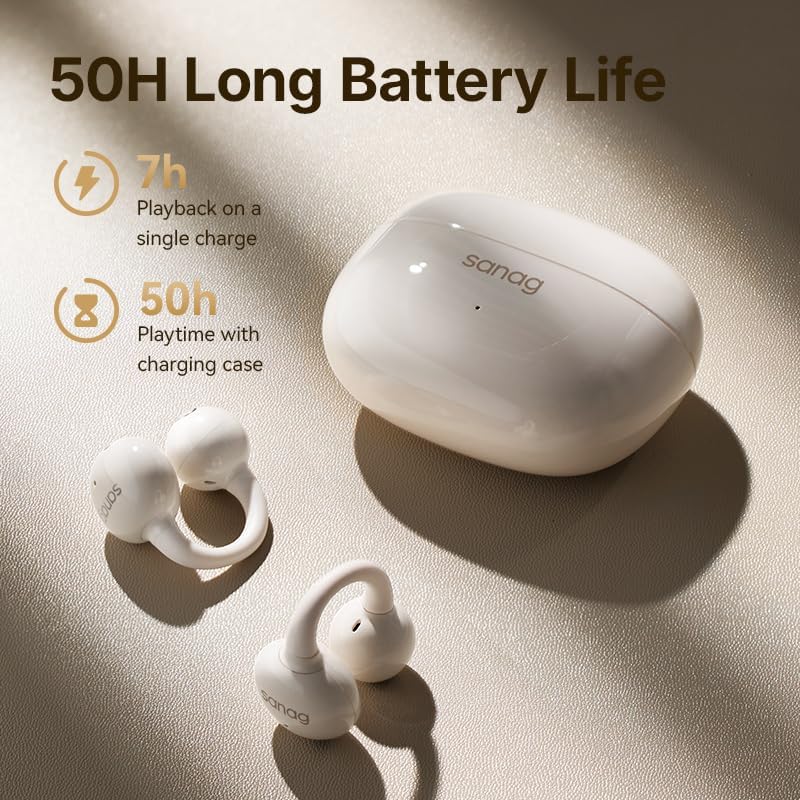
Image: The Sanag Z60S charging case with earbuds, illustrating the battery life and charging capability.
4.2 Bluetooth Pairing
- Ensure the headphones are charged.
- Open the charging case. The headphones will automatically enter pairing mode.
- On your device (smartphone, tablet, etc.), enable Bluetooth.
- Search for "Sanag Z60S" in the list of available Bluetooth devices and select it to connect.
- Once connected, a voice prompt will confirm successful pairing.
The headphones utilize Bluetooth 5.4 with Flash Link 7.0 technology for stable and fast connections.
5. Operating Instructions
5.1 Wearing the Earbuds
The Sanag Z60S earbuds are designed to clip onto your ear, sitting just outside the ear canal. This open-ear design allows you to hear your audio while remaining aware of ambient sounds. Gently clip each earbud onto your earlobe, adjusting for a comfortable and secure fit. The lightweight silicone airbag material ensures comfort during extended wear.

Image: A person wearing the Sanag Z60S earbuds, demonstrating the clip-on, open-ear placement.

Image: A close-up view of a Sanag Z60S earbud securely clipped onto an ear.
5.2 Touch Controls
The earbuds feature touch-sensitive areas for controlling playback, calls, and other functions. Specific touch control settings can be customized via the Sanag App.
| Action | Function |
|---|---|
| Single Tap | Play/Pause, Answer/End Call |
| Double Tap (Left Earbud) | Previous Song |
| Double Tap (Right Earbud) | Next Song |
| Triple Tap (Left Earbud) | Volume Down |
| Triple Tap (Right Earbud) | Volume Up |
| Long Press | Activate Voice Assistant / Reject Call |
5.3 Sanag App Customization
Download the official Sanag App to unlock additional features and personalize your listening experience. The app allows you to:
- Adjust Equalizer (EQ) settings.
- Fine-tune touch control functions.
- Locate your headphones (positioning search).
- Receive Over-The-Air (OTA) firmware updates.

Image: A smartphone displaying the Sanag App interface with customization options for the headphones.
5.4 Call Functions
The Sanag Z60S headphones incorporate an AI noise separation algorithm. This technology isolates your voice from background noise, ensuring clear communication during calls, even in noisy environments. Wind noise resistance is also integrated for improved outdoor call quality.
6. Maintenance
6.1 Cleaning
To maintain optimal performance and hygiene, regularly clean your headphones. Use a soft, dry, lint-free cloth to wipe the earbuds and charging case. Avoid using abrasive materials or harsh chemicals. Do not immerse the charging case in water.
6.2 Water Resistance (IPX4)
The Sanag Z60S headphones are rated IPX4 water-resistant. This means they are protected against splashing water from any direction. They can withstand sweat, light rain, and splashes, making them suitable for workouts and outdoor activities. However, they are not designed for submersion in water or exposure to pressurized water jets. Ensure the charging port is dry before charging.

Image: Sanag Z60S earbuds shown with water droplets, illustrating their IPX4 water resistance.
7. Troubleshooting
If you encounter issues with your Sanag Z60S headphones, refer to the following common solutions:
- No Sound/Connection Issues:
- Ensure both earbuds are charged.
- Verify Bluetooth is enabled on your device and "Sanag Z60S" is selected.
- Try unpairing and re-pairing the headphones.
- Restart your device.
- One Earbud Not Working:
- Place both earbuds back in the charging case, close the lid, wait a few seconds, then open it again.
- Ensure both earbuds are charged.
- Poor Call Quality:
- Ensure the microphones are not obstructed.
- Move to a quieter environment if possible.
- Check your device's network connection.
- Headphones Not Charging:
- Ensure the charging cable is securely connected to both the case and the power source.
- Try a different charging cable or power adapter.
- Clean the charging contacts on the earbuds and inside the case with a dry cotton swab.
8. Specifications
| Feature | Detail |
|---|---|
| Model Name | Sanag Z60S |
| Connectivity Technology | Bluetooth |
| Bluetooth Version | 5.4 |
| Audio Driver Type | Dynamic Driver |
| Audio Driver Size | 12 mm |
| Battery Life (Earbuds) | Up to 7 hours |
| Total Playtime (with Charging Case) | Up to 50 hours |
| Charging Time | Approx. 1.5 hours |
| Water Resistance Level | IPX4 (Splash-proof) |
| Noise Control Features | AI Noise Cancellation for Calls |
| Earbud Weight | Approx. 5.1g (each) |
| Control Type | Touch Control |
| Included Components | Headphones, Charging Case, Type-C Cable, User Manual |
9. Warranty & Support
For warranty information and customer support, please refer to the warranty card included with your product or visit the official Sanag website. If you experience any issues not covered in this manual, please contact Sanag customer service for assistance.
Official Sanag Store: Sanag Store on Amazon


