
1. Introduction
Thank you for purchasing the GREEN KEEPER GKD80 Karaoke Machine. This portable Bluetooth speaker system is designed to provide high-quality audio for various entertainment needs, including karaoke, parties, and music playback. It features powerful sound output, wireless microphones, and dynamic light effects. This manual provides essential information for safe operation, setup, and maintenance of your device. Please read it thoroughly before use and retain it for future reference.
2. Safety Information
- Power Source: Use only the specified power adapter for charging. Ensure the voltage matches the requirements of the device.
- Water and Moisture: Do not expose the device to rain, moisture, or immerse it in water. This product is not waterproof.
- Ventilation: Do not block any ventilation openings. Ensure adequate airflow around the unit to prevent overheating.
- Heat: Keep the device away from heat sources such as radiators, heat registers, stoves, or other apparatus that produce heat.
- Cleaning: Unplug the device before cleaning. Use a dry, soft cloth. Do not use liquid cleaners or aerosol cleaners.
- Servicing: Do not attempt to service this product yourself. Refer all servicing to qualified service personnel.
- Battery Safety: The device contains a rechargeable battery. Do not expose the battery to excessive heat or direct sunlight. Do not disassemble, puncture, or short-circuit the battery.
- Children: Keep the device and its accessories out of reach of small children to prevent accidents.
3. Package Contents
Verify that all items listed below are included in your package:
- GREEN KEEPER GKD80 Portable Karaoke Machine
- 2 x UHF Wireless Microphones
- Remote Control
- Power Adapter/Charging Cable
- User Manual

Image: The GKD80 Karaoke Machine, two wireless microphones, remote control, and charging cable, shown packaged in its box.
4. Product Overview
The GREEN KEEPER GKD80 is a powerful and versatile karaoke system. Key features include:
- Dual 8-inch Woofers & 3-inch Tweeter: Delivers rich, immersive sound with deep bass and clear vocals.
- 60W RMS / 600W Peak Power: Provides robust audio output suitable for various environments.
- Two UHF Wireless Microphones: High-sensitivity microphones for clear, interference-resistant vocal performance.
- 7200 mAh Rechargeable Battery: Offers 8-12 hours of playback for extended use.
- Portable Design: Equipped with wheels and a retractable handle for easy transport.
- Dynamic Light Effects: 12 unique light modes synchronize with music to enhance the atmosphere.
- Multiple Connectivity Options: Bluetooth, USB, FM Radio, AUX, and Guitar input.
- Microphone Priority Function: Automatically lowers background music when speaking or singing into the microphone.

Image: The front of the GKD80 speaker, showcasing its dual 8-inch woofers and indicating its 600W peak power output.

Image: A close-up of the two high-sensitivity UHF wireless microphones that come with the GKD80 system, emphasizing their clear signal and range.

Image: The GKD80 speaker showcasing its 12 dynamic light effects, which can synchronize with music to create a festive atmosphere.
5. Setup
5.1 Initial Charging
- Before first use, fully charge the GKD80 karaoke machine.
- Connect the provided power adapter to the charging port on the back of the speaker.
- Plug the adapter into a standard wall outlet. The charging indicator light will illuminate.
- A full charge takes approximately 4 hours. The indicator light will change or turn off once charging is complete.
5.2 Powering On/Off
- To power on the device, press and hold the Power button on the control panel or remote control.
- To power off, press and hold the Power button again.
6. Operating Instructions
6.1 Bluetooth Connection
- Turn on the GKD80 speaker. It will automatically enter Bluetooth pairing mode, indicated by a flashing Bluetooth icon or voice prompt.
- On your smartphone or other Bluetooth-enabled device, enable Bluetooth and search for available devices.
- Select "GKD80" from the list of devices.
- Once connected, you will hear a confirmation sound, and the Bluetooth indicator will stop flashing.
- You can now play audio from your connected device through the GKD80 speaker.
6.2 UHF Wireless Microphones
- Ensure the microphones are charged or have fresh batteries.
- Turn on the microphones using their respective power buttons.
- The microphones should automatically pair with the GKD80 speaker. If not, refer to the microphone's individual instructions for pairing.
- Adjust the microphone volume using the dedicated controls on the speaker or remote.
6.3 USB Playback
- Insert a USB flash drive containing MP3 audio files into the USB port on the speaker.
- The speaker will automatically switch to USB mode and begin playing music.
- Use the control panel or remote to play/pause, skip tracks, and adjust volume.
6.4 FM Radio
- Press the Mode button on the speaker or remote until FM Radio mode is selected.
- Press the Play/Pause button to initiate an automatic scan for available FM stations. The speaker will save detected stations.
- Use the Previous/Next track buttons to navigate through the saved stations.
6.5 Microphone Priority Function
- Activate the Microphone Priority function via the dedicated button on the control panel or remote.
- When active, the background music volume will automatically decrease when you speak or sing into the connected microphones, allowing your voice to be more prominent.
- Deactivate the function by pressing the button again.
6.6 Dynamic Light Effects
- Press the Light Effect button on the control panel or remote to cycle through the 12 available light modes.
- The lights can synchronize with the music or display various patterns.
- Press and hold the Light Effect button to turn the lights off.
6.7 Guitar and AUX Input
- Connect a guitar or other audio device (e.g., MP3 player) to the respective input jacks on the speaker using a 6.35mm (guitar) or 3.5mm (AUX) audio cable.
- Adjust the input volume using the dedicated controls.

Image: A group of people enjoying a karaoke session with the GKD80 speaker, demonstrating its use with both microphones and a guitar connected.
7. Battery Information and Portability
7.1 Battery Life
The GKD80 is equipped with a 7200 mAh rechargeable battery, providing approximately 8 to 12 hours of continuous music and karaoke playback on a single charge, depending on volume levels and light effect usage.
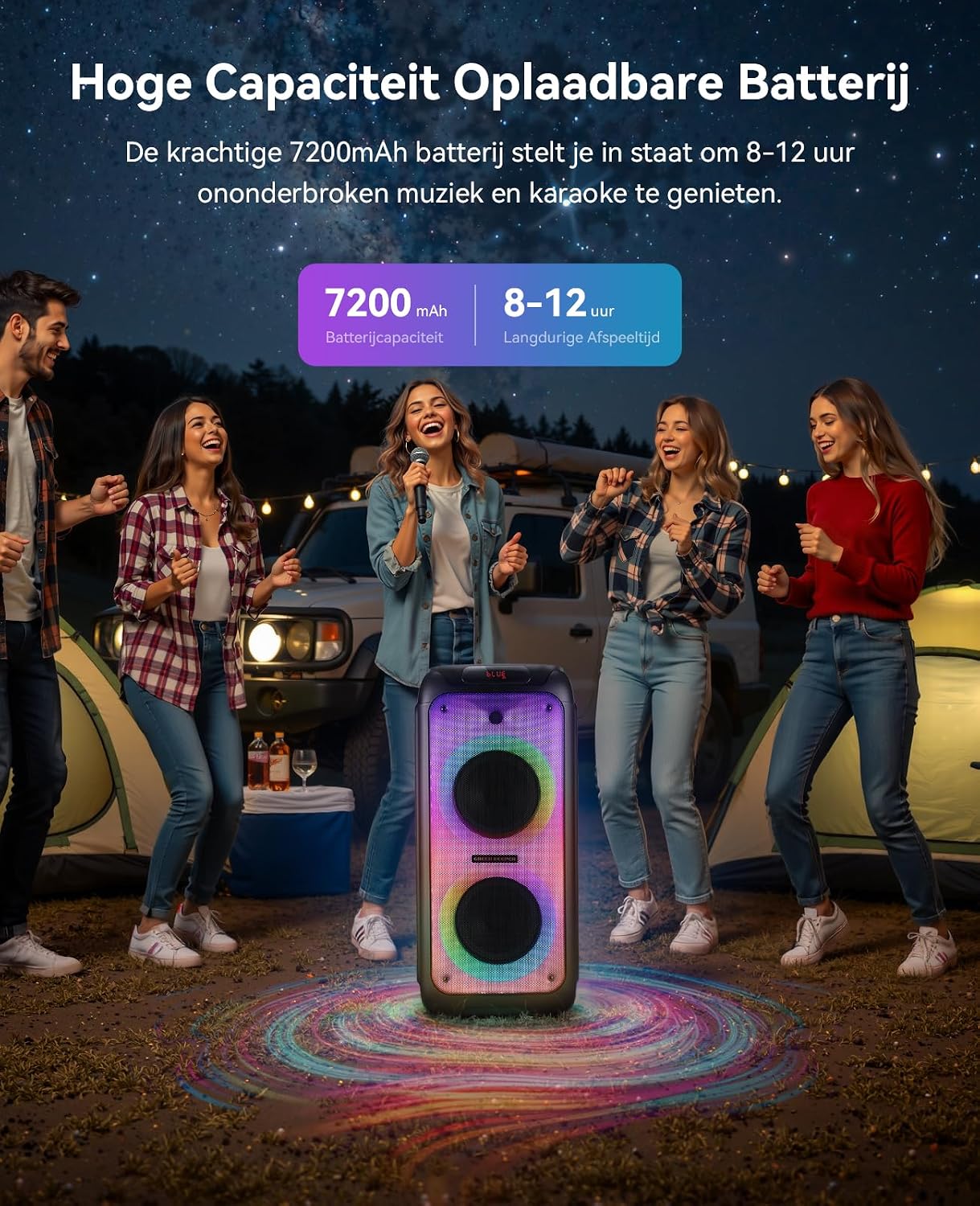
Image: A group of friends enjoying an outdoor karaoke party with the GKD80 speaker, illustrating its long-lasting 7200mAh battery for extended entertainment.
7.2 Portability
The GKD80 features a lightweight design with integrated smooth-rolling wheels and a retractable handle, making it easy to transport the speaker to various locations such as homes, gardens, parks, or campsites.

Image: A person easily transporting the GKD80 karaoke machine across a paved path, demonstrating its integrated wheels and retractable handle for portability.
8. Maintenance
- Cleaning: Wipe the exterior of the speaker with a soft, dry cloth. Do not use abrasive cleaners, waxes, or solvents.
- Storage: When not in use for extended periods, store the speaker in a cool, dry place, away from direct sunlight and extreme temperatures.
- Battery Care: To prolong battery life, avoid fully discharging the battery frequently. Recharge the battery at least once every three months if not used regularly.
9. Troubleshooting
| Problem | Possible Cause | Solution |
|---|---|---|
| No power | Battery is depleted; Power cable not connected. | Charge the speaker; Ensure power cable is securely connected. |
| No sound | Volume too low; Incorrect input mode; Device not connected. | Increase volume; Select correct input mode (Bluetooth, USB, FM, AUX); Reconnect Bluetooth device. |
| Microphones not working | Microphones off; Batteries low; Not paired. | Turn on microphones; Replace/charge microphone batteries; Re-pair microphones if necessary. |
| Bluetooth connection unstable | Device too far; Interference; Low battery. | Move device closer to speaker; Avoid obstacles; Charge speaker. |
| Light effects not working | Lights turned off. | Press the Light Effect button to cycle through modes or turn on. |
10. Specifications
- Model Number: GKD80
- Brand: GREEN KEEPER
- Speaker Output Power: 60W RMS / 600 Watts Peak
- Speaker Type: Portable Speaker
- Audio Drivers: 2 x 8-inch Woofers, 1 x 3-inch Tweeter
- Frequency Response: 20 Hz (Note: Full range not specified)
- Signal-to-Noise Ratio: 75 dB
- Connectivity Technology: Bluetooth
- Compatible Devices: Smartphone, MP3 Player, Guitar
- Audio Output Mode: Stereo
- Control Method: Buttons, Remote Control
- Battery Type: Rechargeable (1 A - included)
- Battery Capacity: 7200 mAh
- Average Battery Life: 8-12 hours
- Charging Time: Approximately 4 hours
- Microphone Type: UHF Wireless (2 included)
- Microphone Range: Up to 100 Meters (UHF)
- Dimensions (L x W x H): 32 x 33 x 69 cm (12.6 x 13 x 27.2 inches)
- Item Weight: 9.28 Kilograms (20.46 lbs)
- Color: Black
- Waterproof: No
- Country of Origin: China
- Manufacturer: SHENZHEN CHL INDUSTRIES CO.,LTD
11. Warranty and Support
The GREEN KEEPER GKD80 Karaoke Machine comes with a 1-Year Limited Warranty from the date of purchase. This warranty covers manufacturing defects in materials and workmanship under normal use.
The warranty does not cover:
- Damage caused by accident, abuse, misuse, flood, fire, earthquake, or other external causes.
- Damage caused by operating the product outside the permitted or intended uses described in this manual.
- Damage caused by service performed by anyone who is not an authorized service provider.
- Products or parts that have been modified to alter functionality or capability without the written permission of the manufacturer.
For warranty claims or technical support, please contact your retailer or the manufacturer directly. Please have your purchase receipt and product model number (GKD80) available when seeking support.


