
1. Introduction
Thank you for choosing the Shadowhawk S1618 High Power Rechargeable LED Flashlight. This manual provides essential information for the safe and efficient operation, maintenance, and troubleshooting of your device. Please read this manual thoroughly before use and retain it for future reference.
2. Safety Information
- Do not look directly into the LED light when it is active, as this may cause temporary vision impairment or eye damage.
- Keep the flashlight out of reach of children.
- Do not disassemble or modify the flashlight, as this will void the warranty and may cause damage or injury.
- Use only the specified battery type and charging cable.
- Avoid exposing the flashlight to extreme temperatures or direct sunlight for prolonged periods.
- Ensure the rubber protective cap for the charging port is securely closed to maintain water resistance.
3. Package Contents
Verify that all items are present in your package:
- 1 x Shadowhawk S1618 Rechargeable LED Flashlight
- 1 x 5000mAh Rechargeable Battery
- 1 x USB-C Charging Cable
- 1 x AAA Battery Holder & Battery Tube (for optional AAA battery use, batteries not included)
- 1 x Lanyard
- 1 x Flashlight Holster
- 1 x User Manual
- 1 x Gift Box
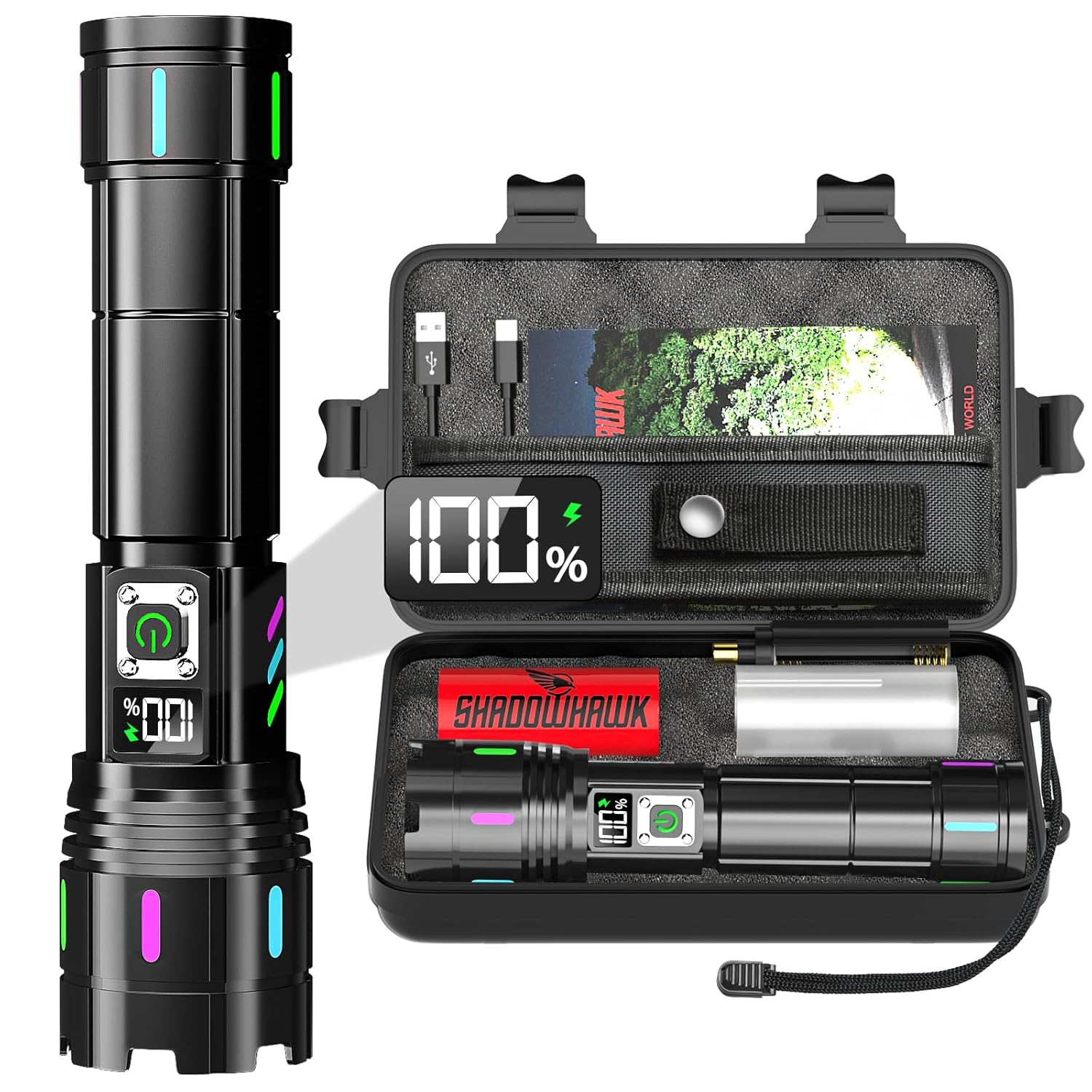
Image: Shadowhawk S1618 flashlight, rechargeable battery, USB-C cable, AAA battery holder, lanyard, and case.
4. Setup
4.1. Battery Installation
- Unscrew the tail cap of the flashlight.
- If using the included rechargeable battery, remove the transparent plastic protective film from the battery surface before installation.
- Insert the battery with the positive (+) pole facing towards the flashlight head.
- Screw the tail cap back on securely.

Image: Visual guide demonstrating how to open the back cover, confirm battery polarity, insert the battery, and close the back cover.
4.2. Initial Charging
Before first use, fully charge the flashlight battery. Refer to Section 6 for detailed charging instructions.
5. Operating Instructions
5.1. Power On/Off
- Press the power button once to turn the flashlight on.
- To turn off, press and hold the power button for 3 seconds. This allows immediate shutdown without cycling through all modes.
5.2. Mode Selection
With the flashlight on, press the power button repeatedly to cycle through the 5 lighting modes:
- High: Maximum brightness for powerful illumination.
- Medium: Balanced brightness for general use.
- Low: Reduced brightness for extended runtime or close-range tasks.
- Strobe: Flashing light for signaling or disorientation.
- SOS: International Morse code signal for emergencies.
The flashlight features a smooth current transition system, ensuring gradual brightness changes between modes to protect your eyes and the internal components.

Image: Visual representation of the five distinct lighting modes available on the Shadowhawk S1618 flashlight.
5.3. Adjustable Focus (Zoom Function)
The flashlight features an adjustable focus mechanism:
- Spotlight Mode: Extend the lamp head forward to narrow the beam for long-distance illumination (up to 3,937 feet).
- Floodlight Mode: Retract the lamp head to widen the beam for broad area illumination (covering up to 2,160 square feet).

Image: Illustration of the flashlight's adjustable head, demonstrating how to switch between wide-angle floodlight and long-range spotlight modes.
5.4. LCD Digital Display
The integrated LCD screen displays the battery power percentage with approximately 1% accuracy, allowing you to monitor the remaining charge in real-time.

Image: Close-up of the flashlight's LCD screen, indicating the precise battery charge level.
5.5. USB Discharging (Power Bank Function)
The flashlight can function as a power bank to charge other electronic devices in emergencies. Connect your device to the USB-A output port using an appropriate cable.
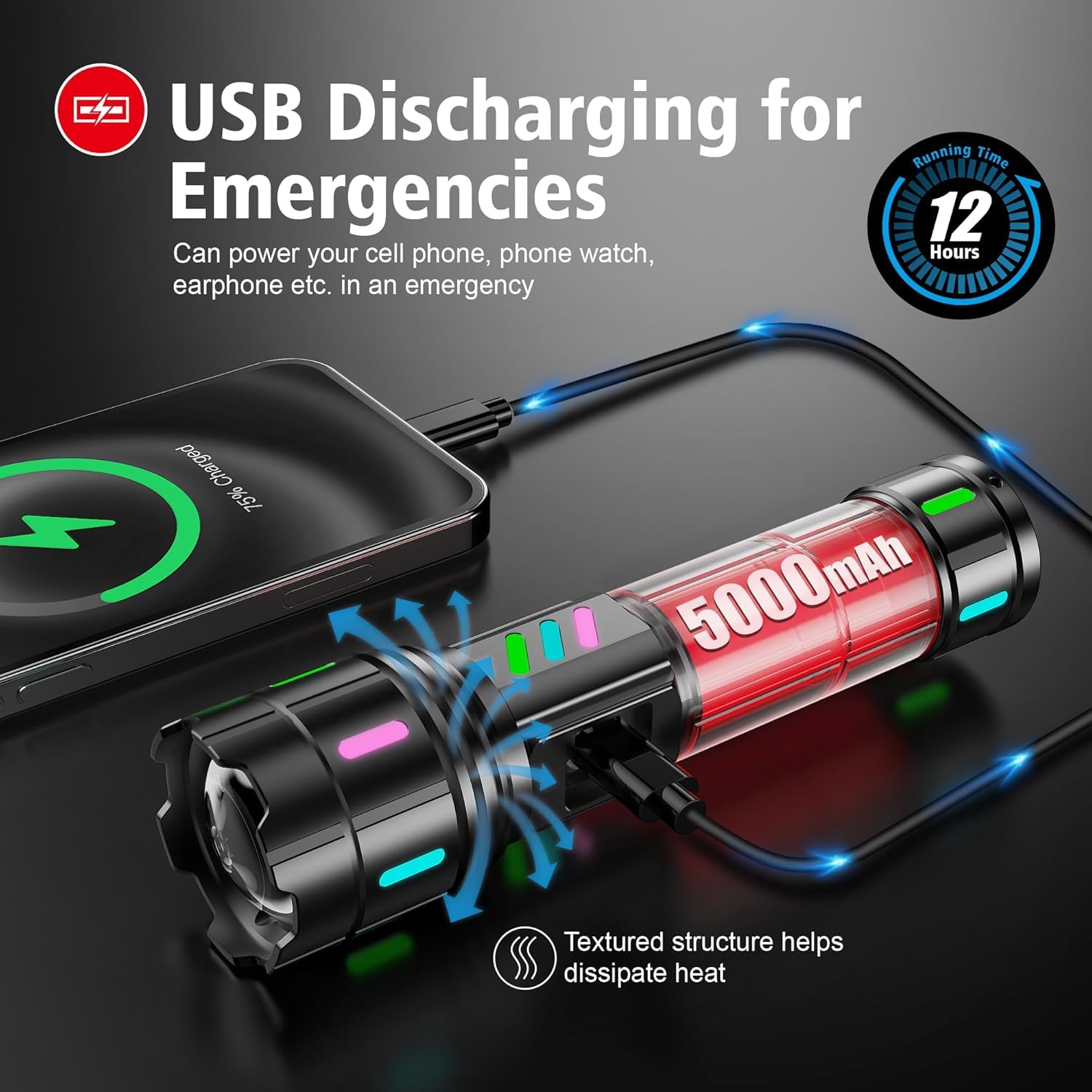
Image: The flashlight connected to a smartphone, illustrating its capability to discharge power and charge other devices.
6. Charging
To charge the Shadowhawk S1618 flashlight:
- Locate the USB-C input port on the flashlight.
- Connect the included USB-C charging cable to the flashlight and to a compatible USB power source (e.g., wall adapter, power bank, laptop).
- The LCD display will show the charging progress. A full charge typically takes 6-8 hours.
- Once fully charged, disconnect the cable and ensure the rubber protective cap is securely closed to maintain water resistance.

Image: The flashlight connected to a wall charger via USB-C, highlighting its fast and safe charging capabilities with built-in protections.
7. Maintenance
7.1. Cleaning
Wipe the flashlight body with a soft, damp cloth. Do not use abrasive cleaners or solvents. Ensure the charging port cover is closed before cleaning.
7.2. Storage
Store the flashlight in a cool, dry place away from direct sunlight. If storing for an extended period, charge the battery every 3-6 months to maintain its lifespan.
7.3. Water Resistance
The Shadowhawk S1618 is IP67 rated, meaning it is protected from dust and can withstand immersion in water up to 1 meter for 30 minutes. Ensure all caps and seals are properly closed before exposing to water.

Image: The flashlight shown with water droplets, emphasizing its IP67 waterproof rating and durable rubber seals.
8. Troubleshooting
- Flashlight not turning on:
- Check if the battery is correctly installed with the correct polarity.
- Ensure the battery is charged.
- Tighten the tail cap securely.
- Dim light or short runtime:
- Recharge the battery fully.
- Ensure the battery is not old or damaged.
- Charging issues:
- Verify the USB-C cable is properly connected to both the flashlight and the power source.
- Try a different USB power source or cable.
9. Specifications
| Feature | Specification |
|---|---|
| Model | S1618 |
| Light Source | Upgraded XHM90.2 LED Chip |
| Brightness | Up to 10000 Lumens |
| Wattage | 30W |
| Beam Distance | Up to 3,937 feet (Spotlight) |
| Floodlight Coverage | Up to 2,160 square feet |
| Battery Type | 5000mAh Lithium Ion (included) / AAA (with holder, not included) |
| Runtime (Low Mode) | Up to 12 hours |
| Charging Port | USB-C Input |
| Discharge Port | USB-A Output |
| Water Resistance | IP67 |
| Material | Aviation-grade Aluminum Alloy |
| Dimensions | 22.5D x 5.5W x 17.5H Centimeters |
| Weight | 0.45 Grams |
10. Warranty Information
Shadowhawk products are manufactured to high-quality standards. For specific warranty terms and conditions, please refer to the warranty card included in your package or contact customer support. Keep your purchase receipt as proof of purchase for warranty claims.
11. Support
For any questions, technical assistance, or support regarding your Shadowhawk S1618 flashlight, please contact our customer service team:
- Email: support@shadowhawk.top
- Phone (India Importer): +91 9818598163 (Deepali)


