
1. Important Safety Instructions
When using an electrical appliance, basic precautions should always be observed, including the following:
- Read all instructions before using this vacuum cleaner.
- Always unplug the vacuum cleaner from the electrical outlet before cleaning or servicing.
- Do not use outdoors or on wet surfaces.
- Do not allow to be used as a toy. Close attention is necessary when used by or near children.
- Use only as described in this manual. Use only manufacturer’s recommended attachments.
- Do not handle plug or vacuum cleaner with wet hands.
- Do not put any object into openings. Do not use with any opening blocked; keep free of dust, lint, hair, and anything that may reduce airflow.
- Keep hair, loose clothing, fingers, and all parts of body away from openings and moving parts.
- Turn off all controls before unplugging.
- Use extra care when cleaning on stairs.
- Do not use to pick up flammable or combustible liquids, such as gasoline, or use in areas where they may be present.
- Do not pick up anything that is burning or smoking, such as cigarettes, matches, or hot ashes.
- Do not use without dust cup and/or filters in place.
2. Product Overview
The Shark AZ3901 POWERDETECT Upright Vacuum Cleaner is designed for efficient and intelligent cleaning across various floor types. It features advanced sensor technology and a versatile design.
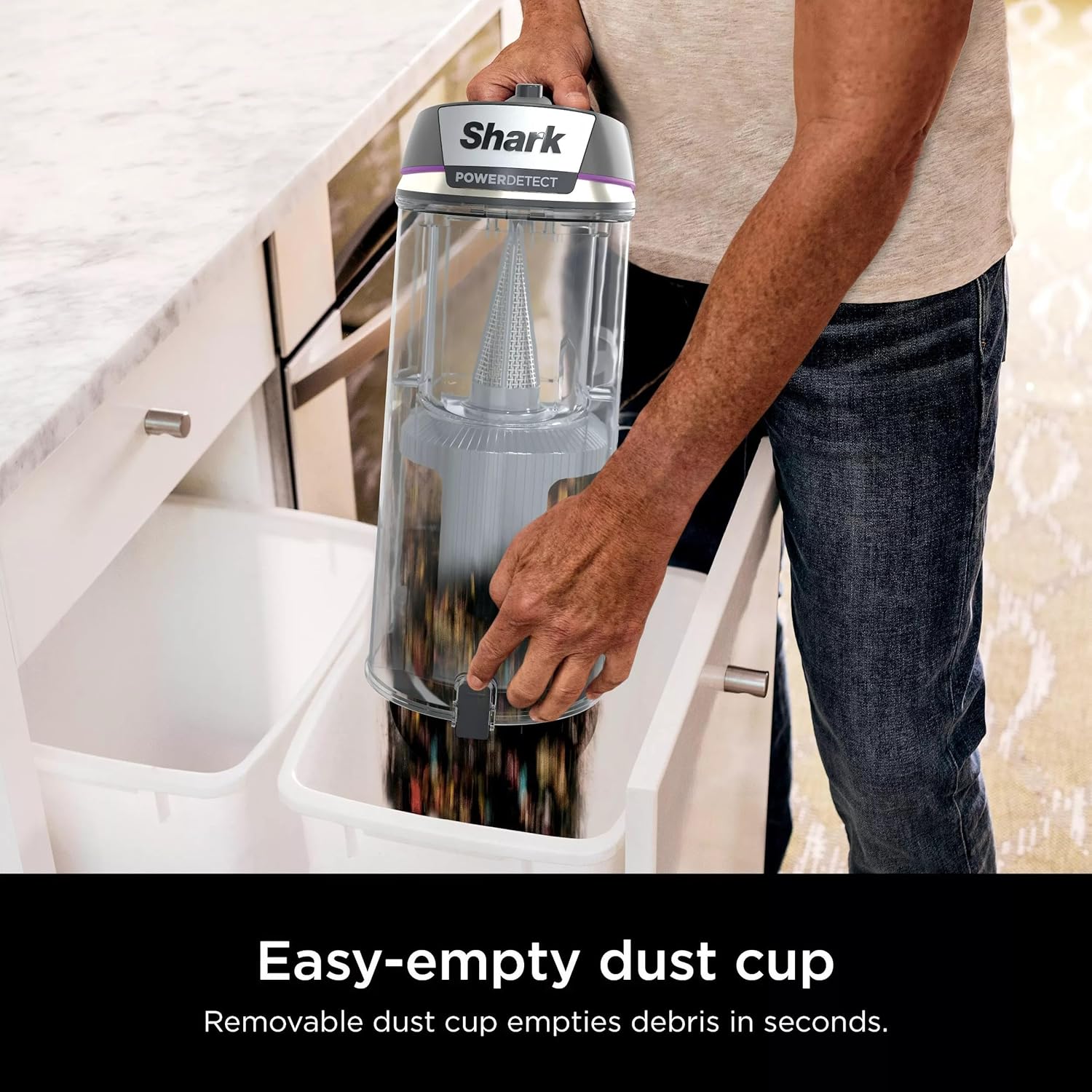
Figure 1: Overview of the Shark POWERDETECT vacuum cleaner, highlighting key components such as Fingertip Controls, Odor Neutralizer Technology, DuoClean Detect, Self-Cleaning Brushroll, LED Headlights, Anti-Allergen Complete Seal with HEPA, and Detect Technologies.
Key Features:
- DuoClean Detect: A two-brushroll system with four Intelli-Sense sensors that automatically senses and reacts to hidden dirt, debris, and pet hair, boosting suction and brushroll speed for optimal performance on both carpets and hard floors.
- Odor Neutralizer Technology: Guards against unpleasant odors inside the vacuum, helping to keep your home smelling fresh.
- Powered Lift-Away: Allows you to detach the pod for portable cleaning while the brushroll continues to spin, providing powerful, extended reach under furniture.
- Self-Cleaning Brushroll: Designed to deliver powerful pet hair pickup without hair wrap.
- Anti-Allergen Complete Seal: Works with a HEPA filter to trap 99.99% of dust and allergens inside the vacuum, preventing them from re-entering the air.
- Intelli-Sense Sensors: Includes Dirt Detect, Edge Detect, Floor Detect, and Direction Detect for adaptive cleaning.

Figure 2: The DuoClean Detect two-brushroll system, featuring PowerFins Detect for nonstop contact on carpets and floors, and a Soft Roller for pulling in small particles and polishing floors.
Included Accessories:
- Duster Crevice Tool
- Upholstery Tool
- Precision Duster
- Odor Neutralizer Technology Cartridge

Figure 3: The Duster Crevice Tool, Upholstery Tool, and Precision Duster are included for versatile cleaning.
3. Setup and Assembly
Follow these steps to assemble your Shark POWERDETECT Upright Vacuum Cleaner:
- Unpack all components from the box.
- Insert the wand into the floor nozzle until it clicks securely into place.
- Slide the handheld pod onto the wand until it clicks.
- Attach the hose to the back of the pod.
- Secure any included accessories onto the onboard storage posts.
- Ensure the Odor Neutralizer Technology cartridge is properly inserted into its slot on the floor nozzle.
4. Operating Instructions
Your Shark POWERDETECT vacuum offers various modes and technologies for optimized cleaning.
Upright Mode:
For general floor cleaning, use the vacuum in its upright configuration. The Intelli-Sense sensors will automatically adapt to your cleaning needs.
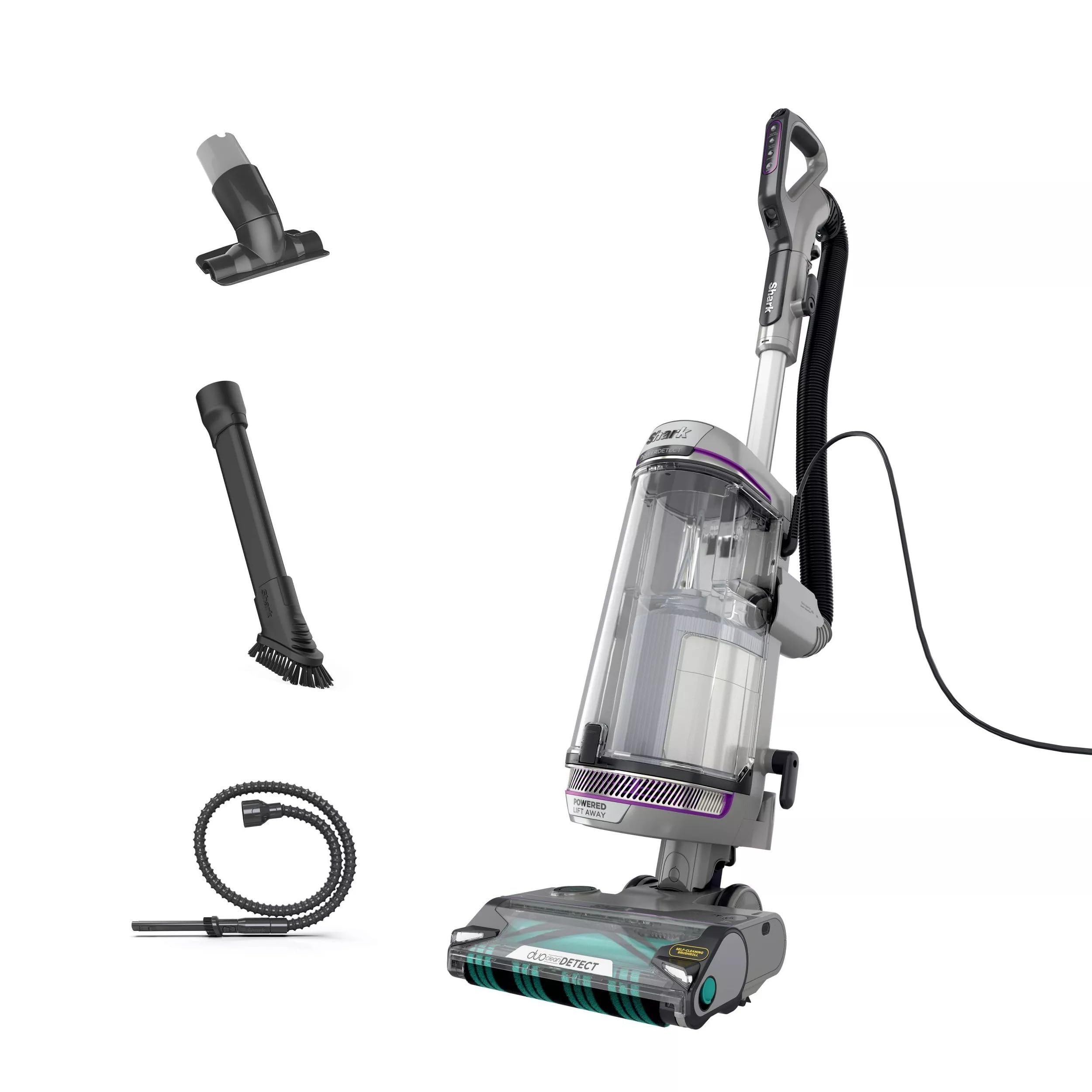
Figure 4: The Shark POWERDETECT vacuum provides ultra-powerful suction on both carpets and hard floors.
Intelli-Sense Detect Technologies:
- Dirt Detect: The vacuum senses embedded dirt and automatically boosts cleaning power in those areas.

Figure 5: Dirt Detect senses embedded dirt and automatically boosts cleaning power.
- Edge Detect: Suction power increases automatically within 2 inches of an edge or wall for thorough cleaning along baseboards and corners.

Figure 6: Edge Detect increases suction power for maximum cleaning along edges and under baseboards.
- Floor Detect: The ultra-sonic sensor identifies the floor type and adjusts suction and brushroll speed for optimal performance on hard floors and carpets.

Figure 7: Floor Detect senses floor types and adjusts brushroll speed and suction for optimal cleaning.
- Direction Detect: The vacuum recognizes the direction of movement and directs powerful suction accordingly, ensuring effective cleaning in both forward and reverse motions.

Figure 8: Direction Detect ensures maximum suction in both forward and reverse cleaning motions.
Powered Lift-Away Mode:
To clean hard-to-reach areas, detach the pod from the floor nozzle. The brushroll will continue to spin, providing continuous cleaning power.

Figure 9: Powered Lift-Away mode allows for powerful, extended reach under furniture.

Figure 10: Lift-Away mode with attachments provides lightweight and easy cleaning for stairs.

Figure 11: Use attachments in Lift-Away mode for powerful cleaning on upholstery and to remove pet hair.

Figure 12: The detachable pod and extra-long hose provide extended reach for cleaning high places.
Specialized Cleaning:
- Pet Hair Pickup: The DuoClean brushrolls are designed to grip and capture all hair types, including long, short, and pet hair.

Figure 13: The vacuum provides ultra-powerful hair pickup, effectively removing pet hair from surfaces.
- Large Debris: The POWERDETECT SPEED is capable of easily cleaning large piles of debris on any surface.

Figure 14: The POWERDETECT SPEED effectively cleans large piles of debris.
5. Maintenance
Regular maintenance ensures optimal performance of your vacuum cleaner.
Emptying the Dust Cup:
Empty the dust cup after each use or when debris reaches the MAX fill line.
- Press the dust cup release button.
- Hold the dust cup over a trash bin and press the bottom release latch to empty.
- Close the bottom flap until it clicks.
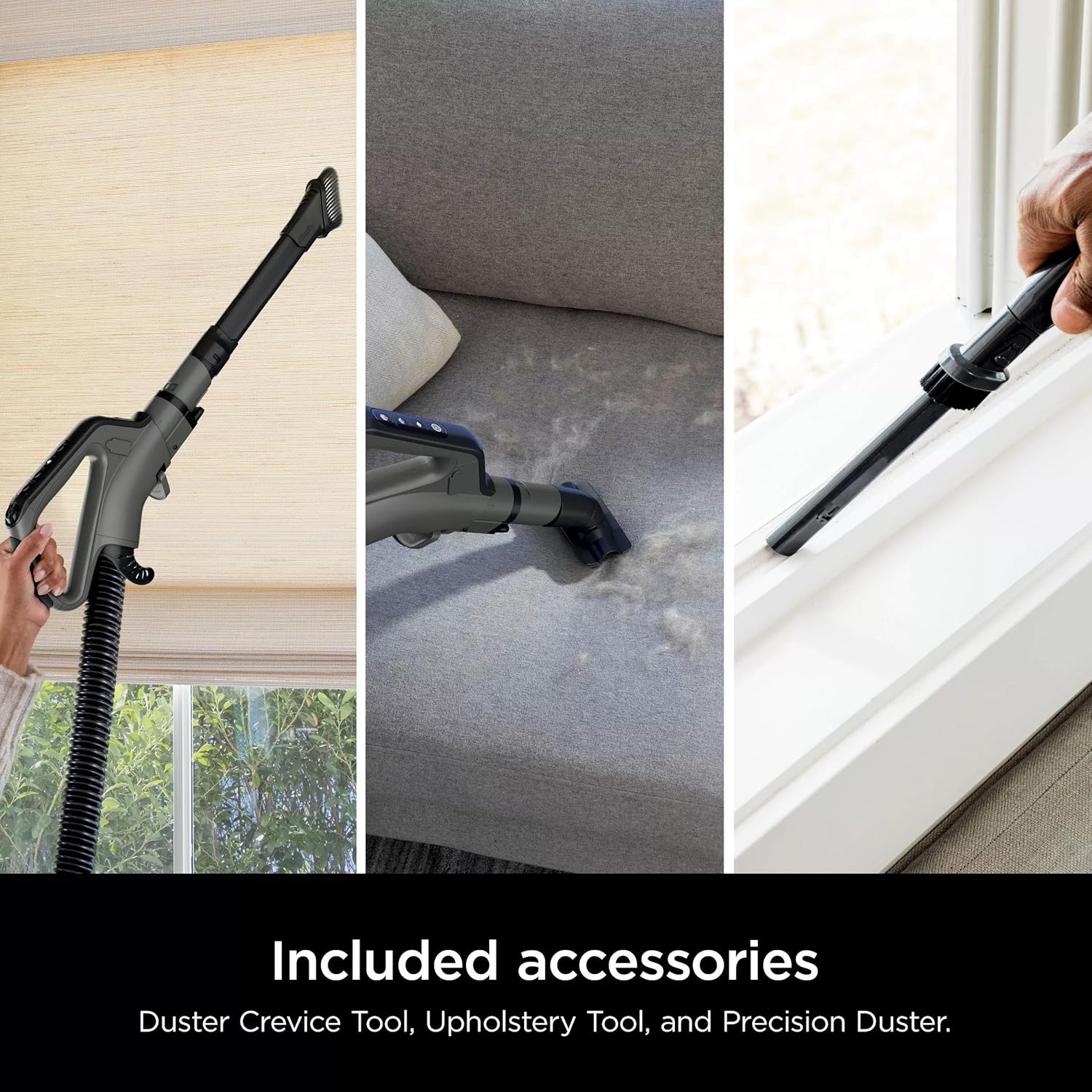
Figure 15: The easy-empty dust cup allows for quick and clean disposal of debris.
Cleaning Filters:
Rinse pre-motor filters (foam and felt) every 3 months, and the post-motor HEPA filter once a year. Allow filters to air dry completely before reinstalling.

Figure 16: The Anti-Allergen Complete Seal system, combined with a HEPA filter, captures and traps over 99.99% of dust and allergens.
Odor Neutralizer Technology:
The Odor Neutralizer Technology cartridge helps guard against bad odors. Replace the cartridge as needed to maintain freshness.

Figure 17: The Odor Neutralizer Technology cartridge helps freshen your home by guarding against bad odors inside the vacuum.
Brushroll Maintenance:
The self-cleaning brushroll is designed to prevent hair wrap. Periodically check the brushroll for any debris or blockages and remove them if necessary.
6. Troubleshooting
If you encounter issues with your vacuum, refer to the following common problems and solutions:
| Problem | Possible Cause | Solution |
|---|---|---|
| Vacuum not picking up debris. | Clogged hose or nozzle; full dust cup; dirty filters. | Check for blockages, empty dust cup, clean filters. |
| Brushroll not spinning. | Brushroll jammed; vacuum in wrong mode; power issue. | Clear any obstructions from brushroll, ensure vacuum is powered on and in appropriate mode. |
| Vacuum turns off on its own. | Overheating due to blockage or dirty filters. | Turn off and unplug, check for blockages, clean filters, allow to cool for 45 minutes. |
| Odor Neutralizer not working. | Cartridge needs replacement. | Replace the Odor Neutralizer Technology cartridge. |
7. Specifications
- Product Dimensions: 12 x 10.65 x 46.1 inches
- Item Weight: 16.5 pounds
- Manufacturer: SharkNinja
- Model Number: AZ3901
- Form Factor: Upright
- Batteries Required: No
8. Warranty Information
This product comes with a 90 days limited warranty. Please refer to the warranty documentation included with your purchase for full details and terms.
9. Customer Support
For further assistance, troubleshooting, or to inquire about replacement parts, please contact SharkNinja customer support. Refer to the contact information provided in your product packaging or visit the official SharkNinja website.


