
1. Introduction
This manual provides essential information for the assembly, operation, maintenance, and troubleshooting of your Dowinx LS-MB38 Series Gaming Chair. Please read these instructions carefully before assembly and use to ensure proper function and safety.
2. Product Overview and Features
The Dowinx LS-MB38 Series Gaming Chair is designed for comfort and support during extended periods of sitting, whether for gaming, office work, or relaxation. Key features include:
- Heated Massage Lumbar Support: Integrated lumbar cushion with rotating massage heads and an adjustable warmth function to alleviate back tension and promote circulation.
- Spacious Seating with Pocket Spring Cushions: Combines responsive coil technology and plush padding for adaptive comfort, offering ample room for movement.
- Cooling Seat Surface: Textile material designed for enhanced airflow to maintain comfort during long sessions.
- Ergonomic Design: Features a contoured headpiece for neck support and an elevated back cushion for lower-back alignment.
- Versatile Adjustability: Includes an extendable footrest, a backrest that reclines up to 155°, synchronized arm movements, adjustable seat height, and 360° swivel with smooth-rolling casters.
- Durable Construction: Built with a reinforced metal foundation and certified components, supporting up to 350 lbs.

Image: Dowinx Gaming Chair with heated massage lumbar cushion and headrest, highlighting the ergonomic design.

Image: Cross-section view of the Dowinx chair's seat cushion, illustrating the internal pocket springs and high-density foam for superior comfort and stability.

Image: Close-up of the Dowinx chair's textile upholstery with a detailed quilting design, highlighting its breathability and wear resistance.
3. Package Contents
Verify that all components are present and undamaged before beginning assembly. Refer to the assembly instructions for a complete list of parts.

Image: All components of the Dowinx Gaming Chair laid out for assembly.
4. Setup and Assembly
Follow the step-by-step instructions provided in the included assembly manual. Ensure all screws are tightened securely, but do not overtighten. Assembly typically takes less than 10 minutes with pre-drilled holes.
- Install the Base: Attach the casters to the chair base.
- Attach Gas Lift: Insert the gas lift cylinder into the center hole of the base.
- Mount Tilt Mechanism: Secure the tilt mechanism to the underside of the seat cushion.
- Connect Seat to Base: Place the assembled seat onto the gas lift cylinder.
- Attach Backrest: Secure the backrest to the seat using the provided screws.
- Install Armrests: Attach the armrests to the chair.
- Add Cushions: Attach the headrest and lumbar massage cushion using their straps.
Video: Assembly overview of the Dowinx Gaming Chair, demonstrating the installation of components and initial setup.
5. Operating Instructions
Familiarize yourself with the chair's adjustable features for optimal comfort.
- Seat Height Adjustment: Use the lever located on the right side beneath the seat to raise or lower the chair. Pull up to raise, push down while seated to lower.
- Backrest Recline: Use the lever on the left side to adjust the backrest angle. Recline up to 155 degrees and lock into your desired position.
- Extendable Footrest: Pull the footrest out from beneath the seat for leg support. Push it back in when not in use.
- Heated Massage Lumbar Cushion:
- Connect the massage cushion's USB cable to a power source.
- Press the button on the cushion to activate the massage and heating functions.
- Press again to change the direction of rotation for the massage.
- Press a third time to switch off the heating function.
- Press a fourth time to switch off the massage function.
- Armrest Adjustment: The armrests move synchronously with the backrest recline.

Image: Diagram illustrating the chair's recline functionality and gas lift mechanism.
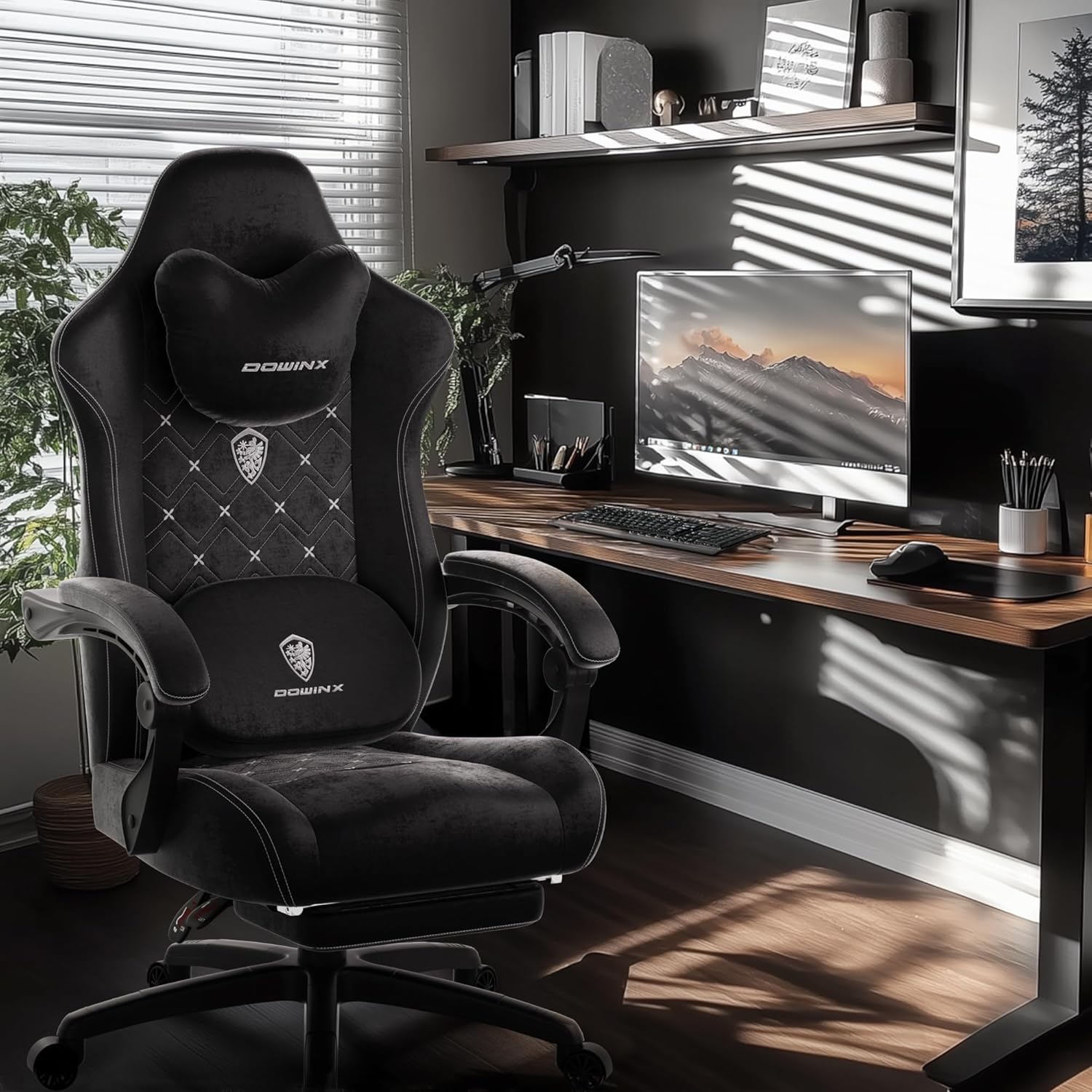
Image: Close-up of the heated massage lumbar pillow, detailing its functions.
6. Maintenance
To ensure the longevity and optimal performance of your Dowinx Gaming Chair, follow these maintenance guidelines:
- Cleaning: Use a soft, damp cloth for general cleaning of the textile surfaces. Avoid harsh chemicals or abrasive cleaners.
- Inspection: Periodically check all screws and bolts to ensure they are tight. Retighten if necessary.
- Weight Capacity: Do not exceed the maximum weight recommendation of 350 lbs to prevent damage and ensure safety.
- Placement: Use the chair on a stable, flat surface to prevent tipping.
- Lumbar Cushion Care: Disconnect the power cable before cleaning. The cover can be gently wiped clean.
7. Troubleshooting
If you encounter any issues with your chair, refer to the following common solutions:
- Chair does not adjust height: Ensure the gas lift lever is fully engaged. If the issue persists, the gas lift cylinder may need replacement.
- Backrest does not recline: Check that the recline lever is functioning correctly and not obstructed.
- Massage function not working: Verify that the USB cable for the lumbar cushion is securely plugged into a working power source. Ensure the power button on the cushion is pressed.
- Squeaking noises: Check and tighten all assembly bolts. Applying a small amount of lubricant to moving parts may also help.
For issues not covered here, please contact Dowinx customer support.
8. Specifications
| Feature | Detail |
|---|---|
| Brand | Dowinx |
| Model | LS-MB38 Series |
| Color | Black |
| Material | Textile, Foam, Metal Frame |
| Product Dimensions (D x W x H) | 19.3"D x 19.7"W x 40"H |
| Maximum Weight Recommendation | 350 lbs |
| Reclining Position Count | 2 (up to 155°) |
| Assembly Required | Yes |
Image: Detailed specifications diagram of the chair's dimensions.
9. Warranty and Support
Your Dowinx LS-MB38 Series Gaming Chair comes with a 1-year limited warranty. For warranty claims, technical support, or any inquiries, please contact Dowinx customer service. Keep your purchase receipt as proof of purchase.


