
1. Introduction
Thank you for choosing the Loowoko Men's Fleece Heated Vest. This manual provides essential information for the safe and effective use, maintenance, and troubleshooting of your heated vest. Please read it thoroughly before first use and retain it for future reference.

Image: Front view of the Loowoko Men's Fleece Heated Vest worn by a man in a snowy setting.
2. Safety Information
To ensure safe operation and prevent injury or damage, please adhere to the following safety guidelines:
- Do not use if the vest or battery pack is damaged.
- Keep away from open flames or extreme heat sources.
- Do not modify the vest or heating system.
- Disconnect the battery pack before washing or storing the vest.
- This vest is water resistant, not waterproof. Avoid prolonged exposure to heavy rain or submersion in water.
- Do not use while sleeping or if you have reduced sensation to heat.
- Consult a physician before use if you have a medical condition, are pregnant, or use a pacemaker.
- Keep out of reach of children.
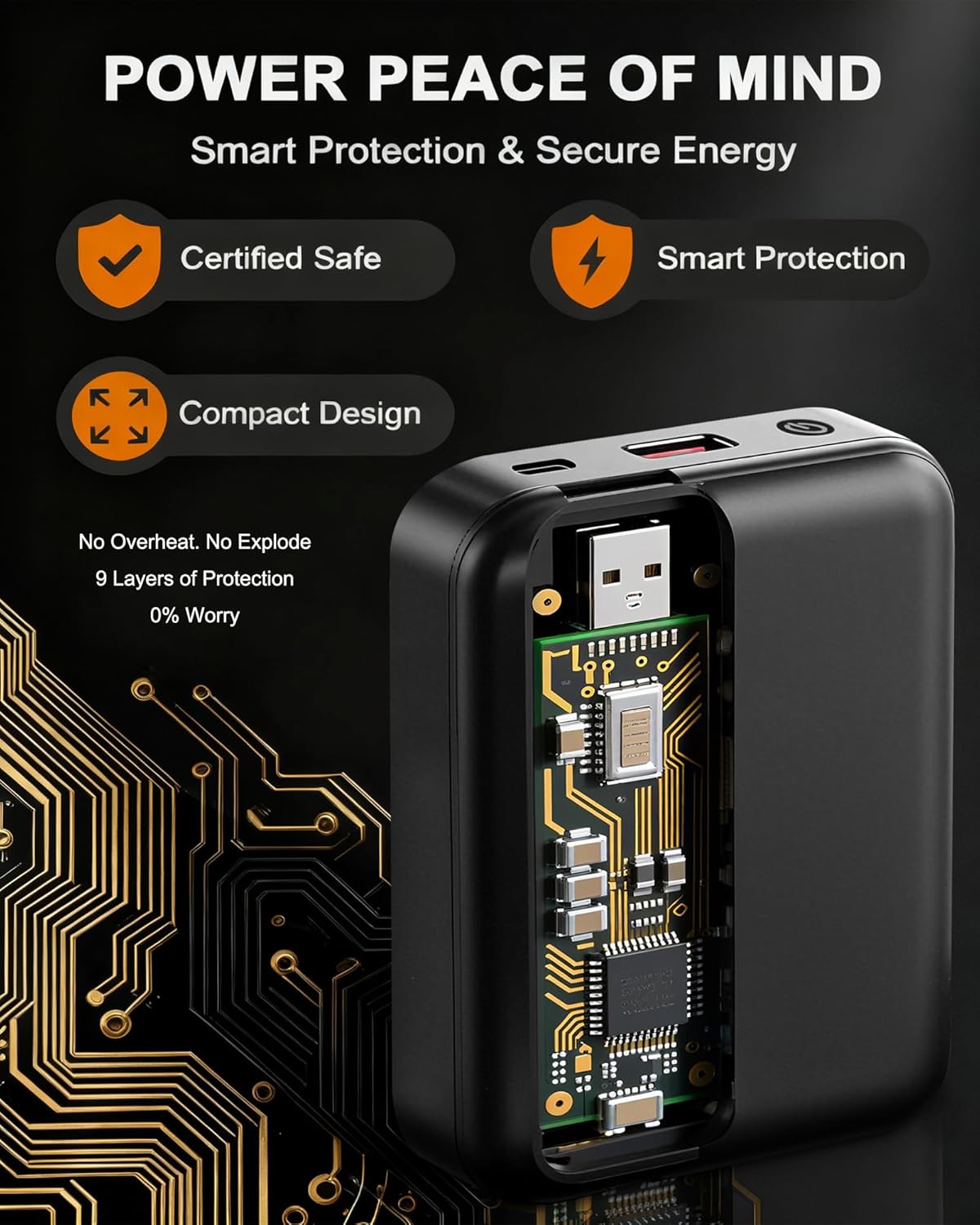
Image: The included power bank features smart protection, certified safety, and multiple layers of protection against overheating and explosion.
3. Package Contents
Verify that all items are present in the package:
- 1 x Loowoko Men's Fleece Heated Vest
- 1 x Rechargeable Battery Pack
- 1 x USB Charging Cable
- 1 x User Manual (this document)
4. Product Overview
The Loowoko Heated Vest is designed to provide warmth in cold conditions. It features multiple heating zones and adjustable heat settings for personalized comfort.

Image: Illustration of the heating elements located in the front and back of the vest.
Key Features:
- Material: Soft fleece (Cotton, Polyester blend)
- Heating Zones: 6 strategically placed heating zones for core warmth.
- Heating Levels: 3 adjustable heat settings (Low, Medium, High).
- Battery Life: Up to 8 hours of continuous heat (on low setting).
- Control: Single button control for all heating functions.
- Pockets: 3 utility pockets, including a dedicated battery pocket.
- Collar: Stand neck design for added warmth.

Image: Detailed views of the vest's stand neck, high-quality fabric, durable zipper, and safety side pocket.
5. Setup
5.1 Charging the Battery Pack
- Connect the provided USB charging cable to the battery pack.
- Plug the other end of the USB cable into a compatible USB power adapter (not included) or a computer's USB port.
- Allow the battery pack to fully charge before first use. The indicator lights on the battery pack will show charging status.
5.2 Connecting the Battery to the Vest
- Locate the USB cable inside the vest's dedicated battery pocket (typically on the left side).
- Connect the USB cable from the vest to the fully charged battery pack.
- Place the connected battery pack securely into the battery pocket and zip it closed.
6. Operating Instructions
The vest features a single control button on the chest for easy operation.

Image: The control button is located on the upper left chest of the vest.
6.1 Turning On/Off
- To Turn On: Press and hold the control button for 3-5 seconds until it illuminates. The vest will typically start on the High heat setting (Red light).
- To Turn Off: Press and hold the control button for 3-5 seconds until the light turns off.
6.2 Adjusting Heat Levels
Once the vest is on, short press the control button to cycle through the heat settings:
- Red Light: High Heat (approx. 131°F / 55°C)
- White Light: Medium Heat (approx. 113°F / 45°C)
- Blue Light: Low Heat (approx. 95°F / 35°C)
The vest will automatically adjust to the selected heat level. Battery life varies depending on the heat setting used.
7. Maintenance
7.1 Washing Instructions
Proper care will extend the life of your heated vest:
- Always remove the battery pack before washing.
- Hand Wash Only: Gently hand wash the vest in cold water with a mild detergent.
- Do not bleach, iron, dry clean, or wring out the vest.
- Hang dry completely in a well-ventilated area before reconnecting the battery or storing.
7.2 Storage
When not in use, store the vest and battery pack in a cool, dry place. Ensure the battery is partially charged (around 50%) if storing for extended periods to prolong its lifespan.
8. Troubleshooting
| Problem | Possible Cause | Solution |
|---|---|---|
| Vest not heating | Battery not connected, battery discharged, control button not activated, internal wiring issue. | Ensure battery is fully charged and securely connected. Press and hold the control button for 3-5 seconds to activate. If problem persists, contact customer support. |
| Battery not charging | Charging cable faulty, power adapter faulty, battery pack damaged. | Try a different USB cable and power adapter. If the battery pack is damaged, discontinue use and replace. |
| Heat is inconsistent or weak | Low battery charge, incorrect heat setting, external temperature too low. | Recharge the battery. Adjust to a higher heat setting. Ensure the vest is worn under an outer layer for optimal heat retention. |
9. Specifications
- Model: SK-5148
- Material: Cotton, Polyester
- Color: Black
- Heating Zones: 6
- Heat Levels: 3 (Low, Medium, High)
- Power Source: Rechargeable Battery Pack (included)
- Care Instructions: Hand Wash Only
- Water Resistance: Water Resistant
- Closure Type: Zipper
- Pockets: 3
Size Chart:

Image: Detailed size chart with measurements for various vest sizes.
| Size | Shoulder | Chest | Waist | Hem | Collar | Length |
|---|---|---|---|---|---|---|
| M | 17.3" | 22.4" | 21.9" | 22.2" | 2.8" | 27.1" |
| L | 18.1" | 24" | 23.4" | 24.4" | 2.8" | 27.9" |
| XL | 18.9" | 25.5" | 25" | 26" | 2.8" | 28.7" |
| XXL | 19.6" | 27.1" | 26.5" | 27.5" | 2.8" | 29.5" |
10. Warranty and Support
For warranty information, please refer to the documentation included with your purchase or contact the retailer where the product was acquired. For technical support or further assistance, please contact Loowoko customer service through their official website or the contact information provided with your product packaging.