
1. Introduction
Thank you for choosing the OffiGo 59 Inch L-Shaped Electric Standing Desk. This manual provides essential information for the safe and efficient assembly, operation, and maintenance of your new workstation. This desk is designed to enhance your productivity and comfort with its electric height adjustment, spacious L-shaped desktop, ergonomic monitor stand, integrated keyboard tray, and convenient charging station.

Image 1.1: The OffiGo L-shaped electric standing desk in a modern office environment, highlighting its spacious design and ergonomic features. A user is shown standing while working, demonstrating the desk's height adjustability.
2. Setup and Assembly
The OffiGo L-Shaped Electric Standing Desk is designed for straightforward assembly. All parts are clearly labeled, and detailed instructions are provided to guide you step-by-step. It is recommended to have a clear, spacious area for assembly.
2.1 Desk Dimensions
Familiarize yourself with the desk's dimensions to ensure it fits your intended space and meets your ergonomic needs.

Image 2.1: A diagram illustrating the key dimensions of the L-shaped standing desk, including the 59-inch main desktop length, 47.2-inch depth, and the electric height adjustment range from 28.4 inches to 45.7 inches. The maximum load capacity is 154 lbs.
2.2 Assembly Guide Video
For a visual walkthrough of the assembly process, please refer to the official product video below. This video demonstrates the steps involved in setting up your OffiGo L-shaped electric standing desk.
Video 2.1: An official product video from OffiGo-US demonstrating the assembly process and key features of the L-shaped electric standing desk, including its drawers and height adjustment. This video provides a visual guide to setting up the desk and understanding its functionalities.
3. Operating Instructions
3.1 Electric Height Adjustment
The desk features electric height adjustment, allowing you to seamlessly switch between sitting and standing positions. The height range is from 28.4 inches to 45.7 inches. Use the control panel to adjust the height.

Image 3.1: This visual demonstrates the smooth and silent electric height adjustment mechanism, showcasing the desk's ability to transition effortlessly between sitting (28.4 inches) and standing (45.7 inches) positions.
Memory Presets
The control panel includes 3 height-memory buttons, allowing you to save your preferred sitting and standing heights for quick and easy adjustments.

Image 3.2: A detailed view of the height adjustment control panel, featuring an LED screen, up and down arrows for manual adjustment, a setting key, and three programmable memory keys (1, 2, 3) to store your favorite desk heights.
3.2 Ergonomic Monitor Stand
The integrated monitor stand is ergonomically designed to provide a comfortable viewing angle, helping to reduce neck and eye strain. The space underneath the monitor stand can be used for additional storage.

Image 3.3: This image highlights the ergonomic monitor stand feature, showing a user maintaining a healthy posture while working. The monitor stand elevates screens to an optimal viewing height, reducing strain.
3.3 Multifunctional Features
The desk is equipped with several features to maximize your workspace and keep it organized.
- Spacious L-Shaped Desktop: The 59-inch desktop provides ample space for multiple monitors, a laptop, and other work essentials. The sub-desktop area can accommodate items like a printer, creating distinct work zones.
- Keyboard Tray: A 27-inch smooth slide-out keyboard tray offers extra space for your keyboard and mouse, promoting comfortable typing.
- Fabric Drawers: Convenient drawers are included for storing small items, helping to keep your workspace tidy.
- Charging Station: An integrated power strip with 3 AC outlets (125V/12A) and 2 USB ports (5V/2A) allows for convenient charging of your devices.

Image 3.4: This image focuses on the desk's space-maximizing features, detailing the monitor riser for additional storage, convenient fabric drawers, and a pull-out keyboard tray for an organized workspace.

Image 3.5: A close-up of the built-in charging station, illustrating the 3 AC outlets (125V/12A) and 2 USB ports (5V/2A) available for powering and charging electronic devices directly from the desk.
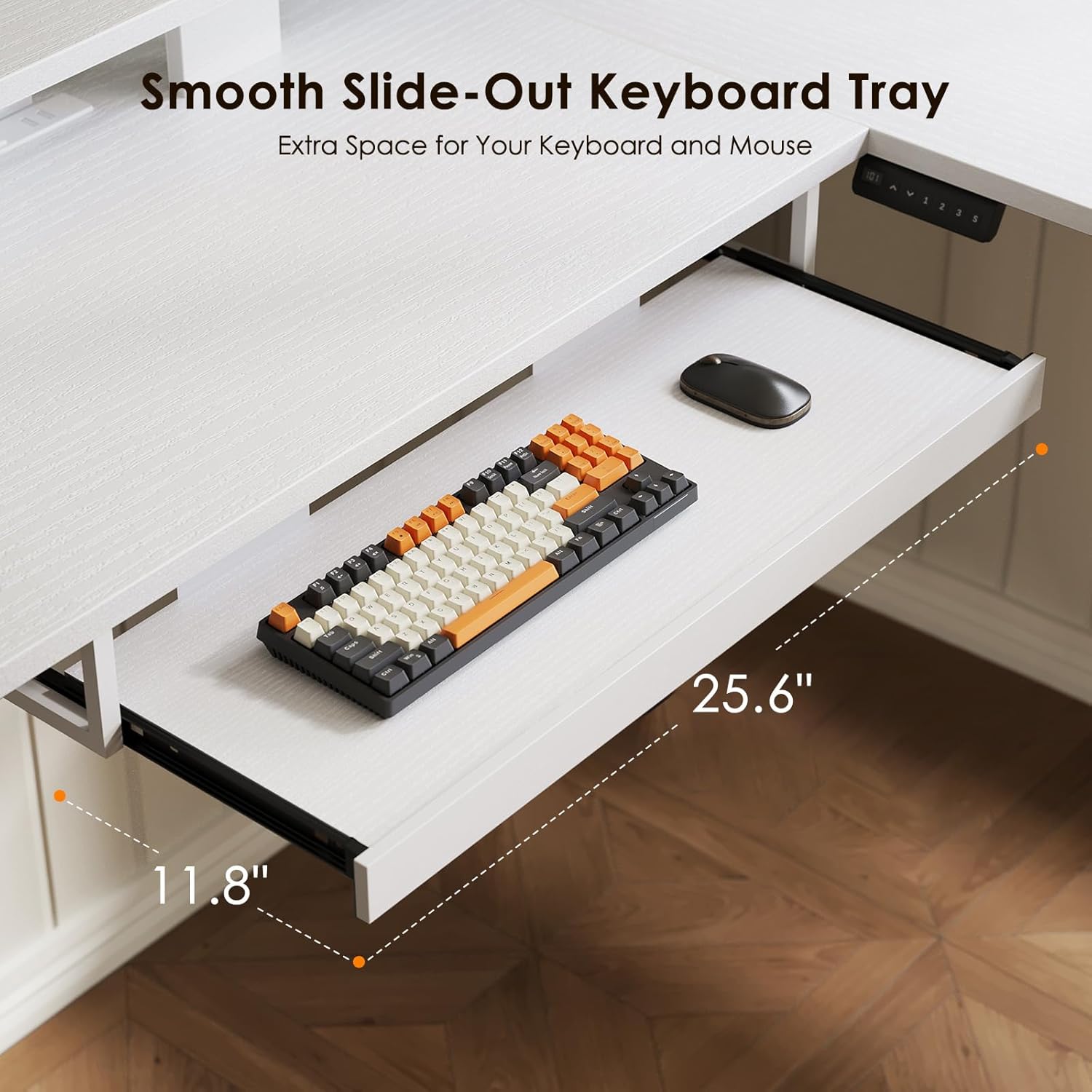
Image 3.6: This image showcases the spacious 25.6-inch smooth slide-out keyboard tray, designed to provide ample room for a keyboard and mouse, enhancing typing comfort and workspace organization.
4. Maintenance
To ensure the longevity and optimal performance of your OffiGo Electric Standing Desk, follow these simple maintenance guidelines:
- Cleaning: Wipe the desktop surfaces with a soft, damp cloth. Avoid harsh chemicals or abrasive cleaners that may damage the finish.
- Motor Care: Keep the motor and electrical components free from dust and moisture. Do not attempt to open or service the motor unit yourself.
- Cable Management: Periodically check and organize cables to prevent tangling or damage, especially when adjusting desk height.
- Weight Limit: Adhere to the maximum load capacity of 154 lbs to prevent damage to the desk's lifting mechanism.
5. Troubleshooting
If you encounter any issues with your OffiGo Electric Standing Desk, refer to the following common problems and solutions:
| Problem | Solution |
|---|---|
| The table is uneven. | Loosen the screws and adjust the feet of the table until it is stable, then tighten the screws. |
| Wrong hole position. | Check if the panel is reversed. |
| Uneven hole position. | Rotate each screw a few turns. When all screws are threaded, go back and tighten all remaining screws. |
| The desktop could not be lifted. | Check if overloaded, max loading: 70kg (154 lbs). Find after sales in time. |
| Strange sound and shaking, incorrect assembly. | Check if all of the screws are 100% tightened. |
| Only one side moves up and down. | Check whether the coupling is connected to two ports at both ends and whether the black circlip is still there. If the coupling rod can be pulled out, it means that it is not installed and not fixed. Reassemble the coupling rod, and reset the desk. |
| Uneven legs but the desk can go up and down. | Find after sales in time. Remove the hexagonal coupling rod and rotate the coupling rod to adjust the table leg manually to the initial state. |
| Memory position button not work. | Find after sales in time. |
| Error code E10, Motor doesn't work. | Restart after switching off for 15 mins for overworking. Find after sales in time. |
| Overwork / Duty cycle. | Max 4 min ON / 15 min OFF. |
| Handset doesn't display, and power indicator light is not on. | Find after sales in time. |
6. Specifications
- Brand: OffiGo
- Shape: L-Shape
- Desk Design: Standing Desk
- Product Dimensions: 47.2"D x 59"W x 33.1"H
- Color: White
- Style: Modern
- Base Material: Alloy Steel
- Top Material Type: Engineered Wood
- Finish Type: Polished
- Special Features: Adjustable Height, Drawers, Keyboard Tray Included, Monitor Stand, Power Outlets
- Required Assembly: Yes
- Height Adjustment Range: 28.4" to 45.7"
- Max Load Capacity: 154 lbs (70 kg)
- Keyboard Tray Length: 27 inches
- Charging Station: 3 AC Outlets (125V/12A), 2 USB Ports (5V/2A)
7. Warranty and Support
OffiGo-US offers a 30-day easy return policy for your product. For any questions, concerns, or assistance with troubleshooting, please contact OffiGo-US customer support. Refer to your purchase documentation for specific warranty details and contact information.