
Introduction
The AYWHP PWM Fan Speed Controller is a professional module designed for precise control of computer fans. It allows users to manage multiple fans, reduce noise, and optimize cooling performance within PC chassis and for CPU cooling systems. This module features an independent channel for controlling a single fan, offering flexible cooling management through manual voltage and rotation speed adjustment.
Key features include:
- 1-Channel Independent Control: Supports independent speed adjustment for one 3-pin or 4-pin fan, ideal for precise management and cooling optimization.
- Simple Installation: Plug-and-play design, no drivers required. Connects via a 3-pin interface (for power) and a 4-pin fan header (for fan control).
- Wide Voltage Compatibility: Operates at DC 12V, supporting an input range of 8-15V, suitable for common 12V fans.
- Manual Speed Adjustment: Intuitive knob allows manual adjustment of fan speed based on system load.
Setup Instructions
Follow these steps to install your AYWHP PWM Fan Speed Controller:
- Identify Components: Each controller unit consists of a circuit board with a potentiometer (knob) for speed adjustment, a small blue trimmer potentiometer for initial speed setting, a 4-pin fan header, and two power input wires (typically red for positive, black for negative).
- Power Connection: Connect the red wire to a 12V DC power source and the black wire to ground. Ensure the power source is within the 8-15V DC range. Note: Some units may come with bare wires for power input, requiring custom connection.
- Fan Connection: Connect your 3-pin or 4-pin PWM fan to the 4-pin fan header on the controller board. The controller is designed for 12V PWM fans.
- Placement: Mount the controller in a suitable location within your PC chassis, ensuring the adjustment knob is accessible if manual adjustments are desired.

Figure 1: Detailed diagram showing the components of the PWM Fan Speed Controller, including the 4-pin fan interface, power input, main adjustment knob, and initial speed trimmer.
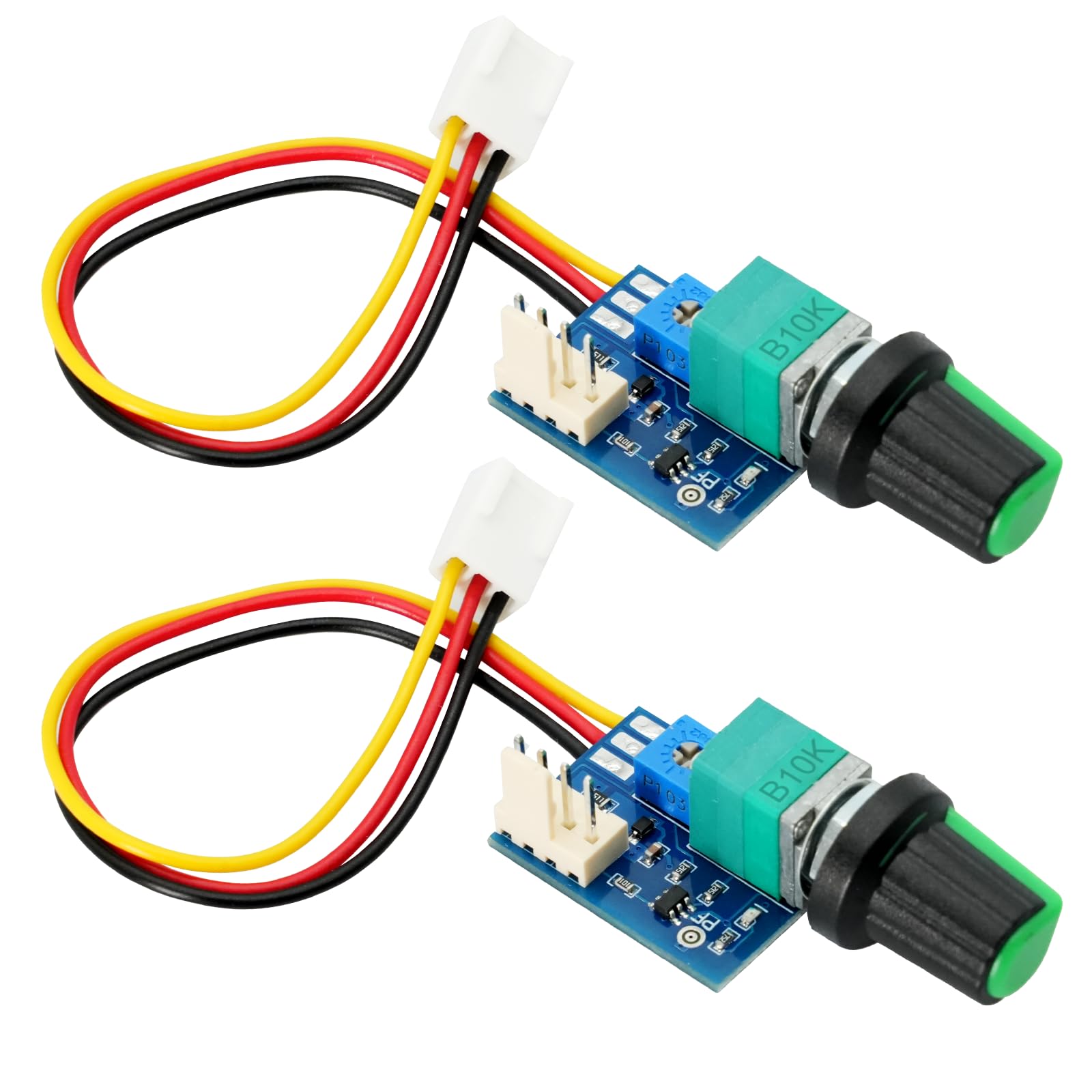
Figure 2: Image showing two AYWHP PWM Fan Speed Controller units, illustrating their compact design and wired connections.
Operating Instructions
The fan speed controller offers straightforward operation:
- Manual Speed Adjustment: Use the main black knob (potentiometer) to manually adjust the fan speed. Turning the knob clockwise typically increases the fan speed, while turning it counter-clockwise decreases it.
- Setting Minimum Speed: The small blue trimmer potentiometer on the board allows you to set the minimum (start) rotation speed of the fan. This can be useful to prevent fans from stopping completely at the lowest setting of the main knob or to ensure a baseline airflow. Adjust this trimmer with a small screwdriver. The initial PWM adjustment range is 0%-60%.
- Power On/Off: The main knob may also function as an on/off switch at its lowest setting, depending on the specific model and fan.

Figure 3: Illustrative image showing various applications of the PWM Fan Speed Controller within a PC, including CPU cooling, chassis fans, and water cooling systems.
Maintenance
The AYWHP PWM Fan Speed Controller requires minimal maintenance:
- Dust Removal: Periodically inspect the controller board for dust accumulation. Use compressed air or a soft brush to gently remove any dust, ensuring proper heat dissipation and preventing short circuits.
- Connection Check: Ensure all power and fan connections remain secure. Loose connections can lead to intermittent operation or failure.
- Environmental Conditions: Operate the controller within a dry environment and avoid exposure to extreme temperatures or humidity.
Troubleshooting
| Problem | Possible Cause | Solution |
|---|---|---|
| Fan does not spin or respond to knob. |
|
|
| Fan speed changes in the opposite direction of knob adjustment. | Inconsistent wiring or internal component orientation. | This is a known characteristic for some units. Simply adjust the knob in the opposite direction to achieve desired speed. No functional impact. |
| Fan runs at full speed constantly. |
|
|
Technical Specifications
| Parameter | Value |
|---|---|
| Operating Voltage | DC 12V (supports 8-15V input) |
| Maximum Fan Current | Not exceeding 3A |
| Board Self-Loss (no fan) | Less than 20mA |
| PWM Signal Mode | 5V 25KHz |
| PWM Output Range | 0% - 100% |
| Initial PWM Adjustment Range | 0% - 60% |
| Output Interface Model | 2510-4P (standard CPU/chassis fan socket, 2.54mm pin pitch) |
| Dimensions (L x W x H) | 20 mm x 41 mm x 13 mm |
| Weight | 10 g |
| Included Components | PWM Fan Speed Controller (2 PCS) |
| Manufacturer Reference | XDA123 |
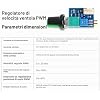
Figure 4: Visual representation of the technical parameters and dimensions of the PWM Fan Speed Controller.
Warranty Information
Specific warranty details for the AYWHP PWM Fan Speed Controller are not provided in the product information. Please refer to the retailer's return policy or contact the manufacturer directly for warranty inquiries.
Customer Support
For further assistance or technical support, please contact AYWHP customer service through their official website or the platform where the product was purchased. Have your product model (B0FK582764) and any relevant purchase details ready.