
1. Introduction
Thank you for choosing the Lamicall Portable Cordless Tire Inflator. This device is designed for convenient and efficient inflation of various items, including car tires, motorcycle tires, bicycle tires, and sports balls. Featuring a powerful 150 PSI output, a rechargeable battery, digital pressure display, and an integrated LED light, it offers a reliable solution for your inflation needs. Please read this manual thoroughly before use to ensure proper operation and safety.
2. Package Contents
Before using your Lamicall Portable Cordless Tire Inflator, please verify that all items listed below are included in the package:
- Tire Inflator Unit (1)
- Connecting Air Hose (with atmospheric nozzle) (1)
- Brass Presta Valve Adapter (1)
- Ball Inflation Needle (1)
- Swimming Circle Adapter (1)
- Charging Cable (USB-C) (1)
- Storage Bag (1)
- User's Manual (1)

Image: The Lamicall tire inflator unit displayed with its various inflation adapters and air hose.
3. Product Overview
Familiarize yourself with the main components of your tire inflator:

Image: A detailed view of the Lamicall tire inflator, highlighting its compact design and digital interface.
Key Features:
- Digital Display: Shows current pressure, target pressure, battery level, and selected mode.
- Control Buttons: Power, mode selection, unit selection, and pressure adjustment.
- Air Hose Connection: Secure point for attaching the flexible air hose.
- LED Light: Provides illumination for use in low-light conditions, with Flashlight, SOS, and Strobe modes.
- USB-C Charging Port: For recharging the internal battery.
- USB-A Output Port: Functions as a power bank to charge other devices.
4. Technical Specifications
| Specification | Detail |
|---|---|
| Brand | Lamicall |
| Model Name | VHEP01-B2 |
| Color | Black |
| Material | Metal, Plastic |
| Product Dimensions (LxWxH) | 2.5" x 2.2" x 6.9" |
| Power Source | Battery Powered |
| Air Flow Capacity | 35 Liters Per Minute |
| Maximum Pressure | 150 PSI |
| Hose Length | 19.5 Inches |
5. Safety Information
Please observe the following safety precautions to prevent injury or damage to the device:
- Do not leave the inflator unattended while in operation.
- Keep out of reach of children.
- Avoid prolonged continuous operation to prevent overheating. Allow the device to cool down if it becomes hot.
- Do not expose the inflator to rain or moisture.
- Ensure the correct pressure is set for the item being inflated to prevent over-inflation and potential bursting.
- Do not use the inflator if it is damaged or malfunctioning.
- Store the device in a cool, dry place when not in use.
6. Setup
6.1 Initial Charging
Before first use, fully charge the inflator. Connect the provided USB-C charging cable to the inflator's charging port and plug the other end into a suitable USB power adapter (not included). The digital display will indicate the charging status. A full charge can inflate approximately 20 car tires (from 28 to 36 PSI).

Image: The inflator's battery capacity and approximate inflation counts for various items.
6.2 Attaching the Air Hose and Adapters
- Screw the connecting air hose securely onto the inflator's air outlet port.
- Select the appropriate adapter for the item you wish to inflate:
- Presta Valve Adapter: For bicycles with Presta valves.
- Ball Inflation Needle: For sports balls.
- Swimming Circle Adapter: For inflatable toys and swimming rings.
- Attach the selected adapter to the end of the air hose's atmospheric nozzle if required. For standard Schrader valves (common on cars, motorcycles, and some bikes), no additional adapter is needed; simply connect the hose directly.
7. Operation
7.1 Powering On/Off
- To Power On: Press and hold the power button (U) for a few seconds until the digital display illuminates.
- To Power Off: Press and hold the power button (U) again. The device will also automatically power off after a period of inactivity.
7.2 Understanding the Display
The LED display shows critical information:
- Current Pressure: The real-time pressure of the connected item.
- Target Pressure: The desired pressure you have set.
- Battery Level: Indicates the remaining charge.
- Inflation Mode Icon: Shows the currently selected preset mode (Car, Motorcycle, Bike, Ball, Custom).
- Pressure Unit: Displays the selected unit (PSI, KPA, BAR, KG/CM²).
7.3 Selecting Inflation Mode and Units

Image: The digital display illustrating the five inflation modes and four pressure units, alongside the compatible nozzle types.
- Mode Selection: Press the 'M' button to cycle through the five preset inflation modes: Car, Motorcycle, Bike, Ball, and Custom. Each mode has a default target pressure, which can be adjusted.
- Unit Selection: Press the 'UNIT' button to switch between pressure units: PSI, KPA, BAR, and KG/CM².
- Adjusting Target Pressure: Use the '+' and '-' buttons to increase or decrease the target pressure value in the selected mode.
7.4 Inflating Tires/Objects
- Connect the air hose (with the appropriate adapter, if necessary) securely to the valve stem of the item you wish to inflate.
- Power on the inflator. The display will show the current pressure of the connected item.
- Select the desired inflation mode and set your target pressure using the '+' and '-' buttons.
- Press the power button (U) to start inflation. The inflator will automatically stop once the target pressure is reached (with an error margin of ±2 PSI).
- Once inflation is complete, disconnect the air hose from the valve stem.

Image: Demonstrating the use of the Lamicall inflator to add air to a car tire.
7.5 Using the LED Light
The inflator features an integrated LED light for convenience in dark environments:
- Press the light button (Lightbulb icon) once for a steady flashlight mode.
- Press again for SOS flashing mode.
- Press a third time for strobe light mode.
- Press a fourth time to turn the light off.
7.6 Using as a Power Bank
The inflator can also serve as an emergency power bank to charge other devices:
- Connect your device (e.g., smartphone) to the USB-A output port on the inflator using a compatible charging cable.
- The inflator will begin charging your device.
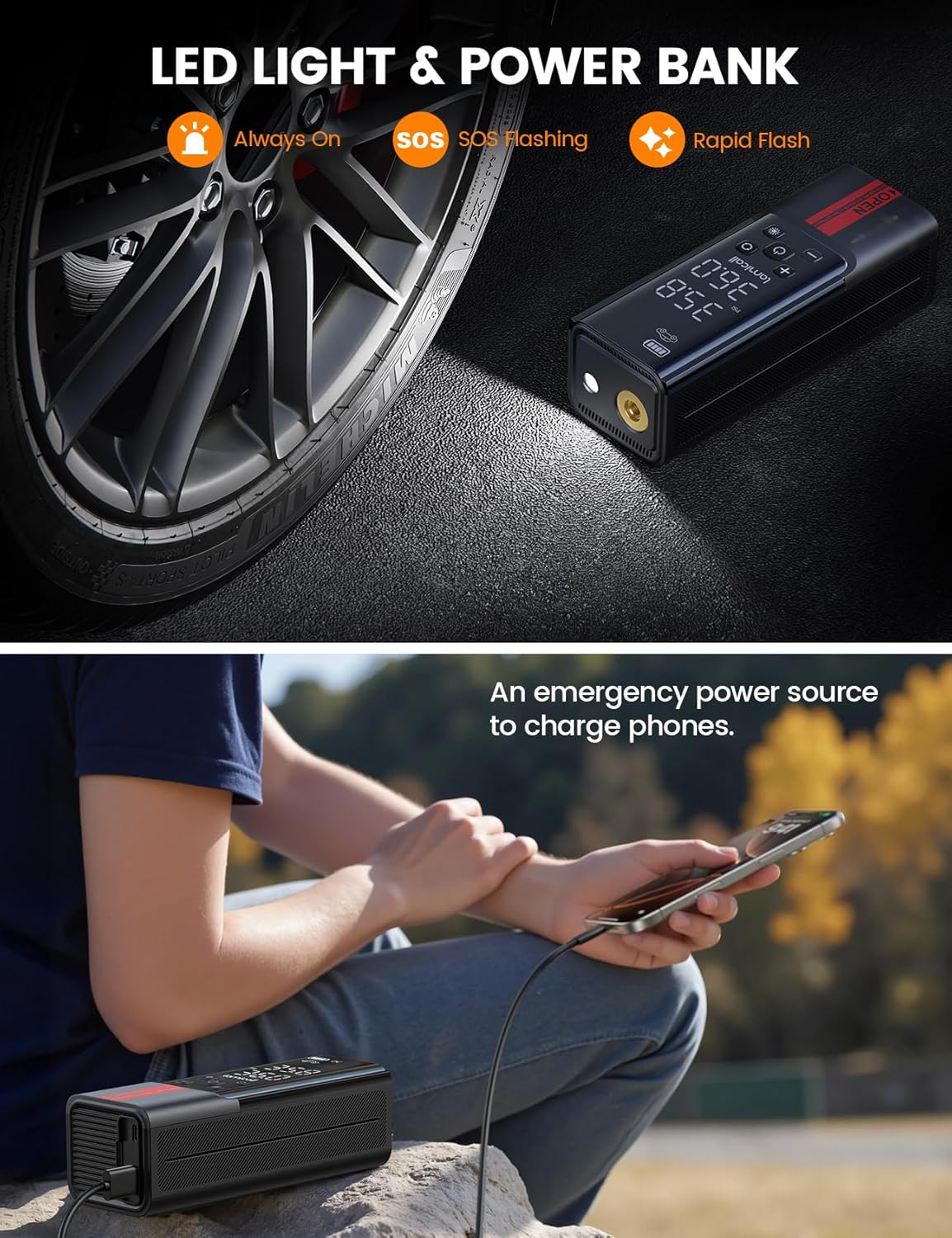
Image: The inflator's LED light in action and its capability to charge external devices.
8. Care and Maintenance
- Cleaning: Wipe the exterior of the inflator with a soft, damp cloth. Do not use harsh chemicals or abrasive cleaners.
- Storage: Store the inflator and its accessories in the provided storage bag in a cool, dry place, away from direct sunlight and extreme temperatures.
- Battery Care: To prolong battery life, avoid fully discharging the battery frequently. Recharge the device periodically if not used for extended periods.
- Hose and Adapters: Ensure the air hose and adapters are clean and free from debris before and after each use.
9. Troubleshooting Guide
If you encounter issues with your Lamicall Portable Cordless Tire Inflator, refer to the following common solutions:
- Device does not power on: Ensure the battery is charged. Connect the inflator to a power source using the USB-C cable.
- Inflator not inflating: Check that the air hose is securely connected to both the inflator and the item's valve. Ensure the target pressure is set above the current pressure.
- Inaccurate pressure reading: Ensure the air hose is properly sealed to the valve stem. Slight pressure variations (±2 PSI) are normal.
- Overheating: If the device feels hot, stop operation and allow it to cool down for at least 10-15 minutes before resuming use. Prolonged continuous use can cause overheating.
- Battery drains quickly: Ensure the device is fully charged before use. Battery performance can be affected by extreme temperatures.
If the problem persists, please contact customer support.
10. Warranty and Customer Support
Lamicall products are designed for reliability and performance. For warranty information, technical assistance, or any questions regarding your Lamicall Portable Cordless Tire Inflator, please refer to the contact information provided on the Lamicall official website or contact the seller directly through your purchase platform.
Please have your model number (VHEP01-B2) and purchase details ready when contacting support.
