
1 Hora AUT211
1 Hora AUT211 Active Noise Cancelling Wireless Earbuds User Manual
Model: AUT211 | Brand: 1 Hora
1. Introduction
Thank you for choosing the 1 Hora AUT211 Active Noise Cancelling Wireless Earbuds. These earbuds are designed to provide a superior audio experience with advanced features such as Active Noise Cancellation, crystal-clear call quality, and long-lasting battery life. This manual provides detailed instructions on how to set up, operate, maintain, and troubleshoot your device to ensure optimal performance.
2. What's in the Box
Please verify that all items are present in your package:
- 1 Hora AUT211 Wireless Earbuds
- Charging Case
- USB-C Charging Cable
- Ear Tips Accessory (S, M, L sizes)
- User Manual

Image: Package contents for the 1 Hora AUT211 earbuds, showing the earbuds, charging case, USB-C cable, and various ear tip sizes.
3. Product Overview
The 1 Hora AUT211 earbuds feature an ergonomic design for comfortable wear and a compact charging case with an LED display to show the battery percentage. Each earbud is equipped with advanced technology for superior sound and call quality.
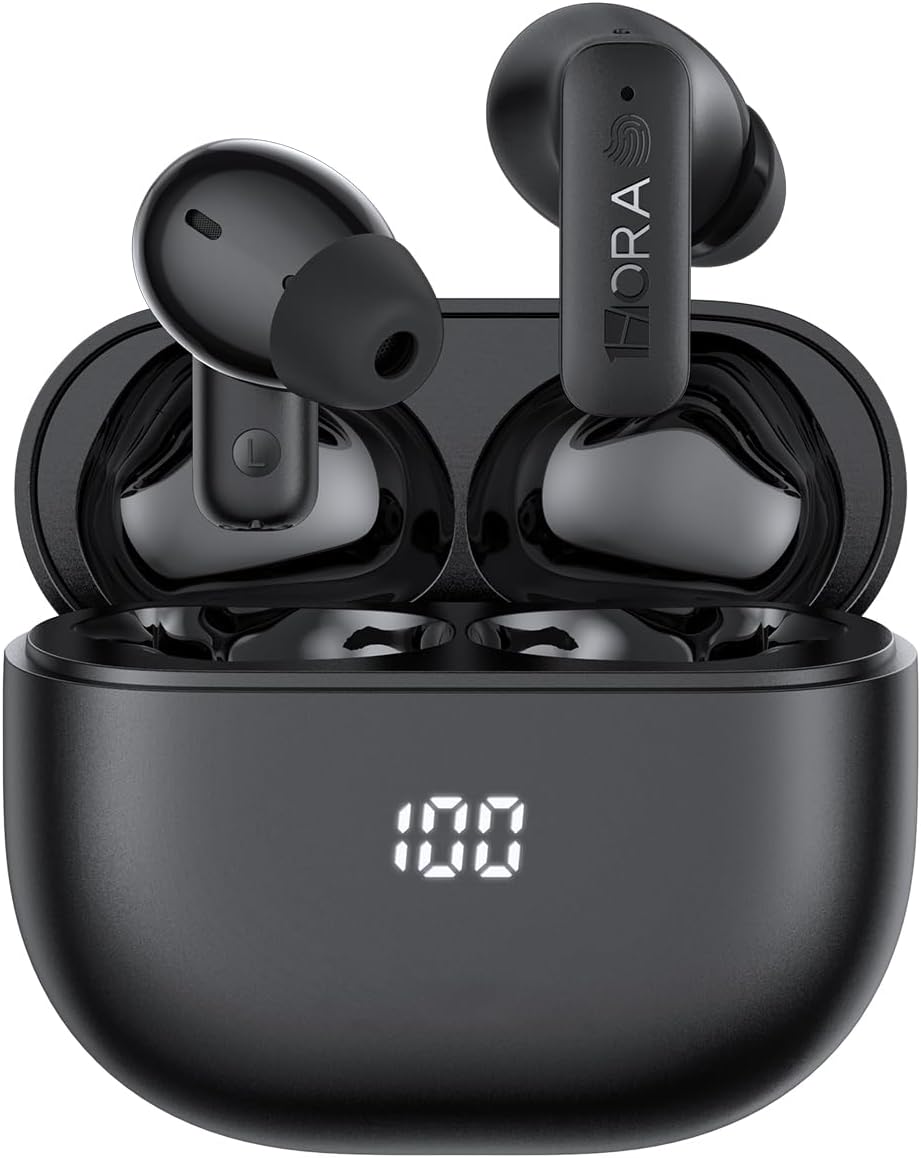
Image: The 1 Hora AUT211 earbuds resting in their charging case, with the digital battery indicator showing a full charge.

Image: A comprehensive overview of the 1 Hora AUT211 earbuds and charging case, illustrating their design and core functionalities.
4. Setup
4.1 Initial Charging
- Before first use, remove the protective film from the charging contacts on both earbuds.
- Place the earbuds back into the charging case.
- Connect the USB-C charging cable to the charging port on the case and a power source. The LED display on the case will show the charging progress.
- Charge the earbuds and case fully before initial use.
4.2 Pairing with Your Device
The 1 Hora AUT211 earbuds feature one-step effortless pairing:
- Ensure your device's Bluetooth is turned on.
- Open the charging case. The earbuds will automatically power on and enter pairing mode.
- On your device, search for Bluetooth devices and select "1HORA-AUT211" from the list.
- Once connected, a confirmation sound will play, and the earbuds will be ready for use.
- After the first successful pairing, the earbuds will automatically connect to your device when the case is opened, provided Bluetooth is enabled on your device.

Image: Illustration of the one-step pairing process, showing the earbuds connecting to a smartphone via Bluetooth.
5. Operating Instructions
5.1 Touch Controls
The earbuds feature intuitive touch controls on the outer surface of each earbud. The functions are as follows:
| Action | Left Earbud (L) | Right Earbud (R) |
|---|---|---|
| Answer Call | 1 Tap | 1 Tap |
| End Call | 2 Taps | 2 Taps |
| Reject Call | Press & Hold (1.5s) | Press & Hold (1.5s) |
| Play/Pause Music | 1 Tap | 1 Tap |
| Next Track | 2 Taps | 2 Taps |
| Noise Cancelling Mode | Press & Hold (1.5s) | Press & Hold (1.5s) |

Image: Visual guide to the touch control functions on the earbuds.
5.2 Active Noise Cancellation (ANC)
The earbuds feature advanced Active Noise Cancellation technology, which effectively reduces ambient noise, allowing for a more immersive listening experience. Press and hold the touch area for 1.5 seconds to cycle through ANC modes (ANC On, Transparency Mode, ANC Off).

Image: Representation of the Smart Noise Cancelling feature of the earbuds.

Image: A graph illustrating the 25dB deep noise reduction capability of the Active Noise Cancellation.
5.3 Call Management
Equipped with 4 microphones and AI-powered noise cancellation, these earbuds ensure clear communication during calls by filtering out background noise.

Image: A user making a call in a noisy environment, highlighting the 4-mic crystal clear call feature.
5.4 Audio Quality
Experience high-fidelity immersive sound with 10mm composite film speakers, delivering rich, detailed audio with powerful bass and crisp highs.

Image: An exploded view of the 10mm composite film speaker, showcasing its design for dynamic Hi-Fi stereo sound.
5.5 Battery Life
The earbuds offer up to 5 hours of playtime on a single charge. The charging case provides multiple additional charges, extending the total playtime to 24 hours. The case also boasts 48 days of standby power.

Image: Battery life indicators for single charge and total playtime with the charging case.
5.6 Comfortable Fit
Designed with ultra-soft silicone tips and an ergonomic shape, these earbuds provide a secure and comfortable fit for extended listening sessions. Three sizes (S, M, L) of ear tips are included to ensure a personalized fit.

Image: Demonstrating the comfortable design and included ear tip sizes for optimal fit.
6. Maintenance
6.1 Cleaning
- Regularly clean the earbuds and charging case with a soft, dry, lint-free cloth.
- Remove ear tips and clean them with mild soap and water if necessary. Ensure they are completely dry before reattaching.
- Gently clean the charging contacts on both the earbuds and inside the case with a dry cotton swab to ensure proper charging.
6.2 Storage
- When not in use, store the earbuds in their charging case to protect them and keep them charged.
- Store the device in a cool, dry place, away from extreme temperatures and direct sunlight.
7. Troubleshooting
If you encounter any issues with your 1 Hora AUT211 earbuds, please refer to the following common solutions:
- Earbuds not charging: Ensure the protective film has been removed from the charging contacts. Verify the charging cable is securely connected and the power source is active. Clean the charging contacts on both earbuds and the case.
- Earbuds not pairing: Make sure Bluetooth is enabled on your device and the earbuds are within range. Place the earbuds back in the case, close it, then open it again to re-enter pairing mode. Forget the device in your phone's Bluetooth settings and try pairing again.
- No sound from one earbud: Place both earbuds back in the charging case, close it, and then open it again. This often re-syncs them. Check your device's audio balance settings.
- Poor sound quality: Ensure the ear tips provide a snug fit to create a good seal in your ear canal. Try different sized ear tips. Clean any debris from the earbud speakers.
- Touch controls not responding: Ensure your fingers are clean and dry. Try restarting the earbuds by placing them in the case and taking them out again.
8. Specifications
| Feature | Detail |
|---|---|
| Model Name | AUT211 |
| Noise Control | Active Noise Cancellation |
| Connectivity Technology | Wireless (Bluetooth) |
| Bluetooth Version | 5.4 |
| Bluetooth Range | 10 Meters |
| Audio Driver Size | 10 Millimeters |
| Impedance | 32 Ohm |
| Sensitivity | 102 dB |
| Control Method | Touch |
| Earbud Playtime (Single Charge) | Up to 5 Hours |
| Total Playtime (with Charging Case) | Up to 24 Hours |
| Charging Case Battery Capacity | 400 Milliamp Hours |
| Charging Case Standby Power | 48 Days |
| Input Device Interface | Type C |
| Water Resistance Level | Water Resistant |
| Material | Acrylonitrile Butadiene Styrene (ABS), Polycarbonate (PC) |
| Item Weight | 3.2 ounces |
9. Warranty and Support
For warranty information and customer support, please refer to the contact details provided on the product packaging or visit the official 1 Hora website. Keep your purchase receipt as proof of purchase for any warranty claims.
If you require further assistance or have questions not covered in this manual, please contact 1 Hora customer service.
Related documentsAUT211


Ask a question about this manual
Ask about setup, troubleshooting, compatibility, parts, safety, or missing instructions. Manuals+ will review the question and use this page’s manual context to help answer it.