
Introduction

Figure 0: The PZL replacement remote control in use, demonstrating its application with a ceiling fan.
This manual provides essential instructions for the proper use and care of your PZL replacement remote control. This remote is designed for specific low profile ceiling fan models, including the Mpayel 20-inch B7801 and EINRZi 18-inch YB-460. Please read this manual thoroughly before use to ensure optimal performance and longevity of your device.
Setup
The PZL replacement remote control is designed for immediate use without any programming or pairing. Simply install the batteries, and the remote will be ready to operate your compatible ceiling fan.
Battery Installation
- Locate the battery compartment on the back of the remote control.
- Slide open the battery compartment cover.
- Insert two (2) 1.5V AAA batteries, ensuring correct polarity (+ and -) as indicated inside the compartment. Batteries are not included.
- Close the battery compartment cover securely.

Figure 1: Battery compartment for two 1.5V AAA batteries. Ensure correct polarity during installation.
Once batteries are installed, the remote control is ready for operation. No additional setup is required.
Operating Instructions
The remote control utilizes infrared technology, providing a strong signal and fast response. It offers an operational distance of over 26 feet (approximately 8 meters) and a wide angle of more than 120 degrees for flexible control.

Figure 2: The remote control operates effectively up to 8 meters (26 feet) from the ceiling fan.
Button Functions

Figure 3: Overview of remote control buttons and their functions.
- ON/OFF Buttons: Power on or off the ceiling fan and light.
- Light Control: Adjust the light settings (e.g., brightness, color temperature if supported by fan).
- Fan Speed Buttons: Control the fan speed (typically multiple levels).
- Timer Buttons (1H, 2H): Set the fan to turn off automatically after 1 or 2 hours.
- Stop Button: Immediately stop the fan operation.

Figure 4: The remote features an ergonomic design and responsive buttons for comfortable use.
Maintenance
To ensure the longevity and proper functioning of your remote control, follow these maintenance guidelines:
- Cleaning: Wipe the remote control with a soft, dry cloth. Do not use liquid cleaners, aerosols, or harsh chemicals, as these can damage the surface or internal components.
- Battery Replacement: Replace batteries promptly when the remote's performance degrades or if it stops responding. Always replace both batteries at the same time with new ones of the same type (AAA 1.5V).
- Storage: If the remote control will not be used for an extended period, remove the batteries to prevent leakage and potential damage. Store the remote in a cool, dry place away from direct sunlight and extreme temperatures.
- Avoid Drops: While made from durable ABS material, avoid dropping the remote control, as this can cause internal damage.
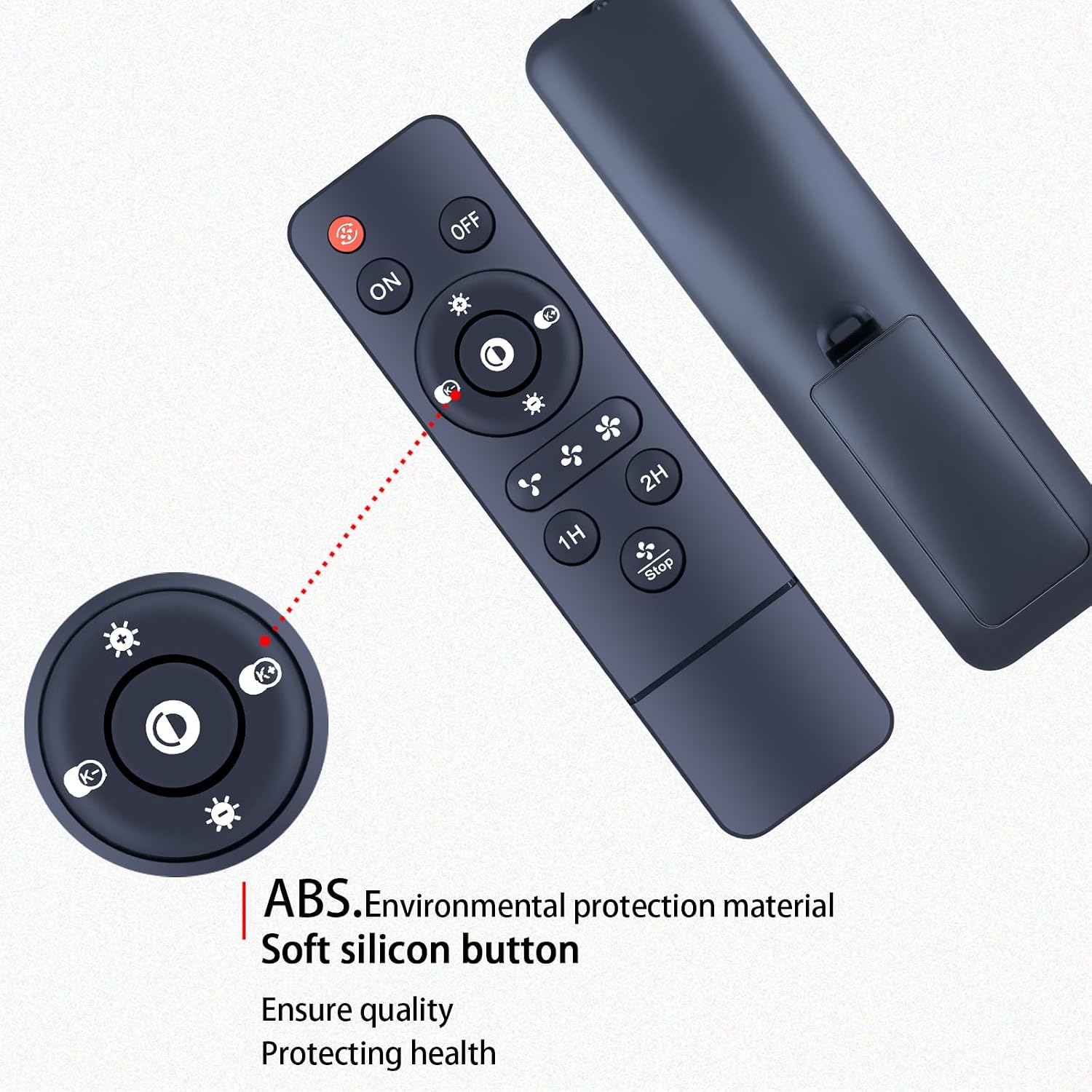
Figure 5: The remote is constructed from ABS material with soft silicone buttons for durability and comfort.
Troubleshooting
If you experience issues with your remote control, refer to the following common troubleshooting steps:
- Remote Not Responding:
- Check if the batteries are inserted correctly with the correct polarity.
- Replace old batteries with new 1.5V AAA batteries.
- Ensure there are no obstructions between the remote control and the ceiling fan's receiver.
- Verify that you are within the operational range (up to 26 feet or 8 meters) and pointing the remote towards the fan.
- Intermittent Operation:
- This could indicate low battery power. Replace the batteries.
- Ensure the remote's infrared emitter is clean and unobstructed.
- Fan Not Responding to Specific Buttons:
- Confirm that the fan model is listed as compatible with this remote control.
- Some fan functions may require specific fan capabilities (e.g., dimming requires a dimmable light kit).
This remote control serves as a direct replacement and backup for compatible ceiling fan remotes that are no longer functioning.
Specifications
| Brand | PZL |
| Model Number | B0FK4VMZ19 |
| Compatible Devices | Low Profile Ceiling Fans (Mpayel 20'' B7801, EINRZi 18'' YB-460) |
| Connectivity Technology | Infrared (IR) |
| Controller Type | Button Control |
| Maximum Range | 26 Feet (approx. 8 meters) |
| Battery Type | 2 x AAA 1.5V (not included) |
| Material | ABS material, Soft silicone buttons |
| Color | Black |
Support
For any questions regarding your order or the compatibility of this remote control with your specific fan model, please contact our customer service. We aim to provide timely assistance within 24 hours.
Please refer to your purchase platform for specific contact details or visit the PZL Store on Amazon for more information.