
ICEPURE YD-ZB001
ICEPURE YD-ZB001 5-in-1 Water Cooler and Ice Maker User Manual
Model: YD-ZB001 | Brand: ICEPURE
1. Introduction
This manual provides essential instructions for the safe and efficient operation of your ICEPURE YD-ZB001 5-in-1 Water Cooler and Ice Maker. This appliance delivers hot, cold, and room temperature water, and produces both bullet and crushed ice. Please read this manual thoroughly before use and retain it for future reference.
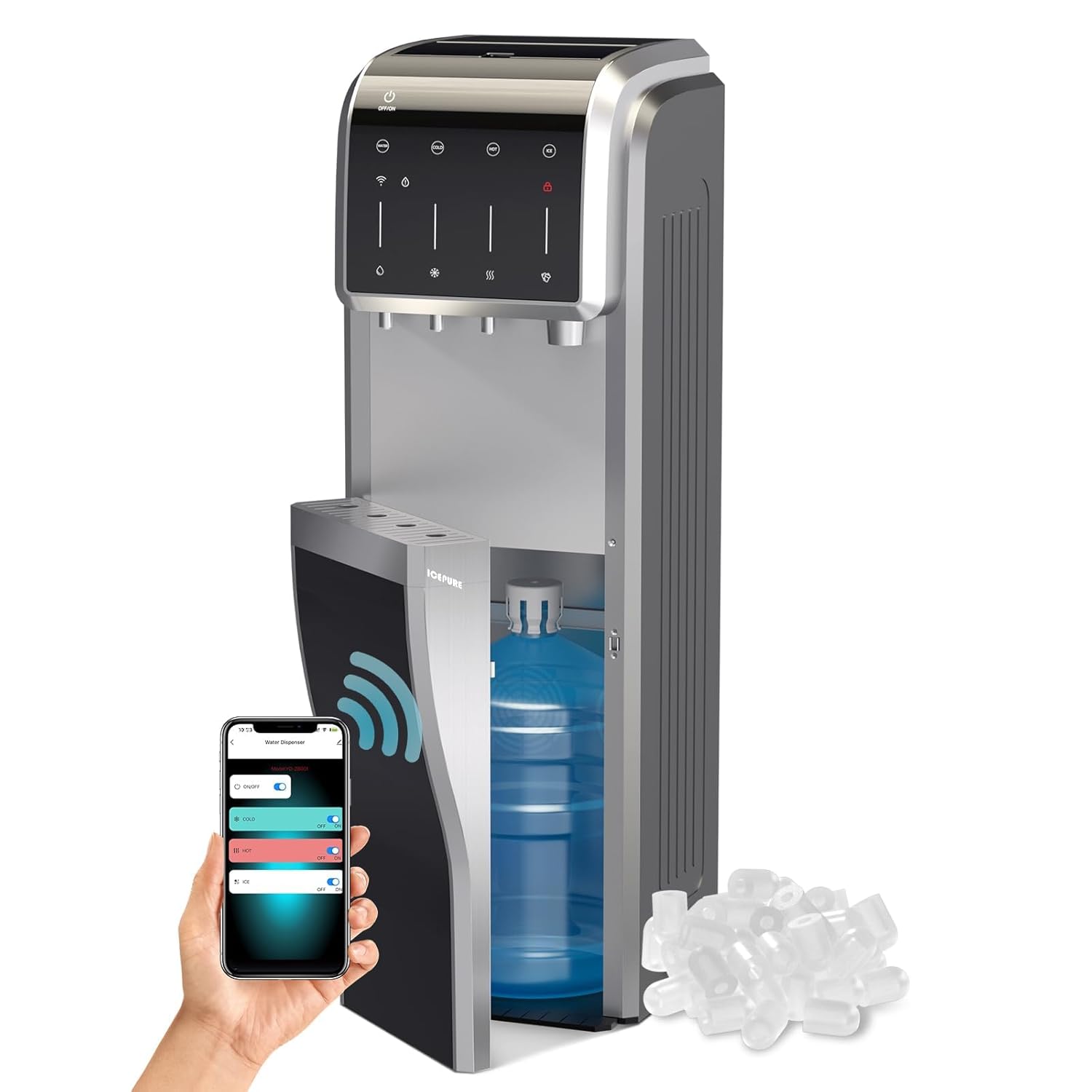
Image 1.1: The ICEPURE YD-ZB001 5-in-1 Water Cooler and Ice Maker, showcasing its sleek design and bottom-load water bottle compartment.
2. Safety Information
Your safety and the safety of others are very important. Please read all safety instructions before operating this appliance to reduce the risk of fire, electric shock, or injury.
- Ensure the appliance is placed on a flat, stable surface.
- Do not immerse the appliance, cord, or plug in water or other liquids.
- Keep children away from the hot water dispenser to prevent burns. The unit includes a child safety lock for hot water.
- Unplug the appliance before cleaning or performing any maintenance.
- Do not operate the appliance with a damaged cord or plug.
- This appliance is ETL and FCC certified, ensuring it meets safety and quality standards.

Image 2.1: The ICEPURE water cooler displaying ETL and FCC certification logos, indicating compliance with safety standards.
3. Setup and Installation
- Unpacking: Carefully remove the appliance from its packaging. Retain packaging materials for future transport if needed. The box includes the machine, an ice scoop, and this user manual.
- Placement: Position the water cooler on a level, stable surface, away from direct sunlight and heat sources. Ensure adequate ventilation around the unit.
- Water Bottle Installation (Bottom Load):
- Open the bottom door of the appliance.
- Place a 1 to 5-gallon water bottle into the compartment.
- Insert the water probe into the bottle opening.
- Close the bottom door. The magnetic closure will secure it.
- Power Connection: Plug the power cord into a grounded electrical outlet.
- Initial Priming: Before dispensing water or making ice, allow the unit to sit for at least 30 minutes to allow refrigerants to settle. Then, dispense water from all three spouts (hot, cold, room temperature) until water flows steadily, ensuring the internal tanks are filled.

Image 3.1: Illustration of the bottom-loading water bottle mechanism, showing easy refill and water shortage reminder features.
4. Operating Instructions
4.1 Water Dispensing
The appliance provides three water temperature options:
- Cold Water: Dispenses water at approximately 32.0°F (0°C).
- Hot Water: Dispenses water at approximately 194.0°F (90°C). Features a child safety lock.
- Room Temperature Water: Dispenses water at approximately 73.4°F (23°C).
To dispense water, place a cup under the desired spout and press the corresponding button or lever. For hot water, engage the child safety lock release before pressing the dispense button.

Image 4.1: Control panel showing options for hot, cold, and room temperature water dispensing.
4.2 Ice Making Function
The unit can produce both bullet-shaped ice and crushed ice.
- Bullet Ice Production: The appliance can produce 9 bullet-shaped ice pieces in 5-8 minutes, with a capacity of up to 35 lbs per 24 hours. The intelligent sensing system stops ice production when the storage is full.
- Crushed Ice Production: To obtain crushed ice, transfer bullet ice into the designated crushing basket and activate the crushing function.

Image 4.2: Visual representation of bullet ice production and the process for creating crushed ice.

Image 4.3: Depiction of the intelligent ice management system, including blue LED illumination for easy ice retrieval.
4.3 Smart Control (WIFI & TUYA App)
The appliance can be controlled remotely via the TUYA app. This allows for independent activation or deactivation of hot, cold, room temperature water, and ice-making functions.
- Download the TUYA app from your device's app store.
- Follow the in-app instructions to connect your ICEPURE YD-ZB001 to your home WIFI network.
- Once connected, you can manage various functions from your smartphone.
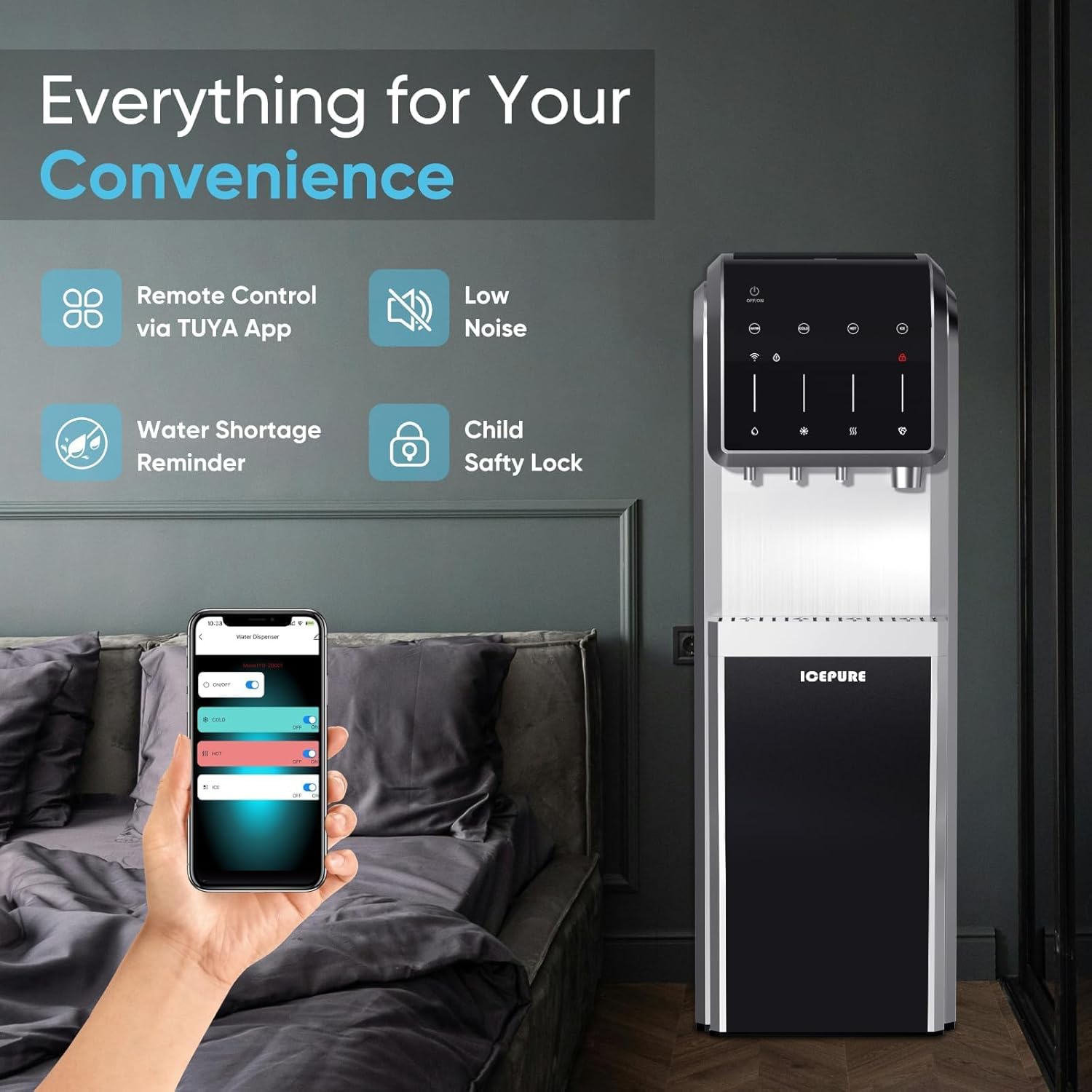
Image 4.4: A smartphone displaying the TUYA app interface for remote control of the water cooler's functions.

Image 4.5: Illustrates the convenience of adjusting settings remotely using the TUYA app.
4.4 Additional Features
- Water Shortage Alert: The unit will alert you when the water bottle is low, preventing dry operation.
- Child Safety Lock: The hot water dispenser is equipped with a child safety lock to prevent accidental burns.
- Low Noise Operation: Designed for quiet performance.
- Overload Protection: Safeguards the appliance against excessive electrical stress.
- Dry-burn Protection: Prevents damage to heating elements if water levels are insufficient.
5. Maintenance and Cleaning
Regular maintenance ensures optimal performance and longevity of your appliance.
- External Cleaning: Wipe the exterior surfaces with a soft, damp cloth. Do not use abrasive cleaners or solvents.
- Drip Tray: The drip tray is removable for easy cleaning. Empty and clean it regularly to prevent overflow and bacterial growth.
- Internal Cleaning: Periodically clean the internal water tanks and lines. Refer to the full user manual for detailed descaling and sanitization procedures.
- Ice Bin: Clean the ice bin and scoop regularly with mild soap and water. Rinse thoroughly and dry before re-inserting.
- Stainless Steel Components: The appliance features 304 stainless steel faucets and a removable drip tray, which are easy to clean and resistant to harmful substances.

Image 5.1: Highlights the 304 stainless steel components and magnetic door for easy access and cleaning.
6. Troubleshooting
Before contacting customer service, please refer to the following common issues and solutions:
| Problem | Possible Cause | Solution |
|---|---|---|
| No water dispenses / Water shortage indicator is on. | Water bottle is empty or not properly installed. | Replace the water bottle or ensure it is correctly seated with the probe inserted. |
| No hot or cold water. | Hot/cold function is turned off (via panel or app) or unit is not plugged in. | Ensure the hot/cold switches are on. Check power connection. Allow time for heating/cooling. |
| Ice maker not producing ice. | Ice making function is off, water shortage, or ice bin is full. | Activate ice making function. Ensure sufficient water. Empty the ice bin. |
| Unusual noise. | Unit not level, or normal compressor operation. | Ensure the unit is on a level surface. Some compressor noise is normal. |
7. Specifications
| Feature | Detail |
|---|---|
| Brand | ICEPURE |
| Model Name | YD-ZB001 |
| Product Dimensions (D x W x H) | 15.74" x 14.96" x 43.26" |
| Refrigerant | R290a |
| Ice Production Capacity | Up to 35 lbs / 24 hours |
| Ice Type | Bullet, Crushed |
| Water Temperatures | Hot (approx. 194°F), Cold (approx. 32°F), Room Temp (approx. 73.4°F) |
| Water Bottle Compatibility | 1 to 5 Gallon (bottom load) |
| Connectivity | WIFI (TUYA App) |
| Certifications | ETL, FCC |
| Manufacturer | TOP PURE (USA), INC. |
8. Warranty and Support
For warranty information, please refer to the documentation included with your purchase or contact ICEPURE customer support. Protection plans may be available for extended coverage.
If you encounter issues not covered in the troubleshooting section or require further assistance, please contact ICEPURE customer support through their official website or the contact information provided in your product packaging.
Ask a question about this manual
Ask about setup, troubleshooting, compatibility, parts, safety, or missing instructions. Manuals+ will review the question and use this page’s manual context to help answer it.