
1. Introduction
The CP PLUS CP-E35Q is a 3MP Full HD Smart Wi-Fi CCTV Camera designed for indoor surveillance. This camera offers 360° pan and 85° tilt capabilities, providing comprehensive coverage for homes, shops, or offices. It features motion detection, two-way audio, night vision, and smart assistant integration for enhanced security and convenience.

Image 1.1: CP PLUS CP-E35Q Smart Wi-Fi Camera, front view.
2. Package Contents
Verify that all items are present in your package:
- CP PLUS CP-E35Q Camera
- Power Adaptor
- USB Type-C Cable
- User Manual QR Card
- Mounting Screws
3. Product Overview
3.1 Camera Components
Familiarize yourself with the camera's physical features:
- Lens: 3MP Full HD resolution for clear video.
- Microphone: For two-way audio communication.
- Speaker: For two-way audio communication and alerts.
- IR LEDs: For night vision capabilities.
- Status Indicator Light: Displays camera status (e.g., pairing, connected).
- MicroSD Card Slot: Supports up to 256GB for local storage.
- Reset Button: Used for factory reset or pairing mode.
- Power Port: USB Type-C for power input.

Image 3.1: Front view of the CP-E35Q camera, showing the lens and indicator light.

Image 3.2: Back view of the CP-E35Q camera, typically showing the power port and reset button.
3.2 Key Features
- 3MP Full HD Resolution: Provides clear and detailed video footage.
- 360° Pan & 85° Tilt: Motorized control for wide-area surveillance.
- CTC Cyber Secure Technology: Ensures data encryption and secure firmware.
- Two-Way Audio: Built-in microphone and speaker for communication.
- Smart Detection Suite: Includes motion tracking, human detection, and sound alerts.
- IR Night Vision: Up to 15 meters in complete darkness.
- Local & Cloud Recording: Supports microSD cards up to 256GB and optional cloud storage.
- Privacy Mode: Temporarily pauses live monitoring and recording.
- Smart Home Integration: Compatible with Amazon Alexa and Google Home.

Image 3.3: Overview of key features including 3MP resolution, 360° view, CTC Security, IR Night Vision, Smart Detection Suite, Two-Way Communication, Privacy Mode, and Cloud Storage.
4. Setup Guide
4.1 App Installation and Registration
- Download the Ezykam+ app from the App Store (iOS) or Google Play Store (Android).
- Open the app and register for a new account using your email or phone number. Follow the on-screen prompts to complete registration.
4.2 Device Pairing and Wi-Fi Connection
- Plug the camera into a power outlet using the provided adaptor and USB Type-C cable. Wait for the camera to power on and the status indicator light to flash, indicating it's ready for pairing.
- Open the Ezykam+ app, click the '+' icon on the home page to add a new device.
- Select the model number of your device (CP-E35Q) from the list.
- Enter your 2.4GHz Wi-Fi network name and password. Note: This camera supports 2.4GHz Wi-Fi only. Click 'Confirm'.
- The app will generate a QR code. Hold your smartphone with the QR code approximately 15-20 cm (6-8 inches) in front of the camera lens.
- When you hear a voice prompt from the camera (e.g., "Heard the beep"), click 'Heard the Beep' in the app.
- Wait for the camera's status indicator light to turn solid blue, indicating a successful connection. The camera is now paired and connected to your Wi-Fi network.
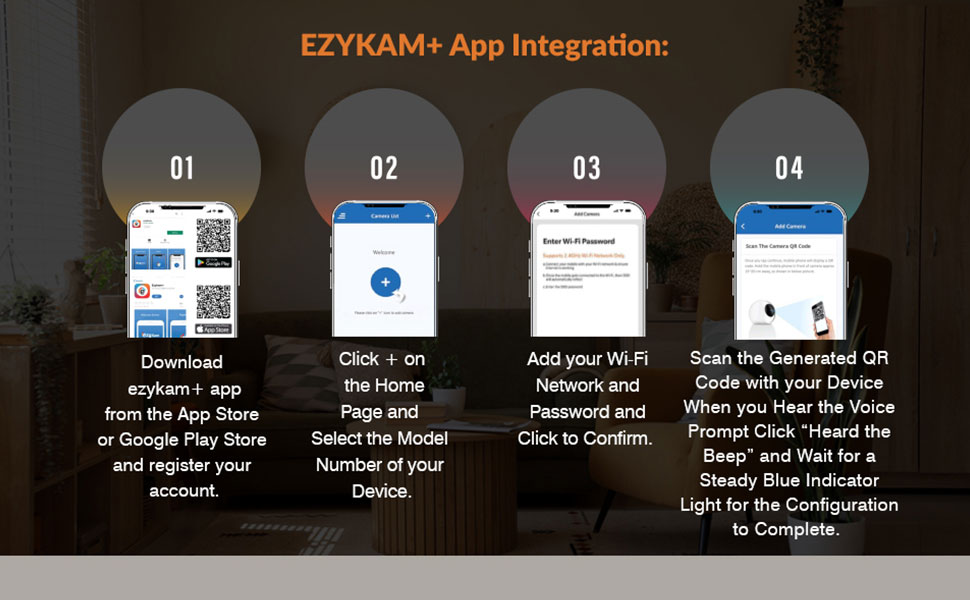
Image 4.1: Visual guide for Ezykam+ app integration and device setup.
4.3 Physical Installation
Place the camera on a flat surface or mount it to a wall or ceiling using the provided screws. Ensure the camera has a clear line of sight to the area you wish to monitor and is within range of your Wi-Fi network.
5. Operating Instructions
5.1 Live View and Pan/Tilt Control
Open the Ezykam+ app and select your camera to view the live feed. Use the on-screen controls to pan (horizontal rotation) and tilt (vertical movement) the camera lens to adjust the viewing angle. The camera offers 360° horizontal pan and 85° vertical tilt.
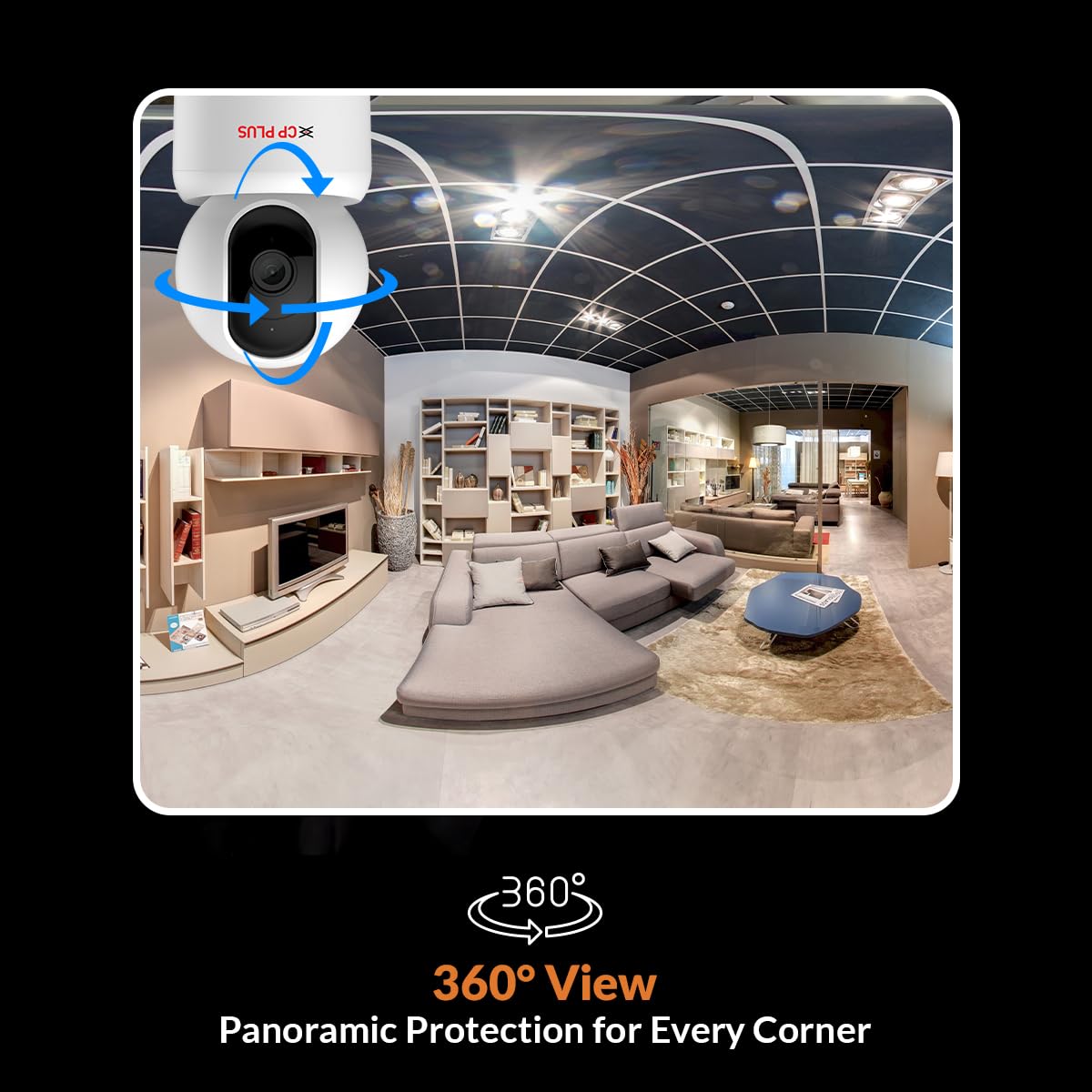
Image 5.1: Illustration of the camera's 360° pan and tilt capabilities.
5.2 Two-Way Audio
From the live view screen in the app, tap the microphone icon to speak through the camera's speaker. Tap the speaker icon to listen to audio from the camera's surroundings.
5.3 Motion Detection and Alerts
The camera can detect motion, human presence, and unusual sounds. To configure alerts:
- In the Ezykam+ app, go to your camera's settings.
- Navigate to 'Detection Settings' or 'Alerts'.
- Enable 'Motion Detection', 'Human Detection', or 'Sound Detection' as needed.
- Adjust sensitivity levels and set detection zones if available.
- You will receive instant notifications on your smartphone when an event is triggered.
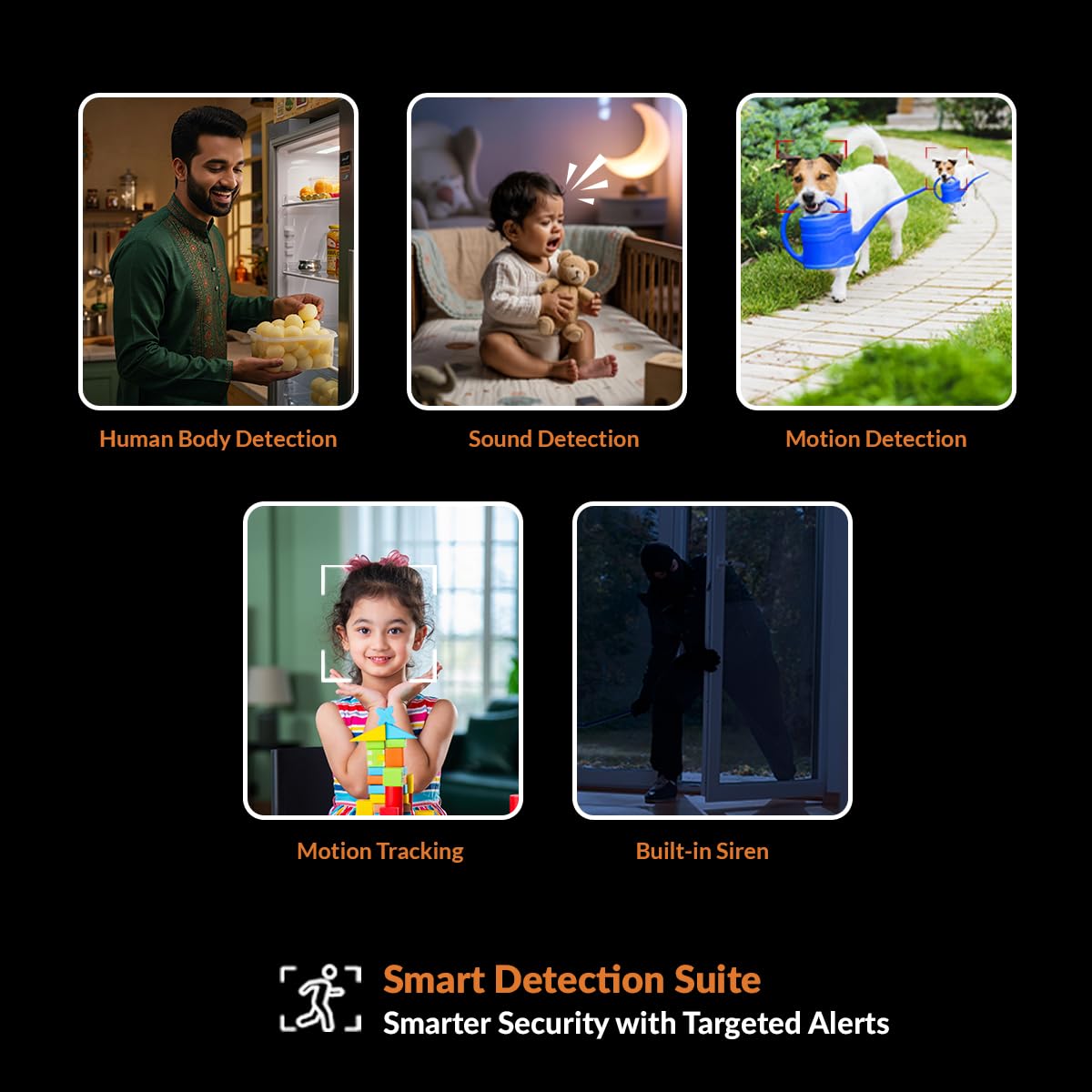
Image 5.2: Visual representation of the Smart Detection Suite, including human body detection, sound detection, motion detection, motion tracking, and built-in siren.
5.4 Night Vision
The camera automatically switches to IR night vision mode in low-light conditions, providing clear black and white video up to 15 meters. No manual adjustment is required.
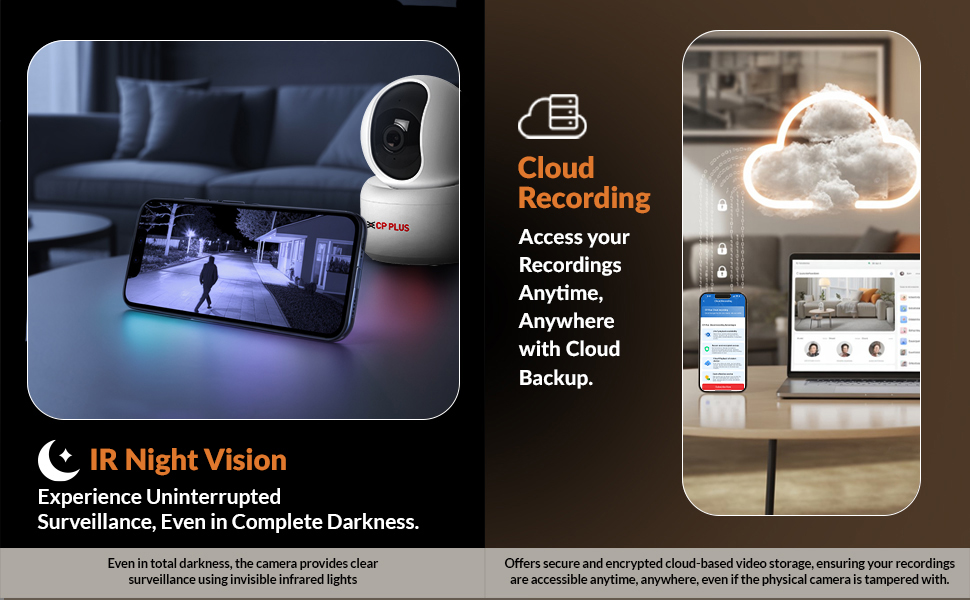
Image 5.3: Demonstrates IR Night Vision capabilities and Cloud Recording access.
5.5 Recording Options (SD Card & Cloud)
The CP-E35Q supports two recording methods:
- MicroSD Card: Insert a microSD card (up to 256GB, Class 10 recommended) into the camera's slot. The camera will automatically begin recording based on your settings (continuous or event-based).
- Cloud Storage: Subscribe to the optional cloud recording service through the Ezykam+ app for secure, remote backup of your footage.
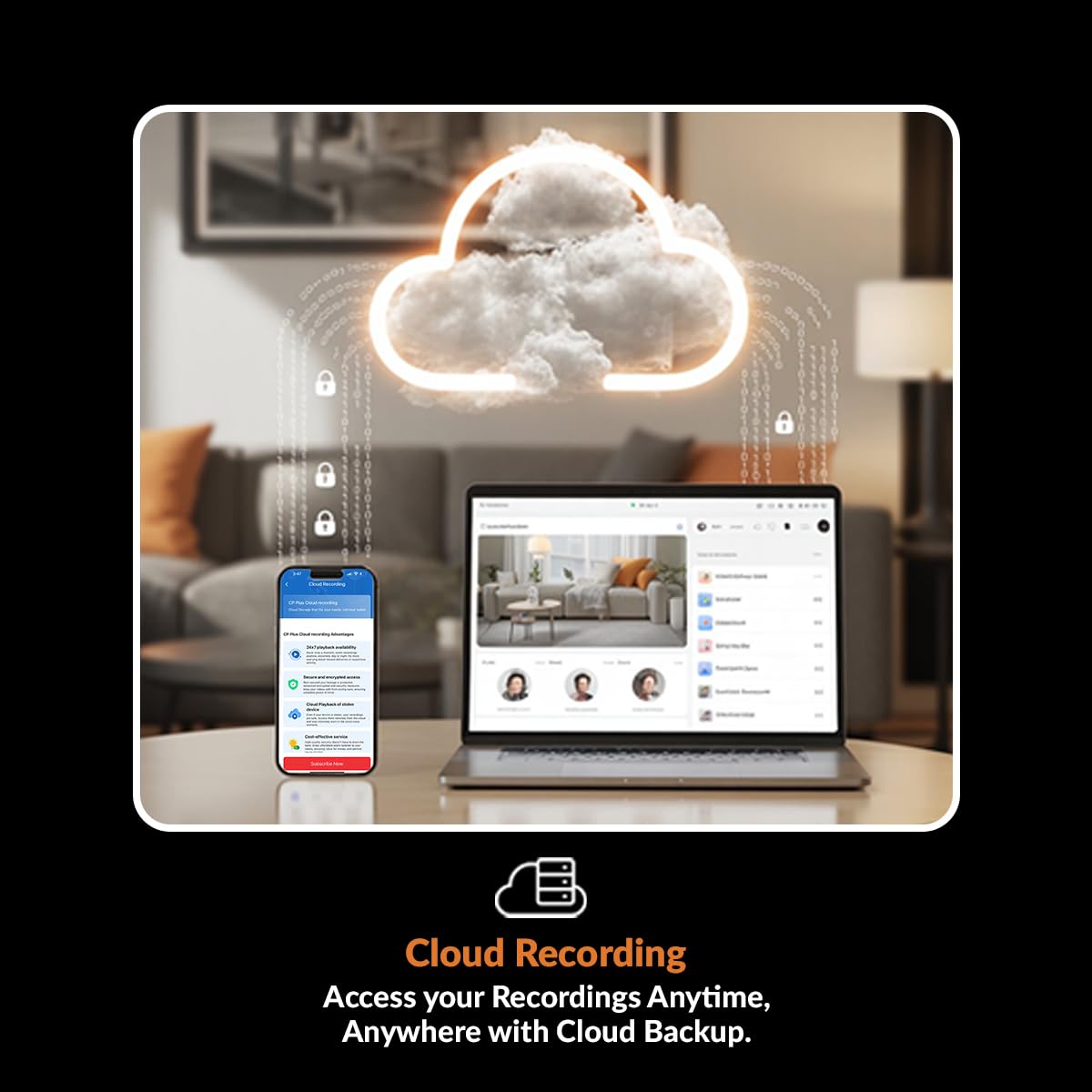
Image 5.4: Illustrates accessing recordings anytime, anywhere with cloud backup.
5.6 Privacy Mode
To temporarily disable live monitoring and recording, activate 'Privacy Mode' through the Ezykam+ app. This feature provides personal control over your surveillance.
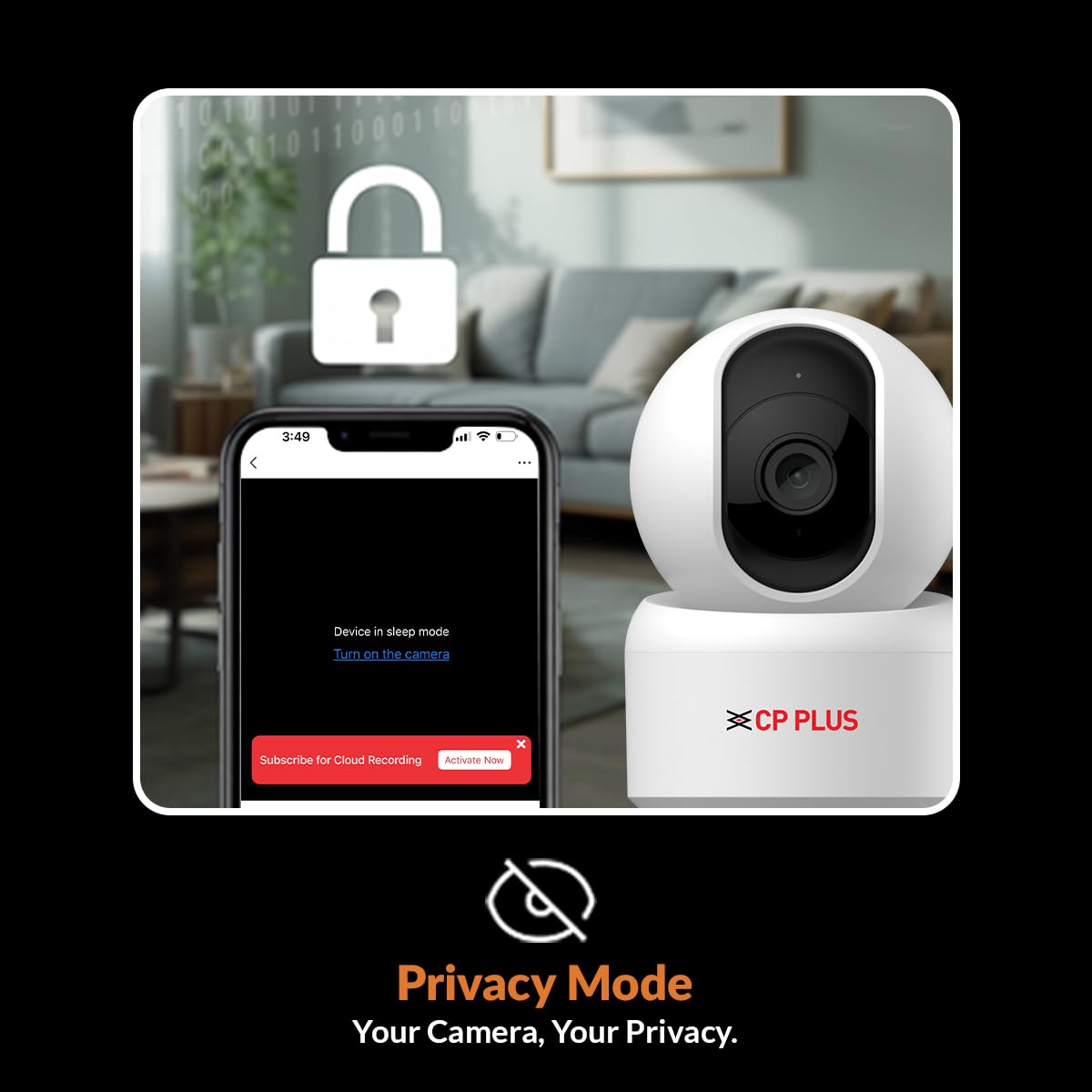
Image 5.5: Depicts the Privacy Mode feature, allowing users to pause monitoring and recording.
5.7 Smart Assistant Integration
The camera is compatible with Amazon Alexa and Google Home. Link your Ezykam+ account to your smart assistant app and use voice commands to view your camera feed on compatible devices.
- Example Alexa Command: "Alexa, show me the kids room."
- Example Google Home Command: "Ok Google, show me the front door."

Image 5.6: Shows integration with Amazon Alexa and Google Home for voice control.
6. Maintenance
- Cleaning: Gently wipe the camera lens and body with a soft, dry cloth. Avoid using harsh chemicals or abrasive materials.
- Firmware Updates: Regularly check the Ezykam+ app for available firmware updates to ensure optimal performance and security.
- SD Card Management: If using a microSD card, it is recommended to format it periodically (e.g., monthly) through the app to prevent data corruption and ensure continuous recording.
7. Troubleshooting
- Camera not connecting to Wi-Fi:
- Ensure your Wi-Fi network is 2.4GHz. The camera does not support 5GHz networks.
- Verify the Wi-Fi password is entered correctly in the app.
- Place the camera closer to your Wi-Fi router during setup.
- Reset the camera by pressing and holding the reset button until the indicator light changes, then attempt pairing again.
- Poor video quality:
- Check your Wi-Fi signal strength. A weak signal can affect video streaming quality.
- Ensure the camera lens is clean and free from dust or smudges.
- SD card not recording or malfunctioning:
- Ensure the SD card is correctly inserted and formatted within the Ezykam+ app.
- Use a high-quality microSD card (Class 10 or higher).
- If the card is full, format it or replace it. Some cards may require frequent formatting to maintain performance.
- Motion alerts not received:
- Verify that motion detection and push notifications are enabled in the Ezykam+ app settings.
- Check your smartphone's notification settings for the Ezykam+ app.
8. Specifications
| Feature | Specification |
|---|---|
| Model Number | CP-E35Q |
| Resolution | 3MP Full HD |
| Pan/Tilt Range | 360° Pan, 85° Tilt |
| Connectivity | Wi-Fi (2.4GHz only) |
| Storage | MicroSD Card (up to 256GB), Cloud Storage (optional) |
| Night Vision | IR Night Vision, up to 15m |
| Audio | Two-Way Audio (Built-in Mic & Speaker) |
| Smart Assistant Compatibility | Amazon Alexa, Google Home |
| Power Source | Corded Electric |
| Product Dimensions | 7.2 x 7.2 x 10.9 cm |
| Item Weight | 161 g |
9. Warranty and Support
For warranty information, please refer to the warranty card included in your product package or contact CP PLUS customer support. The manufacturer is AIL DIXON Technologies, and the importer is Aditya Infotech Ltd. For technical assistance or service, please reach out to the official CP PLUS support channels.


