
Introduction
Thank you for choosing the ZICOROOP Bluetooth Speaker Model Tc. This manual provides essential information for the safe and efficient use of your new portable speaker. Please read it thoroughly before operating the device and retain it for future reference.
Package Contents
Ensure all items are present in the package:
- ZICOROOP Bluetooth Speaker Model Tc
- Type-C Charging Cable
- 3.5mm AUX Input Cable
- User Manual
Product Overview
The ZICOROOP Bluetooth Speaker Model Tc is a portable wireless speaker designed for various environments, including outdoor use. It features 40W audio output, IPX6 waterproofing, Bluetooth 5.3 connectivity, dynamic RGB lighting, and a built-in battery for extended playtime.
Key Features:
- DSP Technology & 3 Audio Modes: Offers 3D Stereo, Vocal, and Super Bass sound profiles.
- 40W HiFi Stereo Sound: Delivers powerful and clear audio.
- IPX6 Waterproof: Resistant to splashes, rain, and dust.
- Bluetooth 5.3: For stable and efficient wireless connection.
- Multi-Connectivity: Supports TF/SD card, USB flash drive, and 3.5mm AUX input.
- Dynamic RGB Lights: Features 7 colors and 3 illumination patterns.
- Built-in Microphone: For hands-free calling.
- 15-Hour Playtime: Powered by a 5000mAh built-in battery.
- Emergency Charging: Can charge external devices via its USB port.
- Portable Design: Includes retractable hooks and a carabiner for easy transport.
Setup
1. Initial Charging
Before first use, fully charge the speaker. Connect the provided Type-C charging cable to the speaker's charging port and the other end to a compatible USB power adapter (not included). The charging indicator will show the charging status. A full charge typically takes approximately 3 hours.
2. Powering On/Off
- To Power On: Press and hold the Power button (usually marked with ⏻) for a few seconds until the indicator lights illuminate and you hear an audible prompt.
- To Power Off: Press and hold the Power button again for a few seconds until the indicator lights turn off.
3. Bluetooth Pairing
- Ensure the speaker is powered on and in Bluetooth pairing mode (the Bluetooth indicator light will typically flash).
- On your device (smartphone, tablet, etc.), enable Bluetooth and search for available devices.
- Select "ZICOROOP Tc" from the list of found devices.
- Once paired, the speaker will emit an audible confirmation, and the Bluetooth indicator light will become solid.
4. True Wireless Stereo (TWS) Pairing (Optional)
If you have two ZICOROOP Model Tc speakers, you can pair them together for a stereo sound experience:
- Ensure both speakers are powered on and not connected to any Bluetooth device.
- On one speaker (this will be the primary speaker), press and hold the TWS button (refer to your speaker's control panel for the specific button, often combined with another function like EQ).
- The primary speaker will search for the secondary speaker. Once connected, both speakers will emit an audible confirmation.
- Now, connect your device to the primary speaker via Bluetooth as described in step 3. Audio will play through both speakers in stereo.
Operating Instructions
Control Panel Overview
The speaker features a control panel with various buttons for easy operation. Familiarize yourself with their functions:
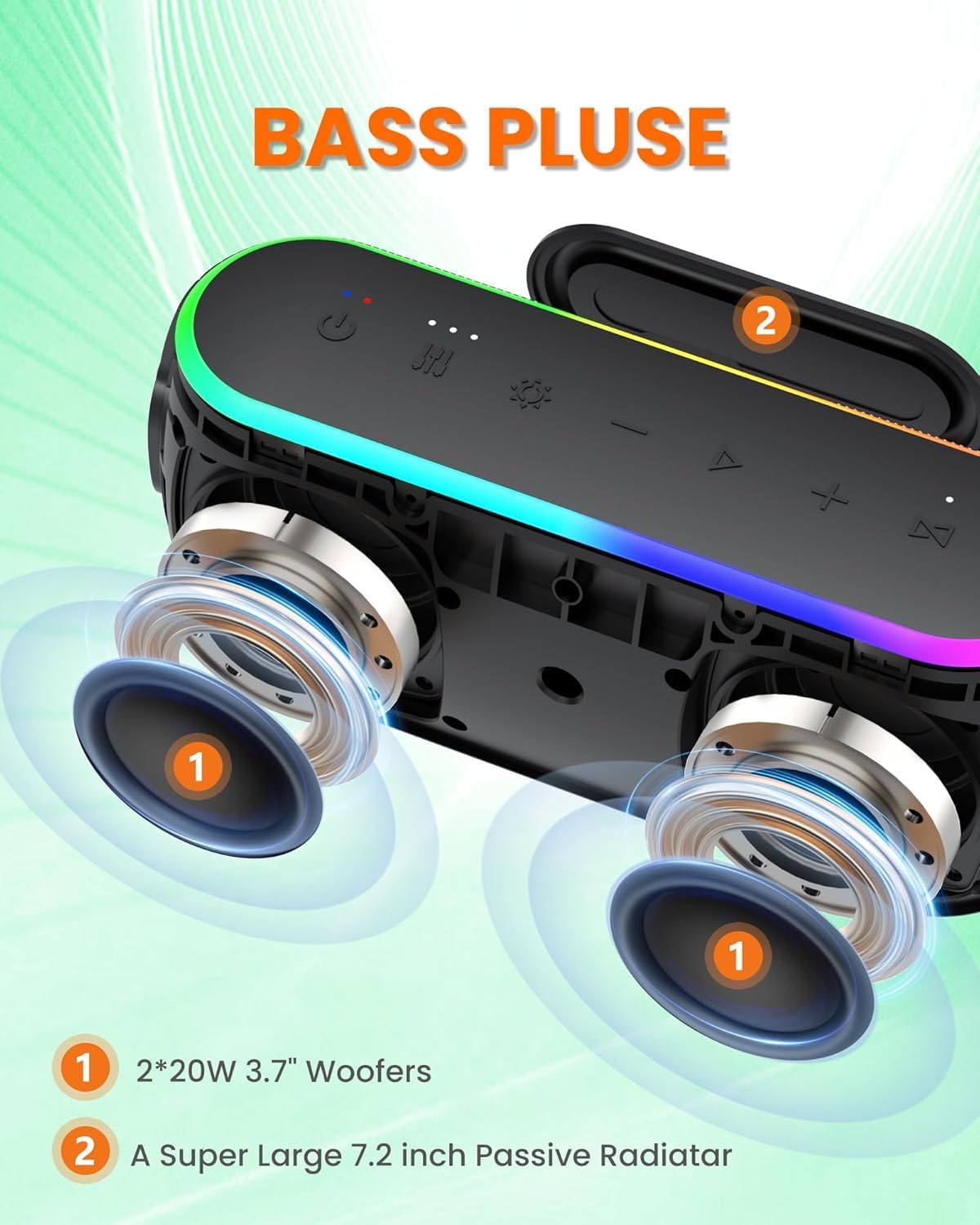
Image: ZICOROOP Bluetooth Speaker control panel with buttons for power, EQ, light, volume, and track control. A hand is shown pressing the EQ button, and an indicator shows three sound effect options: 3D Stereo, Vocal, and Super Bass.
- Power Button (⏻): Press and hold to power on/off.
- EQ / Mode Button: Short press to cycle through audio modes (3D Stereo, Vocal, Super Bass). Long press to switch between input modes (Bluetooth, TF/SD, USB, AUX).
- Light Button: Short press to change RGB light patterns or turn lights off.
- Volume Down / Previous Track (-): Short press for previous track. Long press to decrease volume.
- Volume Up / Next Track (+): Short press for next track. Long press to increase volume.
- Play/Pause Button (⏸): Short press to play/pause music. Press to answer/end calls. Long press to reject calls.
Audio Modes
The speaker offers three distinct audio modes to enhance your listening experience:
- 3D Stereo: Provides an immersive, spacious soundstage.
- Vocal: Optimizes sound for clear voice reproduction, ideal for podcasts or audiobooks.
- Super Bass: Enhances low frequencies for a deeper, more powerful bass response.
Press the EQ button to cycle through these modes.
RGB Lighting
The speaker features dynamic RGB lights with 7 colors and 3 illumination patterns. Press the Light button to change the lighting effect or to turn the lights off.
Multi-Function Connectivity
In addition to Bluetooth, the speaker supports several other input methods:
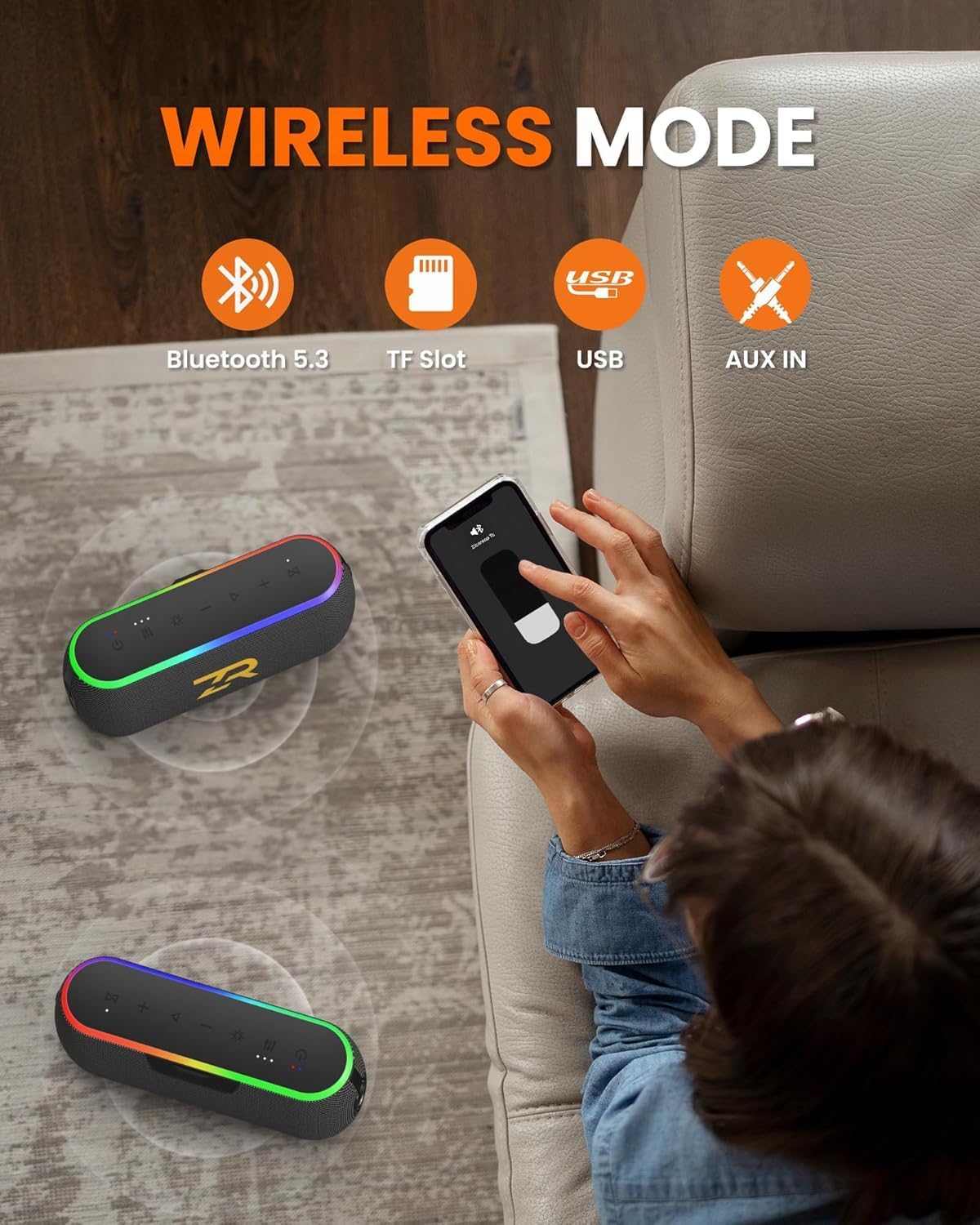
Image: ZICOROOP Bluetooth Speaker showing DSP chip, 5000mAh battery, and emergency charging feature. The image illustrates the internal components and the speaker's ability to charge a smartphone.
- TF/SD Card: Insert a TF or SD card (supports WAV / FLAC / APE / MP3 formats) into the designated slot. The speaker will automatically switch to TF/SD card mode and begin playback.
- USB Flash Drive: Insert a USB flash drive into the USB Type-A port. The speaker will automatically switch to USB mode and play audio files.
- AUX Input: Connect an external audio device using the provided 3.5mm AUX cable. The speaker will automatically switch to AUX mode.
Hands-Free Calling
When connected via Bluetooth to a smartphone, the built-in microphone allows you to make and receive calls:
- Answer Call: Short press the Play/Pause button.
- End Call: Short press the Play/Pause button during a call.
- Reject Call: Long press the Play/Pause button when a call comes in.
Emergency Charging (Power Bank Function)
The speaker can be used to charge other devices. Connect your device's charging cable to the speaker's USB Type-A port. This feature is useful for emergency power needs for your smartphone or other small devices.
Maintenance
Cleaning
Wipe the speaker with a soft, damp cloth. Do not use harsh chemicals, cleaning solvents, or strong detergents. Ensure all port covers are securely closed before cleaning to maintain IPX6 water resistance.
Storage
Store the speaker in a cool, dry place away from extreme temperatures, direct sunlight, and corrosive materials. If storing for an extended period, charge the battery to approximately 50% every few months to prolong battery life.
Battery Care
The speaker contains a built-in rechargeable battery. To maximize its lifespan:
- Avoid fully discharging the battery frequently.
- Do not expose the speaker to temperatures above 60°C (140°F).
- Use only the provided Type-C charging cable or a certified equivalent.
Troubleshooting
| Problem | Possible Cause | Solution |
|---|---|---|
| Speaker does not power on. | Battery is depleted. | Charge the speaker using the Type-C cable. |
| No sound from the speaker. | Volume is too low or muted. Incorrect input mode. | Increase volume on both the speaker and your connected device. Press the Mode button to select the correct input source (Bluetooth, AUX, TF/SD, USB). |
| Bluetooth connection fails. | Speaker is not in pairing mode. Device is too far. Interference. | Ensure speaker is in pairing mode. Move device closer to speaker. Disconnect other Bluetooth devices. Try forgetting the speaker on your device and re-pairing. |
| Sound distortion. | Volume too high. Low battery. | Reduce volume on both speaker and device. Charge the speaker. |
| Lights are not working. | Lights are turned off. | Press the Light button to cycle through light modes or turn them on. |
Specifications
| Feature | Detail |
|---|---|
| Model Name | Tc |
| Brand | ZICOROOP |
| Speaker Type | Outdoor |
| Power Output | 40W |
| Connectivity Technology | Bluetooth 5.3, TF/SD Card, USB, AUX |
| Waterproof Rating | IPX6 |
| Battery Capacity | 5000mAh |
| Playtime | Up to 15 hours (varies with volume and light usage) |
| Charging Time | Approx. 3 hours |
| Product Dimensions | 5.13"D x 12"W x 9"H |
| Item Weight | 2.59 pounds |
| Included Components | Bluetooth Speaker, Type-C Charging Cable, 3.5mm AUX Cable, User Manual |
Safety Information
- Do not disassemble, repair, or modify the speaker.
- Keep the speaker away from extreme temperatures, direct sunlight, and open flames.
- Do not immerse the speaker in water, despite its IPX6 rating, as this may cause damage.
- Keep out of reach of children.
- Use only certified charging cables and adapters.
- Avoid prolonged exposure to very high volume levels, which may cause hearing damage.

Image: ZICOROOP Bluetooth Speaker on a beach next to a kayak, with water splashing around it, demonstrating its IPX6 waterproof feature. This highlights its suitability for outdoor use.
Warranty and Support
Warranty
This product comes with a limited warranty. Please refer to the warranty card included in your package or contact ZICOROOP customer support for specific warranty terms and conditions.
Customer Support
For any questions, technical assistance, or warranty claims, please contact ZICOROOP customer support through the retailer where the product was purchased or visit the official ZICOROOP website for contact information.
