
1. Product Overview
The Ohniyou 72-inch Large Ceiling Fan is designed for both indoor and outdoor use, featuring a quiet DC motor and durable aluminum blades. This industrial-style fan provides powerful airflow and can be controlled via remote or a dedicated mobile application. It is suitable for various large spaces such as patios, shops, garages, and living rooms.
Key features include 6 wind speeds, reversible rotation for year-round use, and a timer function (1/4/8 hours). The fan is engineered for energy efficiency and quiet operation, ensuring comfort without excessive noise.
2. Safety Information
Please read and understand all instructions before beginning installation. Failure to follow these instructions could result in electric shock, fire, or personal injury.
- Ensure the power is turned off at the circuit breaker before installation or maintenance.
- All wiring must be in accordance with national and local electrical codes. If you are unfamiliar with wiring, consult a qualified electrician.
- The mounting bracket must be securely fastened to a ceiling joist or a suitable support structure capable of supporting the fan's weight.
- Do not bend the blade holders during installation or cleaning.
- Maintain a minimum clearance of 7 feet from the floor to the bottom of the fan blades.
- Do not operate the fan if any part is damaged.
3. Package Contents
Verify that all components listed below are included in your package:
- Fan Blades (8x)
- Motor Body
- Mounting Bracket
- Downrods (8" and 16")
- Canopy
- Bottom Cover
- Receiver & Remote Control
- Installation Hardware (screws, link screws, downrod connector, splice closure, balance kit)
- User Manual

4. Installation Guide
Follow these steps for proper installation of your Ohniyou ceiling fan. For a visual guide, please refer to the official installation video.
Step 1: Install Fan Blade Edge Covers
Take out each fan blade and identify its ends. Insert the edge cover into the fan blade at an angle, then flip the blade over and secure it with screws.

Step 2: Install Fan Blades to Motor
Insert the 3-hole end of each fan blade into the motor. Reinstall the screws that were previously removed from the motor to secure the blades.

Step 3: Install Bottom Disk
Screw the connecting screws into the motor, then screw the bottom cover onto these screws.
Step 4: Install the Downrod
Remove the fixing screws from the steel wire. Loosen the three screws on the motor. Thread the canopy and splice closure through the downrod. Insert the link screws into the motor, then connect and install the disk to the link screws. Fix the cross pin and clamp pin. Tighten the three screws on the motor.
The fan includes 8" and 16" downrods, which can be combined for a total length of 24 inches, offering flexibility for various ceiling heights. The fan supports up to a 15° tilt suspension.
Step 5: Fix the Mounting Bracket to the Ceiling
Secure the mounting bracket to the ceiling using appropriate screws. Hang the downrod onto the mounting bracket. Wrap the safety wire around one side of the hook and secure it through the lock hole.
Step 6: Complete Receiver and Ceiling Wire Connections
Connect receiver wires of the same color together. Connect the ceiling zero wire to the receiver's zero wire and the fire wire to the fire wire.
Step 7: Cover Mounting Bracket and Receiver with Canopy
Carefully position the canopy to cover the mounting bracket and receiver. Finally, tighten the screws to secure the canopy.
Installation Video Guide:
5. Operation
Your Ohniyou ceiling fan can be operated using the included remote control or a compatible mobile application.
Remote Control Functions:

- ALL OFF / FAN/LIGHT ALL/OFF: Turns the fan and any connected light (if applicable) on or off.
- LIGHT ON/OFF: Controls the light function (not applicable for this "No Light" model).
- Natural Wind: Randomly changes fan speed to simulate natural breeze.
- Turn Off The Beep: Mutes the fan's operational beeps.
- 6 Speeds Button (1-6): Adjusts the fan speed from low (1) to high (6).
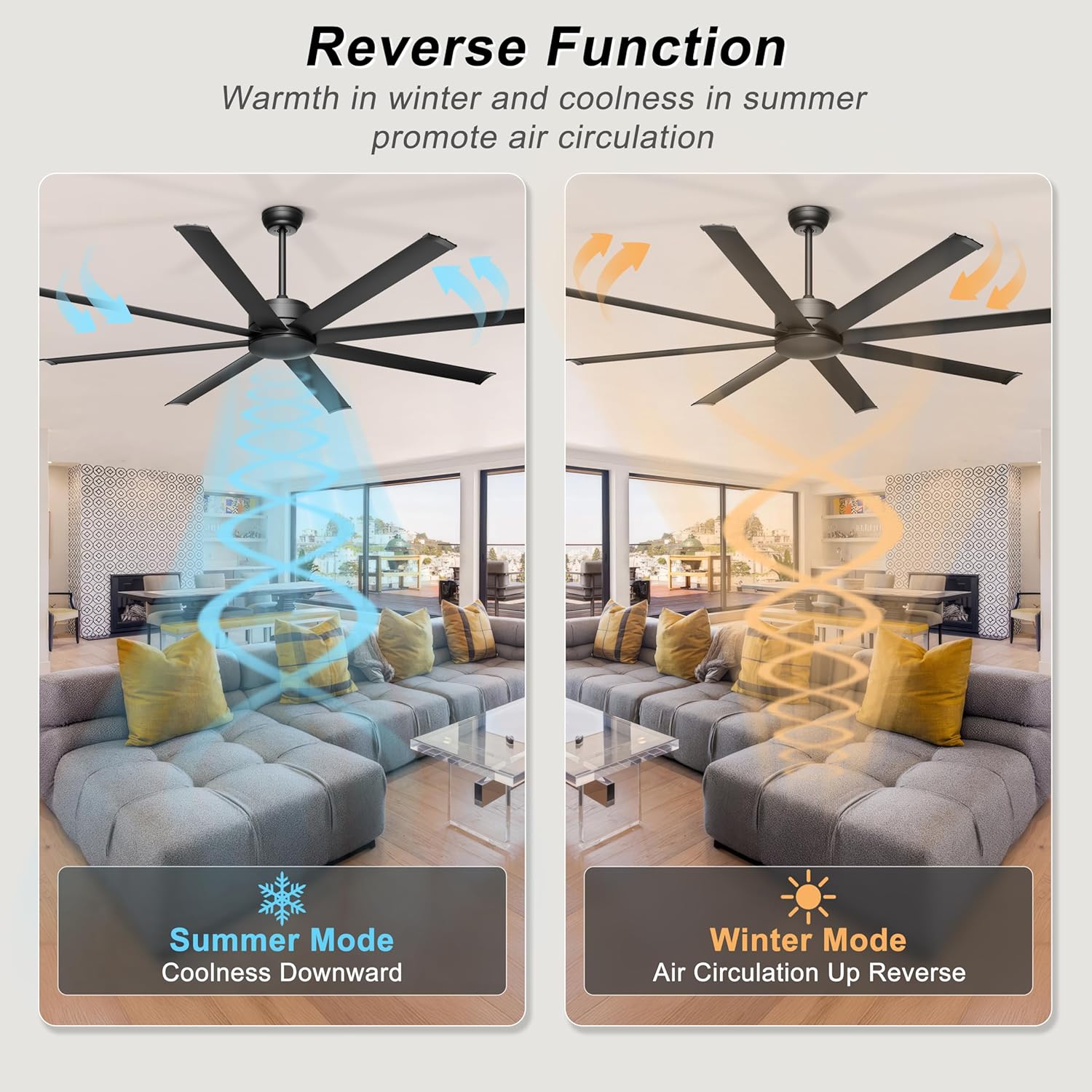
- Reversible Motor (F/R): Changes the direction of blade rotation for summer (downward airflow) or winter (upward airflow for air circulation).
- Timer Setting (1H/2H/4H): Sets the fan to automatically turn off after 1, 2, or 4 hours.
- The remote requires 2x AAA batteries (not included).
App Control:
The fan supports control via a mobile application. Follow these steps to pair your device:
- Open the app and add a device for your fan.
- Turn on your phone's Bluetooth.
- Select the illumination option, then click the "Repeat Scan" button in the lower-left corner.
- Click the "Add device" button and choose a room.
- Turn off the wall switch for 5 seconds, then turn it on again.
- Pairing completed! Click the "Finish" button to confirm.

For more details on app usage, scan the QR code or visit https://www.jasonghost.com/tinysmart/.
Reversible Function:
The fan features a reversible motor for year-round comfort. In summer, the fan rotates counter-clockwise to push cool air downwards. In winter, it rotates clockwise to draw cool air up, circulating warm air trapped near the ceiling.

6. Maintenance
Regular maintenance ensures optimal performance and longevity of your ceiling fan.
- Cleaning: Periodically clean the fan blades and motor housing with a soft, damp cloth. Do not use abrasive cleaners or solvents.
- Blade Inspection: Check fan blades for any cracks or damage. Ensure all blade screws are tight.
- Tightening Fasteners: Over time, some fasteners may become loose. Check all mounting screws and blade attachment screws at least twice a year and tighten as necessary.
- Lubrication: The DC motor is permanently lubricated and does not require additional oiling.
7. Troubleshooting
| Problem | Possible Cause | Solution |
|---|---|---|
| Fan does not start | No power to the fan; Loose wire connections; Remote control battery low or not paired. | Check circuit breaker and wall switch. Ensure all wire connections are secure. Replace remote battery or re-pair the remote. |
| Fan wobbles excessively | Loose blade screws; Unbalanced blades; Loose mounting bracket. | Tighten all blade screws. Use the included balance kit to balance blades. Ensure mounting bracket is securely fastened. |
| Noisy operation | Loose screws; Blades rubbing against canopy; Motor housing loose. | Check and tighten all screws. Ensure blades are not touching the canopy. Verify motor housing is secure. |
| Remote control not working | Low battery; Not paired; Obstruction between remote and receiver. | Replace batteries. Re-pair remote with receiver. Ensure clear line of sight. |
8. Specifications
- Brand: Ohniyou
- Model Name: GLX072
- Size: 72 inch
- Electric Fan Design: Ceiling Fan
- Power Source: AC (110 Volts)
- Motor Type: DC Motor
- Number of Blades: 8
- Blade Material: Aluminum Alloy
- Air Flow Capacity: 7600 Cubic Feet Per Minute (CFM)
- Noise Level: 30 Decibels
- Wattage: 52 watts
- Control Method: Remote, App
- Special Features: App Operable, High CFM, Quiet Operation, Reversible Motor
- Product Dimensions: 72"D x 72"W x 7.87"H
- Item Weight: 19.84 Pounds
- Installation Type: Hardwired, Downrod Mount
- Room Type: Garage, Gym, Patio, Shop, Warehouse
9. Warranty and Support
For warranty information and customer support, please refer to the contact details provided in your product packaging or visit the official Ohniyou website. Keep your purchase receipt for warranty claims.
If you encounter any issues not covered in this manual, please contact Ohniyou customer service for assistance.


