
Introduction
This manual provides essential instructions for the safe and efficient operation of your FOCHEW Portable Charger 50800mAh Power Bank, Model T5. Please read this manual thoroughly before use and retain it for future reference.
Product Overview
The FOCHEW T5 Portable Charger is a high-capacity power bank designed to charge multiple devices simultaneously with its 50800mAh battery. It features built-in cables and fast-charging technology for convenience and efficiency.
Key Features:
- Ultra-High Capacity: 50800mAh battery provides extended power for multiple charges.
- Integrated Cables: Includes 3 built-in cables (iOS, Type-C, Micro USB) for universal compatibility without needing extra cables.
- Multiple Outputs: 6 output ports (3 built-in cables, 2 USB-A, 1 USB-C) allow charging up to 6 devices concurrently.
- Fast Charging: Supports 25W Power Delivery (PD) via Type-C and Quick Charge 4.0 (QC4.0) for rapid device charging.
- Dual Inputs: Recharge the power bank using either the built-in Type-C cable or the USB-C port.
- Digital Display: An LCD screen indicates the remaining battery percentage.
- Advanced Safety: Equipped with a multi-protect safety system against over-voltage, over-current, short-circuit, over-discharge, over-charge, over-power, high temperature, and anti-interference.
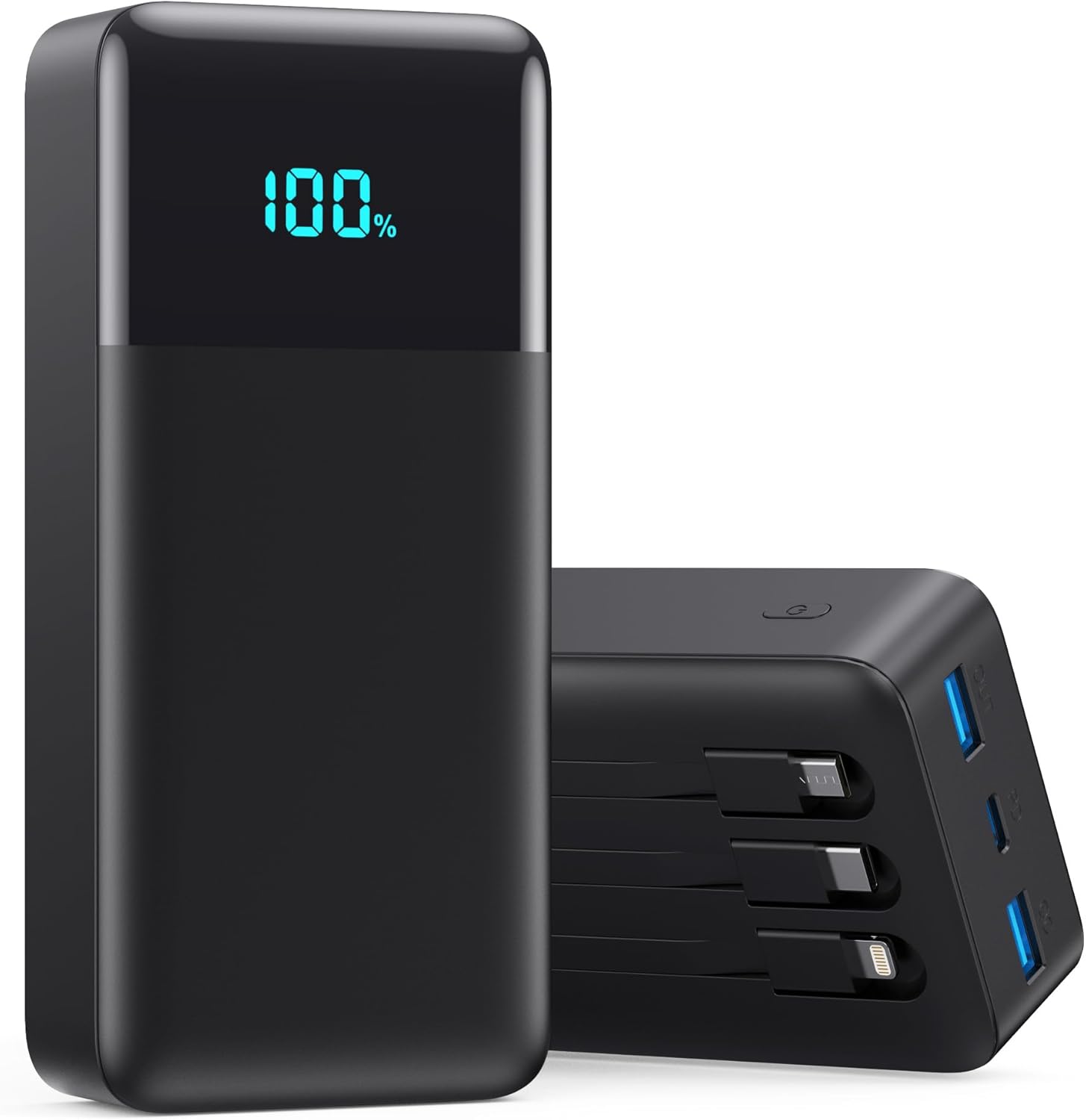
Figure 1: Front and side view of the FOCHEW Portable Charger T5, displaying its digital battery percentage and the integrated charging cables.

Figure 2: Visual comparison illustrating the large 50800mAh capacity of the FOCHEW power bank, equivalent to multiple smaller power banks, along with its dimensions and weight.

Figure 3: The FOCHEW Portable Charger highlighting its three built-in cables, designed to eliminate the need for carrying multiple separate charging cables.
Setup: Charging the Power Bank
Before using your FOCHEW Portable Charger to charge other devices, ensure the power bank itself is fully charged. A full charge ensures optimal performance and device compatibility.
- Connect to Power Source: Use either the built-in Type-C cable or an external USB-C cable to connect the power bank to a compatible wall adapter (not included).
- Monitor Charging: The LCD display will show the charging progress, indicating the battery percentage.
- Full Charge Indication: The display will show "100%" when the power bank is fully charged.
Note: Charging the power bank from empty to full may take several hours due to its large capacity.
Operating Instructions: Charging Your Devices
The FOCHEW Portable Charger offers versatile charging options for a wide range of electronic devices.
Using Built-in Cables:
- Identify Cable: Select the appropriate built-in cable (iOS, Type-C, or Micro USB) for your device.
- Connect Device: Plug the chosen built-in cable directly into your device's charging port.
- Initiate Charging: The power bank will automatically begin charging your device. The LCD display will show the power bank's remaining charge.
Using USB Ports:
- Connect External Cable: Plug your device's charging cable into one of the available USB-A (QC) or USB-C (PD) output ports on the power bank.
- Connect Device: Connect the other end of the cable to your device.
- Initiate Charging: Charging will commence automatically.
Simultaneous Charging:
You can charge up to 6 devices simultaneously using a combination of the built-in cables and external USB ports. The power bank intelligently distributes power to connected devices.

Figure 4: Detailed diagram illustrating the various input and output ports available on the FOCHEW Portable Charger, including the built-in iOS, Type-C, and Micro USB cables, and the USB-A QC, PD USB-C, and USB-A output ports, as well as the Type-C and USB-C input options.

Figure 5: The FOCHEW Portable Charger actively charging multiple devices, such as smartphones, a tablet, and a smartwatch, demonstrating its multi-device charging capability.
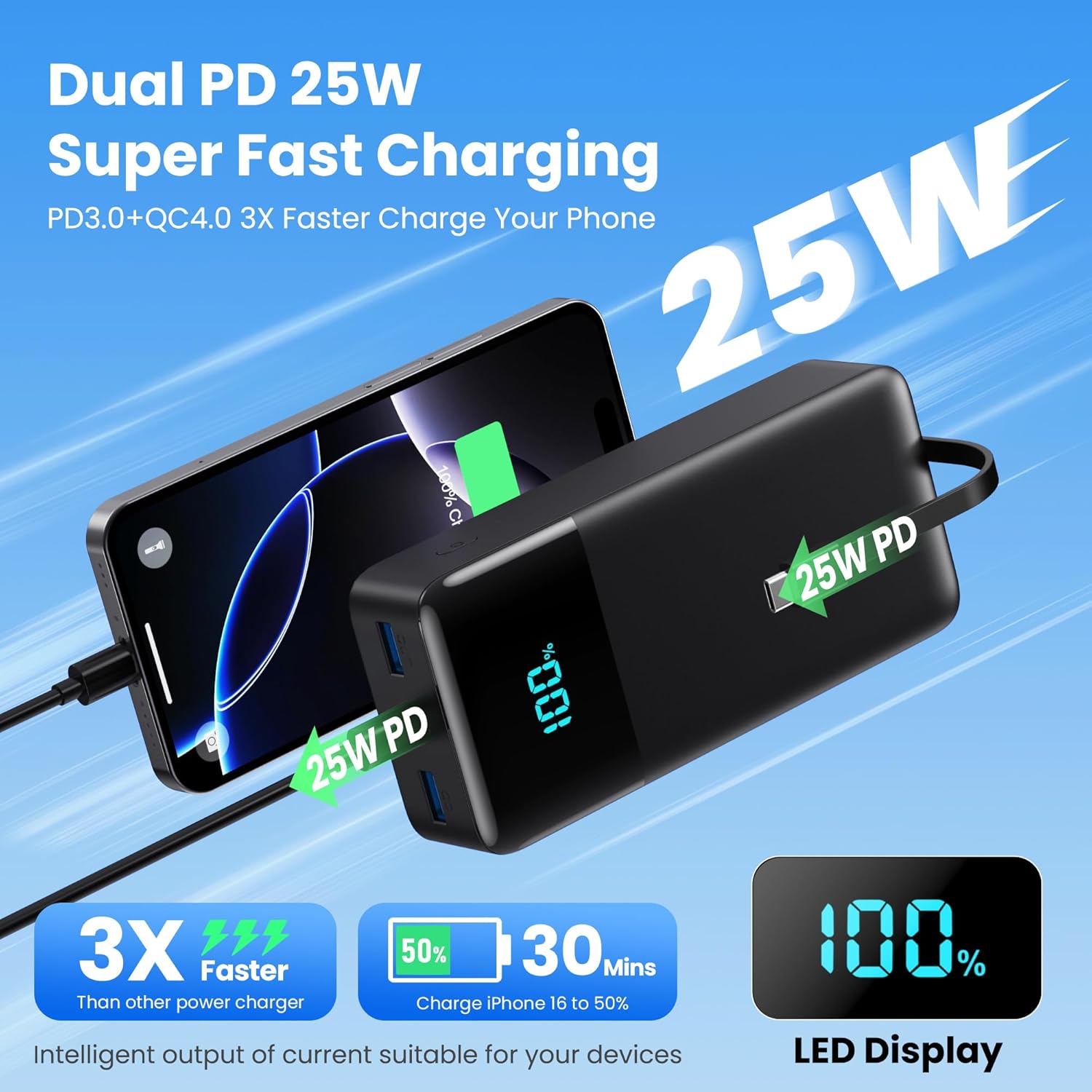
Figure 6: Visual representation of the 25W PD QC4.0 fast charging feature, highlighting its ability to charge compatible devices significantly faster than standard chargers.
Safety Information
To ensure safe operation and prolong the lifespan of your power bank, please adhere to the following safety guidelines:
- Avoid Extreme Temperatures: Do not expose the power bank to direct sunlight, high temperatures (e.g., inside a hot car), or extremely cold environments. Store in a cool, dry place.
- Water and Moisture: Keep the power bank away from water, rain, and excessive humidity.
- Physical Damage: Avoid dropping, impacting, or disassembling the power bank. Do not puncture or crush it.
- Proper Charging: Use only compatible and certified charging cables and adapters.
- Overcharging/Over-discharging: The power bank has built-in protection against overcharging and over-discharging, but it is recommended to disconnect devices once fully charged and recharge the power bank when its capacity is low.
- Children: This device is heavy and not a toy. Keep out of reach of children.
- Airline Travel: Due to its high capacity (50800mAh), this power bank may not be permitted on airplanes. Please confirm with your specific airline's regulations before traveling.
- Disposal: Dispose of the power bank responsibly according to local regulations for lithium-ion batteries.

Figure 7: An internal view diagram showcasing the comprehensive multi-protection safety system integrated into the FOCHEW power bank, ensuring device and battery safety.
Specifications
| Feature | Detail |
|---|---|
| Model Number | T5 |
| Battery Capacity | 50800mAh |
| Product Dimensions | 6.02 x 2.87 x 1.61 inches |
| Item Weight | 1.57 pounds (approximately 712 grams) |
| Input Ports | Built-in Type-C Cable, USB-C Port |
| Output Ports | Built-in iOS Cable, Built-in Type-C Cable, Built-in Micro USB Cable, USB-A QC Output, PD USB-C Output, USB-A Output |
| Fast Charging Technology | 25W Power Delivery (PD), Quick Charge 4.0 (QC4.0) |
| Display | LCD Digital Display |
| Battery Type | Lithium Polymer |
| Color | Black |
Troubleshooting
If you encounter issues with your FOCHEW Portable Charger, please refer to the following common solutions:
- Power Bank Not Charging:
- Ensure the charging cable and wall adapter are functioning correctly. Try a different cable or adapter.
- Verify that the cable is securely connected to both the power bank's input port and the power source.
- Check if the power bank's input port is clean and free of debris.
- Devices Not Charging from Power Bank:
- Confirm the power bank has sufficient charge (check the LCD display).
- Ensure the device's charging cable (built-in or external) is properly connected to both the power bank and the device.
- Try a different output port or built-in cable.
- Some devices may require a specific charging protocol. Ensure your device is compatible with the power bank's output specifications.
- If charging stops intermittently, try reconnecting the cable.
- Slow Charging:
- Ensure your device supports fast charging and that you are using a fast-charging compatible cable and port (e.g., USB-C PD or USB-A QC).
- Charging multiple devices simultaneously may reduce the charging speed for individual devices.
- Check the quality of your external charging cables; low-quality cables can impede charging speed.
- Power Bank Feels Warm During Use:
- It is normal for the power bank to become slightly warm during charging or discharging.
- If it becomes excessively hot, disconnect all devices and the power source immediately and allow it to cool down. Contact support if the issue persists.
Maintenance
Proper maintenance will help extend the life and performance of your power bank:
- Cleaning: Use a soft, dry cloth to clean the exterior of the power bank. Do not use liquid cleaners or solvents.
- Storage: Store the power bank in a cool, dry place away from direct sunlight and extreme temperatures. For long-term storage, it is recommended to keep the power bank charged to about 50-75% capacity.
- Avoid Drops: Protect the power bank from physical shocks and drops.
- Regular Use: If not used for extended periods, charge and discharge the power bank at least once every three months to maintain battery health.
Warranty and Support
FOCHEW provides lifetime service for this product. If you encounter any issues or have questions regarding the usage of your 50800mAh Portable Charger, please contact FOCHEW customer service. Refer to the product packaging or the official FOCHEW website for contact details.
What's in the Box:
- 1 x FOCHEW 50800mAh Portable Charger
- 1 x User Manual (this document)

