
1. Safety Instructions
Please read and understand all safety instructions before operating the SUGON 8630Pro Hot Air Rework Station. Failure to follow these instructions may result in electric shock, fire, or serious injury.
- Electrical Safety: Ensure the power supply matches the specified voltage (110V for this model). Do not operate with wet hands or in damp environments. Always unplug the unit when not in use or before cleaning.
- Heat Hazard: The hot air gun produces extremely high temperatures. Do not touch the nozzle or heated components. Allow the unit to cool completely before storing. Keep flammable materials away from the work area.
- Ventilation: Use the rework station in a well-ventilated area to avoid inhaling fumes from soldering or desoldering processes.
- Personal Protective Equipment (PPE): Wear appropriate safety glasses to protect against splashes or flying debris. Heat-resistant gloves are recommended.
- Stable Surface: Place the unit on a stable, heat-resistant surface. Ensure the hot air gun is securely placed in its holder when not in active use.
- Children and Unauthorized Users: Keep the device out of reach of children and ensure only trained personnel operate the equipment.
- Maintenance: Do not attempt to modify or repair the unit yourself. Refer all servicing to qualified personnel.

Image: A leaflet showing safety precautions, found inside the product packaging.
2. Product Overview
The SUGON 8630Pro is a high-performance 1300W hot air rework station designed for professional BGA welding, repair, and desoldering applications. It features a digital display for precise temperature and air volume control, along with convenient preset channels for efficient operation.
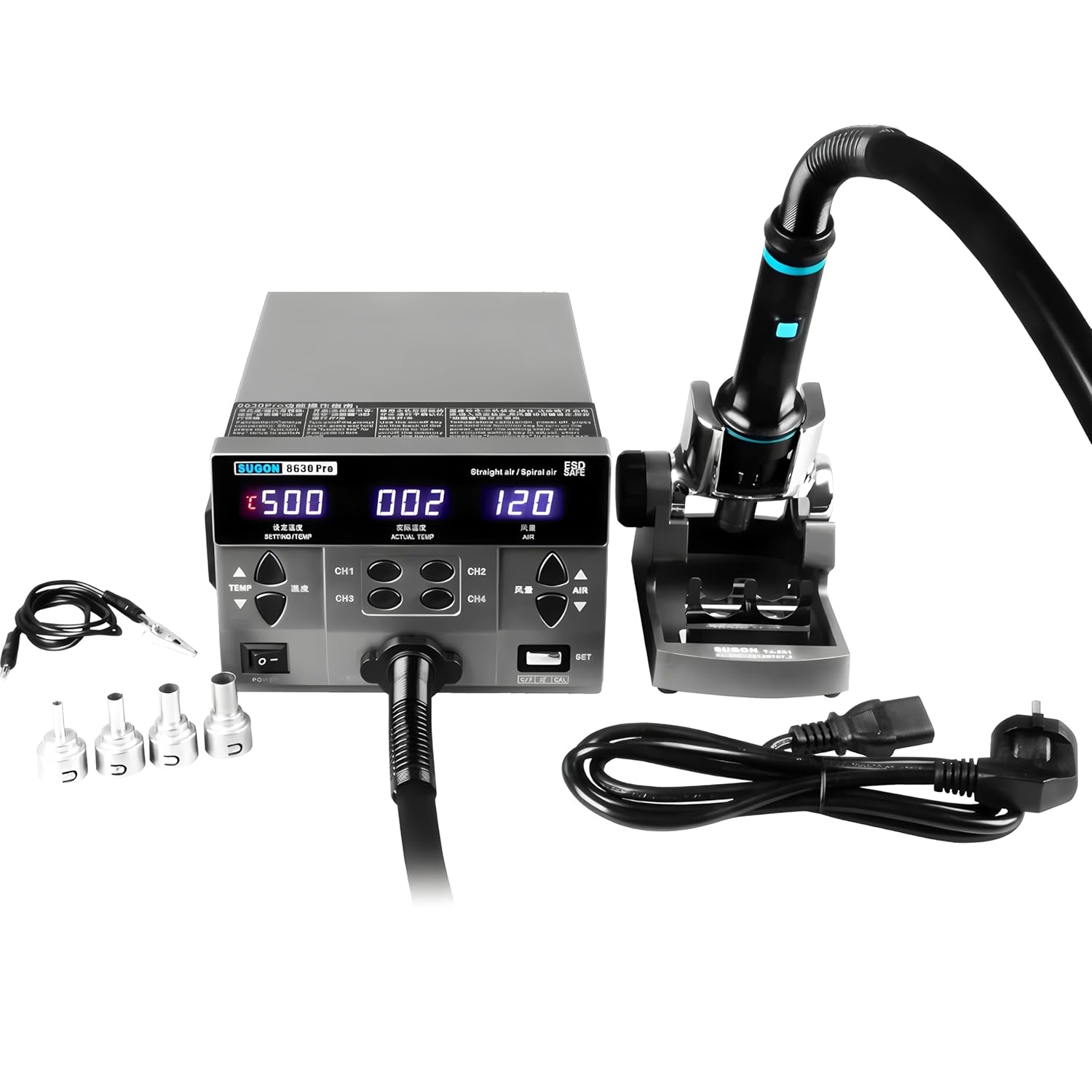
Image: The SUGON 8630Pro hot air rework station, including the main unit, hot air gun handle, various nozzles, and power cord.
Key Features:
- High Power Output: 1300W for rapid heating and efficient operation.
- Digital Display: LED real-time display for setting temperature, current temperature, and current air volume.
- Precise Control: Temperature range of 100~500°C (212~932°F) and air volume range of Grade 1~200.
- Memory Channels: Four preset channels (CH1, CH2, CH3, CH4) for quick recall of temperature and air volume settings.
- Temperature Calibration: Allows for accurate temperature adjustments.
- Cool Air Function: Provides cool air for component cooling or other applications.
- Automatic Sleep Function: Enhances safety and extends heating element lifespan.
- Brushless Vortex Fan: Ensures quiet operation and stable airflow.
- Anti-static Design: Protects sensitive electronic components.
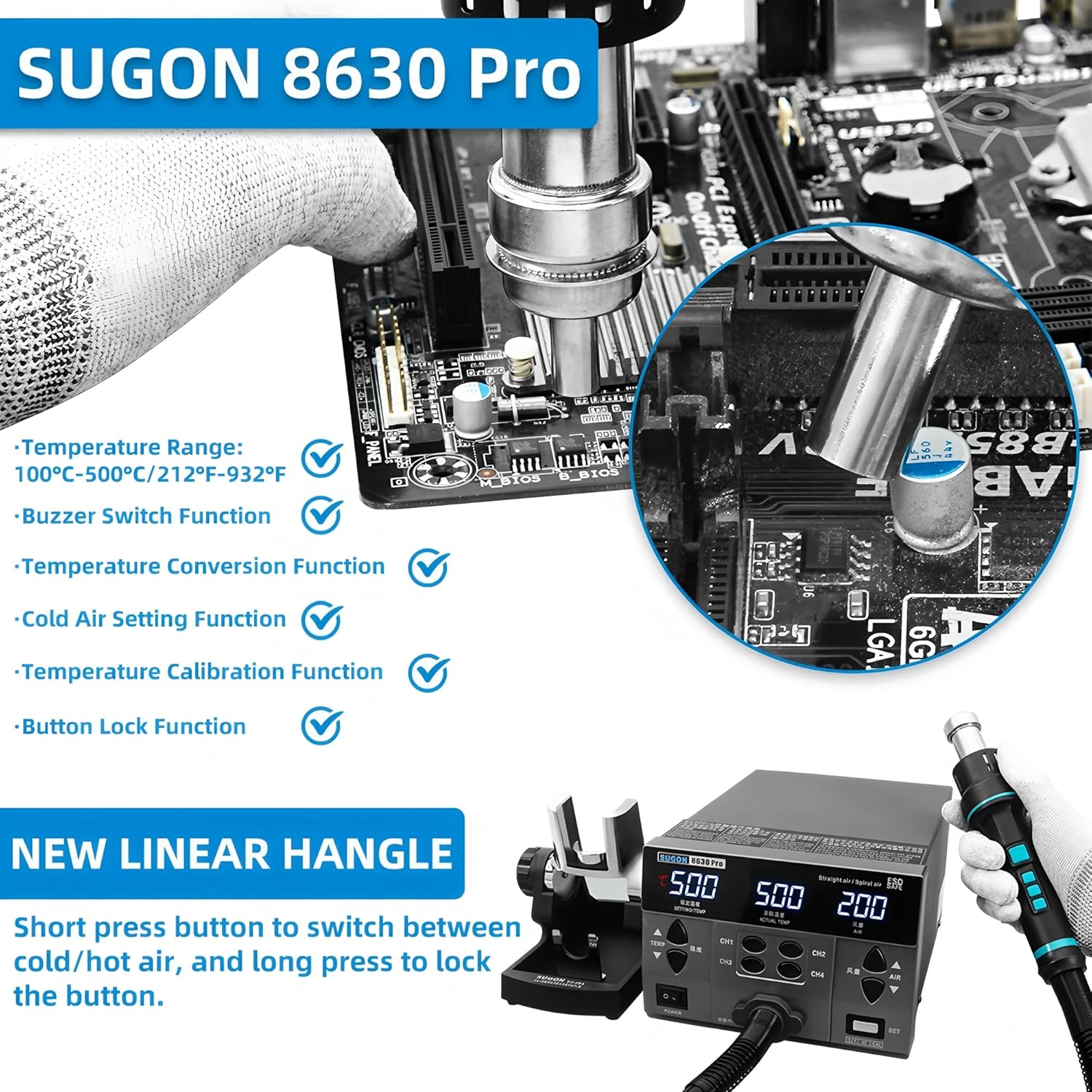
Image: Diagram highlighting key features such as temperature range, conversion, cold air setting, buzzer, calibration, and button lock function.

Image: Labeled diagram of the SUGON 8630Pro showing the preset temperature, actual temperature, air volume display, air volume adjustment button, store memory button, handle memory button, and handle bracket.
3. Package Contents
Verify that all items listed below are included in your package. If any items are missing or damaged, please contact your vendor.
- SUGON 8630Pro 110V Hot Air Rework Station Main Unit
- Hot Air Gun Handle
- Hot Air Gun Holder/Bracket
- Power Cord
- Assorted Nozzles (e.g., curved nozzle)
- User Manual (this document)
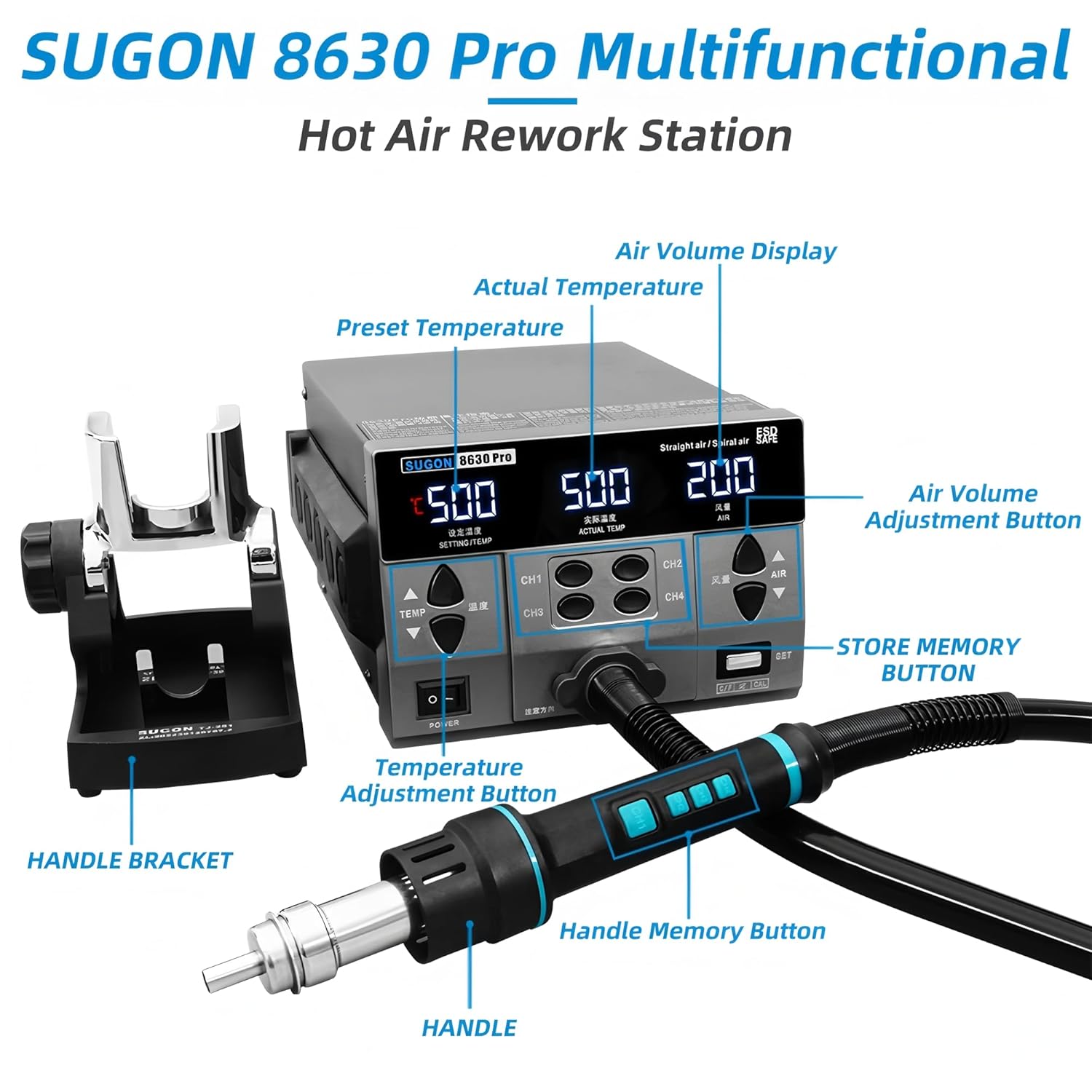
Image: The SUGON 8630Pro main unit, hot air gun handle, nozzles, and power cord as they appear when unboxed.
4. Setup
Follow these steps to set up your SUGON 8630Pro Hot Air Rework Station for first use.
- Unpacking: Carefully remove all components from the packaging. Retain the packaging for future storage or transport.
- Placement: Place the main unit on a stable, flat, and heat-resistant workbench. Ensure there is adequate space around the unit for ventilation.
- Connect Hot Air Gun: Connect the hot air gun handle cable to the designated port on the front of the main unit. Ensure it is securely fastened.
- Install Handle Holder: Attach the hot air gun holder to the side of the main unit or place it on the workbench in a convenient location.
- Attach Nozzle: Select the appropriate nozzle for your application and securely attach it to the hot air gun handle.
- Power Connection: Connect the power cord to the power inlet on the back of the main unit, then plug the other end into a grounded 110V AC power outlet.

Image: A close-up view of the control panel, showing the digital display for temperature and air volume, and the control buttons.
5. Operation
This section details the operational procedures for the SUGON 8630Pro Hot Air Rework Station.
5.1 Power On/Off
- Press the POWER switch on the front panel to turn the unit ON. The digital display will illuminate.
- To turn OFF, press the POWER switch again. The unit will enter a cooling cycle before completely shutting down.
5.2 Setting Temperature and Air Volume
- Temperature Adjustment: Use the TEMP ▲ and TEMP ▼ buttons to increase or decrease the desired temperature. The setting temperature will be displayed.
- Air Volume Adjustment: Use the AIR ▲ and AIR ▼ buttons to adjust the air volume. The air volume level will be displayed.
- The actual temperature and current air volume will be shown on the display during operation.

Image: Close-up of the high-definition digital display, showing set temperature, actual temperature, and air volume readings.
5.3 Using Memory Channels (CH1-CH4)
The unit allows you to store and recall four sets of temperature and air volume settings.
- Storing Settings: Set your desired temperature and air volume. Press and hold one of the CH1, CH2, CH3, or CH4 buttons until the display indicates the settings are saved.
- Recalling Settings: Briefly press the desired CH1, CH2, CH3, or CH4 button to instantly recall the stored settings.
5.4 Handle Operation and Cool Air Function
- The hot air gun handle features buttons for quick adjustments.
- Cool Air: Short press the designated button on the handle to switch between hot and cool air modes. This is useful for rapidly cooling components after desoldering.
- Button Lock: Long press the button on the handle to lock the current settings, preventing accidental changes during operation.

Image: The new linear handle design, illustrating the short press for hot/cold air switch and long press for button lock.
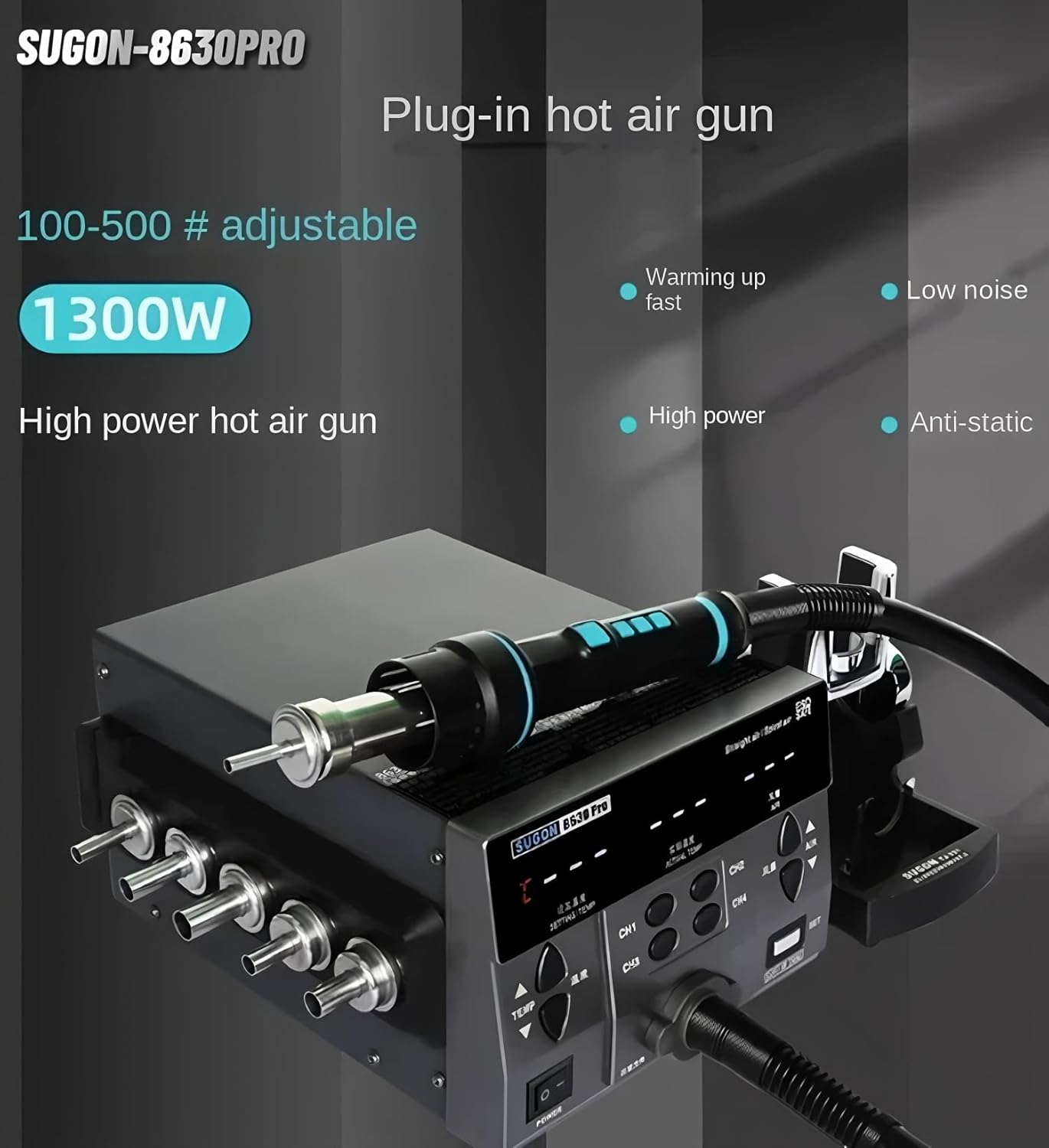
Image: A hand demonstrating the operation of the hot air gun handle, showing its ergonomic design and integrated controls.
5.5 Temperature Calibration
If the displayed temperature deviates from a known accurate measurement, you can calibrate the unit:
- Enter calibration mode (refer to the specific instructions in the included printed manual for exact key combinations, usually involving the SET button).
- Adjust the temperature offset using the TEMP ▲ and TEMP ▼ buttons until the displayed temperature matches your reference thermometer.
- Save the calibration settings.
6. Maintenance
Regular maintenance ensures the longevity and optimal performance of your rework station.
- Cleaning: Ensure the unit is unplugged and cooled before cleaning. Wipe the exterior with a soft, damp cloth. Do not use abrasive cleaners or solvents.
- Nozzle Care: Clean nozzles regularly to prevent blockages. Replace damaged or worn-out nozzles.
- Air Inlet/Outlet: Keep the air inlets and outlets free from dust and debris to ensure proper airflow and cooling.
- Handle and Cable Inspection: Periodically inspect the hot air gun handle and its cable for any signs of damage, cracks, or fraying. Replace if necessary.
- Storage: Store the unit in a dry, dust-free environment when not in use.
7. Troubleshooting
If you encounter issues with your SUGON 8630Pro, refer to the following common problems and solutions.
| Problem | Possible Cause | Solution |
|---|---|---|
| Unit does not power on. | No power supply; Power cord loose; Power switch off. | Check power outlet; Ensure power cord is securely connected; Turn power switch ON. |
| No hot air or insufficient heat. | Heating element failure; Air gun not properly connected; Incorrect temperature setting. | Ensure air gun is connected; Verify temperature setting; Contact service if heating element is faulty. |
| Weak or no airflow. | Air volume set too low; Fan malfunction; Air inlet/outlet blocked. | Increase air volume setting; Clear any obstructions from air vents; Contact service if fan is faulty. |
| Temperature display inaccurate. | Needs calibration; Sensor issue. | Perform temperature calibration as per section 5.5; Contact service if sensor is faulty. |
| Unit enters sleep mode unexpectedly. | Automatic sleep function activated; Unit left idle for too long. | This is normal operation. Pick up the handle to resume. |
If the problem persists after attempting these solutions, please contact customer support or a qualified technician.
8. Specifications
Technical specifications for the SUGON 8630Pro Hot Air Rework Station.
| Feature | Specification |
|---|---|
| Model | SUGON 8630Pro |
| Power | 1300W |
| Input Voltage | 110V AC |
| Temperature Range | 100°C ~ 500°C (212°F ~ 932°F) |
| Air Volume Range | Grade 1 ~ 200 (up to 200 L/Min) |
| Display Type | Digital LED |
| Fan Type | Brushless Vortex Fan |
| Functions | Temperature calibration, Cool air, Buzzer, Automatic sleep, 4 preset channels |
| Manufacturer | AIFEN/SUGON |
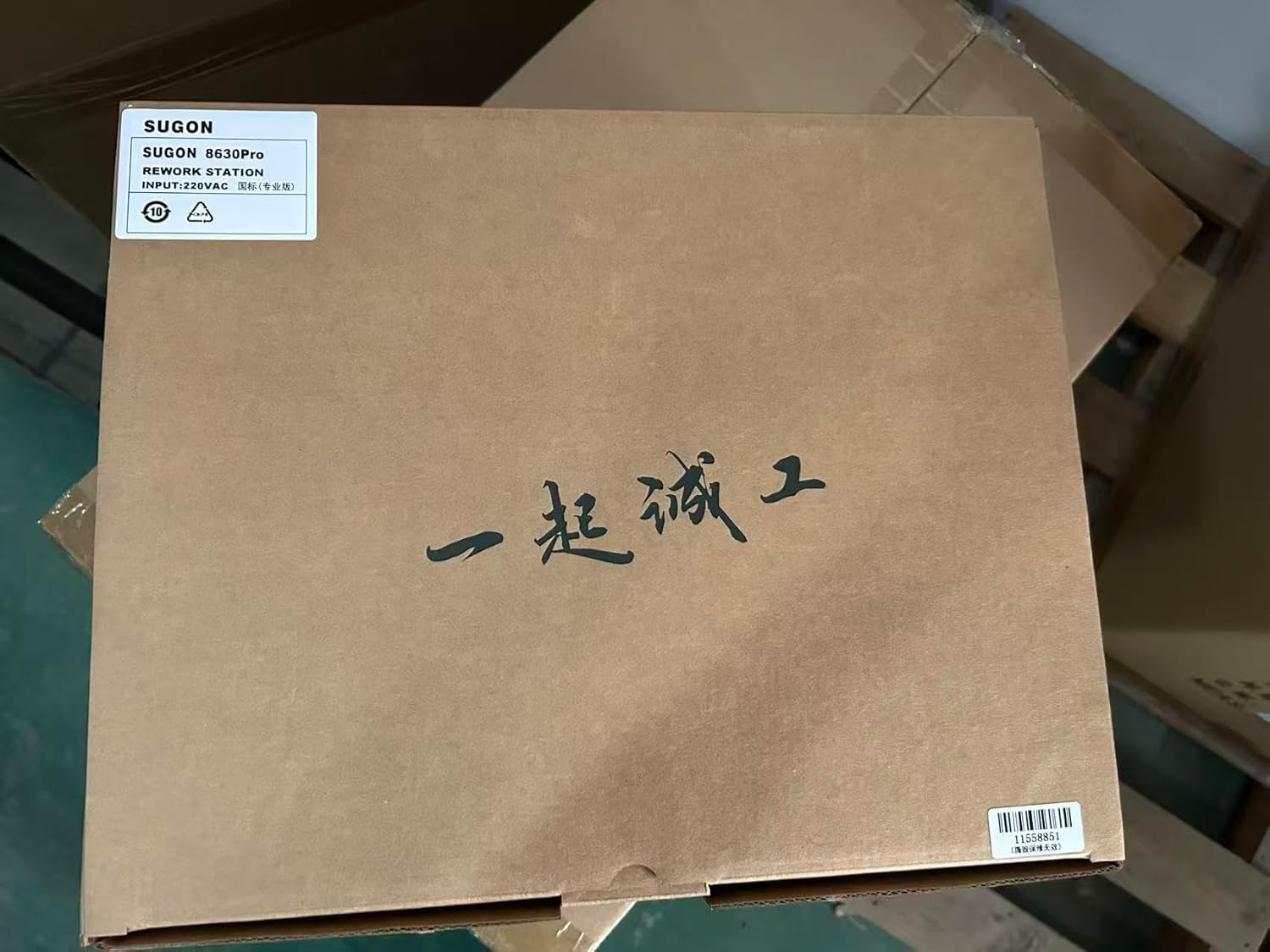
Image: Illustrates the internal 1300W pure copper transformer, highlighting the high air volume capability.
9. Warranty and Support
For warranty information, please refer to the documentation provided with your purchase or contact the seller directly. Support for the SUGON 8630Pro can be obtained through your point of purchase or the manufacturer's official channels.
Please retain your proof of purchase for any warranty claims or technical support inquiries.

