
1. Introduction
Thank you for choosing the UBON Topper J23 Bluetooth TWS Earbuds. These earbuds are designed to provide a high-quality audio experience with features like Active Noise Reduction (ANR), low latency, and extended playtime. This manual will guide you through the setup, operation, and maintenance of your new earbuds to ensure optimal performance and longevity.
2. Safety Information
- Do not expose the earbuds or charging case to extreme temperatures, direct sunlight, or high humidity.
- Avoid dropping, hitting, or disassembling the device.
- Keep away from children and pets.
- Use only the provided charging cable or a certified Type-C cable for charging.
- Do not use abrasive cleaners or harsh chemicals to clean the earbuds.
- Prolonged listening at high volume levels may cause hearing damage. Adjust volume to a safe level.
3. Package Contents
Please check the package for the following items:
- 1 x Pair of UBON Topper J23 TWS Earbuds
- 1 x Charging Case
- 1 x USB Type-C Charging Cable
- 1 x User Manual
4. Product Overview
The UBON Topper J23 earbuds feature a sleek design with intuitive touch controls and a compact charging case. Each earbud is equipped with a microphone for calls and voice assistant interaction.

Image: UBON Topper J23 Earbuds and Charging Case. This image illustrates the earbuds and their charging case, highlighting the auto-pairing feature and touch operations for user convenience.
4.1 Earbud Components
- Touch Control Area: For managing music, calls, and voice assistant.
- Microphone: For calls and voice commands.
- LED Indicator: Shows pairing status, charging status, and power.
4.2 Charging Case Components
- Charging Port: Type-C port for charging the case.
- LED Indicators: Display the charging status of the case and earbuds.
- Earbud Charging Slots: Securely hold and charge the earbuds.
5. Setup & Pairing
5.1 Charging the Case
Before first use, fully charge the charging case. Connect the provided USB Type-C cable to the charging port on the case and the other end to a USB power adapter (not included).

Image: UBON Topper J23 Charging Case. This image highlights the Type-C charging interface on the charging case.
The LED indicators on the case will show the charging progress. Once fully charged, all indicators will be solid.
5.2 Charging the Earbuds
Place the earbuds into the charging slots inside the case. Ensure they are correctly seated. The earbuds will begin charging automatically. The LED indicators on the earbuds will show their charging status, typically turning off when fully charged.
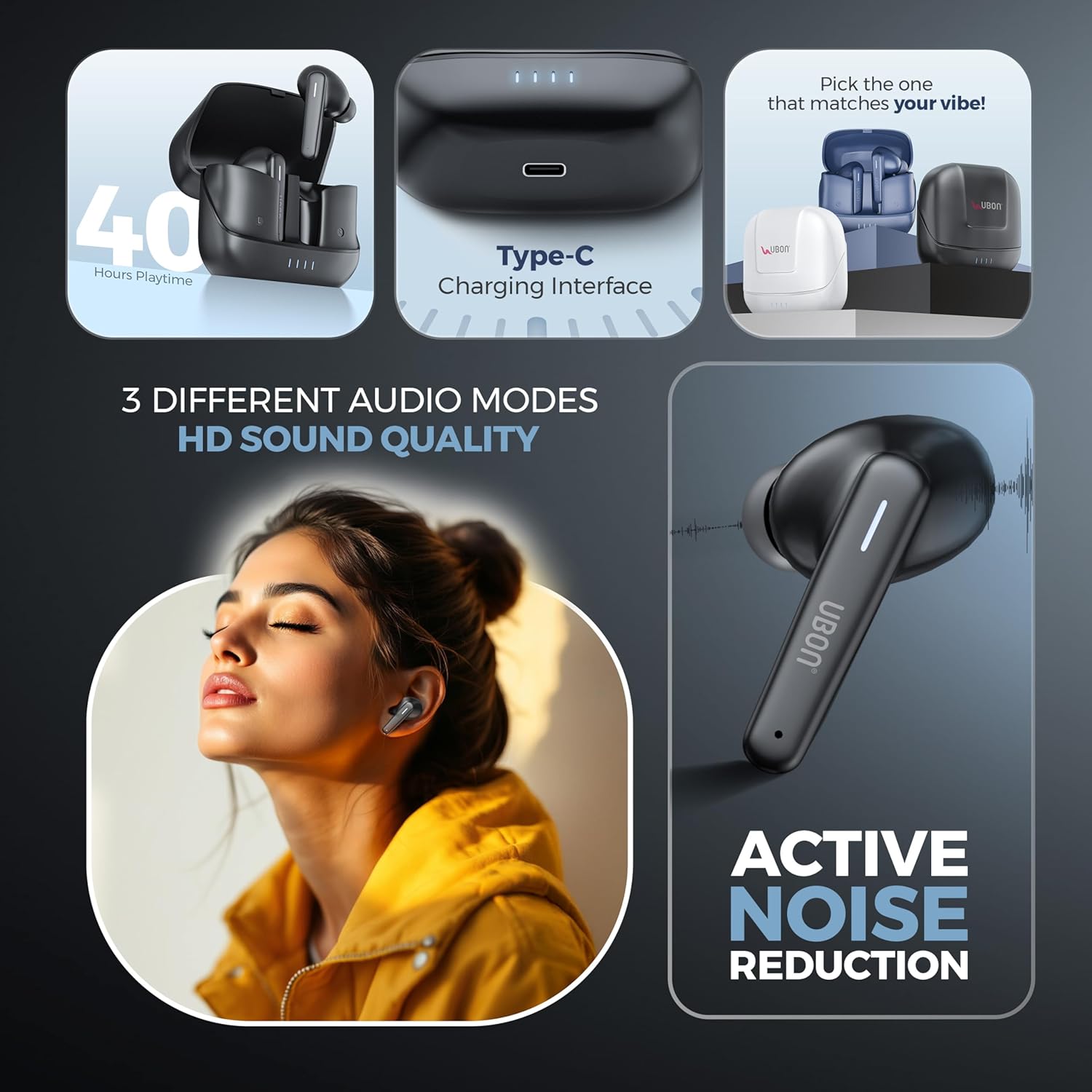
Image: UBON Topper J23 Earbuds in Charging Case. This image shows the earbuds inside their charging case, emphasizing the 40 hours of total playtime.
5.3 First-time Pairing
- Ensure the charging case is charged and the earbuds are inside.
- Open the charging case. The earbuds will automatically power on and enter pairing mode. The LED indicators on the earbuds will flash, indicating they are ready to pair.
- On your device (smartphone, tablet, etc.), enable Bluetooth.
- Search for "UBON Topper J23" in the list of available Bluetooth devices.
- Select "UBON Topper J23" to connect. Once connected, the earbud LEDs will stop flashing.
5.4 Automatic Reconnection
After the initial pairing, the earbuds will automatically connect to the last paired device when taken out of the charging case, provided Bluetooth is enabled on the device and it is within range.
6. Operating Instructions
The UBON Topper J23 earbuds feature intuitive touch controls on each earbud.
6.1 Power On/Off
- Power On: Open the charging case, or long-press the touch control area on both earbuds for 3 seconds.
- Power Off: Place the earbuds back into the charging case and close the lid, or long-press the touch control area on both earbuds for 5 seconds.
6.2 Music Playback Controls
| Action | Control |
|---|---|
| Play/Pause | Single tap on either earbud |
| Next Track | Double tap on the right earbud |
| Previous Track | Double tap on the left earbud |
| Volume Up | Triple tap on the right earbud |
| Volume Down | Triple tap on the left earbud |
6.3 Call Management
| Action | Control |
|---|---|
| Answer/End Call | Single tap on either earbud |
| Reject Call | Long press on either earbud for 2 seconds |
6.4 Voice Assistant Activation
Long press the touch control area on either earbud for 2 seconds (when not on a call) to activate your device's voice assistant (e.g., Siri, Google Assistant).
6.5 Low Latency Mode
For an optimized gaming or video streaming experience, activate the low latency mode. This reduces audio delay for better synchronization with visuals.
- Activate Low Latency Mode: Quadruple tap on the right earbud.
- Deactivate Low Latency Mode: Quadruple tap on the right earbud again.
6.6 Active Noise Reduction (ANR)
The UBON Topper J23 features Active Noise Reduction to minimize ambient sounds, allowing for a more immersive listening experience.

Image: UBON Topper J23 Earbud. This image highlights the Active Noise Reduction capability of the true wireless earbuds.
- Toggle ANR: Long press the touch control area on the left earbud for 2 seconds to switch between ANR On, Transparency Mode, and ANR Off.
7. Maintenance
7.1 Cleaning
- Use a soft, dry, lint-free cloth to clean the earbuds and charging case.
- Do not use liquids, sprays, or chemical cleaners.
- Gently remove any earwax or debris from the earbud tips and speaker mesh using a small, soft brush or cotton swab.
7.2 Storage
When not in use, store the earbuds in their charging case to protect them from dust and damage.
7.3 Battery Care
- Charge the device regularly, even if not used for extended periods, to maintain battery health.
- Avoid fully discharging the battery frequently.
8. Troubleshooting
If you encounter issues with your UBON Topper J23 earbuds, refer to the following common problems and solutions:
| Problem | Possible Solution |
|---|---|
| Earbuds not pairing with device |
|
| Only one earbud working |
|
| Earbuds not charging |
|
| Poor sound quality |
|
9. Specifications
Here are the technical specifications for the UBON Topper J23 Bluetooth TWS Earbuds:
| Feature | Detail |
|---|---|
| Model Name | Topper |
| Model Number | J-23 |
| Connectivity Technology | Wireless (Bluetooth v5.3) |
| Bluetooth Version | 5.3 |
| Noise Control | Sound Isolation, Active Noise Cancellation (ANR) |
| Battery Life | Up to 40 Hours (with charging case) |
| Charging Interface | Type-C |
| Control Method | Touch |
| Water Resistance Level | Water Resistant |
| Material | Acrylonitrile Butadiene Styrene (ABS) |
| Item Weight | 45 Grams |
| Product Dimensions | 10 x 10 x 5 cm |
| Compatible Devices | Smartphones, Tablets, Laptops, Desktops, Gaming Consoles |
| Special Features | Fast Charging, Microphone Included, Sweatproof |
| Audio Driver Type | Dynamic Driver |
| Impedance | 32 Ohms |
10. Warranty & Support
UBON products are designed and manufactured to the highest quality standards. For information regarding warranty coverage, terms, and conditions, please refer to the warranty card included in your product packaging or visit the official UBON website.
For technical support, troubleshooting assistance, or any product-related inquiries, please contact UBON customer service through the contact details provided on the official website or your purchase documentation.