

1. Introduction
The INIA GLOW Red Light Therapy Eye Mask is designed to provide targeted skincare for the delicate eye area. This device utilizes dual-wavelength red and near-infrared (NIR) light therapy combined with integrated cryotherapy to address concerns such as fine lines, dark circles, puffiness, and wrinkles around the eyes and forehead.
Please read this manual thoroughly before using the device to ensure safe and effective operation.
2. Product Overview
The INIA GLOW Eye Mask features 96 high-power LEDs delivering 630nm red light and 850nm near-infrared light. It also includes an instant cooling cryotherapy function. The mask is designed for comfortable, hands-free use.

Key Features:
- Targeted Eye Area Treatment: Specifically designed to deliver concentrated light energy to the delicate skin around the eyes, including under-eye, forehead, and crow's feet areas.
- Dual-Wavelength Light Therapy: Combines 630nm red light and 850nm near-infrared (NIR) light to support collagen production and skin rejuvenation.
- High LED Density: Equipped with 96 LEDs for comprehensive coverage and effective treatment.
- Integrated Cryotherapy: Provides an instant cooling effect to help reduce puffiness and refresh tired eyes.
- Rechargeable and Portable: Features a 1000mAh magnetic battery for wireless operation and convenience.


3. What's in the Box
Before first use, please ensure all components are present and undamaged.

- INIA GLOW Eye Mask (x1)
- Ice Pack (x1)
- USB Charging Cable (x1)
- Wireless Remote Control (x1)
- Velcro Straps (x2)
- Instruction Manual (x1)
4. Setup
4.1 Charging the Device
- Connect the provided USB charging cable to the charging port on the INIA GLOW Eye Mask.
- Plug the other end of the USB cable into a compatible USB power adapter (not included) or a computer USB port.
- The indicator light on the device will show charging status (refer to device for specific light indicators).
- Charge the device fully before first use. A full charge typically provides approximately one month of use based on a 5-minute daily session.

4.2 Attaching the Straps and Ice Pack
- Attach the Velcro straps to the designated points on the eye mask for a secure and comfortable fit.
- If using the cryotherapy feature, place the ice pack in the freezer for at least 30 minutes prior to use.
- Insert the chilled ice pack into the designated compartment within the eye mask.
5. Operating Instructions
5.1 Basic Operation
- Ensure the device is charged.
- Place the eye mask comfortably over your eyes, adjusting the Velcro straps for a snug fit.
- Press the power button on the mask or the wireless remote control to turn on the device.
- The device will typically start in a default mode, combining red light therapy.
- Use the remote control to cycle through available modes (e.g., red light only, NIR light only, combined light, cryotherapy). Refer to the remote control's specific buttons for mode selection.
- A typical session duration is 5-15 minutes. The device may have an automatic shut-off feature after a set time.
- After the session, press the power button to turn off the device, or it will power off automatically.
5.2 Recommended Usage
- For optimal results, use the INIA GLOW Eye Mask for 5-15 minutes per session, once daily or as recommended by a skincare professional.
- Consistency is key. Visible improvements in skin appearance, such as reduced fine lines, dark circles, and puffiness, may be observed after 4 weeks of consistent use.



5.3 Safety Precautions
- Do not look directly into the LED lights when the device is active.
- Keep the device dry and away from water.
- Do not use if you have any pre-existing eye conditions or light sensitivity without consulting a medical professional.
- Keep out of reach of children.
- Discontinue use if you experience any discomfort or adverse reactions.
6. Maintenance
6.1 Cleaning
- Always turn off and unplug the device before cleaning.
- Wipe the surface of the eye mask with a soft, damp cloth. Do not use abrasive cleaners or immerse the device in water.
- Ensure the device is completely dry before storing or next use.
6.2 Storage
- Store the eye mask in a cool, dry place, away from direct sunlight and extreme temperatures.
- Keep the device in its original packaging or a protective case to prevent damage.
6.3 Battery Care
- To prolong battery life, avoid fully discharging the battery frequently.
- If the device will not be used for an extended period, charge it periodically (e.g., every 3 months) to maintain battery health.
7. Troubleshooting
If you encounter any issues with your INIA GLOW Eye Mask, please refer to the following common troubleshooting steps:
| Problem | Possible Cause | Solution |
|---|---|---|
| Device does not turn on. | Low battery or device is not charged. | Charge the device fully using the provided USB cable. |
| Lights are not illuminating. | Device is not powered on or in an incorrect mode. | Ensure the device is turned on. Cycle through modes using the remote control to activate light therapy. |
| Cryotherapy function is not cooling. | Ice pack not sufficiently chilled or not inserted correctly. | Ensure the ice pack has been frozen for at least 30 minutes and is properly placed in the mask. |
| Remote control is not working. | Remote battery depleted or out of range. | Replace the remote control battery (if applicable) or ensure it is within operating range of the mask. If lost, contact customer support for replacement options. |
8. Specifications
- Product Dimensions: 11.81 x 3.94 x 0.95 inches
- Weight: 1.11 Pounds
- Battery: 1 Lithium Ion battery (included), 1000mAh
- LED Count: 96 LEDs
- Light Wavelengths: 630nm (Red Light), 850nm (Near-Infrared Light)
- Power Output: Up to 105mW/cm²
- Features: Red Light Therapy, Near-Infrared Light Therapy, Integrated Cryotherapy
- Manufacturer: Shenzhen Siken 3D Technology Development Co., Ltd.
9. Warranty & Support
9.1 Warranty Information
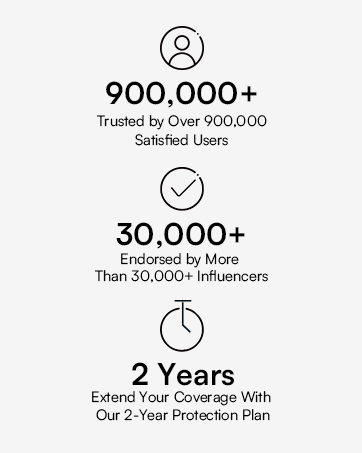
The INIA GLOW Eye Mask comes with a standard manufacturer's warranty. Additionally, a 2-year extended protection plan may be available. Please refer to your purchase documentation or the INIA official website for detailed warranty terms and conditions.
9.2 Customer Support
For product inquiries, technical assistance, or warranty claims, please contact INIA customer support. Contact details can typically be found on the product packaging or the official INIA website.
Manufacturer: Shenzhen Siken 3D Technology Development Co., Ltd.
10. Product Video
Watch this video for a visual guide on using the INIA GLOW Red Light Therapy Eye Mask.
