
1. Important Safety Information
Please read all instructions carefully before installing and operating your air conditioner. Keep this manual for future reference. Your safety and the safety of others are very important. Follow all safety messages outlined in this manual.
Electrical Safety
- This appliance must be properly grounded.
- Do not operate the air conditioner with a damaged power cord or plug.
- Do not use an extension cord or an adapter plug with this unit.
- Ensure the power supply matches the rating label on the unit.
Installation Safety
- Install the unit securely according to the installation instructions to prevent it from falling.
- Ensure the window frame is strong enough to support the unit's weight.
- Do not block the air inlets or outlets of the unit.
2. Product Overview
The Midea 5,000 BTU EasyCool Window Air Conditioner is designed to cool, dehumidify, and circulate air in spaces up to 150 sq. ft. This unit features intuitive controls and a reusable filter.
Unit Components

Image 2.1: Front view of the Midea EasyCool Window Air Conditioner, showing the control panel on the left and the air vents.
The front panel includes the main control interface with buttons for temperature adjustment, mode selection, fan speed, timer, filter reset, and power. The air outlet louvers are located at the top front of the unit.
Remote Control
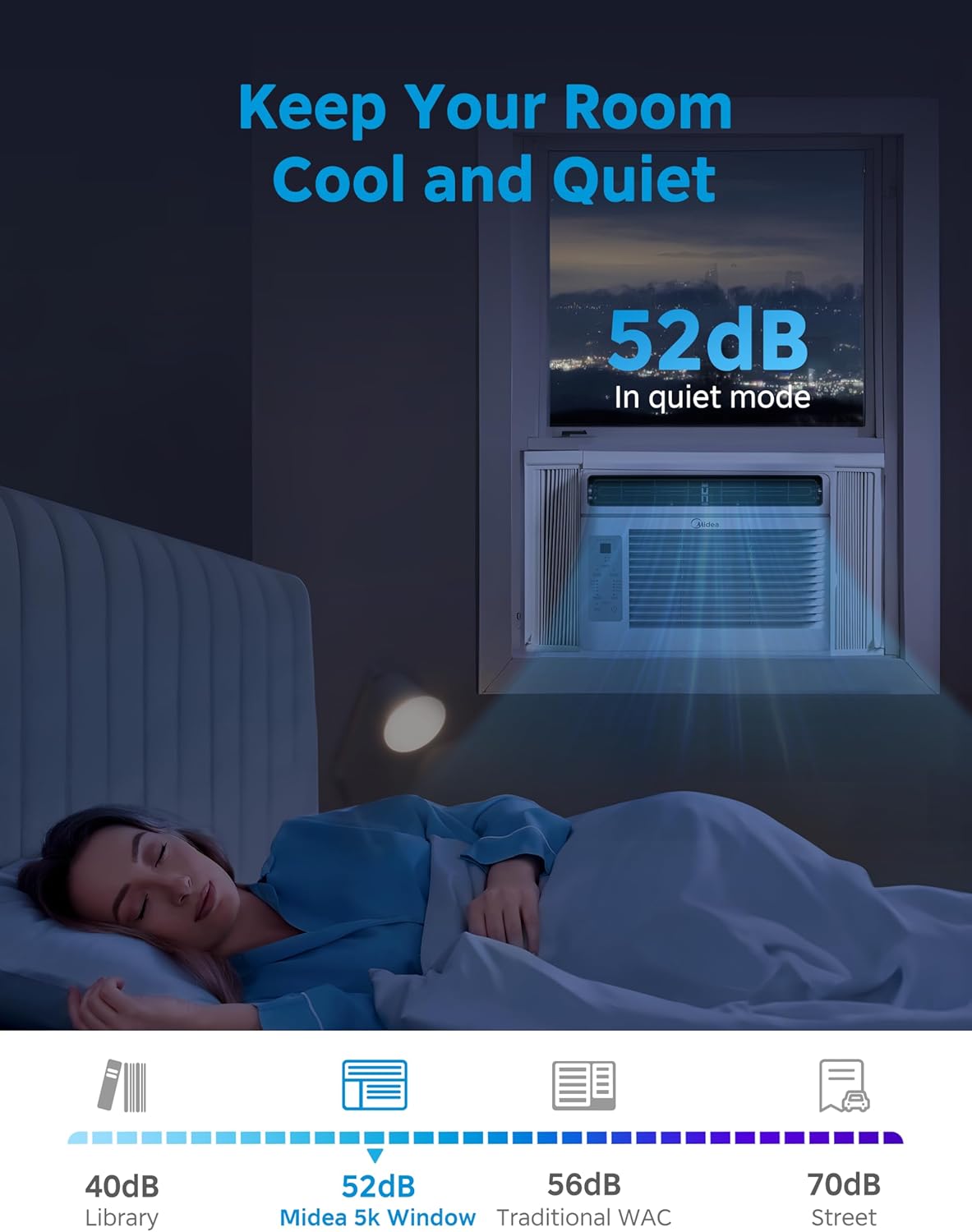
Image 2.2: The remote control for the Midea EasyCool Window Air Conditioner, featuring buttons for power, mode, fan speed, temperature, timer, and special functions like Eco and Sleep.
The included remote control allows for convenient adjustment of settings from a distance. It features buttons for power, mode selection (Cool, Fan, Dry), fan speed (Auto, Low, Med, High), temperature adjustment, timer settings, and special functions such as EcoSave and SleepWell modes.
3. Installation Instructions
This section provides a general guide for installing your Midea EasyCool Window Air Conditioner. All mounting accessories are included. A screwdriver is required for installation (not included).
Included Accessories and Parts

Image 3.1: A visual representation of all included accessories and parts: side panels, top rail, reusable filter, remote control with batteries, various screws, and window sash seal foam.
Before beginning installation, ensure all parts listed in Image 3.1 are present. These typically include side panels, a top rail, a reusable filter, a remote control, mounting screws, and window sash seal foam.
Window Requirements and Unit Dimensions
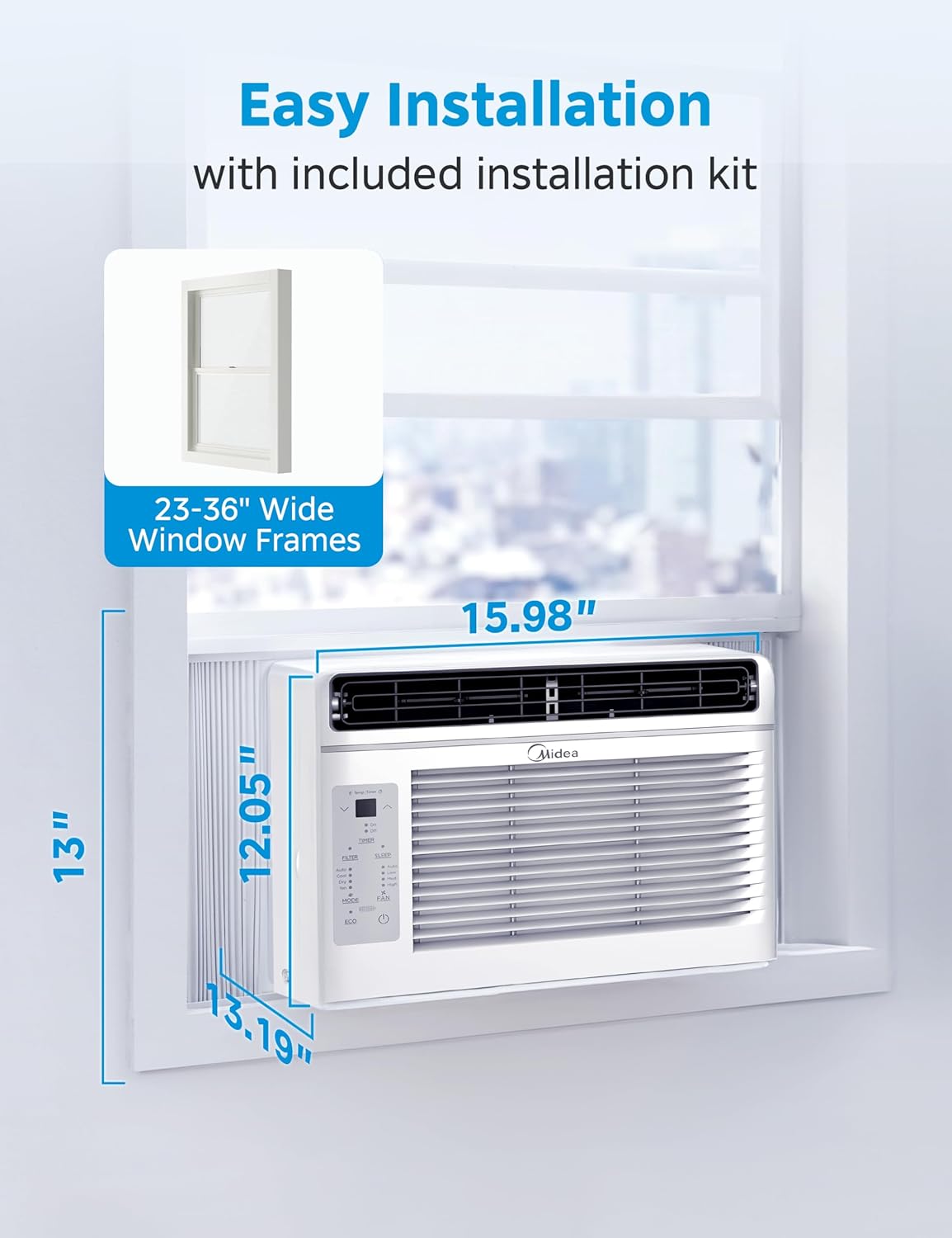
Image 3.2: Diagram illustrating the air conditioner's dimensions (13.19"D x 15.98"W x 12.05"H) and indicating compatibility with window frames 23-36 inches wide.
The unit is designed for installation in standard double-hung windows with openings between 23 and 36 inches wide. Refer to Image 3.2 for detailed dimensions. Ensure your window can accommodate these measurements and support the unit's weight (approximately 35.5 pounds).
Step-by-Step Installation
- Prepare the Window: Clean the window sill and frame. For some window frames, pilot holes are recommended before installing screws.
- Attach Side Panels: Slide the accordion side panels into the side channels of the air conditioner.
- Secure Top Rail: Attach the top rail to the top of the unit using the provided screws.
- Place Unit in Window: Carefully lift the unit and place it in the window opening, ensuring the bottom rail rests on the window sill.
- Extend Side Panels: Extend the side panels to fill the window opening and secure them to the window frame with screws.
- Seal Gaps: Apply the window sash seal foam to seal any gaps between the window sashes and the unit to prevent air leakage.
- Test Operation: Plug in the unit and test its basic functions to ensure proper installation.
4. Operating Instructions
Your Midea EasyCool Window Air Conditioner offers multiple modes and settings for optimal comfort. The unit can cool, dehumidify, and circulate air.

Image 4.1: Visual representation of the three primary functions: cooling with snowflake icon, fan operation with fan icon, and dehumidification with water droplet icon, demonstrating the unit's versatility.
Control Panel and Remote Functions

Image 4.2: A detailed diagram highlighting the electronic control panel buttons and their functions, including temperature increase/decrease, timer, filter reset, sleep mode, mode selection, fan speed adjustment, ECO mode, and power ON/OFF. It also shows the reusable filter being removed.
Refer to Image 4.2 for a detailed understanding of the electronic control panel and its functions. All these functions can also be accessed via the remote control.
Operating Modes
- Cool Mode: Provides cooling to the room. Adjust the temperature using the up/down arrows.
- Fan Mode: Circulates air without cooling. Select from Low, Med, or High fan speeds.
- Dry Mode (Dehumidifier): Reduces humidity in the room. The fan speed is automatically controlled in this mode.
- Auto Mode: The unit automatically selects the operating mode (Cool or Fan) and fan speed based on the set temperature and current room temperature.
Special Features
- EcoSave Mode: Optimizes energy consumption by cycling the compressor and fan to maintain the set temperature efficiently.
- SleepWell Mode: Gradually increases the set temperature over several hours to provide comfortable sleeping conditions while saving energy.
- EasyTimer: Allows you to program the unit to turn on or off at a specific time within a 24-hour period.
- Auto Restart: In the event of a power outage, the unit will automatically restart with the last used settings once power is restored.
5. Maintenance
Regular maintenance ensures optimal performance and longevity of your air conditioner. The primary maintenance task is cleaning the air filter.
Cleaning the Reusable Air Filter
The air filter should be cleaned regularly, typically every two weeks, or when the 'Clean Filter' warning indicator illuminates on the control panel.
- Remove the Filter: Gently pull the front panel open and slide out the air filter. Refer to Image 4.2 for visual guidance on filter removal.
- Clean the Filter: Wash the filter with warm, soapy water. Rinse thoroughly. For heavy dust accumulation, a vacuum cleaner can be used before washing.
- Dry the Filter: Allow the filter to air dry completely before reinserting it. Do not expose it to direct sunlight or high heat.
- Reinstall the Filter: Slide the dry filter back into its slot and close the front panel.
- Reset Filter Indicator: Press the 'FILTER' button on the control panel to reset the filter cleaning reminder.
General Cleaning
- Wipe the exterior of the unit with a soft, damp cloth. Do not use harsh cleaners or abrasives.
- Ensure the air intake and exhaust vents are free from obstructions.
6. Troubleshooting
This section addresses common issues you might encounter with your air conditioner. If the problem persists after attempting these solutions, please contact customer support.
| Problem | Possible Cause | Solution |
|---|---|---|
| Unit does not turn on | No power; circuit breaker tripped; power cord damaged. | Check power connection; reset circuit breaker; inspect power cord for damage. |
| Insufficient cooling | Dirty air filter; blocked air vents; room too large; temperature setting too high. | Clean air filter; clear obstructions; ensure unit is appropriate for room size; lower temperature setting. |
| Excessive noise | Loose installation; foreign object in fan; unit not level. | Re-secure unit; check for obstructions; ensure unit is level. |
| Water dripping outside | Normal operation (condensation). | This is normal during cooling operation. Ensure proper drainage. |
| Remote control not working | Dead batteries; obstruction between remote and unit. | Replace batteries; remove obstructions; ensure remote is pointed at the unit. |
7. Specifications
Technical specifications for the Midea 5,000 BTU EasyCool Window Air Conditioner, Model MAW05R1JWT-B.
| Feature | Specification |
|---|---|
| Model Number | MAW05R1JWT-B |
| Cooling Power | 5,000 BTU |
| Coverage Area | Up to 150 sq. ft. |
| Product Dimensions (D x W x H) | 13.19" x 15.98" x 12.05" |
| Item Weight | 35.5 pounds |
| Voltage | 115 Volts |
| Noise Level (Low Mode) | 52 Decibels |
| Form Factor | Window |
| Special Features | Dehumidifier, Dust Filter, Eco Mode, Fast Cooling, Remote Controlled |
| Included Components | Window Bracket |
| Batteries Required | Yes (for remote control) |
8. Warranty Information
This Midea product is backed by a One-Year Limited Warranty from the original purchase date. This warranty covers parts and labor for defects in materials or workmanship under normal use.
For specific warranty terms and conditions, please refer to the warranty card included with your product or contact Midea customer support.
9. Customer Support
For technical assistance, troubleshooting beyond this manual, or warranty claims, please contact Midea customer support.
You can find more information and support resources by visiting the official Midea store:


