
Introduction
This manual provides detailed instructions for the installation, operation, and maintenance of your Genérico JT-8191 Smart Wi-Fi 360 Security Camera Lamp. This device offers comprehensive home surveillance with features like a 360-degree panoramic view, motion tracking, two-way audio, and an integrated smoke detector, all accessible via the Yoosee application. Please read this manual thoroughly before using the product to ensure proper function and safety.
Product Features
- Motion Tracking and Notifications: The camera automatically detects and tracks moving objects, sending real-time notifications to your smartphone.
- 24/7 Recording and Alarm: Supports continuous recording to cloud storage (subscription required) or a Micro SD card (up to 128GB, sold separately). The camera can activate an audible alarm and white light to deter intruders.
- Two-Way Communication: Built-in microphone and speaker allow for remote communication with individuals in the camera's vicinity.
- 360-Degree Panoramic View: Offers a wide 355° pan and 90° tilt range for comprehensive area monitoring.
- Integrated Smoke Detector: Utilizes photoelectric technology to detect smoke, triggering an 85dB alarm and sending alerts to your phone.
- Simplified E27 Socket Installation: Easily screws into any standard E27 light socket for quick setup.
- Full HD 1080p Resolution: Provides clear and detailed video footage.
- Wi-Fi 2.4GHz Connectivity: Connects wirelessly to your home network.
- ONVIF Protocol Compatibility: Ensures compatibility with various third-party DVRs and NVRs.
Package Contents
Please check the package for the following items:
- 1x JT-8191 Smart Wi-Fi 360 Security Camera Lamp
- 1x E27 Socket Adapter
- 1x Set of Bushings and Screws

Image: Package contents including the camera, E27 socket, and mounting hardware. Also illustrates cloud and Micro SD card storage options.
Setup Instructions
- Unboxing and Inspection: Carefully unpack all components and verify that all items listed in the 'Package Contents' section are present and undamaged.
- Download the App: Search for and download the "Yoosee" application from your smartphone's app store (available for Android and iOS).
- Install the Camera: Screw the camera into a standard E27 light socket. Ensure the socket is powered off before installation.
- Power On: Turn on the power to the E27 socket. The camera will power on and initiate its startup sequence.
- Pair with Wi-Fi: Open the Yoosee app, create an account if you don't have one, and follow the on-screen instructions to add your new device. Ensure your smartphone is connected to a 2.4GHz Wi-Fi network during the pairing process.
- Insert Micro SD Card (Optional): If local storage is desired, insert a Class 10 Micro SD card (up to 128GB) into the designated slot on the camera before powering it on.
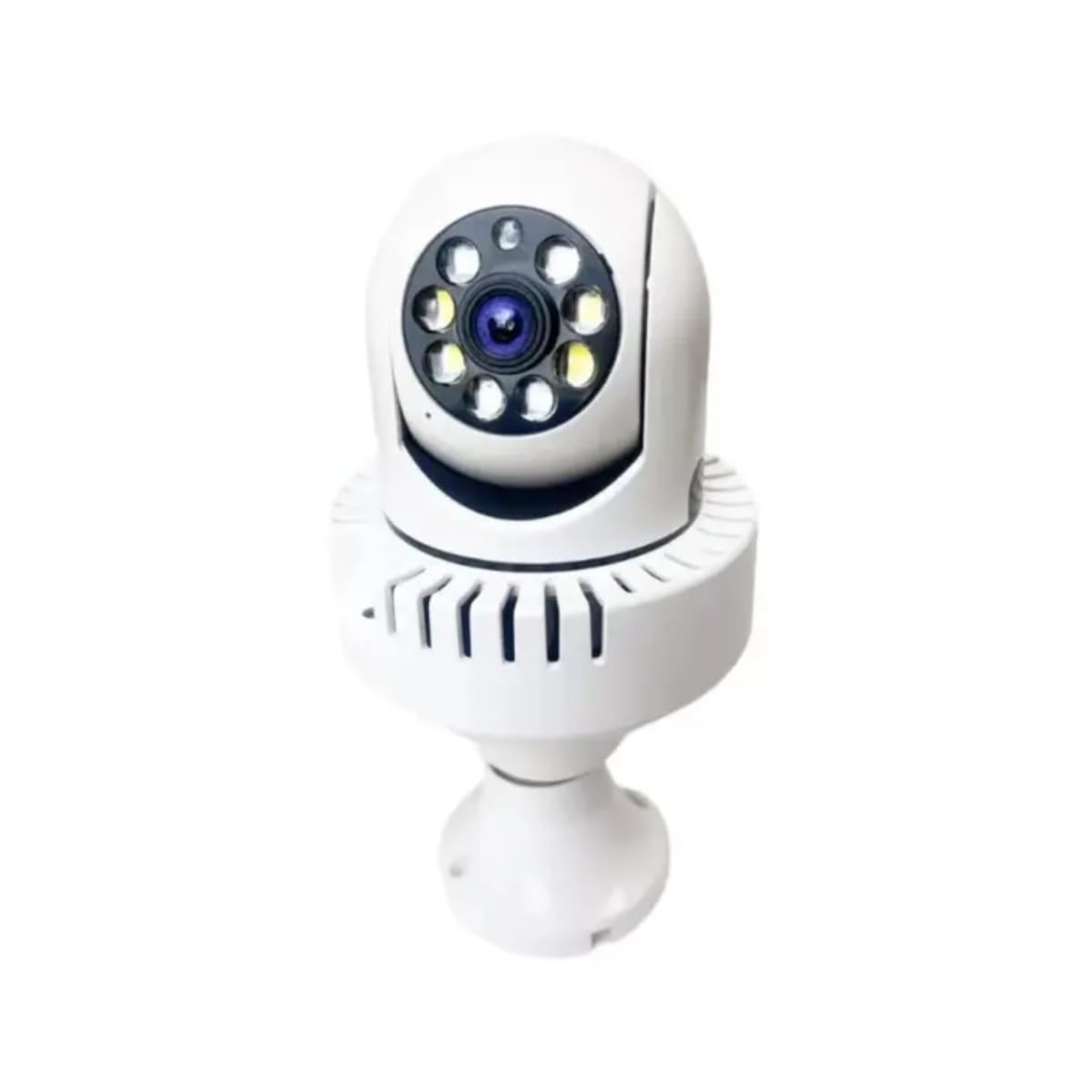
Image: The JT-8191 camera, designed to resemble a lamp, featuring a smoke detector and alarm functionality.
Operating Instructions
- Live View: Open the Yoosee app and select your camera to view the live video feed.
- PTZ Control: On the live view screen, swipe your finger across the video to remotely pan (horizontal) and tilt (vertical) the camera lens to adjust the viewing angle.
- Two-Way Audio: Tap the microphone icon in the app to speak through the camera's speaker, and listen through your phone's speaker.
- Motion Detection: Enable motion detection in the app settings. You will receive push notifications on your phone when motion is detected. Adjust sensitivity and detection zones as needed.
- Smoke Detection: The integrated smoke detector will automatically trigger an 85dB alarm and send notifications to your phone upon detecting smoke.
- Recording Playback: Access recorded footage via the app. You can view recordings stored on the Micro SD card or in cloud storage (if subscribed).
- User Sharing: In the app settings, you can invite other users to view your camera feed by sharing access.

Image: Features such as two-way audio communication, ONVIF protocol support for broader compatibility, and remote control via a smartphone application.
Maintenance
- Cleaning: Gently wipe the camera lens and body with a soft, dry cloth. Do not use harsh chemicals or abrasive cleaners.
- Firmware Updates: Regularly check the Yoosee app for available firmware updates for your camera. Keeping the firmware updated ensures optimal performance and security.
- Storage Management: If using a Micro SD card, periodically check its capacity and ensure older recordings are being overwritten or backed up as needed.
- Network Stability: Ensure your Wi-Fi network remains stable to prevent interruptions in camera operation and recording.
Troubleshooting
| Problem | Solution |
|---|---|
| Camera does not power on. | Ensure the E27 socket has power. Check the socket with another light bulb. |
| Cannot connect to Wi-Fi. | Verify your Wi-Fi network is 2.4GHz. Ensure the Wi-Fi password is correct. Move the camera closer to the router. Reset the camera and try pairing again. |
| No recording to Micro SD card. | Ensure the Micro SD card is inserted correctly and is Class 10. Format the card via the app. Check recording settings in the app. |
| Motion detection not working or too sensitive. | Adjust motion detection sensitivity and set specific detection zones within the Yoosee app. |
| Poor image quality. | Clean the camera lens. Ensure a stable Wi-Fi connection. Check if there is sufficient lighting in the monitored area. |
| Smoke detector alarm sounds frequently without smoke. | Ensure the camera is not installed in an area with high humidity, dust, or near cooking fumes. Clean the sensor area. |
Specifications
| Feature | Detail |
|---|---|
| Model | JT 8191 |
| Application | Yoosee |
| Voltage | Bivolt (110V, 220V) |
| Power Consumption | 3W |
| Socket Type | E27 |
| Dimensions (Camera) | Approx. 9 cm (width) x 17 cm (height) |
| Product Dimensions | 8 x 9 x 18 cm |
| Camera Weight | 249g |
| Protection Rating | IP44 |
| Video Resolution | Full HD 1080p |
| Lens | 3.6mm |
| Horizontal Angle | 56° |
| Vertical Angle | 30° |
| Pan/Tilt Range | Pan 355°, Tilt 90° |
| Memory Card Support | Up to 128GB Micro SD (Class 10, not included) |
| Connectivity | Wi-Fi 2.4GHz, ONVIF Protocol |
| Compatible Devices | Smartphone |
| Color | White |
| Special Features | PTZ Technology, Integrated Smoke Detector, Two-Way Audio, Night Vision |
| Environment | Indoor/Outdoor Area |
| Certification | ANATEL: 21736-22-06326 |

Image: Detailed measurements and weight specifications for the camera and its E27 socket adapter.
Warranty and Support
For warranty information, technical assistance, or customer support, please refer to the retailer where you purchased the product or visit the manufacturer's official website. Please retain your purchase receipt as proof of purchase for any warranty claims.
