
Introduction
The JVD Trustee Plus Digital Safe Locker is designed to provide secure storage for your valuables. This safe features a robust steel body, digital keypad access, and a manual override key for emergency situations. It is ideal for securing items such as cash, jewelry, documents, and electronics in various environments including homes, offices, and hotel rooms.
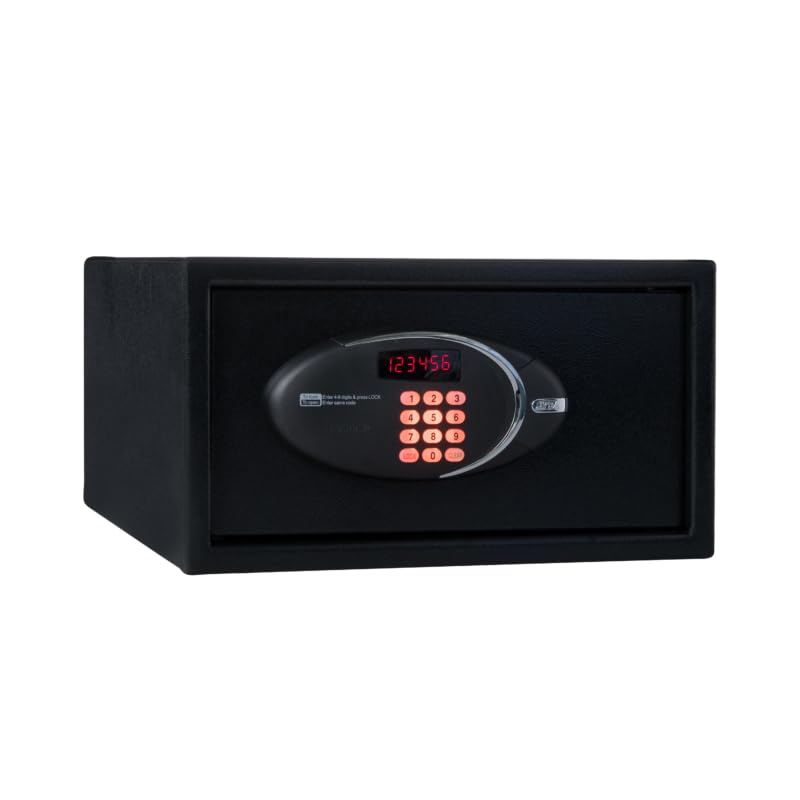
Image: Front view of the JVD Trustee Plus Digital Safe Locker, showing the digital keypad and display.
Key features include:
- Strong Steel Body: Constructed from high-grade, corrosion-resistant steel for enhanced durability and protection.
- Digital Keypad Access: Features an easy-to-use programmable PIN code system.
- Battery Operated: Powered by AA batteries, with a low-battery indicator for timely replacement.
- Manual Override Key: Provides emergency access if the digital code is forgotten or batteries fail.
- Audit Trail: Capable of storing up to 200 audit records for tracking safe access.
Important Safety Information
- Do not store the override keys inside the safe. Keep them in a secure, separate location.
- Ensure the safe is securely mounted to prevent unauthorized removal.
- Replace batteries promptly when the low-battery indicator appears to avoid loss of access.
- Keep the safe away from excessive moisture or extreme temperatures.
- Do not attempt to force the safe open if you encounter difficulties; refer to the troubleshooting section or contact support.
Setup Guide
1. Battery Installation
The safe operates on AA batteries (not included). It is crucial to install fresh batteries correctly for proper functionality.
- Locate the battery compartment, typically on the inside of the safe door.
- Open the battery compartment cover.
- Insert the required number of AA batteries, ensuring correct polarity (+/-).
- Close the battery compartment cover securely.
2. Initial Code Setting
Upon first use or after battery replacement, you will need to set your personal access code.
- With the safe door open, press the internal reset button (usually a small red or green button located near the hinge or battery compartment). The safe will beep, and the display will show "PROGRAM" or "SET".
- Enter your desired 3-8 digit code on the keypad.
- Press the "LOCK" or "#" button to confirm. The safe will beep again, indicating the code is set.
- Test the new code with the door open before closing it.
3. Mounting the Safe
The JVD Trustee Plus safe is designed for floor mounting to enhance security.
- Choose a suitable location for mounting, ensuring it is a flat, stable surface.
- Open the safe door and locate the pre-drilled mounting holes on the bottom or back panel.
- Mark the drilling points on the floor using the safe as a template.
- Drill pilot holes into the floor at the marked locations.
- Position the safe over the holes and secure it using appropriate mounting hardware (bolts, washers, etc., not included).
- Ensure all bolts are tightened securely.
Operating Instructions
1. Opening the Safe with Your Code
- Enter your personal 3-8 digit code on the keypad.
- Press the "LOCK" or "#" button. The display will show "OPEN" and the safe will unlock.
- Turn the handle clockwise (or as indicated) to open the door within 5 seconds.
2. Closing and Locking the Safe
- Close the safe door firmly.
- Turn the handle counter-clockwise (or as indicated) to engage the locking bolts. The safe will automatically lock.
3. Changing Your Personal Code
You can change your personal code at any time while the door is open.
- With the safe door open, press the internal reset button. The display will show "PROGRAM" or "SET".
- Enter your new 3-8 digit code.
- Press the "LOCK" or "#" button to confirm.
- Test the new code with the door open before closing it.
4. Using the Manual Override Key
In case of forgotten code or battery failure, the manual override key provides emergency access.
- Locate the keyhole cover on the keypad panel.
- Remove the cover.
- Insert the override key into the keyhole and turn it.
- While holding the key turned, rotate the handle to open the safe.
- Once open, you can replace batteries or reset the code.
5. Accessing the Audit Trail (TN40 Keylock)
The JVD Trustee Plus safe supports an audit trail function, allowing you to review the last 200 opening records. This feature typically requires a specialized TN40 keylock device (sold separately) to connect to the safe's data port.
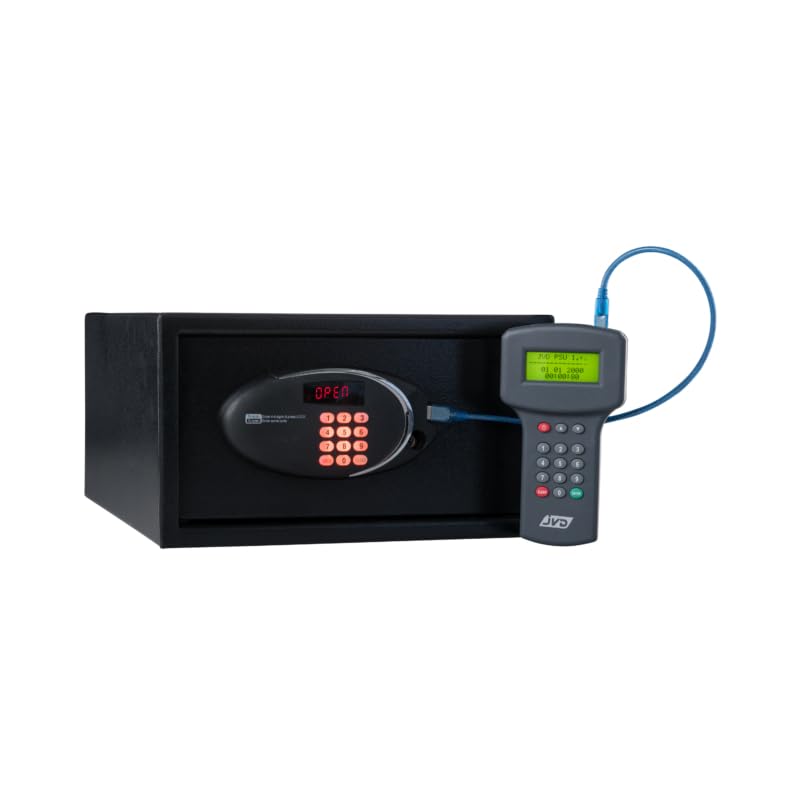
Image: JVD Trustee Plus Safe with an external audit device connected to its data port. This device is used to download the safe's access log.
- Connect the TN40 keylock device to the data port on the safe's keypad panel.
- Follow the instructions provided with the TN40 keylock device to download and view the audit records.
- The audit trail will typically show the date, time, and method of each safe opening (e.g., user code, override key).
Maintenance
1. Battery Replacement
When the low-battery indicator illuminates or the keypad becomes unresponsive, it is time to replace the batteries.
- Open the safe using your code or the override key.
- Locate the battery compartment on the inside of the door.
- Remove the old AA batteries and dispose of them responsibly.
- Insert new, high-quality AA alkaline batteries, observing correct polarity.
- Close the battery compartment cover.
- Test the safe operation with the new batteries.
2. Cleaning
To maintain the appearance and functionality of your safe:
- Wipe the exterior with a soft, damp cloth.
- Avoid using abrasive cleaners or solvents, as these can damage the finish or electronic components.
- Ensure the keypad and display remain clean and free of debris.
Troubleshooting
| Problem | Possible Cause | Solution |
|---|---|---|
| Safe does not open with code. | Incorrect code entered. Batteries are low or dead. | Re-enter the code carefully. Replace batteries. Use the override key if necessary. |
| Keypad is unresponsive. | Batteries are completely dead. Keypad malfunction. | Use the override key to open the safe and replace batteries. Contact JVD support if the issue persists after battery replacement. |
| Safe beeps continuously. | Low battery warning. Door not closed properly. | Replace batteries. Ensure the door is fully closed and the handle is turned to the locked position. |
| Cannot set a new code. | Reset button not pressed correctly. Code entered is too short/long or invalid. | Ensure the reset button is pressed until the display indicates "PROGRAM" or "SET". Enter a 3-8 digit code. |
Specifications
| Brand | JVD |
| Model Number | AHJVD-FTS PLUS 205-SLPT-BK-TN37 |
| Product Dimensions | 50D x 43.5W x 20.5H Centimeters |
| Lock Type | Electronic Combination Lock |
| Capacity | 15 litres |
| Material | Alloy Steel |
| Mounting Type | Floor Mount |
| Item Weight | 5 Kilograms |
| Country of Origin | France |
Warranty and Support
For warranty information and customer support, please refer to the documentation provided with your purchase or visit the official JVD website. Keep your purchase receipt as proof of purchase for any warranty claims.
If you encounter any issues not covered in this manual, please contact JVD customer service for assistance.