
1. Introduction
Thank you for choosing the MZYMI I18PRO Bone Conduction Headphones. These open-ear headphones utilize advanced bone conduction technology to deliver audio through your cheekbones, allowing you to remain aware of your surroundings while enjoying your music. Designed for comfort and durability, they are ideal for various activities including running, cycling, and workouts.
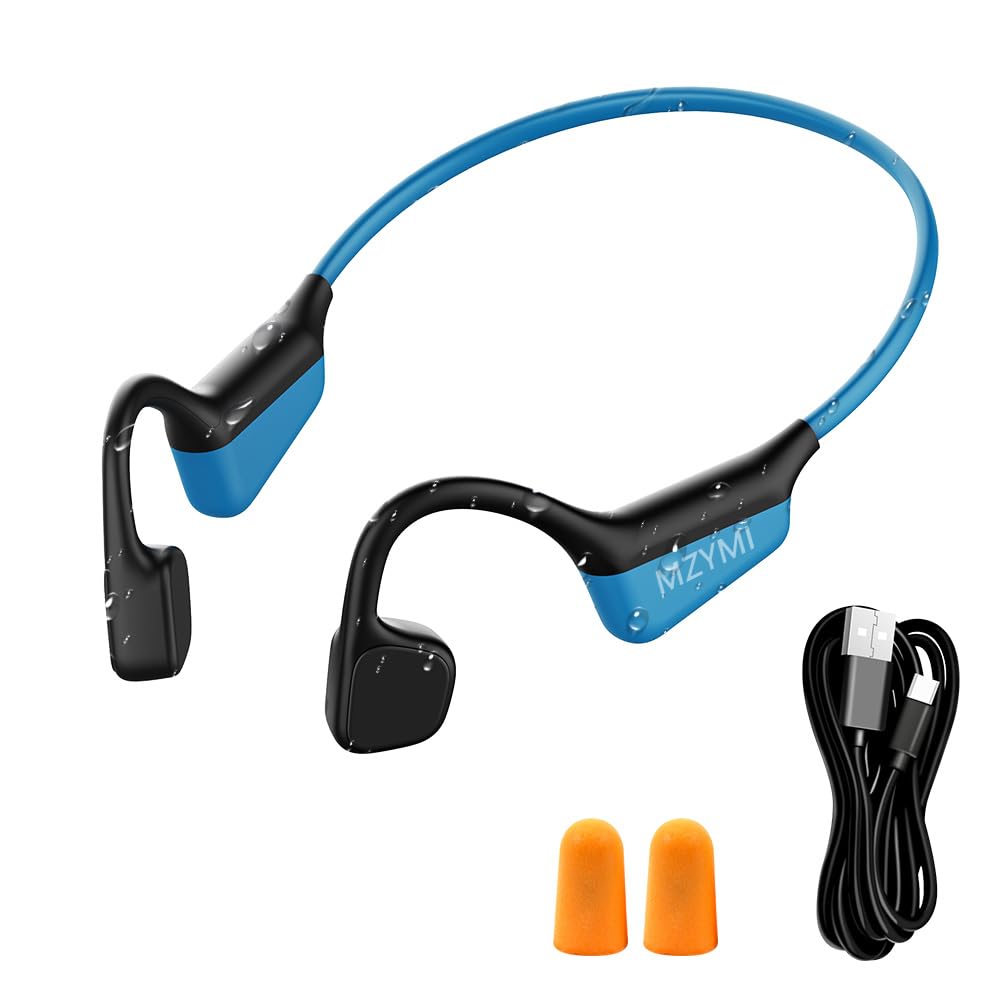
Figure 1: MZYMI I18PRO Bone Conduction Headphones.
2. Package Contents
Ensure all items are present in your package:
- MZYMI I18PRO Bone Conduction Headphones
- USB Type-C Charging Cable
- Pair of Earplugs
- Storage Bag
- English User Manual

Figure 2: Included accessories with the MZYMI I18PRO headphones.
3. Product Features
- Bone Conduction Technology: 15.2mm speaker driver units deliver audio through your cheekbones, allowing for situational awareness. Reduced sound leakage by up to 50%.
- Bluetooth 5.4: Ensures improved range, efficient power consumption, seamless pairing, reduced latency, and a stable connection.
- Extended Playtime: Up to 15 hours of powerful 3D audio on a single charge. Supports safe and stable Type-C fast charging.
- Open-Ear Comfort: Lightweight design (28g) for extended wear, suitable for various sports activities.
- IPX6 Waterproof Design: Resistant to sweat and water splashes, ideal for workouts and outdoor sports. Note: Not suitable for swimming.
- Multipoint Connections: Connect to two Bluetooth devices simultaneously, allowing effortless switching between devices.

Figure 3: Headphones designed for safety and stability during activities.

Figure 4: IPX6 waterproof rating for active use.

Figure 5: Supports multipoint connections for seamless device switching.
4. Getting Started
4.1 Charging the Headphones
Before first use, fully charge your headphones. The charging port is a Type-C port located on the control module.
- Connect the provided USB Type-C cable to the charging port on the headphones.
- Connect the other end of the cable to a USB power source (e.g., computer, wall adapter).
- The LED indicator will show charging status (typically red for charging, blue/green for fully charged).
- Charging time is approximately 2.5 hours.
4.2 Powering On/Off
- Power On: In the shutdown state, press and hold the '+' button for 5 seconds. The red and green lights will flash alternately, then the green light will stay on for 1 second, indicating power on.
- Power Off: In the power-on state, press and hold the '+' button for 5 seconds. The red light will be on for 1 second, and then both the red and green lights will go out, indicating power off.
4.3 Bluetooth Pairing
After powering on, the headphones will automatically enter Bluetooth pairing mode (red and green lights flashing alternately).
- Ensure the headphones are powered off.
- Press and hold the '+' button for 5 seconds until the red and green lights flash alternately. This indicates pairing mode.
- On your device (smartphone, tablet, etc.), enable Bluetooth.
- Search for available devices and select "I18PRO" from the list.
- Once connected, the LED indicator will typically show a solid blue light or stop flashing.
4.4 Wearing the Headphones
Place the headphones with the ear hooks resting comfortably over your ears and the bone conduction transducers positioned on your cheekbones, just in front of your ears. The flexible band should rest behind your head.

Figure 6: Proper wearing of the open-ear headphones for comfort and secure fit.
5. Operation
The headphones feature intuitive button controls for various functions:

Figure 7: Control layout of the MZYMI I18PRO headphones.
- Power On/Off: Press and hold the '+' button for 5 seconds.
- Play/Pause Music: Short press the '+' button.
- Volume Up: Short press the '+' button.
- Volume Down: Short press the '-' button.
- Next Track: Triple click the '+' button.
- Previous Track: Triple click the '-' button.
- Answer/End Call: Short press the '+' button during an incoming call or active call.
- Reject Call: Double click the '+' button during an incoming call.
6. Care and Maintenance
- Cleaning: Wipe the headphones with a soft, damp cloth. Do not use harsh chemicals or abrasive materials.
- Storage: Store the headphones in the provided storage bag when not in use to protect them from dust and damage.
- Water Resistance: The IPX6 rating means the headphones are resistant to strong jets of water. Avoid submerging them in water or using them for swimming. Ensure the charging port cover is securely closed before exposure to moisture.
- Temperature: Avoid exposing the headphones to extreme temperatures (hot or cold) as this can shorten battery life and affect performance.
7. Troubleshooting
- No Power: Ensure the headphones are fully charged.
- Cannot Pair: Make sure Bluetooth is enabled on your device and the headphones are in pairing mode. Try restarting both devices.
- No Sound: Check the volume levels on both the headphones and your connected device. Ensure the headphones are properly connected via Bluetooth.
- Poor Sound Quality: Ensure there are no obstructions between the headphones and your device. Move closer to your device to improve connection stability.
8. Specifications
| Feature | Specification |
|---|---|
| Model Name | I18PRO |
| Bluetooth Version | 5.4 |
| Connectivity Technology | Wireless |
| Ear Placement | Open Ear |
| Battery Life | 15 Hours |
| Charging Time | 2.5 Hours |
| Water Resistance Level | IPX6 Waterproof |
| Item Weight | 130 Grams (4.6 ounces) |
| Bluetooth Range | 15 Meters |
| Frequency Response | 20 Hz |
| Sensitivity | 90 dB |
| Material | Plastic, Silicone |
9. Warranty and Support
MZYMI products are designed for reliability and performance. For warranty information or technical support, please refer to the contact details provided with your purchase or visit the official MZYMI website. Keep your proof of purchase for warranty claims.