
VEVSHAO A22
VEVSHAO A22 FHD 1080P Projector User Manual
Model: A22
1. Introduction
Thank you for purchasing the VEVSHAO A22 FHD 1080P Projector. This manual provides essential information for setting up, operating, and maintaining your projector. Please read it thoroughly before use to ensure optimal performance and safety.
The VEVSHAO A22 projector features a fully sealed and dust-proof optical engine, true 1920x1080P FHD resolution with 4K support, 1000 ANSI lumens high brightness, dual 10W built-in speakers, and intelligent automation features like auto-focus, screen alignment, and obstacle avoidance.
2. Safety Information
- Electrical Safety: Always use the provided power adapter. Do not expose the projector to rain or moisture. Disconnect power during lightning storms or when unused for long periods.
- Ventilation: Ensure adequate ventilation around the projector. Do not block ventilation openings. Overheating can cause malfunction.
- Handling: Avoid direct eye exposure to the projector lens when the lamp is on. Do not place the projector on unstable surfaces.
- Cleaning: Use a soft, dry cloth for cleaning. Do not use liquid or aerosol cleaners.
- Repair: Do not attempt to repair the projector yourself. Refer all servicing to qualified personnel.
3. Package Contents
Please check that all items are present:
- VEVSHAO A22 FHD 1080P Projector
- Remote Control
- Power Cable
- HDMI Cable
- User Manual
4. Product Overview
Familiarize yourself with the projector's components and ports.

Figure 4.1: Front view of the VEVSHAO A22 projector. The central lens is flanked by speaker grilles, designed for crystal clear visuals.
The projector features various input ports for connectivity, including HDMI, USB, and built-in WiFi for smart functions.
5. Setup
5.1 Placement
Place the projector on a stable, flat surface. Ensure there is enough distance from the screen to achieve your desired image size. The projector should be positioned to allow for proper ventilation.
5.2 Power Connection
- Connect the power cable to the projector's power input.
- Plug the other end of the power cable into a power outlet.
- Press the power button on the projector or remote control to turn it on.
5.3 Intelligent Screen Adaptation
The VEVSHAO A22 projector is equipped with intelligent screen adaptation technology for a hassle-free setup.

Figure 5.1: The projector automatically adjusts focus, corrects keystone distortion, avoids obstacles, and aligns the screen for an optimal viewing experience.
- Auto Focus: The projector will automatically adjust the image clarity.
- Auto Keystone Correction: The image will be automatically squared, even if the projector is placed at an angle.
- Intelligent Obstacle Avoidance: The projector can detect and adjust the projection area to avoid objects on the wall.
- Intelligent Screen Alignment: The projector can automatically detect the screen edges and fit the image perfectly.
6. Operating Instructions
6.1 Connecting Devices
The projector supports various input sources:
- HDMI: Connect your laptop, gaming console, or streaming device using an HDMI cable. Select the HDMI input source from the projector's menu.
- USB: Insert a USB drive to play media files directly. Select the USB input source.
- WiFi: Connect the projector to your home WiFi network to access smart features and screen mirroring options.
6.2 Image Quality
The VEVSHAO A22 delivers true FHD 1080P resolution, supporting up to 4K input for stunning clarity.
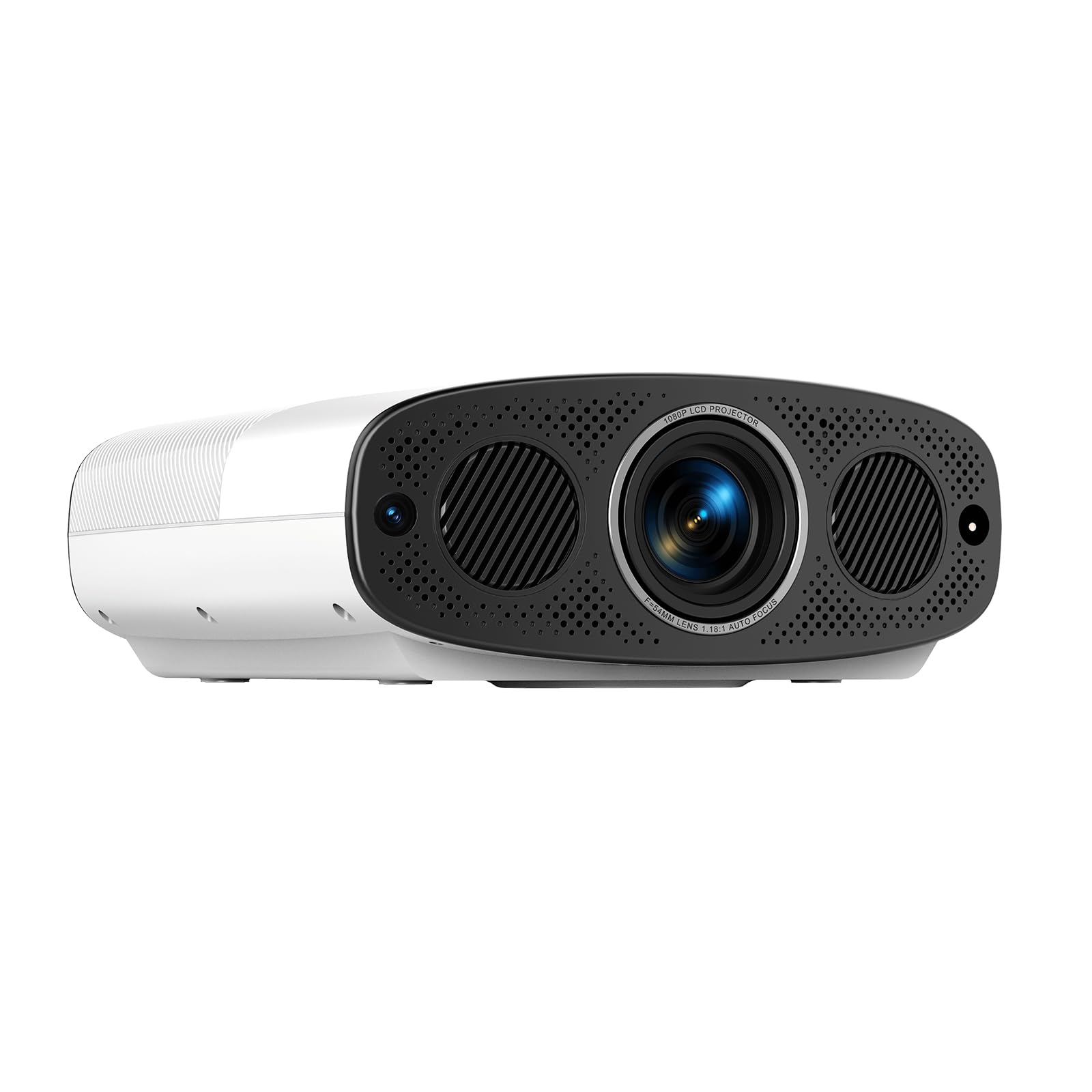
Figure 6.1: Visual comparison demonstrating the superior clarity of 1080P (with 4K support) over 720P resolution.
With 1000 ANSI lumens brightness, the projector produces vivid and clear images even in well-lit environments, making it suitable for both home and office use.
6.3 Audio Output
The projector includes dual 10W built-in speakers for a rich and powerful sound experience.

Figure 6.2: The VEVSHAO A22 features powerful dual 10W speakers for exceptional sound quality.
You can also connect external audio systems via the available audio output port (if present, refer to product specifications for details).
7. Maintenance
7.1 Cleaning the Lens
Use a soft, lint-free cloth specifically designed for optical lenses to gently wipe the projector lens. Avoid using abrasive materials or harsh chemicals.
7.2 Dust-Proof Engine
The VEVSHAO A22 features a fully sealed and dust-proof optical engine, which significantly reduces dust accumulation and maintains consistent image quality over time. Regular external cleaning of the projector casing is sufficient.
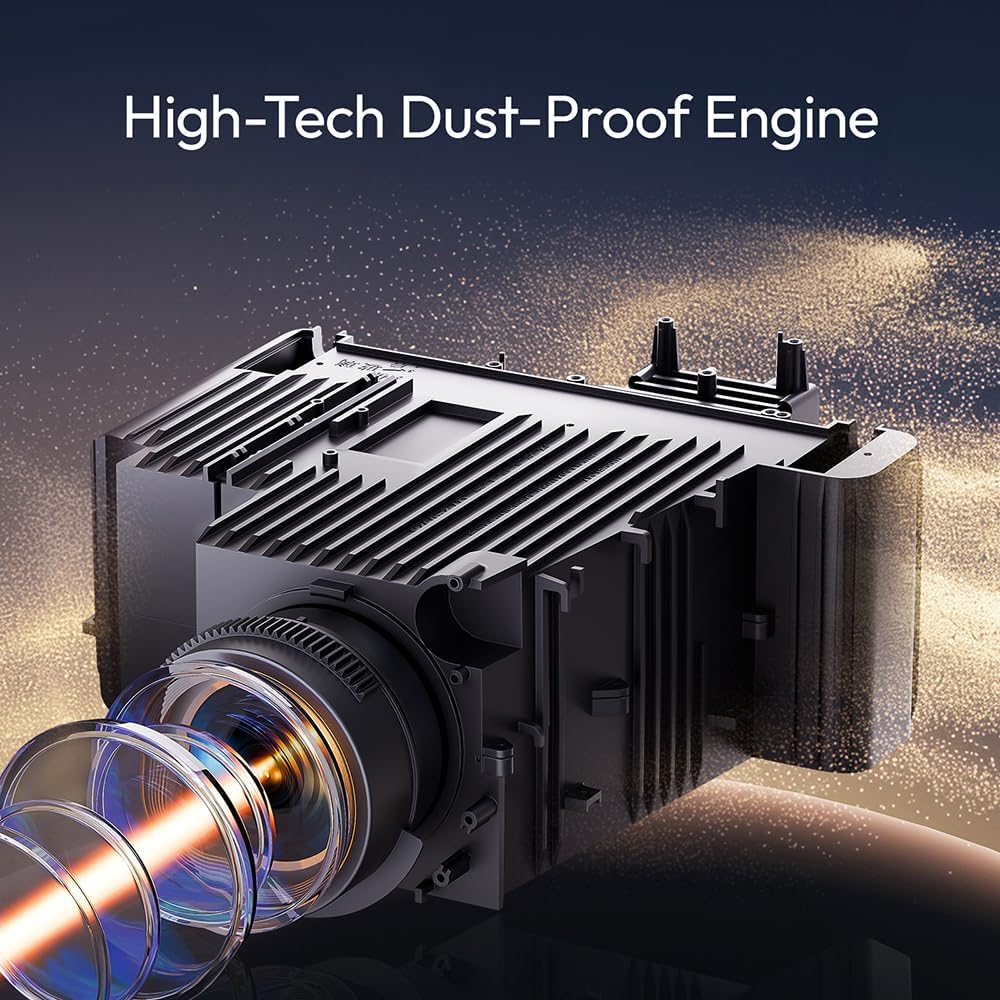
Figure 7.1: The advanced dust-proof engine design prevents dust from entering, ensuring stable image quality.
7.3 Storage
When not in use, store the projector in a cool, dry place away from direct sunlight and extreme temperatures. Use a protective cover to prevent dust buildup.
8. Troubleshooting
| Problem | Possible Cause | Solution |
|---|---|---|
| No Power | Power cable disconnected; Power outlet faulty | Check power cable connection; Try a different outlet |
| No Image | Incorrect input source; Input device not connected | Select correct input source; Ensure device is connected and powered on |
| Blurry Image | Out of focus; Projector too close/far | Allow auto-focus to adjust; Adjust projector distance |
| No Sound | Volume too low; Muted; External audio issue | Increase volume; Unmute; Check external audio connections |
| WiFi Connectivity Issues | Incorrect password; Router too far; Network interference | Verify WiFi password; Move projector closer to router; Reduce interference |
9. Specifications
| Feature | Detail |
|---|---|
| Brand | VEVSHAO |
| Recommended Use | Home Theater |
| Special Features | Automatic Obstacle Avoidance, Auto Focus, Automatic Screen Alignment, Dust-proof, Built-in Speaker |
| Connectivity Technology | HDMI, USB, WiFi |
| Display Resolution | 1920 x 1080 (FHD) |
| Maximum Display Resolution | 1920 x 1080 Pixels (Supports 4K input) |
| Display Type | LCD |
| Product Dimensions | 28.5 cm (Length) x 29.6 cm (Width) x 11.8 cm (Height) |
| Form Factor | Portable |
| Mounting Type | Tabletop Mount |
10. Warranty and Support
Your VEVSHAO A22 Projector comes with a standard manufacturer's warranty. Please refer to the warranty card included in your package for specific terms and conditions, including the warranty period and coverage details.
For technical support, troubleshooting assistance, or warranty claims, please contact VEVSHAO customer service through the retailer where you purchased the product or visit the official VEVSHAO website for contact information.
Related documentsA22

Ask a question about this manual
Ask about setup, troubleshooting, compatibility, parts, safety, or missing instructions. Manuals+ will review the question and use this page’s manual context to help answer it.