
Introduction
Thank you for choosing the CPTEA X3 Bone Conduction Headphones. These open-ear headphones are designed to provide a comfortable listening experience while allowing you to remain aware of your surroundings. This manual provides detailed instructions for setup, operation, maintenance, and troubleshooting to ensure optimal performance and longevity of your device.
Package Contents
- CPTEA X3 Bone Conduction Headphones
- USB-C Charging Cable
- User Manual
Product Overview
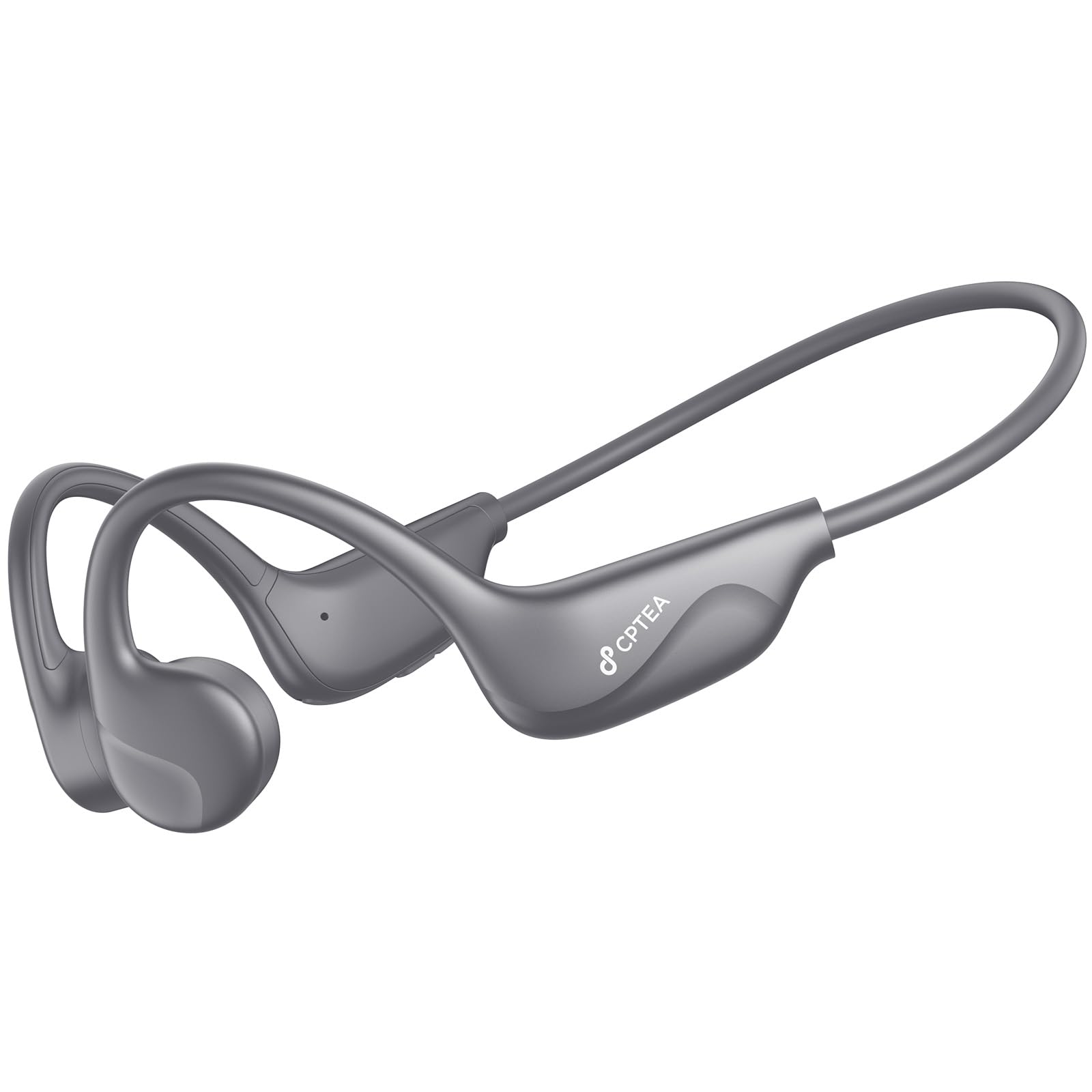
Image: CPTEA X3 Bone Conduction Headphones, showcasing the lightweight, open-ear design with a flexible band and transducers resting near the ears.
The CPTEA X3 headphones utilize bone conduction technology to deliver audio through your cheekbones, leaving your ears open to ambient sounds. This design is ideal for activities where situational awareness is crucial, such as cycling, running, or working in an office environment. The headphones feature a lightweight and comfortable over-ear form factor, ensuring a secure fit during various activities.
Setup
1. Charging the Headphones
- Locate the USB-C charging port on your headphones.
- Connect the provided USB-C charging cable to the headphones and the other end to a compatible USB power source (e.g., computer USB port, wall adapter).
- The LED indicator will show the charging status. A full charge typically takes approximately 1.5-2 hours.
- Once fully charged, the LED indicator will change, and the headphones are ready for use.
The headphones are equipped with a Lithium Polymer battery, providing approximately 10 hours of continuous playback on a single charge.
2. Pairing with a Bluetooth Device
- Ensure the headphones are turned off.
- Press and hold the Power/Multi-function button for approximately 5-7 seconds until the LED indicator flashes red and blue alternately, indicating pairing mode.
- On your device (smartphone, tablet, computer), enable Bluetooth and search for available devices.
- Select "CPTEA X3" from the list of found devices.
- Once connected, the LED indicator will turn solid blue, and you will hear a voice prompt "Connected".
- The headphones will automatically attempt to reconnect to the last paired device when powered on.
Operating Instructions
Power On/Off
- Power On: Press and hold the Power/Multi-function button for 3 seconds. You will hear a power-on prompt.
- Power Off: Press and hold the Power/Multi-function button for 5 seconds. You will hear a power-off prompt.
Music Playback
- Play/Pause: Press the Power/Multi-function button once.
- Next Track: Double-press the Power/Multi-function button.
- Previous Track: Triple-press the Power/Multi-function button.
Call Management
- Answer/End Call: Press the Power/Multi-function button once during an incoming call or active call.
- Reject Call: Press and hold the Power/Multi-function button for 2 seconds during an incoming call.
- Voice Assistant: Press and hold the Power/Multi-function button for 2 seconds when not on a call to activate your device's voice assistant.
Volume Control
- Volume Up: Press the Volume + button.
- Volume Down: Press the Volume - button.
Maintenance
- Cleaning: Wipe the headphones with a soft, dry cloth. Do not use harsh chemicals or abrasive materials.
- Storage: Store the headphones in a cool, dry place away from direct sunlight and extreme temperatures.
- Charging: Charge the headphones regularly, even if not in use, to maintain battery health. Avoid fully depleting the battery for extended periods.
- Water Exposure: While designed for active use, avoid submerging the headphones in water. Wipe off sweat or moisture promptly.
Troubleshooting
| Problem | Possible Cause | Solution |
|---|---|---|
| Headphones do not power on | Low battery | Charge the headphones fully. |
| Cannot pair with device | Headphones not in pairing mode; Bluetooth off on device; device too far | Ensure headphones are in pairing mode (flashing red/blue). Turn on Bluetooth on your device. Move device closer to headphones. |
| No sound | Volume too low; not connected; incorrect audio output selected | Increase headphone and device volume. Verify successful Bluetooth connection. Check device's audio output settings. |
| Poor sound quality | Weak Bluetooth signal; interference | Move closer to your device. Avoid strong electromagnetic interference. |
| Charging issue | Faulty cable or power source | Try a different USB-C cable and a different power adapter/USB port. |
Specifications
| Feature | Detail |
|---|---|
| Model Name | X3 |
| Brand | CPTEA |
| Connectivity Technology | Wireless (Bluetooth) |
| Ear Placement | Open Ear |
| Form Factor | Over Ear |
| Item Weight | 27 Grams |
| Battery Type | Lithium Polymer (Rechargeable) |
| Battery Life | Up to 10 hours (approximate) |
| Included Components | Headphones, USB-C Cable, User Manual |
| Package Dimensions | 14.2 x 11.4 x 5.69 cm |
| Noise Control | None |
Safety Information
- Do not use the headphones at excessively high volumes for prolonged periods to prevent hearing damage.
- Maintain awareness of your surroundings when using headphones, especially in traffic or hazardous environments.
- Keep the headphones away from extreme temperatures, moisture, and corrosive substances.
- Do not attempt to disassemble or modify the headphones. This may void the warranty and cause damage.
- Dispose of the battery and electronic components responsibly according to local regulations.
Warranty and Support
CPTEA products are designed for reliability and performance. For warranty information, technical support, or customer service inquiries, please refer to the contact information provided on the product packaging or the official CPTEA website. Please retain your proof of purchase for warranty claims.