
1. Safety Information
Important: Children should always operate this ride-on vehicle under direct adult supervision. Read and understand all instructions before assembly and use.
- Age Range: Suitable for children aged 3 to 8 years.
- Maximum Weight Capacity: 264 lbs (total weight for all four occupants).
- Seatbelts: Ensure all four seatbelts are securely fastened before operation.
- Terrain: Operate on flat, dry surfaces. Avoid steep inclines, uneven terrain, or public roads.
- Remote Control: Parents can use the remote control for added safety and to override child operation.
2. What's in the Box
Carefully unpack all components and ensure all items are present:
- LIGIANT R9 4-Seater Golf Cart (main body)
- Roof
- Installation Manual
- Remote Control
- Kids Car (referring to the main vehicle)
3. Setup and Assembly
Follow these general steps for assembly. Refer to the included Installation Manual for detailed, step-by-step instructions and diagrams.
- Unpack Components: Remove all parts from the packaging and lay them out.
- Attach Wheels: Securely attach all four wheels according to the manual's instructions.
- Connect Battery: Locate the battery compartment and connect the battery terminals. Ensure a secure connection.
- Install Steering Wheel: Attach the steering wheel to the steering column.
- Assemble and Install Roof: Assemble the roof frame and attach the detachable awning. Secure the roof to the vehicle's support pillars.
- Initial Charge: Fully charge the vehicle's battery before first use.
4. Product Features
The LIGIANT R9 Golf Cart is equipped with several features designed for an engaging and safe experience:
- Spacious 4-Seat Design: This vehicle features a generous 4-seat layout, making it suitable for multiple children. All seats are equipped with safety belts, and the two rear seats include footrests for enhanced comfort. The overall dimensions are 51.4 x 28.3 x 45.1 inches.
- Enhanced Safety Features: Equipped with a parental remote control for supervision, four seatbelts for all passengers, two rear anti-roll wheels for stability, and a spring suspension system to ensure a smooth and safe ride across various terrains.
- High Performance: Powered by a robust 24V 7AH battery and featuring 4-wheel drive (4WD), the golf cart offers two speed options, ranging from 1.86 to 4.35 mph. This performance is ideal for children aged 3-8.
- Integrated Multimedia System: Enjoy built-in music, stories, and radio functions. Connectivity options include Bluetooth and USB, with integrated speakers and a volume control knob for an interactive experience. A battery display screen keeps track of power levels.
- Realistic Golf Cart Replica: Designed as a 1:1 replica of a real golf cart, complete with a detachable awning for sun and rain protection.

Figure 4.1: High Performance Features
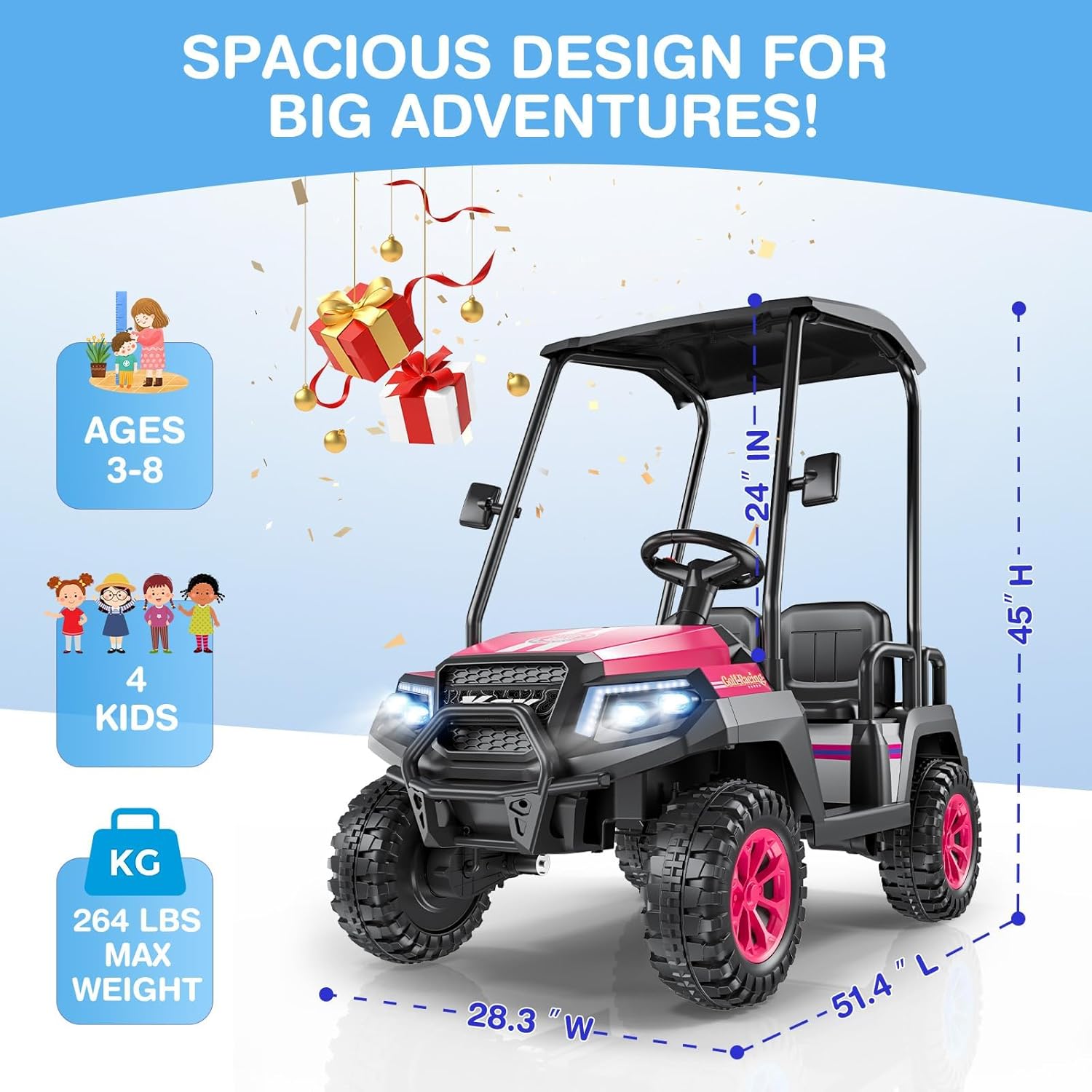
Figure 4.2: Spacious Design and Dimensions

Figure 4.3: Multimedia Features

Figure 4.4: Extendable Footrest

Figure 4.5: Anti-tilt Support Bar

Figure 4.6: Headlights and Taillights
5. Operating Instructions
5.1 Starting the Vehicle
- Ensure the battery is fully charged.
- Press the red power button on the dashboard to turn on the vehicle.
5.2 Driving
- Foot Pedal: Press the foot pedal to accelerate. Release to brake.
- Steering Wheel: Turn the steering wheel to control direction.
- Speed Selection: Use the 'High Speed' or 'Low Speed' buttons on the dashboard to select the desired driving speed.
- Direction Switch: Use the 'Forward/Stop/Back' switch to select driving direction.
5.3 Remote Control Operation
The parental remote control allows adults to safely guide the vehicle, especially for younger children.
- Pairing: Follow the instructions in the Installation Manual to pair the remote control with the vehicle.
- Controls: The remote typically includes buttons for Forward, Back, Left, Right, Speed selection, and an Emergency Stop (P) button.
- Emergency Stop: Pressing the 'P' button on the remote will immediately stop the vehicle.

Figure 5.1: Remote Control for Safety and Fun
5.4 Multimedia System
The integrated multimedia system provides entertainment during rides.
- Power On: The multimedia system activates when the vehicle is powered on.
- Modes: Cycle through modes (Music, Stories, Radio, Bluetooth) using the 'MODE' button.
- Volume: Adjust the volume using the dedicated knob.
- Connectivity: Connect a device via Bluetooth or insert a USB drive for custom audio playback.
- Battery Display: Monitor the battery level on the display screen to ensure timely charging.
5.5 Lights
Turn on the headlights and taillights using the light switch on the dashboard for visibility.
Video 5.1: LIGIANT R9 4-Seater Kids Golf Cart in action, demonstrating various features and children enjoying the ride.
Video 5.2: Children having fun with the LIGIANT R9 Golf Cart, showcasing its usability and entertainment aspects.
Video 5.3: Demonstrating how to play with the R9 Golf Cart, including driving and feature usage.
Video 5.4: Kids playing with the LIGIANT R9 Golf Cart, highlighting its fun and interactive design.
Video 5.5: More footage of children enjoying the LIGIANT R9 Golf Cart, showcasing its appeal.
Video 5.6: Children playing with the LIGIANT Golf Cart, demonstrating its ease of use and enjoyment.
6. Charging and Battery Care
Proper battery care ensures longevity and optimal performance.
- Charging Port: Locate the charging port on the vehicle.
- Charging Time: Refer to the Installation Manual for specific charging times. Typically, a full charge takes 8-12 hours.
- Avoid Overcharging: Do not charge the battery for more than 24 hours.
- Storage: If storing the vehicle for an extended period, charge the battery fully every 30 days to maintain its health.
7. Maintenance
Regular maintenance helps keep your LIGIANT R9 in good condition.
- Cleaning: Wipe the vehicle with a damp cloth. Avoid using harsh chemicals or abrasive cleaners.
- Inspections: Periodically check all screws, nuts, and bolts to ensure they are tight. Inspect wheels and tires for wear.
- Electrical Components: Keep all electrical components dry.
- Storage: Store the vehicle in a dry, covered area away from direct sunlight and moisture.
8. Troubleshooting
If you encounter issues, refer to this section before contacting support.
- Problem: Vehicle does not start.
- Solution: Check battery connections. Ensure the battery is fully charged. Verify the power button is pressed. Check the fuse if applicable (refer to manual).
- Problem: Vehicle moves slowly.
- Solution: Ensure the 'High Speed' mode is selected. Check battery charge level. Reduce load if exceeding maximum weight capacity.
- Problem: Remote control not working.
- Solution: Ensure the remote control batteries are fresh. Re-pair the remote control with the vehicle (refer to manual). Ensure no obstructions between remote and vehicle.
9. Specifications
| Feature | Detail |
|---|---|
| Product Dimensions | 51.4 x 28.3 x 45 inches |
| Item Weight | 73 pounds |
| Item Model Number | R9 |
| Manufacturer Recommended Age | 3 years and up |
| Battery | 24V 7AH |
| Speed Options | 1.86 to 4.35 mph |
| Max. Capacity | 264 Lbs |
10. Warranty and Support
For warranty information, specific product support, or to order replacement parts, please refer to the contact details provided in your original purchase documentation or visit the official LIGIANT website. Keep your proof of purchase for warranty claims.
