
1. Introduction
Thank you for choosing the NOVSIGHT X Series LED Fog Light. This manual provides essential information for the safe and effective installation, operation, and maintenance of your new LED fog lights. Please read this manual thoroughly before use and retain it for future reference.
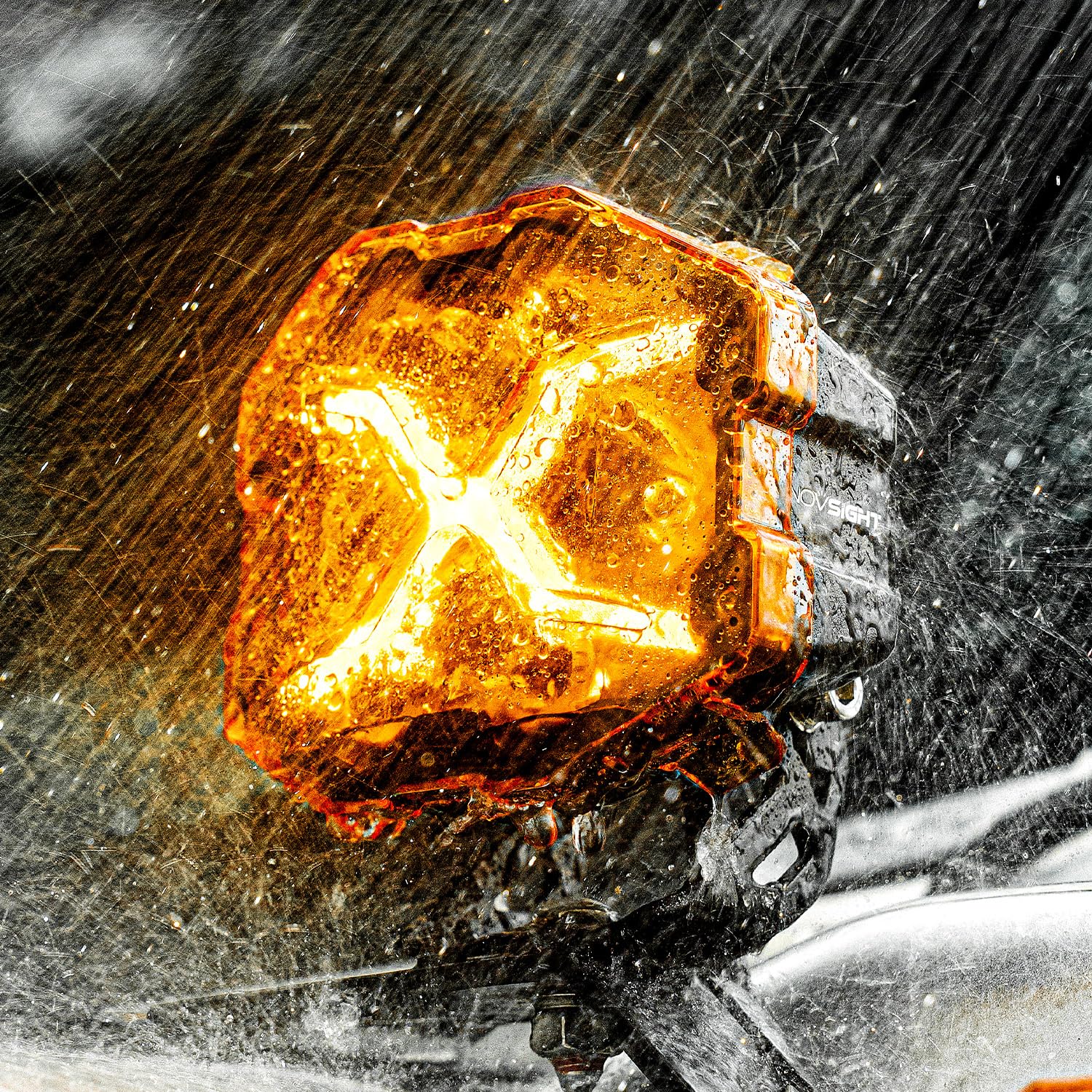
Image: NOVSIGHT X Series LED Fog Light with Amber Cover.
2. Product Features
- Enhanced Vehicle Appearance: The unique X-line design not only improves vehicle aesthetics but also provides clear road illumination.
- Exceptional Lighting Performance: Delivers powerful brightness for clear visibility in challenging conditions such as night, rain, or fog. Illuminates dark off-road trails, enhancing night driving safety.
- Wide-Angle Off-Road Illumination: Designed for broad coverage, providing extensive illumination and comprehensive visibility for safe and exhilarating off-road adventures.
- Waterproof and Durable Construction: Features an IP68 waterproof rating, ensuring reliable performance in harsh environments and all off-road challenges.
- Easy Installation: Includes a removable amber cover for enhanced safety in adverse weather and a plug-and-play wiring harness for straightforward setup and immediate use.
3. Package Contents
Please verify that all items listed below are included in your package:
- Pod Light x 2
- Wiring Harness x 1 set
- Screwdriver x 1
- Standing Bracket x 2
- Big Screw x 2
- Big Spacer x 2
- Cover (Amber) x 2
- Screw x 4
- Spacer x 4
- Nut x 2
- Big Screw Washer x 2
- Screw Washer x 4

Image: All components included in the NOVSIGHT X Series LED Fog Light package.
4. Specifications
| Attribute | Value |
|---|---|
| Brand | NOVSIGHT |
| Model | X |
| Color | White/Yellow |
| Product Use | Exterior |
| Light Source Type | LED |
| Compatible Vehicle Types | Off-road vehicles, Trucks, Jeeps, Passenger cars, 4WD, SUV, UTV, ATV |
| Model Year | 2025 |
| Assembly Required | Yes |
| Vehicle Mounting Type | Universal Fit |
| Manufacturer | NOVSIGHT |
| Included Components | LED light unit, Amber cover, Bracket, Mounting hardware |
| Country of Origin | China |
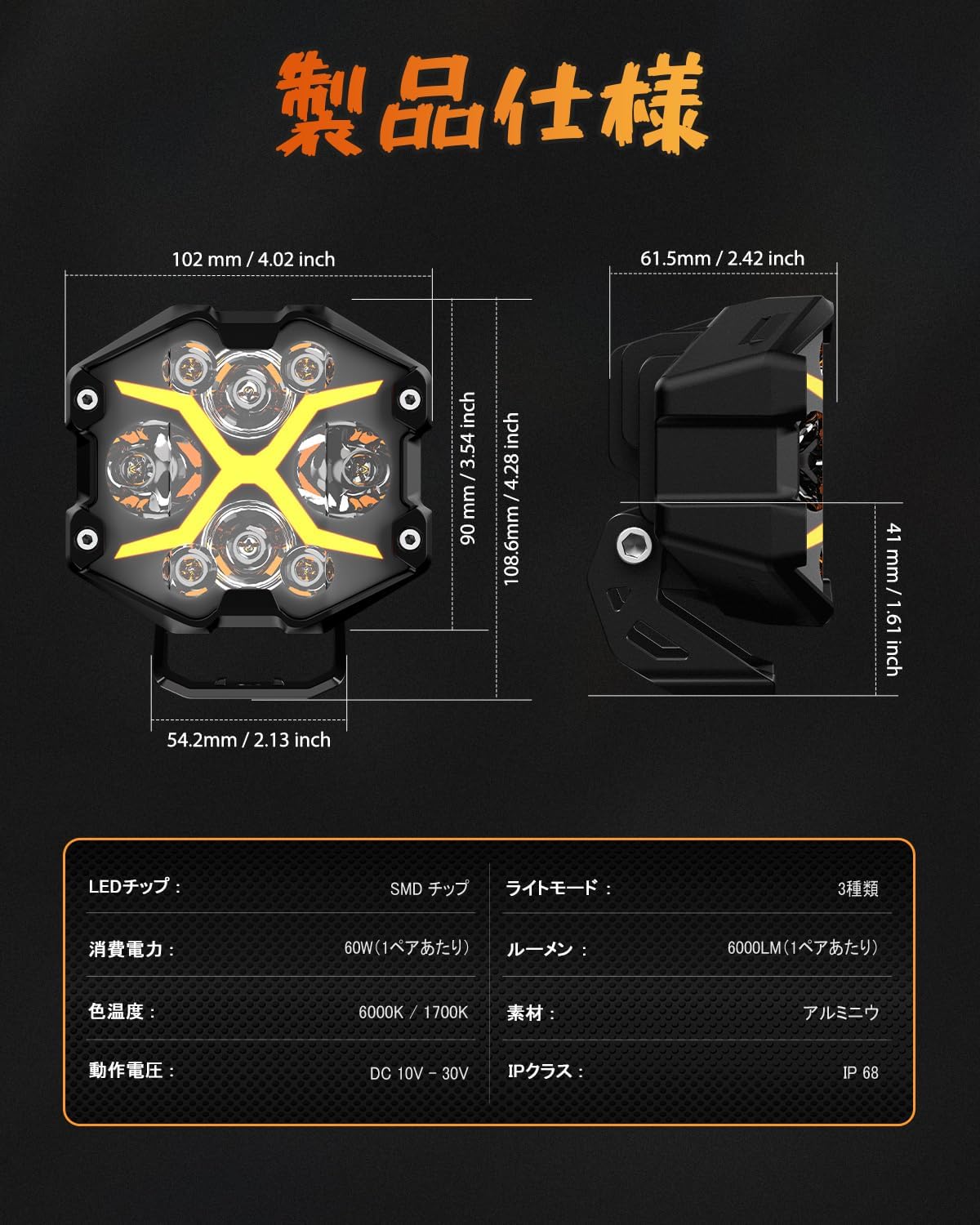
Image: Detailed product dimensions and specifications for the NOVSIGHT X Series LED Fog Light.
5. Setup and Installation
Follow these steps to install your NOVSIGHT X Series LED Fog Lights:
- Step 1: Prepare and Mount the Lights
Ensure all accessories are present. Install the pod light at your desired location on the vehicle using the provided brackets and hardware. Securely fasten all screws and nuts. - Step 2: Identify Wiring Harness Connections
Locate the four different color link wires at the end of the wiring harness. Confirm that the harness insulation is intact and ready for connection. - Step 3: Connect Link Wires
Connect and match the four color link wires. Each color corresponds to a different light type (e.g., amber, white DRL, main light). Ensure proper connections for correct functionality. - Step 4: Connect to Power Supply
Install the link wires to the positive (+) and negative (-) terminals of your vehicle's power supply (battery). Pay close attention to the color coding and polarity of the wires to prevent damage. - Step 5: Test Functionality
After installation, check if the light turns on normally. Verify that the light type control button functions correctly and switches between the different light modes as expected.
Video: This video demonstrates the unboxing, installation, and operation of the NOVSIGHT X Series LED Fog Light, including mounting, wiring connections, and testing light modes.
6. Operating Instructions
Your NOVSIGHT X Series LED Fog Lights are designed for ease of use. Once installed, operate them as follows:
- Power On/Off: Use the designated control button on the wiring harness to turn the lights on or off.
- Switching Light Modes: Press the mode selection button to cycle through the available light types: Amber DRL, Main Light (White), and White DRL. The lights will change accordingly.

Image: Comparison of amber (1700K) and white (6000K) light modes.

Image: Control button for switching between amber, main, and white DRL modes.
7. Maintenance
To ensure the longevity and optimal performance of your NOVSIGHT X Series LED Fog Lights, follow these maintenance guidelines:
- Regular Cleaning: Clean the light lenses and housing periodically with a soft cloth and mild soap solution. Avoid abrasive cleaners that could scratch the lens.
- Inspect Wiring: Regularly check the wiring harness for any signs of wear, fraying, or damage. Ensure all connections remain secure.
- Check Mounting: Periodically inspect the mounting brackets and hardware to ensure they are tight and secure. Re-tighten if necessary.
- Avoid High-Pressure Washing: While the lights are waterproof, avoid directing high-pressure water jets directly at the light housing or wiring connections, as this could potentially compromise seals over time.
8. Troubleshooting
If you encounter issues with your NOVSIGHT X Series LED Fog Lights, refer to the following common troubleshooting steps:
- Lights Not Turning On:
Possible Cause: Loose wiring connection or no power.
Solution: Check all wiring connections, especially to the vehicle's battery. Ensure the battery has sufficient charge. Verify the fuse in the wiring harness is not blown. - Incorrect Light Mode:
Possible Cause: Incorrect wiring of the color-coded link wires.
Solution: Review Step 3 of the installation instructions and ensure the link wires are correctly matched to their corresponding light types. - Flickering Lights:
Possible Cause: Unstable power supply or loose connection.
Solution: Check battery terminals for corrosion and ensure they are tight. Inspect all wiring for secure connections and proper insulation. - Water Inside Lens:
Possible Cause: Damage to the housing or seals.
Solution: Although rated IP68, extreme conditions or physical damage can compromise seals. If water ingress occurs, contact customer support.
If these steps do not resolve the issue, please contact NOVSIGHT customer support for further assistance.
9. Warranty and Support
Your NOVSIGHT X Series LED Fog Light comes with a Two-Year Manufacturer's Warranty from the date of purchase. This warranty covers defects in materials and workmanship under normal use.
The warranty does not cover:
- Damage caused by improper installation or misuse.
- Damage caused by accidents, abuse, or neglect.
- Normal wear and tear.
- Unauthorized repairs or modifications.
For warranty claims or technical support, please contact NOVSIGHT customer service through your retailer or the official NOVSIGHT website. Please have your proof of purchase and product model information ready.