
Introduction
Thank you for choosing the GE Profile PCHK11S1WSS 1.1 Cu Ft Countertop Microwave. This appliance is designed to simplify daily life with its smart home technology and cutting-edge features. This manual provides essential information for the safe and efficient operation, maintenance, and setup of your new microwave.
Important Safety Information
Always follow basic safety precautions when using electrical appliances to reduce the risk of burns, electric shock, fire, injury to persons, or exposure to excessive microwave energy.
- Read all instructions before using the appliance.
- Do not operate the microwave if it has a damaged cord or plug, if it is not working properly, or if it has been damaged or dropped.
- Do not heat sealed containers, as they may explode.
- Do not use corrosive chemicals or vapors in this appliance.
- Close supervision is necessary when the appliance is used by or near children.
- Ensure the microwave is properly grounded.
Product Overview
The GE Profile PCHK11S1WSS microwave offers a sleek stainless steel design with advanced cooking capabilities. It features a 1.1 cubic foot capacity and 800 watts of cooking power, ensuring balanced performance for various culinary needs.
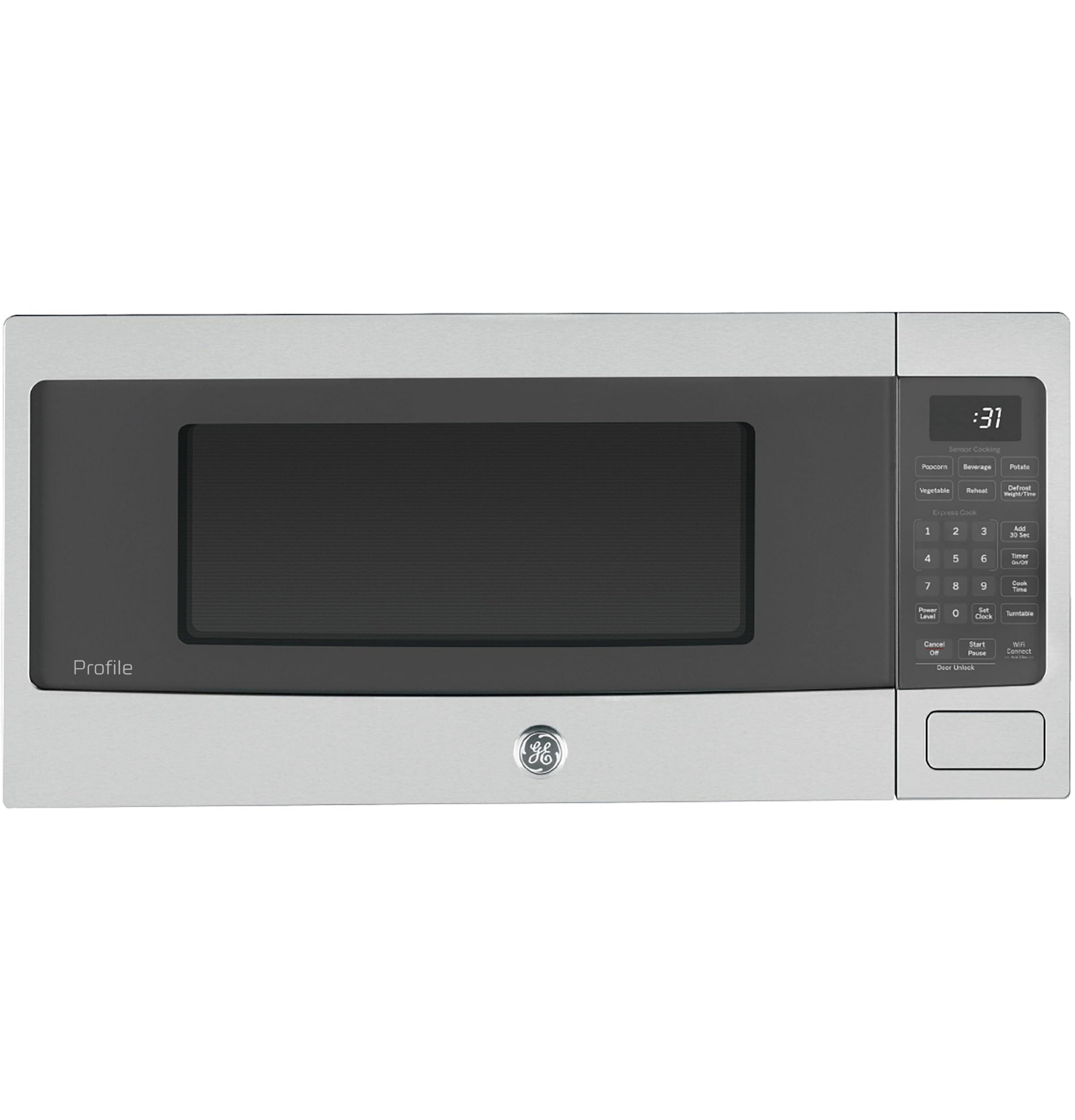
Figure 1: Front view of the GE Profile PCHK11S1WSS 1.1 Cu Ft Countertop Microwave in Stainless Steel.
Key Features
- Balanced Capacity, Precise Performance: 1.1 cu. ft. capacity and 800 Watts of cooking power for fast, even results.
- Scan to Cook Technology: Prepare frozen meals by scanning the barcode with the SmartHQ app.
- WiFi Connect: Manage power, cook time, and timers remotely via smartphone, tablet, or voice control.
- Built-in Capable: Can be integrated into cabinetry with a matching trim kit (sold separately).
- Optional Under-Cabinet Mounting Kit: Secure the microwave under a cabinet to save countertop space (kit sold separately).
Setup
Placement
This microwave is designed for countertop use. Ensure adequate ventilation around the unit. If you plan to install it as a built-in unit or under a cabinet, ensure you purchase the appropriate trim kit or mounting kit (sold separately) and follow their specific installation instructions.

Figure 2: The GE Profile PCHK11S1WSS microwave shown installed as a built-in unit, demonstrating its versatile placement options.
Turntable Installation
The microwave comes with a roller ring and a glass turntable. Place the roller ring in the center depression on the microwave floor. Then, carefully place the glass turntable on top of the roller ring, ensuring it sits securely.
Power Connection
Plug the microwave into a standard 120V, 60Hz grounded electrical outlet. Do not use an extension cord.
Operating Instructions
Control Panel Overview
The control panel features a digital display and various buttons for different cooking functions. Familiarize yourself with the layout:

Figure 3: Detailed view of the microwave's control panel, highlighting the various buttons and digital display.
- Express Cook: Buttons 1-6 for quick 1-6 minute cooking.
- Add 30 Sec: Adds 30 seconds to cooking time or starts quick cooking.
- Sensor Cooking: Dedicated buttons for Popcorn, Beverage, Potato, Vegetable, Reheat.
- Defrost: Options for Weight Defrost and Time Defrost.
- Time Cook: Manually set cooking time and power level.
- Power Level: Adjust microwave power from 1-10.
- Clock: Set the time of day.
- Kitchen Timer: Functions as a separate kitchen timer.
- Start/Pause: Starts or pauses a cooking cycle.
- Cancel/Off: Stops a cooking cycle or clears settings.
- WiFi Connect: Activates Wi-Fi pairing mode.
- Door Unlock: Releases the door latch (also functions as a child lock).
Basic Microwave Cooking
- Place food in the microwave-safe container on the turntable.
- For quick cooking, press an Express Cook button (1-6) for 1 to 6 minutes.
- To set a specific time, press Time Cook, enter the desired time using the number pad, then press Start/Pause.
- To adjust power level, press Power Level after setting time, then enter a number from 1-10 (10 being high power).
Sensor Cooking
The sensor cooking feature automatically adjusts cooking time based on the food's moisture and steam. Simply press the desired sensor cooking button (e.g., Popcorn, Beverage, Potato, Vegetable, Reheat) and the microwave will start.

Figure 4: The spacious interior of the microwave, showing a glass dish with food on the rotating turntable, ideal for even heating.
Defrosting
- Weight Defrost: Press Defrost Weight/Time, enter the food's weight, then press Start/Pause.
- Time Defrost: Press Defrost Weight/Time twice, enter the desired defrost time, then press Start/Pause.
Smart Features
This microwave is equipped with Wi-Fi Connect for enhanced functionality.
- Scan to Cook: Use the GE SmartHQ mobile app to scan barcodes on frozen food packaging. The app will send cooking instructions directly to the microwave.
- WiFi Connect: Download the SmartHQ app to your smartphone or tablet. Follow the in-app instructions to connect your microwave to your home Wi-Fi network. This allows for remote control and monitoring.

Figure 5: A user scanning a food barcode with their smartphone, utilizing the Scan to Cook feature for automated cooking settings.
Child Lock
The microwave features a child lock to prevent unintended operation. The door will automatically lock every time a cooking cycle starts. To open the door during a cycle, press either Start/Pause or Cancel/Off, then press the front button (Door Latch Release) or pull the handle depending on your model. The door will remain unlocked until the next cooking cycle.
To Disable Child Lock: In some cases, it may be desirable to disable this feature. For example, households that do not have young children or households where users may have physical limitations that make it difficult to operate the child resistant door may want to disable the two-step latch. This feature can be disabled by following these steps:
- Press and hold the "7" key for 3-5 seconds or until you hear a beep. Release.
- Press the "9" key. Release.
- Press the "0" key. Release.
There will be two short beeps and the display will flash "UnLo" to confirm the default condition has been updated successfully. To re-enable the child resistant oven door, repeat steps 1-3 above. The display will display "LoC" to confirm the feature has been re-enabled.
Video 1: This video demonstrates the convenience cooking controls and quick-set options available on GE microwaves, including Express Cook and preset functions for items like popcorn and beverages.
Maintenance
Cleaning the Interior
Clean the interior of the microwave regularly with a mild detergent and a soft cloth. For stubborn stains, place a bowl of water with lemon slices inside and microwave for a few minutes to loosen residue, then wipe clean.
Cleaning the Exterior
Wipe the exterior surfaces with a soft cloth and mild detergent. For stainless steel finishes, use a stainless steel cleaner to maintain its luster. Avoid abrasive cleaners or scouring pads.
Turntable Care
The glass turntable and roller ring can be removed for cleaning. Wash them in warm, soapy water or in the dishwasher. Ensure they are completely dry before placing them back in the microwave.
Troubleshooting
| Problem | Possible Cause | Solution |
|---|---|---|
| Microwave does not start | Door not closed properly; power cord unplugged; fuse blown or circuit breaker tripped. | Ensure door is securely closed; check power cord connection; check household fuse/circuit breaker. |
| Uneven cooking | Food not stirred or rotated; improper power level or cooking time. | Stir or rotate food during cooking; adjust power level and time as needed. |
| Child lock engaged | Child lock feature is active. | Refer to the "Child Lock" section under Operating Instructions to disable. |
| Display shows error code | Internal malfunction or specific issue. | Consult the full owner's manual or contact customer support. |
Specifications
| Feature | Detail |
|---|---|
| Brand | Profile |
| Model Number | PCHK11S1WSS |
| Capacity | 1.1 Cubic Feet |
| Wattage | 800 watts |
| Product Dimensions (D x W x H) | 12.87"D x 24"W x 11.75"H |
| Item Weight | 35 Pounds |
| Color | Stainless Steel |
| Material | Stainless Steel |
| Controller Type | Touch Pad |
| Number of Power Levels | 10 |
| Included Components | Roller Ring |
| Special Features | Child Safety Lock, Defrost, Shortcut Keys, Timer, Turntable, Sensor Cooking, Scan-to-Cook, Wi-Fi Enable |
Warranty & Support
This product comes with a 1-year limited warranty. For detailed warranty information, service, or support, please refer to the full owner's manual provided with your appliance or visit the official GE Appliances website. You can also contact GE customer service for assistance.


