

1. Important Safety Information
Please read all instructions and safety warnings before using the Rejuvacare FootRenew Triple Method Massager. Retain this manual for future reference.
- Always follow the instructions provided with the massager.
- Do not use on broken skin or near water.
- Avoid prolonged use to prevent burns.
- Keep away from children and pets.
- Do not use while sleeping or operating machinery.
- Consult a doctor before use if you have any medical conditions or are pregnant.
2. Product Overview
The Rejuvacare FootRenew Triple Method Massager is designed to provide comfort and relief to your feet and ankles. It combines heat, vibration, and compression in a single, portable wrap. This device features simple controls for adjusting settings to your personal preference.
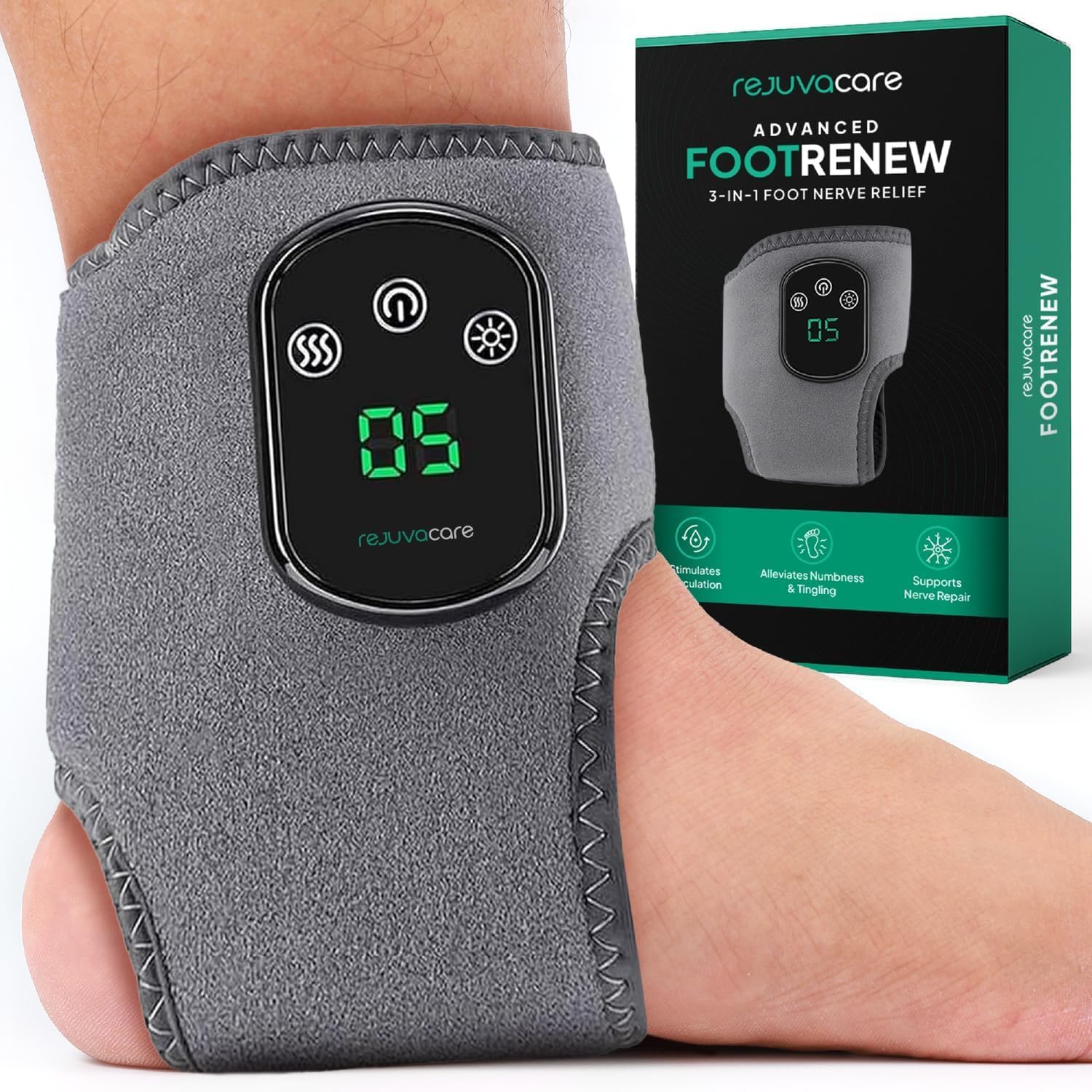
Image 2.1: The Rejuvacare FootRenew Triple Method Massager and its retail packaging.
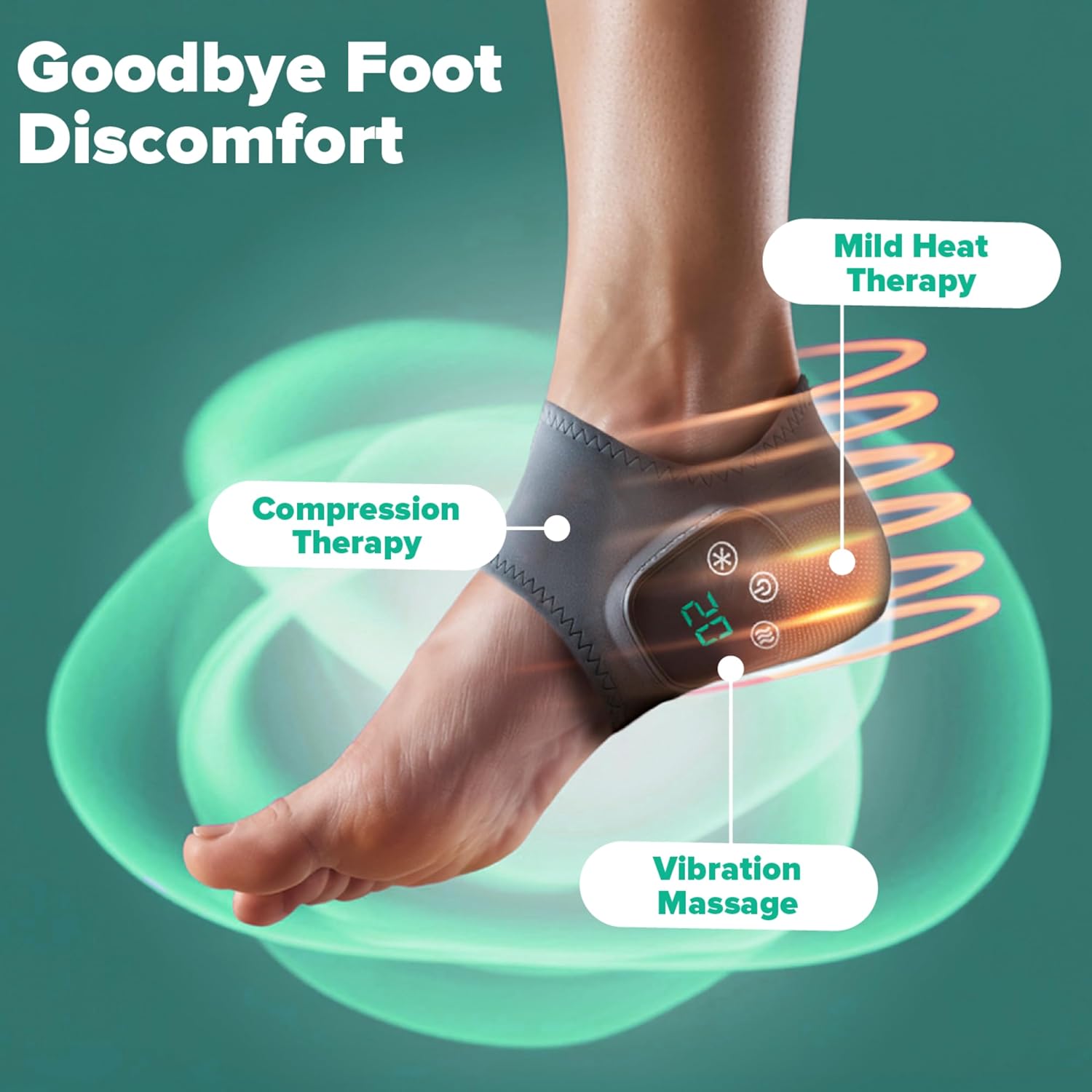
Image 2.2: Illustration of the massager's triple method design, highlighting mild heat therapy, compression therapy, and vibration massage on the foot and ankle.
3. Setup and Charging
3.1 Charging the Device
The FootRenew massager is cordless and rechargeable. Before initial use, fully charge the device.
- Locate the USB-C charging cable included in the box.
- Connect the USB-C end of the cable to the charging port on the massager.
- Connect the other end of the cable to a compatible USB power adapter (not included) or a computer USB port.
- The indicator light on the massager will show charging status (refer to the device's display for specific indicators).
- Once fully charged, disconnect the cable.
3.2 Wearing the Massager
The massager is designed to fit around one foot or ankle at a time. It features an adjustable strap for a secure and comfortable fit.
- Unfold the massager wrap.
- Position the massager on your foot or ankle, ensuring the control panel is accessible.
- Secure the adjustable strap to achieve a snug, but not overly tight, fit. The massager should feel comfortable and stable.
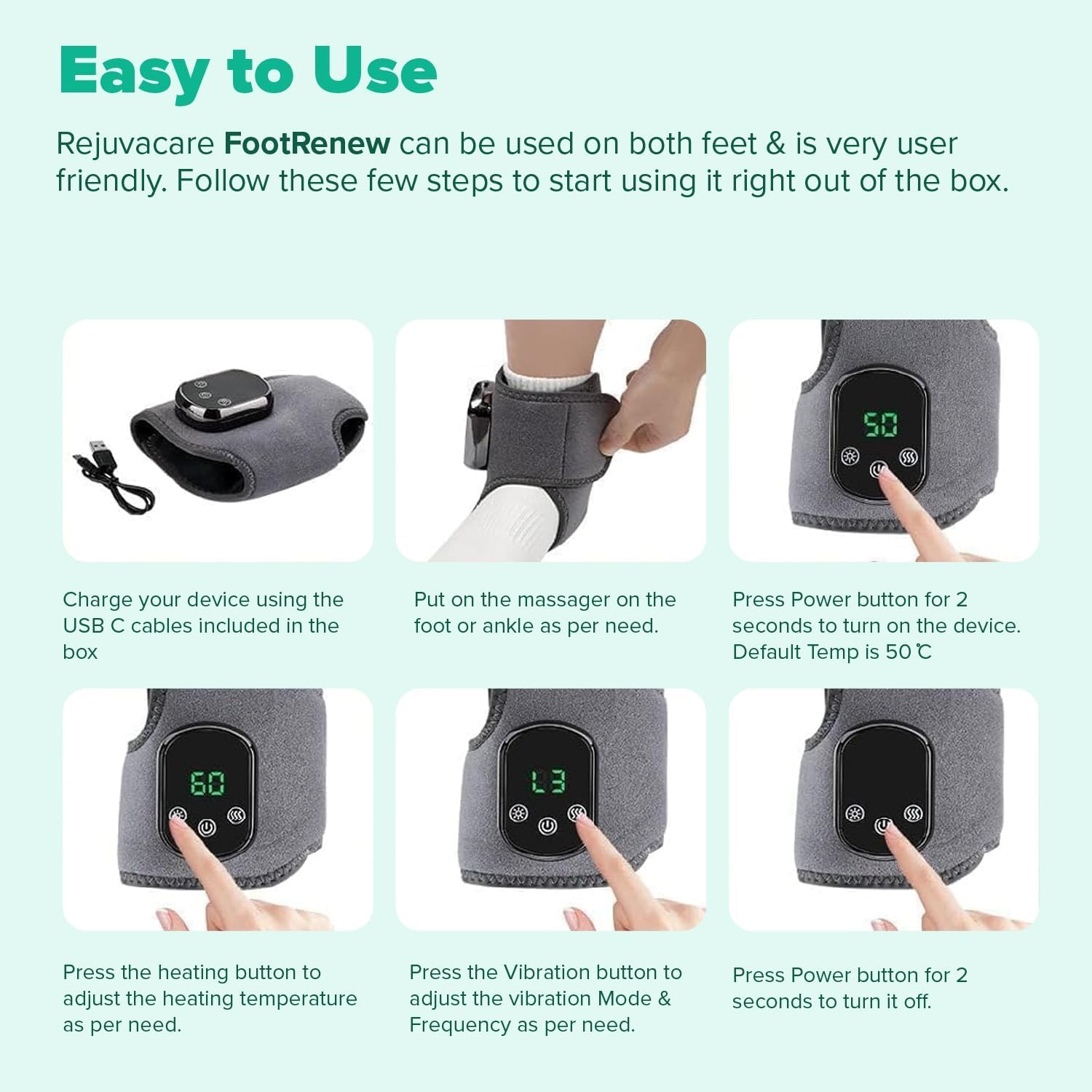
Image 3.1: Visual guide demonstrating the steps for charging, wearing, and operating the massager.
4. Operating Instructions
The FootRenew massager features a simple three-button control panel for easy operation.
4.1 Power On/Off
- To turn on the device, press and hold the Power button (usually indicated by a circle with a vertical line) for approximately 2 seconds. The default temperature is 50°C.
- To turn off the device, press and hold the Power button for approximately 2 seconds.
4.2 Adjusting Heat Levels
The massager offers 5 heat levels.
- Press the Heating button (often indicated by a sun or wavy lines) to cycle through the available heat levels.
- Select the desired heat level for your comfort.
4.3 Adjusting Vibration Modes
The massager offers 3 vibration modes.
- Press the Vibration button (often indicated by three wavy lines) to cycle through the available vibration modes and frequencies.
- Select the desired vibration mode for your comfort.
5. Maintenance and Care
Proper maintenance ensures the longevity and optimal performance of your FootRenew massager.
- Cleaning: Disconnect the massager from any power source before cleaning. Wipe the surface with a soft, damp cloth. Do not use abrasive cleaners or immerse the device in water.
- Storage: Store the massager in a cool, dry place away from direct sunlight and extreme temperatures.
- Battery Care: To maintain battery health, avoid fully discharging the battery frequently. Charge the device regularly, even if not in use for extended periods.
6. Troubleshooting
If you encounter issues with your FootRenew massager, refer to the following common solutions:
| Problem | Possible Cause | Solution |
|---|---|---|
| Device does not turn on | Low battery or no charge | Charge the device fully using the provided USB-C cable. |
| No heat or weak heat | Heat setting is too low or not activated | Press the Heating button to increase the heat level. Ensure the device is powered on. |
| No vibration or weak vibration | Vibration setting is too low or not activated | Press the Vibration button to cycle through modes and increase intensity. Ensure the device is powered on. |
| Device feels uncomfortable | Wrap is too tight or improperly positioned | Adjust the strap for a looser fit or reposition the massager on your foot/ankle. |
If the problem persists after attempting these solutions, please contact Rejuvacare customer support.
7. Specifications
- Brand: Rejuvacare
- Model Number: SF20251004B0FJSNRTYV
- Product Dimensions: 3.19 x 9.45 x 5.43 inches
- Item Weight: 0.55 ounces (15.52 Grams)
- Power Source: Battery Powered (1 Nonstandard Battery included)
- Material: Cotton
- Use for: Foot
8. Warranty and Support
For warranty information or technical support, please refer to the contact details provided with your product packaging or visit the official Rejuvacare website. Keep your proof of purchase for warranty claims.