
1. Introduction
This manual provides essential information for the safe and efficient operation of your Kemot PROavr-15k 15000 VA Automatic Three-Phase Voltage Stabilizer. This device is designed to maintain a stable output voltage, protecting connected equipment from fluctuations in the input power supply. Please read this manual thoroughly before installation and use, and retain it for future reference.
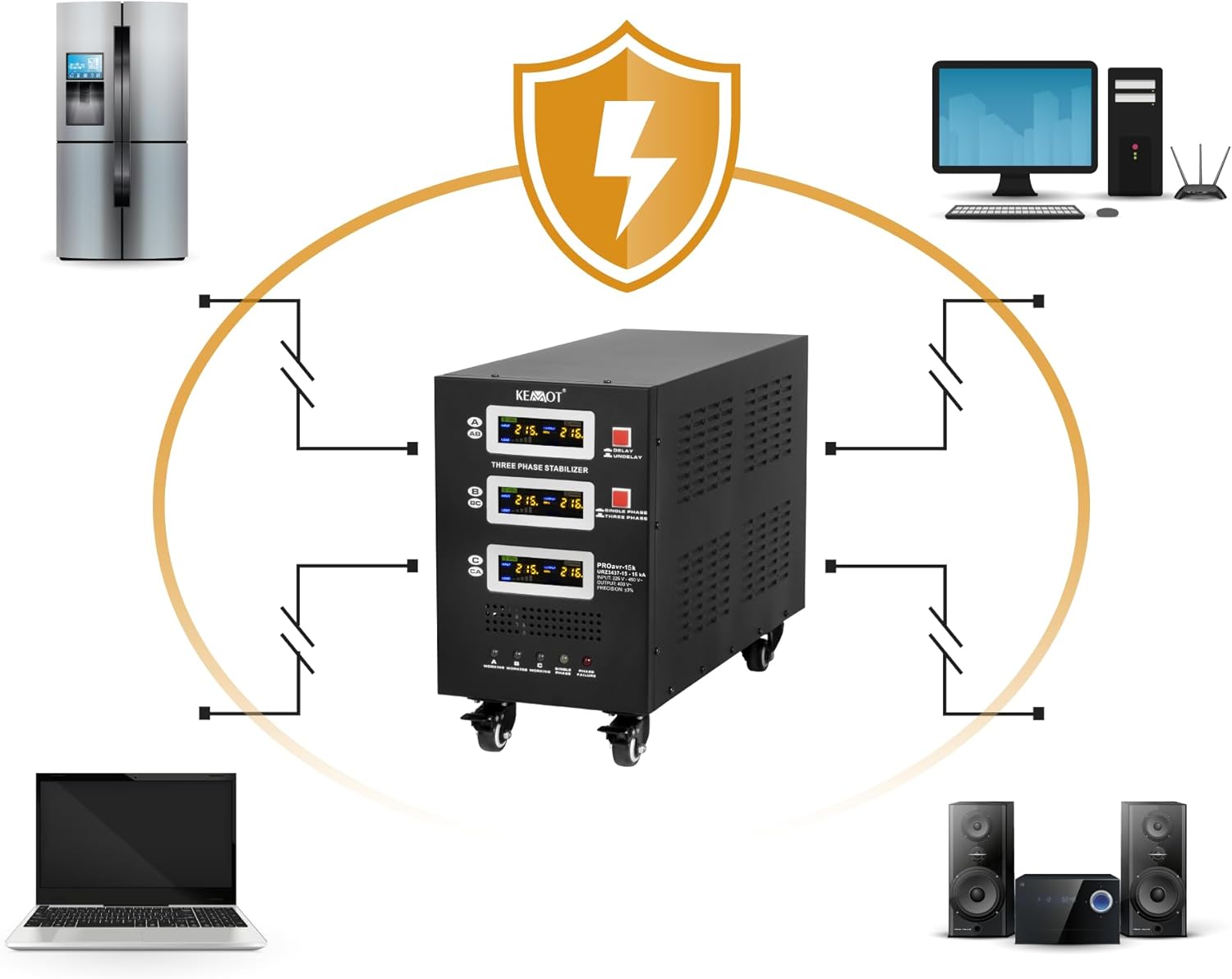
Figure 1: The Kemot PROavr-15k stabilizer protecting connected appliances from unstable voltage.
2. Safety Instructions
Always observe the following safety precautions to prevent injury or damage to the device and connected equipment:
- Electrical Safety: Installation and maintenance should only be performed by qualified personnel. Ensure the main power supply is disconnected before any wiring or service.
- Grounding: The stabilizer must be properly grounded to prevent electric shock.
- Ventilation: Ensure adequate ventilation around the unit. Do not block ventilation openings.
- Environment: Do not operate the stabilizer in environments with excessive dust, moisture, or corrosive gases. Avoid direct sunlight and high temperatures.
- Overload: Do not exceed the rated power capacity of the stabilizer (15000 VA). Overloading can cause damage and fire hazards.
- Liquid Contact: Keep liquids away from the stabilizer. In case of accidental spillage, immediately disconnect power and contact a service professional.
- Internal Components: Do not open the stabilizer casing. There are no user-serviceable parts inside. High voltages are present.

Figure 2: Circuit breakers for power and bypass on the rear panel, indicating safety cut-off points.
3. Product Overview
The Kemot PROavr-15k is an automatic three-phase voltage stabilizer designed for industrial and commercial applications requiring stable power. It features a servo motor control for precise voltage regulation and multiple protection mechanisms.
Key Features:
- Three-Phase Stabilization: Monitors and controls voltage on each phase independently.
- High Precision: Maintains output voltage at 400 V with an accuracy of ±3%.
- Servomotor Control: Ensures rapid and accurate voltage correction.
- Comprehensive Protection: Includes overload, short circuit, over/under voltage, and overheating protection.
- LCD Display: Provides real-time monitoring of input/output voltage, load, and frequency for each phase.
- Delay Function: Adjustable start delay (6 or 180 seconds) to protect equipment with high inrush currents.
- Mobility: Equipped with four strong wheels for easy transport and positioning.

Figure 3: Front panel with LCD displays and indicators.

Figure 4: Durable wheels for easy transport.
4. Setup
Proper installation is critical for the safe and effective operation of the stabilizer.
4.1 Unpacking and Placement
- Carefully remove the stabilizer from its packaging. Inspect for any shipping damage.
- Place the unit on a flat, stable surface. Utilize the integrated wheels for easy positioning.
- Ensure there is sufficient clearance (at least 20 cm) around all sides for proper ventilation.
4.2 Electrical Connections
All electrical connections must be performed by a qualified electrician in accordance with local electrical codes.

Figure 5: Rear panel with AC Input and AC Output terminals.
- Input Connection: Connect the three-phase AC input power supply (L1, L2, L3, Neutral, Ground) to the 'AC INPUT' terminal block on the rear panel. Ensure correct phase sequence and secure connections.
- Output Connection: Connect your three-phase load (L1, L2, L3, Neutral, Ground) to the 'AC OUTPUT' terminal block. Verify that the total load does not exceed 15000 VA.
- Grounding: Ensure a robust ground connection is made to the designated grounding terminal.
- Circuit Breakers: Before connecting power, ensure all 'POWER ON' and 'BYPASS ON' circuit breakers are in the 'OFF' position.
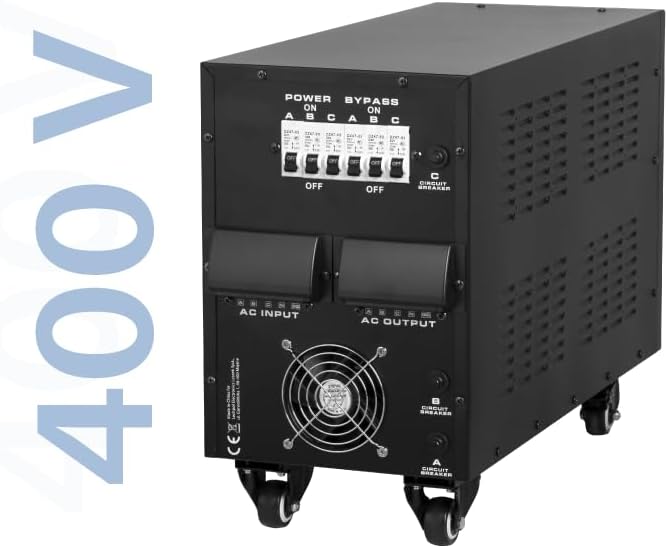
Figure 6: Rear panel highlighting 400V output capability.
5. Operating Instructions
5.1 Powering On
- After all connections are secure, switch on the main power supply to the stabilizer.
- On the rear panel, switch the 'POWER ON' circuit breakers (A, B, C) to the 'ON' position.
- The LCD displays on the front panel will illuminate, showing input voltage, output voltage, and load for each phase.
- The stabilizer will perform a self-test. Observe the 'WORKING' indicator lights (A, B, C) on the front panel. They should turn green, indicating normal operation.
5.2 Delay Function
The stabilizer features a start delay function to protect connected equipment from sudden power surges during startup.
- Locate the 'DELAY / UNDELAY' switch on the front panel.
- In 'DELAY' mode, the stabilizer will wait for either 6 seconds or 180 seconds (depending on internal setting) before providing stable output power. This is recommended for equipment sensitive to inrush currents.
- In 'UNDELAY' mode, the stabilizer provides output power almost immediately. Use this mode only if your connected equipment does not require a startup delay.

Figure 7: LCD displays and Delay/Undelay switch.
5.3 Bypass Mode
The bypass function allows the input power to directly feed the load, bypassing the stabilization circuit. This is useful for maintenance or in situations where stabilization is not required.
- To activate bypass mode, first switch off the 'POWER ON' circuit breakers (A, B, C).
- Then, switch the 'BYPASS ON' circuit breakers (A, B, C) to the 'ON' position.
- Ensure the load can handle the raw input voltage before engaging bypass mode.
6. Maintenance
Regular maintenance ensures optimal performance and longevity of your stabilizer.
- Cleaning: Periodically clean the exterior of the unit with a soft, dry cloth. Do not use liquid cleaners or solvents.
- Ventilation: Ensure ventilation openings are free from dust and obstructions. Use compressed air to clear dust if necessary.
- Connections: Periodically check all electrical connections for tightness. Loose connections can cause overheating and poor performance.
- Inspection: Visually inspect the unit for any signs of damage, wear, or unusual conditions.
- Professional Service: For any internal issues or complex repairs, contact qualified service personnel.
7. Troubleshooting
This section addresses common issues you might encounter. For problems not listed here, contact technical support.
| Problem | Possible Cause | Solution |
|---|---|---|
| No output voltage / Unit does not power on | No input power; Circuit breakers OFF; Internal fault | Check main power supply; Ensure 'POWER ON' breakers are ON; Contact service if fault persists. |
| Output voltage unstable | Input voltage outside stabilization range; Overload; Internal fault | Check input voltage range; Reduce load; Contact service. |
| 'PHASE FAILURE' indicator lit | Incorrect phase connection; Missing phase; Phase imbalance | Verify all three phases are correctly connected and present; Contact electrician. |
| Overheating / Unit shuts down | Blocked ventilation; Overload; High ambient temperature | Ensure clear ventilation; Reduce load; Operate within specified temperature range. |
8. Specifications
Technical specifications for the Kemot PROavr-15k 15000 VA Automatic Three-Phase Voltage Stabilizer.
| Parameter | Value |
|---|---|
| Rated Power | 15000 VA |
| Input Voltage Range | 225 - 450 V |
| Output Voltage | 400 V |
| Stabilization Precision | ±3% |
| Phases | Three-phase (1 / 3 phases) |
| Efficiency | 98% |
| Stabilization Control | Servo motor |
| Transformer Type | C.R.G.O. toroidal |
| Display | LCD |
| Operating Frequency | 50 / 60 Hz |
| Start Delay Switch | 6 / 180 s |
| Housing Material | Steel |
| Operating Temperature | 0 – 40°C |
| Relative Humidity | 10 – 102% |
| Storage Temperature | -15°C – 45°C |
| Protections | Overload, short circuit, high/low voltage, overheating |
| Cooling Activation | At 30% of rated power |
| Cooling Deactivation | At 20% of rated power |
| Dimensions (L x W x H) | 545 x 230 x 397 mm (21.46 x 9.06 x 15.63 inches) |
| Weight | 42 kg (92.6 lbs) |
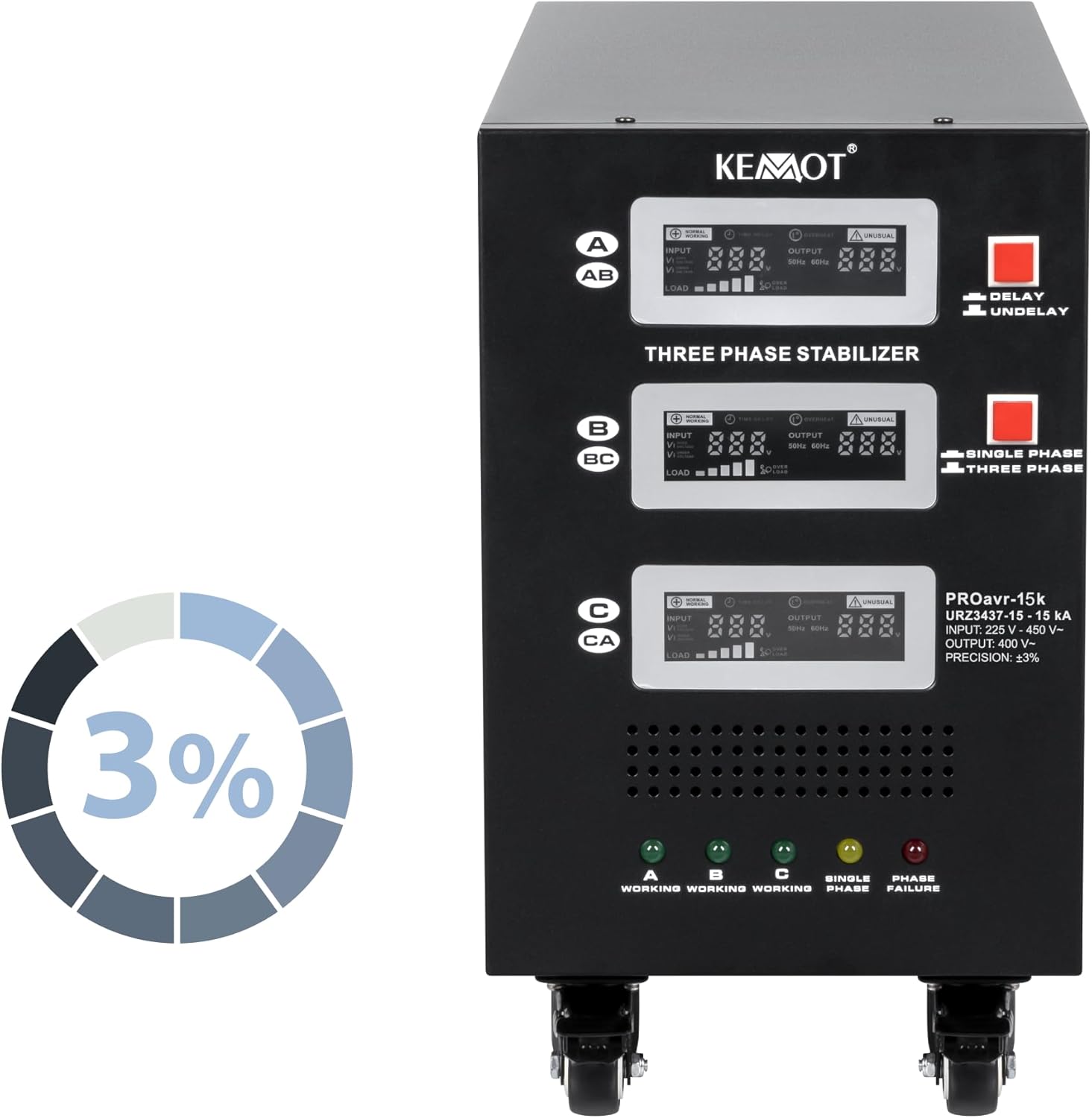
Figure 8: Stabilization precision of ±3%.

Figure 9: Voltage regulation curve demonstrating AVR functionality.
9. Warranty and Support
9.1 Warranty Information
This Kemot PROavr-15k voltage stabilizer is covered by a 2-year manufacturer's warranty from the date of purchase. This warranty covers defects in materials and workmanship under normal use. It does not cover damage resulting from improper installation, misuse, accidents, unauthorized repairs, or acts of nature.
Please retain your proof of purchase for warranty claims.
9.2 Technical Support
For technical assistance, troubleshooting beyond this manual, or warranty service, please contact your retailer or the manufacturer, LECHPOL ELECTRONICS LESZEK Spółka komandytowa. Refer to the contact information provided with your purchase documentation.


