
Introduction
The GEKVIVE RF Remote Control Page Turner is designed to enhance your reading and media experience by providing hands-free control over compatible devices. This device allows you to turn pages on e-readers and tablets, and remotely trigger your smartphone camera for photos and videos. This manual provides detailed instructions for setup, operation, maintenance, and troubleshooting.
Package Contents
Please verify that all items are present in your package:
- 1 x Screen Sensor Clip
- 1 x RF Remote Control
- 1 x Type-C Charging Cable
- 1 x User Manual
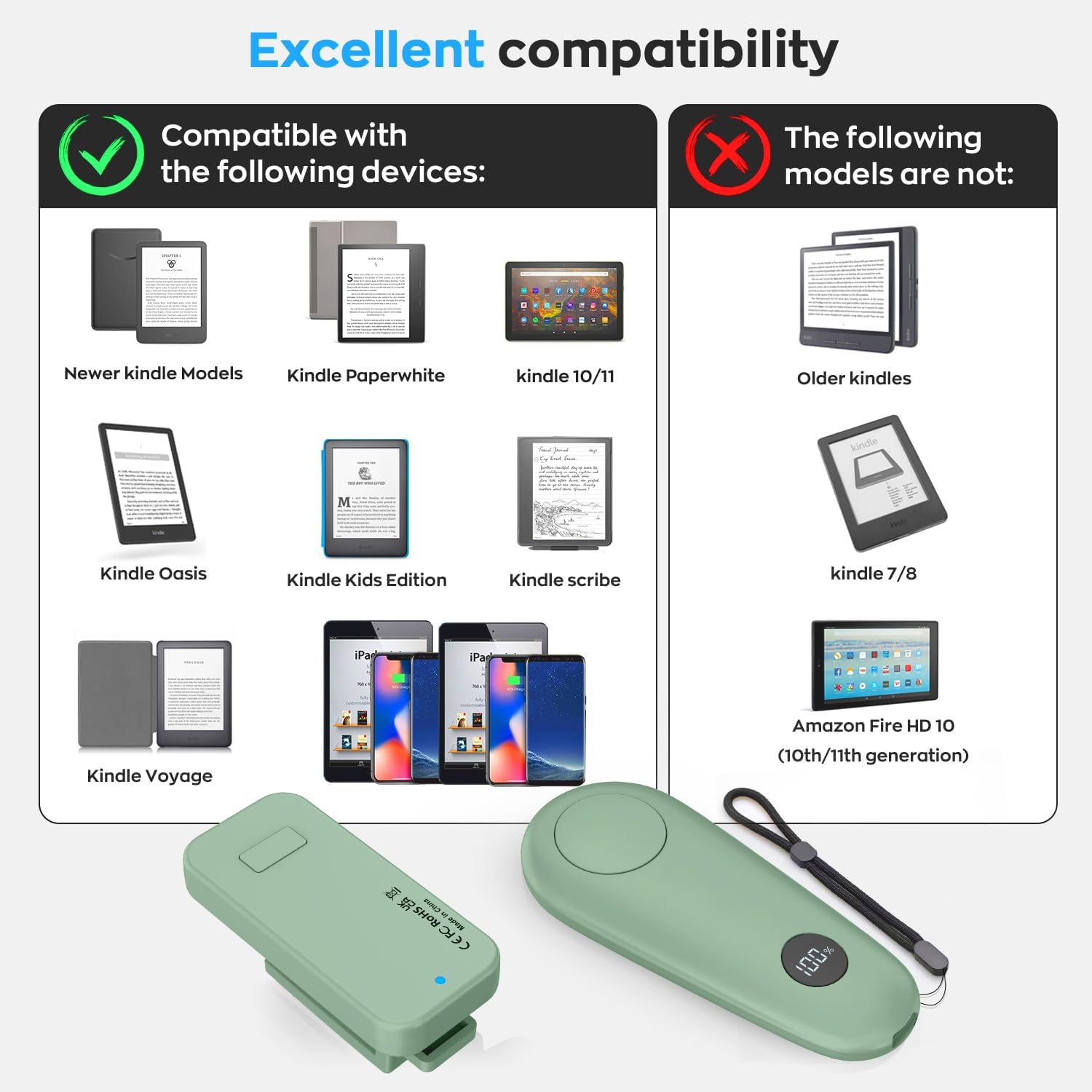
Image: The package includes the screen sensor clip, RF remote, and a Type-C charging cable. This image also illustrates device compatibility.
Setup Guide
1. Charging the Device
Before first use, fully charge both the screen sensor clip and the RF remote control using the provided USB-C cable. The remote features an LCD power display to indicate the battery status, ensuring you are aware of the remaining charge.

Image: The remote control features an LCD power display for battery status. The image also highlights the mute button design and the anti-lost wristband.
2. Pairing the Remote and Clip
The remote and clip operate without Bluetooth or Wi-Fi. Follow these steps to pair them:
- First, press and hold the button on the back of the screen sensor clip for 3 seconds. A red light will illuminate.
- Next, press any key on the RF remote control.
- The blue light on the screen sensor clip will blink, indicating a successful match.

Image: A visual guide demonstrating the three steps to pair the remote control with the screen sensor clip.
3. Attaching the Clip to Your Device
Carefully attach the screen sensor clip to the edge of your e-reader or tablet. Ensure the clip is positioned so that its sensor can interact with the screen for page turning. The clip is designed for devices with a thickness less than 0.54 inches (13.5mm).

Image: This diagram illustrates the correct placement of the clip to avoid obstructing text and ensures proper function, along with examples of incorrect placements.

Image: A user demonstrating the page turner in use with a Kindle, highlighting the hands-free reading experience.
Operating Instructions
1. Page Turning Function
Once the clip is attached and paired, simply press the button on the RF remote control to turn pages forward. This allows for comfortable, hands-free reading, especially when relaxing or in bed. Note that the device supports only forward page turns.

Image: This image shows a user enjoying a comfortable reading experience with the page turner, emphasizing the benefit of not having to hold the device.
2. Remote Camera/Video Control
The RF remote control can also function as a remote shutter for your smartphone camera. Pair it with your phone to take photos, selfies, or start/stop video recordings from a distance, offering flexibility for group photos or outdoor adventures.
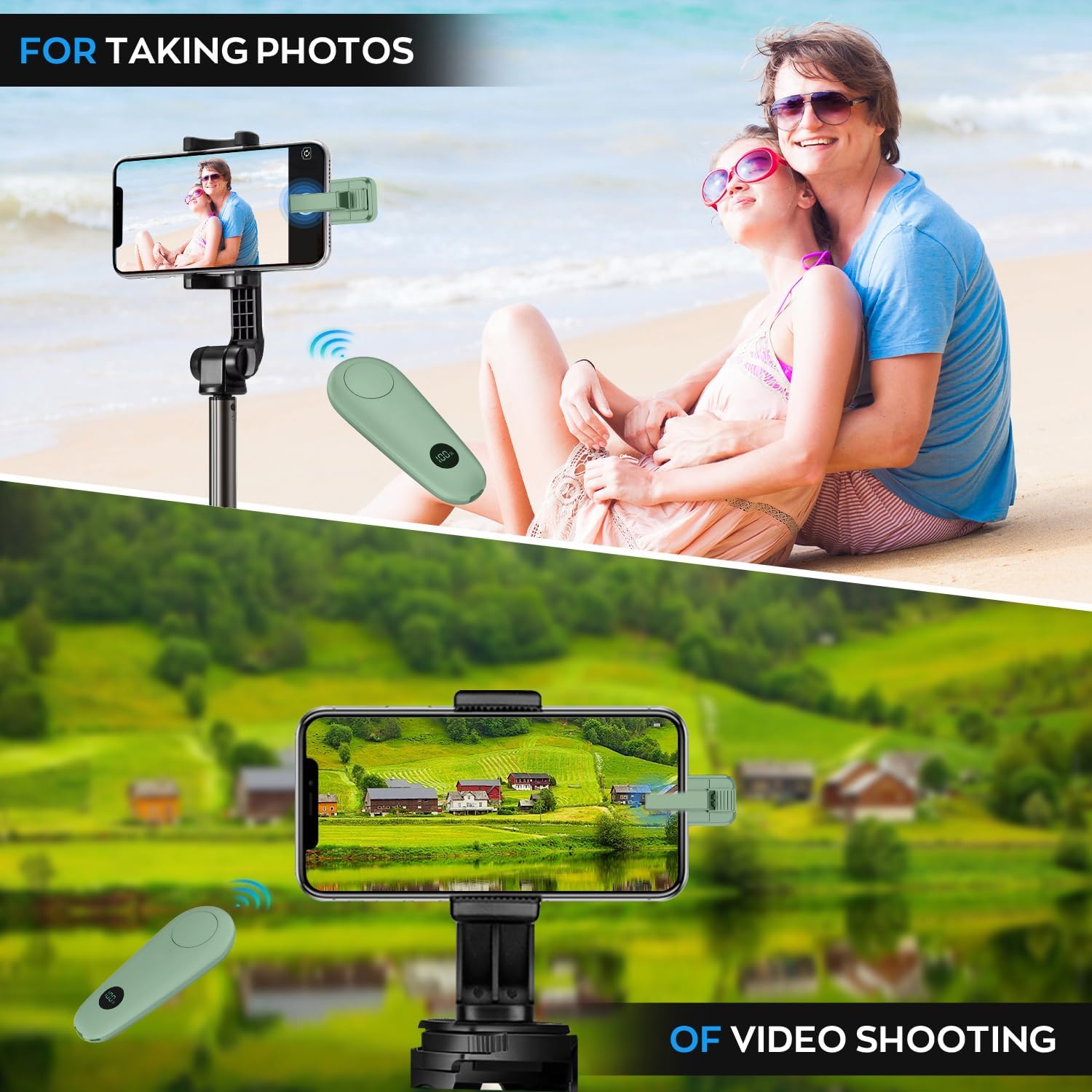
Image: The remote control is shown in use for taking photos and recording videos with a smartphone, demonstrating its versatility beyond page turning.
Compatibility
The GEKVIVE RF Remote Control Page Turner is compatible with a wide range of capacitive screen devices:
- Kindle Paperwhite, Scribe, Oasis (except 8th Generation), Kindle Colorsoft, Newer Kindle Models, Kindle 10/11, Kindle Voyage, Kindle Kids Edition
- iPad, iPhone, Android Tablets
The following models are not compatible:
- Older Kindles, Kindle 7/8
- Amazon Fire HD 10 (10th/11th generation)
Image: A detailed chart outlining compatible and incompatible e-readers and tablets for the page turner.
Maintenance
1. Battery Management
To ensure optimal performance and longevity, charge the device when the LCD display indicates low battery. Avoid fully depleting the battery regularly. The device offers 30-60 days of use time on a single charge, with a charging time of approximately 2 hours.
2. Cleaning
Wipe the device with a soft, dry cloth. Do not use harsh chemicals or abrasive materials, as these may damage the surface or internal components. Keep the device away from water and excessive moisture.
Troubleshooting
1. Text Blocked by Clip
If the screen sensor clip obstructs text on your e-reader, adjust the page margins within your device's settings. Most e-readers allow customization of font and layout to prevent interference.
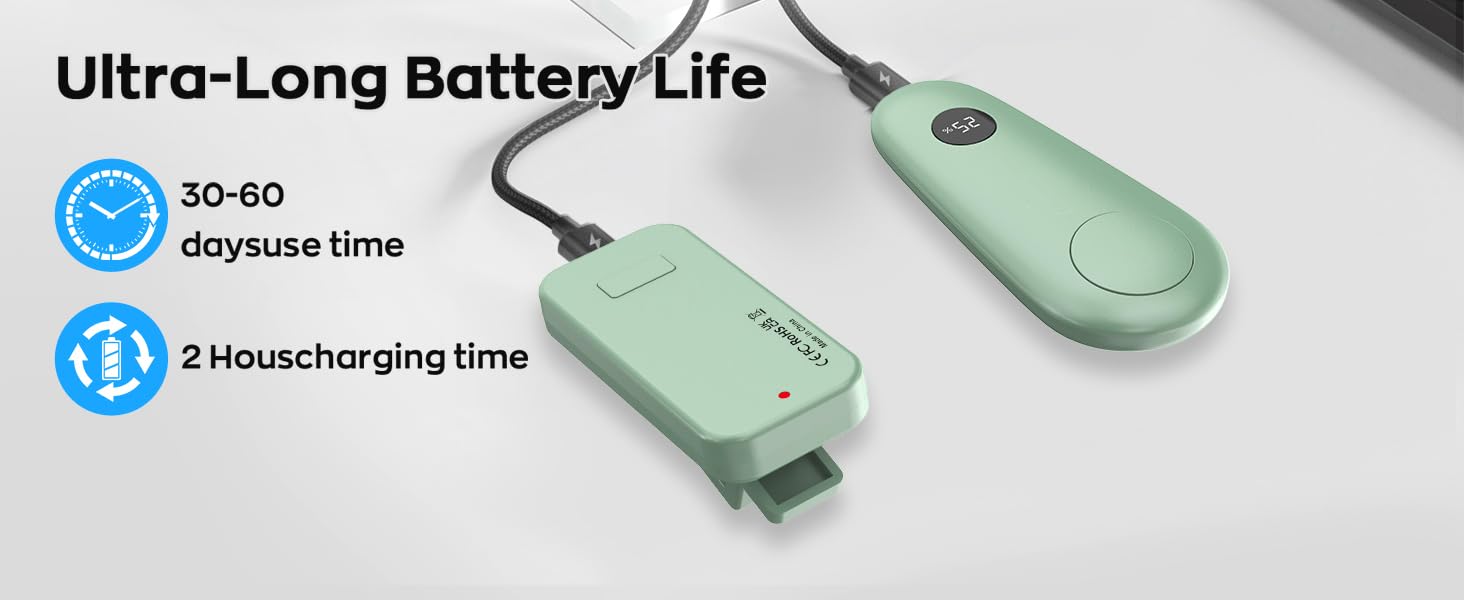
Image: This image provides a step-by-step visual guide on how to adjust font settings and page margins on an e-reader to ensure the clip does not block any text.
2. Device Not Responding
- Ensure both the remote and clip are sufficiently charged.
- Re-attempt the pairing process as described in the 'Setup Guide'.
- Verify that the clip is correctly positioned on the screen and not loose.
Product Specifications
| Model Number | RCPT06 |
| Item Weight | 3.52 ounces |
| Package Dimensions | 4.09 x 3.62 x 1.46 inches |
| Batteries | 2 Lithium Polymer batteries (included) |
| Max Number of Supported Devices | 1 |
| Manufacturer | Shenzhen Huazhichuangxing Technology Co., LTD |
Warranty and Support
GEKVIVE provides a 12-month warranty for the RF Remote Control Page Turner. For any issues or assistance, our 24/7 support team is available to help. Please refer to the product packaging or the official GEKVIVE website for contact information.