
Introduction
This manual provides detailed instructions for the assembly, operation, and maintenance of your Pamray 32 Inch Small Computer Desk with Shelves. Please read all instructions carefully before beginning assembly and retain this manual for future reference.
Safety Information
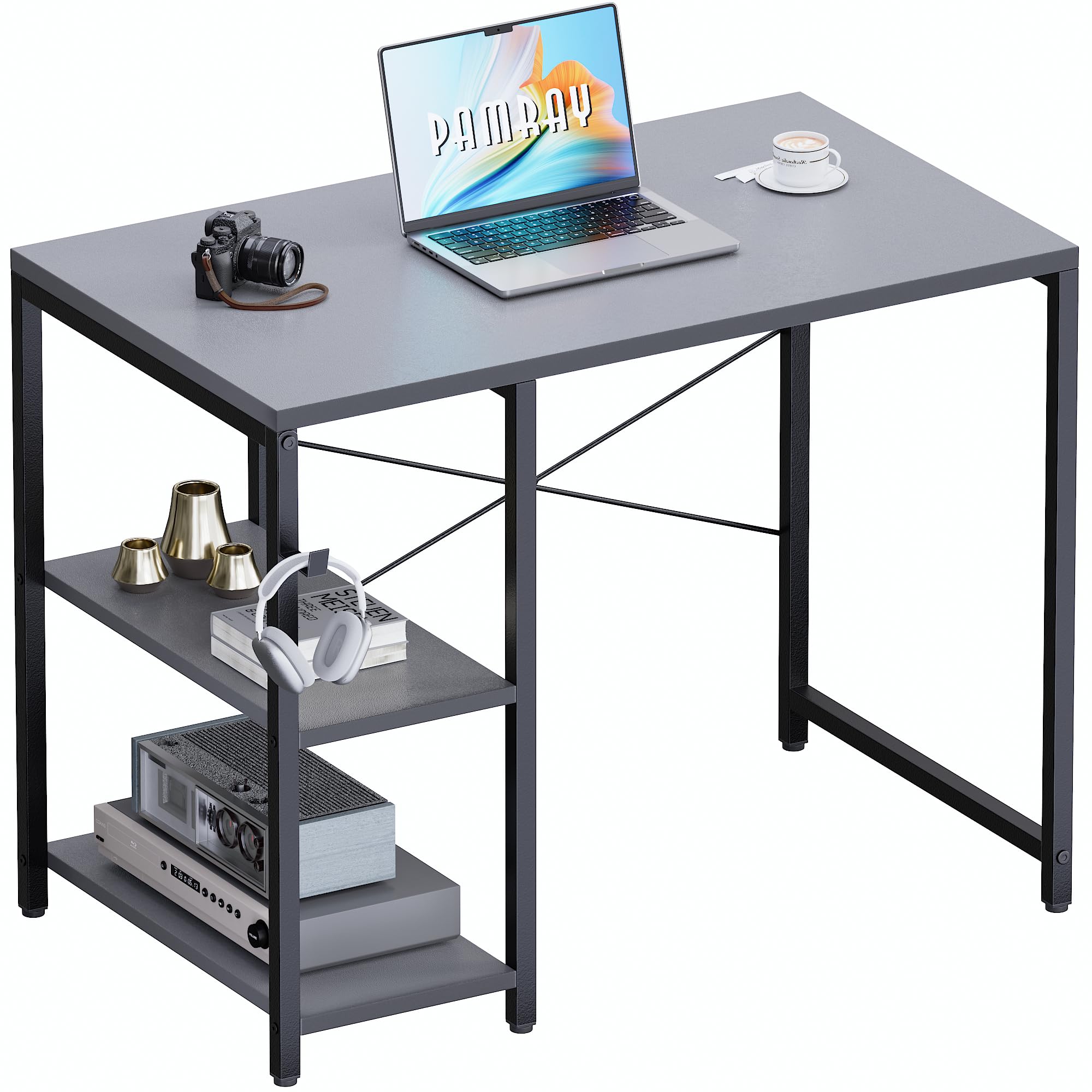
- Ensure the desk is properly assembled with the 'X' shaped back brace for enhanced stability.
- Do not exceed the maximum weight recommendation of 150 pounds (68 kg) on the desktop to prevent tipping or damage.
- Do not exceed the maximum weight recommendation of 60 pounds (27 kg) per shelf.
- Keep small parts away from children during assembly.
Setup Instructions
Your Pamray computer desk is designed for straightforward assembly. All necessary tools and clear instructions are included in the accessory bag. For visual guidance, comprehensive installation videos are available via a QR code on the product packaging or on the product page.
Dimensions
Assembly Steps
- Unpack all components and verify against the parts list provided in the instruction manual.
- Attach the frame components using the provided hardware. Ensure all screws are tightened securely.
- Install the 'X' shaped back brace. This brace is crucial for the desk's overall stability and prevents wobbling.
- Mount the desktop onto the assembled frame.
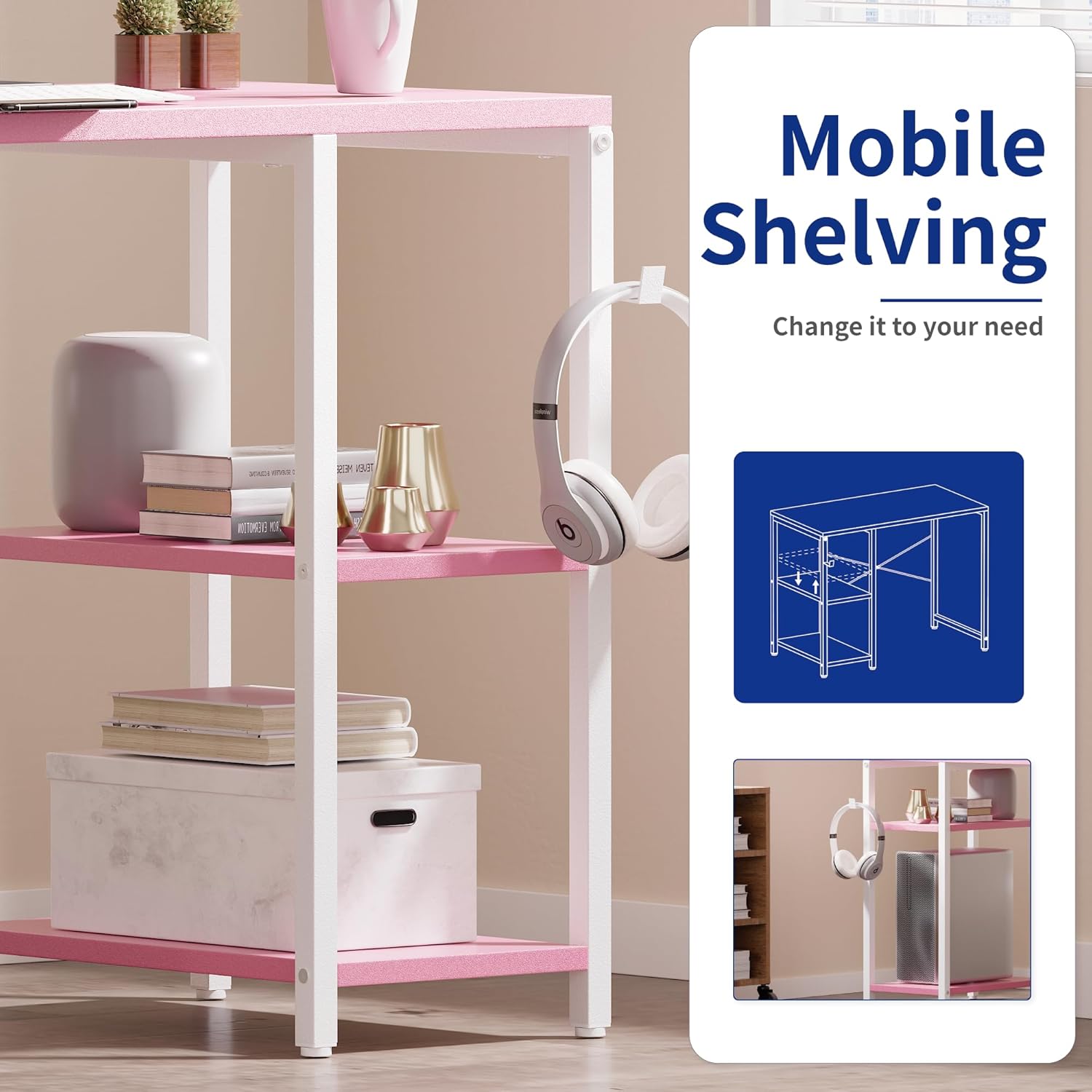
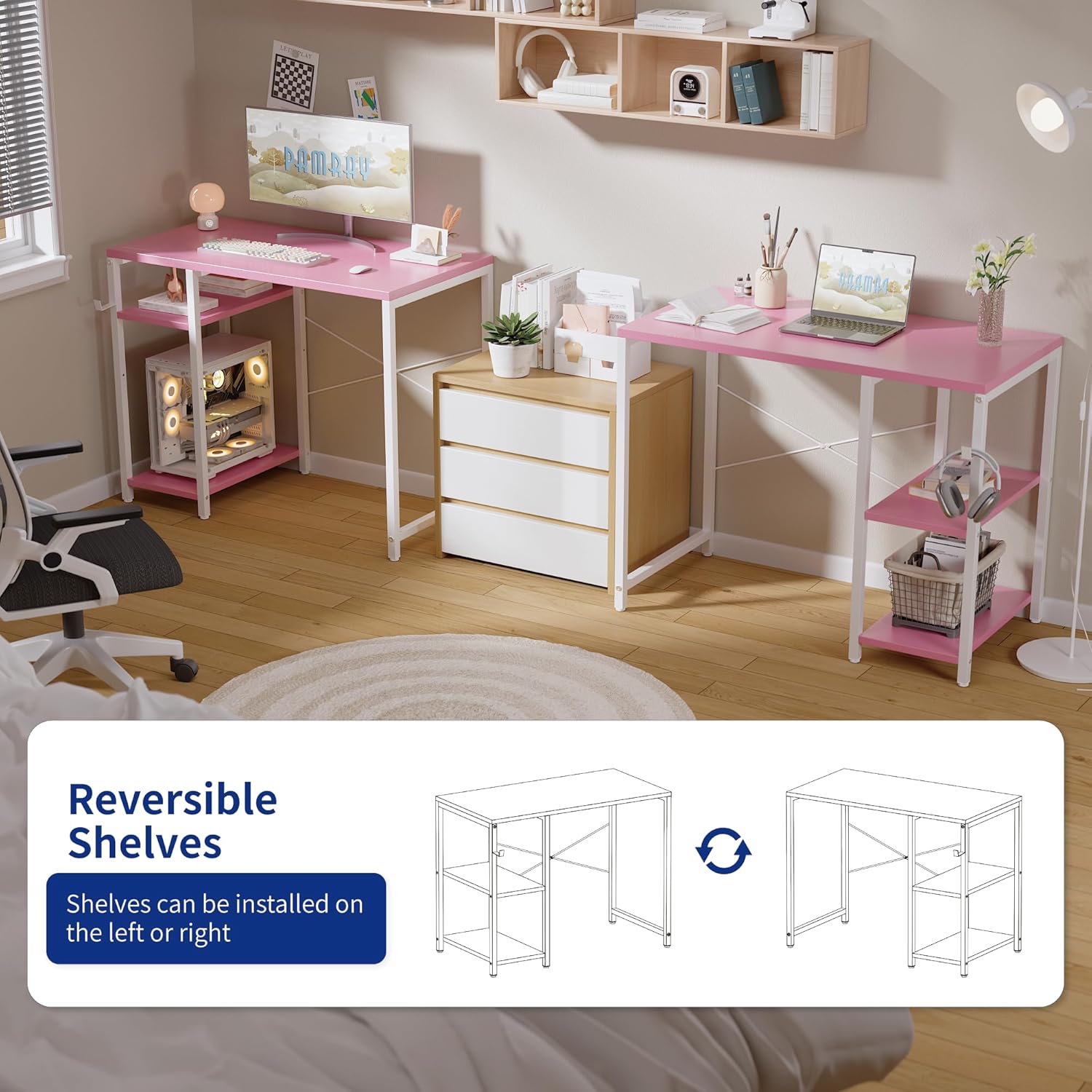
- Install the shelves. The shelves can be positioned on either the left or right side of the desk to suit your preference. The middle shelf is also height-adjustable.
- Attach the headphone hook to the desired side of the desk.
- Adjust the leveling feet at the bottom of the desk legs to ensure stability on uneven surfaces.


Operating Instructions
The Pamray 32 Inch Small Computer Desk is designed for versatile use in various settings such as a home office, bedroom, or study area. Its compact size makes it suitable for small spaces.
Adjustable Shelves
The desk features two shelves that can be used for storing books, documents, small electronics, or other accessories. These shelves can be installed on either the left or right side of the desk during assembly. The middle shelf's height is also adjustable, allowing you to customize the storage space according to your needs.

Headphone Hook
A convenient hook is included with the desk, perfect for hanging headphones, bags, or other accessories, keeping your workspace tidy and organized.
Maintenance
To ensure the longevity and appearance of your Pamray desk, follow these maintenance guidelines:
- Cleaning: Wipe the desk surface and metal frame with a soft, damp cloth. Avoid abrasive cleaners or harsh chemicals that could damage the powder-coated finish or the FSC-Certified Wood tabletop.
- Spills: The tabletop is designed to be water-resistant. In case of spills, wipe them immediately with a dry cloth to prevent water damage.
- Hardware: Periodically check all screws and fasteners to ensure they remain tight. Re-tighten if necessary to maintain structural integrity.
- Placement: Avoid placing the desk in direct sunlight or near heat sources to prevent material warping or discoloration.

Troubleshooting
Desk Wobbles
If the desk feels unstable or wobbles after assembly:
- Check X-Brace: Ensure the 'X' shaped back brace is correctly installed and all its fasteners are securely tightened. This brace is essential for stability.
- Adjust Leveling Feet: Use the adjustable feet at the bottom of each leg to compensate for uneven flooring. Rotate the feet clockwise or counter-clockwise until the desk is level and stable.
- Verify All Connections: Double-check all screws and bolts throughout the desk frame and tabletop connections to ensure they are fully tightened.
Specifications
| Feature | Detail |
|---|---|
| Brand | Pamray |
| Model Number | S19Grey32 |
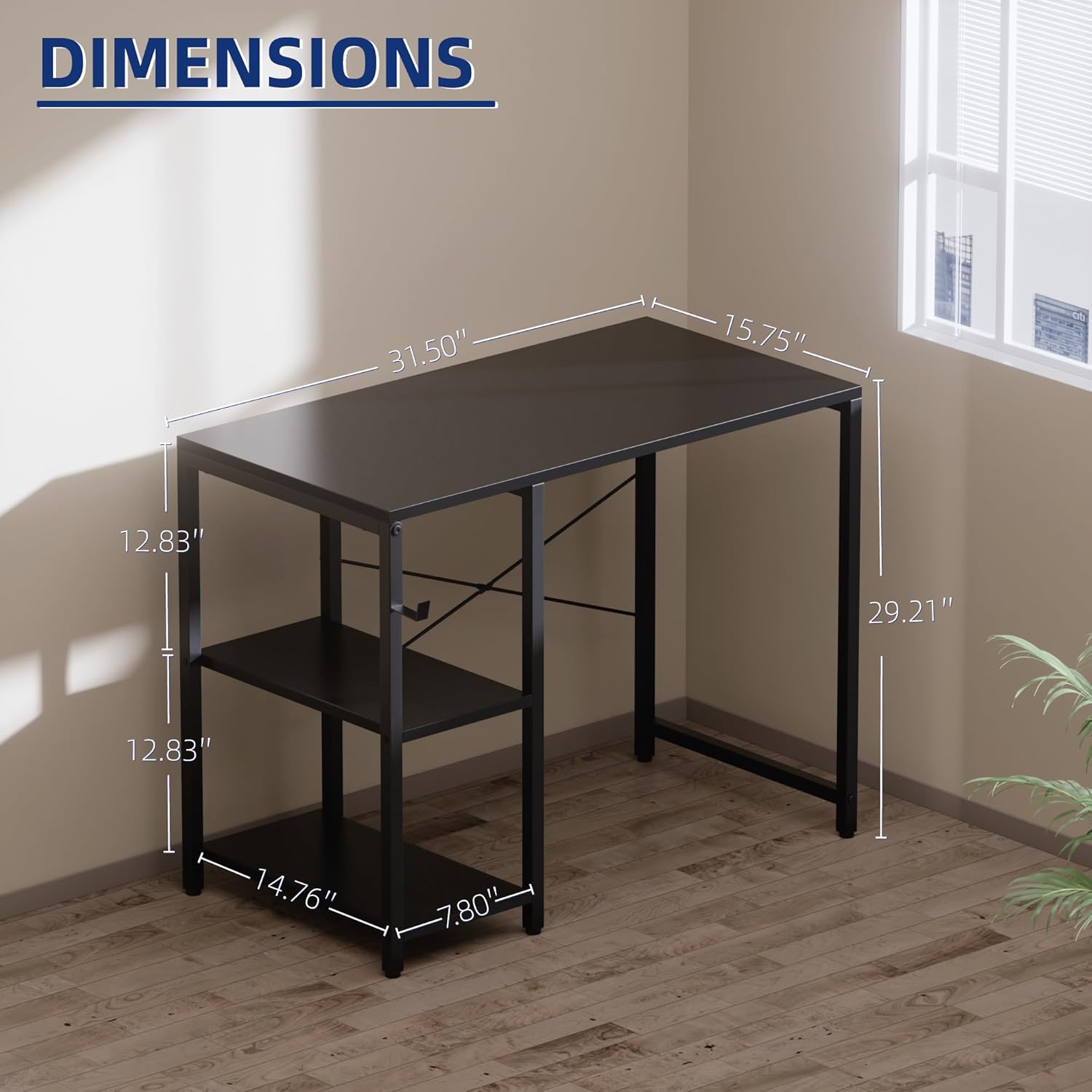
| Product Dimensions (D x W x H) | 15.7" x 31.5" x 29.2" |
| Item Weight | 6.57 Kilograms |
| Maximum Weight Recommendation (Desktop) | 150 Pounds |
| Maximum Weight Recommendation (Shelves) | 60 Pounds |
| Number of Shelves | 2 (Adjustable) |
| Material Type | Metal, FSC-Certified Wood |
| Finish Type | Powder Coated |
| Color | Grey |
| Special Feature | Compact, Headphone Hook, Reversible Shelves |
Warranty Information
Warranty details for the Pamray 32 Inch Small Computer Desk are not provided within this instruction manual. Please refer to the product packaging, the manufacturer's official website, or contact customer support for specific warranty terms and conditions.
Customer Support
For any questions, assistance with assembly, or to report missing/damaged parts, please contact Pamray customer support. You can typically find contact information on the product packaging or by visiting the official Pamray brand store online:


