
1. Introduction
Thank you for choosing the Qlaway K078 8.5" Electric Scooter. This manual provides essential information for the safe operation, maintenance, and troubleshooting of your scooter. Please read it thoroughly before your first ride and keep it for future reference.

Image: The Qlaway K078 8.5" Electric Scooter in use, showcasing its design and performance capabilities.
2. Setup and Assembly
Your Qlaway K078 scooter requires minimal assembly. Follow these steps to prepare your scooter for its first ride:
- Unboxing: Carefully remove all components from the packaging. Verify that all included items (scooter, seat, charger, manual) are present.
- Handlebar Installation: Unfold the handlebar stem and secure it in the upright position. Ensure the locking mechanism is fully engaged.
- Seat Assembly: Attach the seat and luggage box assembly to the designated mounting points on the scooter deck. Tighten all screws securely.
- Initial Charge: Before first use, fully charge the scooter's battery. Connect the charger to the charging port and then to a power outlet. The charging indicator will change when fully charged.
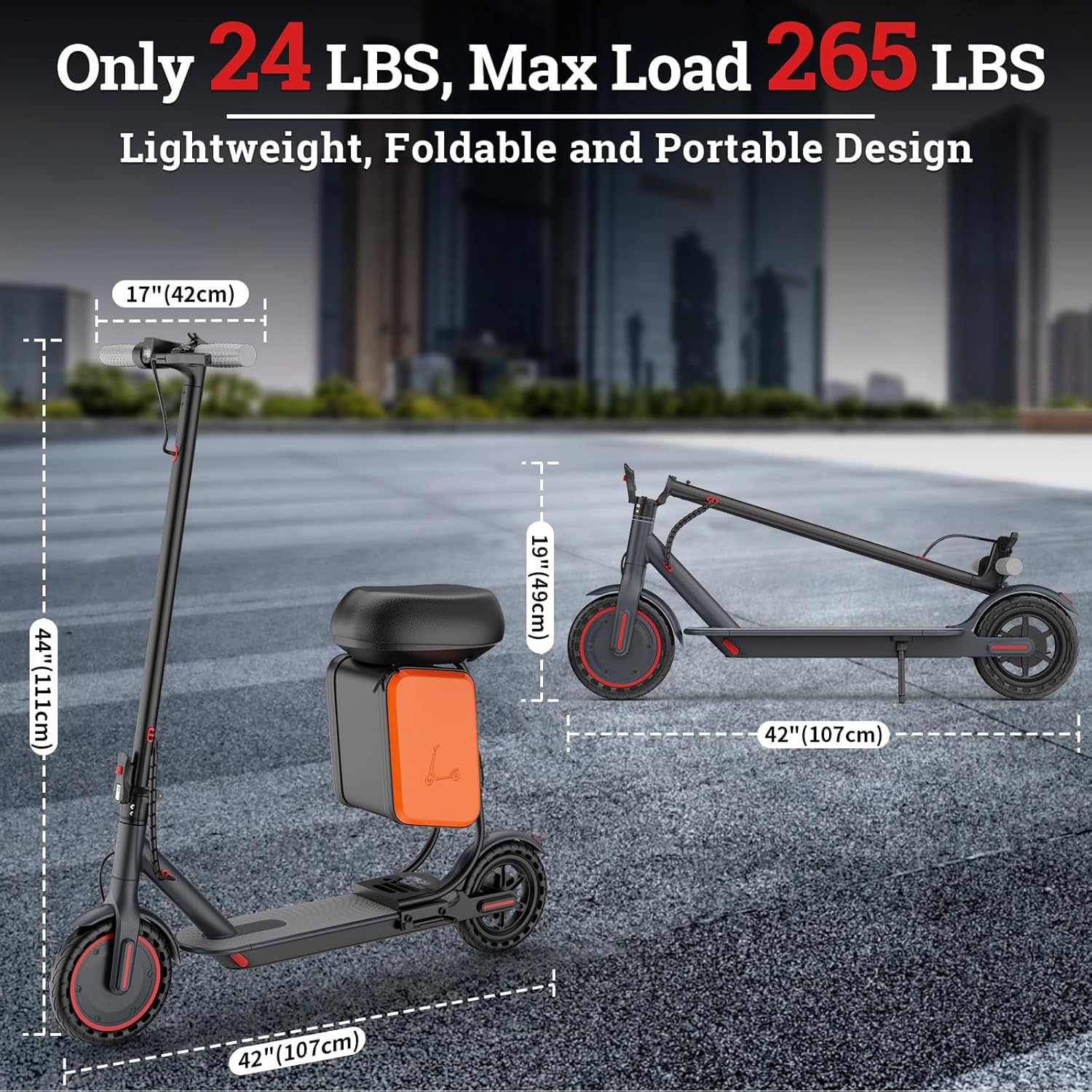
Image: Scooter dimensions and folded state for transport and storage.
3. Operating Instructions
Power On/Off
- To power on, press and hold the power button on the display until the screen illuminates.
- To power off, press and hold the power button until the display turns off.
Riding Modes
The K078 offers three riding modes to suit different preferences and conditions:
- ECO Mode: Max speed 7 mph. Ideal for beginners or maximizing battery range.
- COMFORT Mode: Max speed 11 mph. A balanced mode for everyday riding.
- SPORT Mode: Max speed 19 mph. For experienced riders seeking maximum performance.
Switch between modes by pressing the mode button on the display.

Image: Riders demonstrating the scooter's use, with battery and range details.
Cruise Control
The scooter features a cruise control function. After maintaining a steady speed for 8 seconds, cruise control will activate, allowing for a more relaxed ride. Any acceleration or braking action will deactivate this function.
Braking System
The K078 is equipped with a rear braking system for reliable stopping power. Apply the brake lever gently to slow down or stop. Always maintain a safe distance from other vehicles and pedestrians.
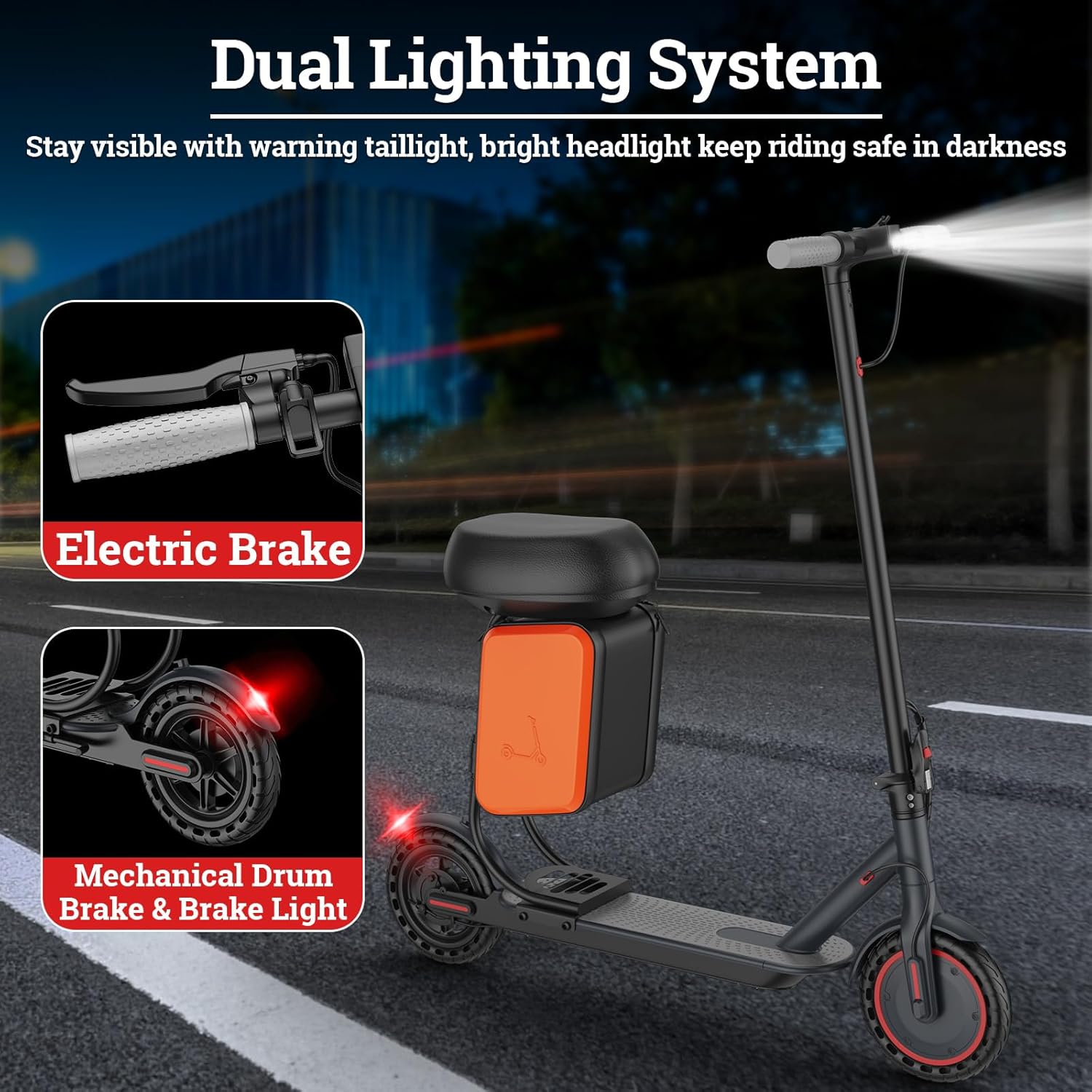
Image: Detail of the scooter's front headlight and rear brake light for visibility.
APP Control
Connect your Qlaway K078 to the dedicated mobile application (available for iOS and Android) to access additional features:
- Lock/Unlock your scooter.
- Customize speed settings.
- Monitor battery level and trip statistics.
- Control headlight.
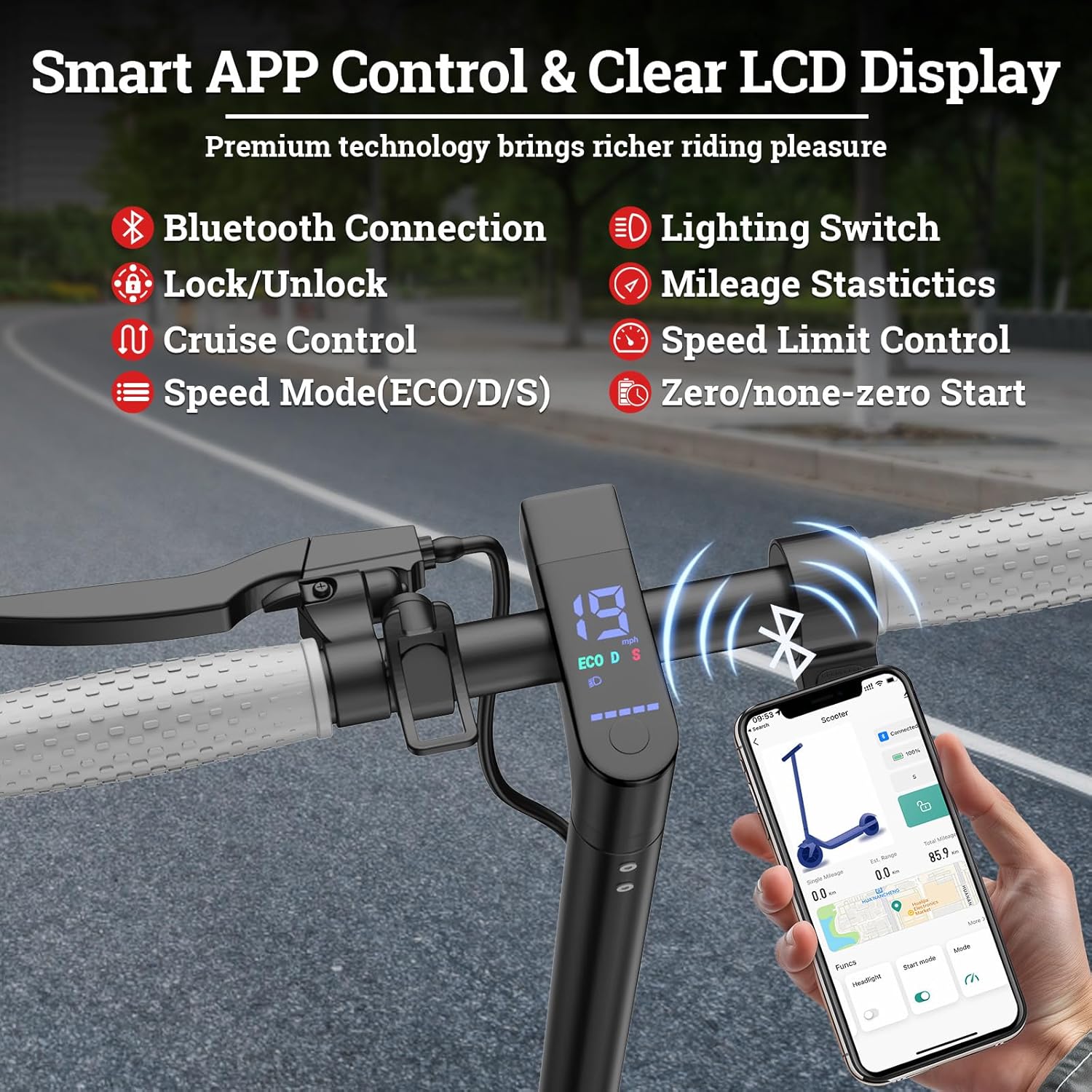
Image: The scooter's smart app control interface on a smartphone.
4. Maintenance
Regular maintenance ensures the longevity and safe operation of your scooter.
- Cleaning: Wipe the scooter with a damp cloth after each use. Avoid using high-pressure water or harsh chemicals.
- Tires: The 8.5-inch honeycomb solid tires are maintenance-free and puncture-proof. Regularly inspect them for wear and tear.
- Battery Care: Charge the battery fully after each ride. If storing for an extended period, charge to 50-70% and recharge every 30-60 days to prevent deep discharge.
- Brakes: Periodically check the brake system for proper function and adjust if necessary.
- Fasteners: Ensure all screws and bolts are tightened before each ride.
5. Troubleshooting
If you encounter issues with your Qlaway K078 scooter, refer to the following common problems and solutions:
| Problem | Possible Cause | Solution |
|---|---|---|
| Scooter does not power on | Low battery; loose connections | Charge the battery; check all cable connections. |
| Reduced range or power | Low battery; heavy load; uphill riding; cold weather | Ensure battery is fully charged; reduce load; avoid steep inclines; operate in moderate temperatures. |
| Brakes feel loose or ineffective | Brake cable needs adjustment | Adjust the brake cable tension according to the detailed instructions in the full manual (if available). |
| App connectivity issues | Bluetooth off; app not updated | Ensure Bluetooth is enabled on your device; update the app to the latest version. |
6. Specifications
| Feature | Detail |
|---|---|
| Brand | Qlaway |
| Model Name | K078 |
| Motor Power | 350W (Peak 700W) |
| Max Speed | 19 MPH |
| Max Distance Range | 15 Miles |
| Battery Capacity | 187.2WH Lithium-ion |
| Charging Time | 5 Hours |
| Wheel Size | 8.5 Inches |
| Wheel Type | Solid (Honeycomb) |
| Max Load Capacity | 265 LBS (120 kg) |
| Product Dimensions | 40"L x 15"W x 45"H |
| Item Weight | 32 Pounds |
| Frame Material | Aluminum |
| Special Feature | Cruise Control, APP Control, Luggage Seat |
7. Warranty Information
The Qlaway K078 Electric Scooter comes with a limited 6-month warranty. This warranty covers manufacturing defects under normal use. Please retain your proof of purchase for warranty claims.
For detailed warranty terms and conditions, please refer to the warranty card included with your product or contact customer support.
8. Customer Support
For any questions, technical assistance, or support regarding your Qlaway K078 Electric Scooter, please contact our customer service team.
- Online Support: Visit the official Qlaway website for FAQs and support resources.
- Email: Refer to your product packaging or the official website for customer service email.
- Phone: Refer to your product packaging or the official website for customer service phone number.
When contacting support, please have your model number (K078) and purchase information ready.