
1. Introduction
Thank you for choosing the KERDOM Foldable Electric Wheelchair. This manual provides essential information for the safe and effective operation, maintenance, and care of your new electric wheelchair. Please read this manual thoroughly before initial use and retain it for future reference.
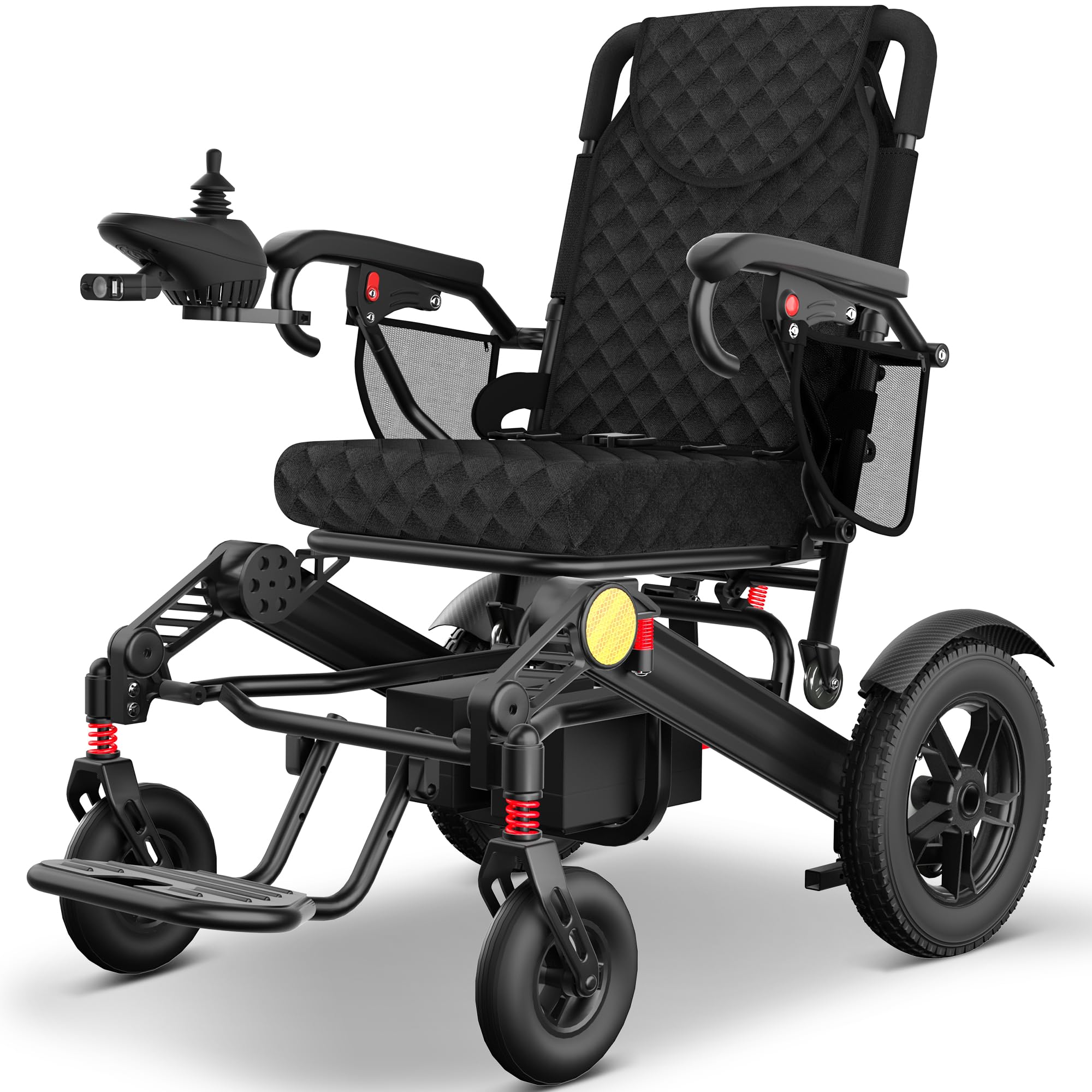
The KERDOM Foldable Electric Wheelchair in its operational state.
2. Safety Information
Your safety is paramount. Always adhere to the following guidelines:
- Read the Manual: Understand all instructions and warnings before operating the wheelchair.
- Weight Capacity: Do not exceed the maximum weight capacity of 350 lbs (158 kg).
- Incline Limits: Do not attempt to climb or descend inclines greater than 12 degrees. Utilize the EABS brake system for controlled stops on slopes.
- Environmental Conditions: Avoid operating in extreme weather conditions (heavy rain, snow, ice) or on excessively rough terrain.
- Battery Safety: Use only the provided charger and batteries. Do not expose batteries to extreme temperatures or puncture them.
- Anti-Tipping Wheels: Ensure anti-tipping wheels are properly installed and functional to prevent backward tipping, especially on inclines.
- Joystick Control: Operate the joystick smoothly. Avoid sudden movements, especially at higher speeds.
- Obstacles: Exercise caution when navigating over curbs, thresholds, or uneven surfaces.
- Maintenance: Regularly inspect the wheelchair for any signs of damage or wear. Do not operate if damaged.

Diagram illustrating the electromagnetic braking system for smooth and safe stops, maximum climbing angle of 12 degrees, and the integrated anti-tipping wheels for enhanced stability. Also shows LED lighting.
3. Setup and Initial Charge
3.1 Unfolding the Wheelchair
- Place the folded wheelchair on a flat, stable surface.
- Gently pull the backrest upwards until the frame locks into place.
- Lower the seat and ensure it is securely positioned.
- Unfold the footrest to its operational position.
- Attach the joystick controller to either the left or right armrest, securing it firmly.

A woman demonstrating the quick and easy folding mechanism of the wheelchair, allowing it to be stored in a car trunk or a compact space.
3.2 Initial Battery Charging
Before first use, fully charge both lithium batteries. The wheelchair features two charging methods:
- Direct Battery Charging: Remove the battery packs from the wheelchair and connect them to the external charger.
- On-Wheelchair Charging: Plug the charger directly into the charging port on the wheelchair.
A full charge typically takes approximately 6 hours. The charging indicator lights will show the charging status.

Image showing two ways to charge the wheelchair: directly charging the lithium battery pack, or charging the entire wheelchair.
4. Operating Instructions
4.1 Powering On/Off
Press the power button on the joystick controller to turn the wheelchair on or off. The battery indicator will illuminate upon power-on.
4.2 Joystick Control
The 360° joystick provides flexible and precise control. Gently push the joystick in the desired direction to move. The wheelchair will stop automatically when the joystick is released due to the EABS Auto-Hold system.
- Forward/Backward: Push the joystick forward or backward.
- Turning: Push the joystick left or right.
- Speed Adjustment: Use the speed control buttons on the joystick to adjust the wheelchair's speed.

Detailed view of the ergonomic features including the intuitive 360° joystick, shock absorption device, and comfortable cushion, designed for user comfort and support.
4.3 Braking System (EABS)
The Electronic Automatic Brake System (EABS) engages automatically when the joystick is released, ensuring a smooth and safe stop. This system also provides zero rollback on inclines up to 12 degrees.

Illustration demonstrating the EABS Auto-Hold function, which automatically stops the wheelchair when the joystick is released, preventing rollback on inclines and ensuring safety with anti-skid wheels and 12° climbing gradient.
4.4 LED Lighting
The wheelchair is equipped with adjustable LED lighting for visibility in low-light conditions. Activate the lights using the dedicated button on the joystick controller and adjust the angle as needed.

An elderly user operating the wheelchair at night, demonstrating the adjustable angle LED lighting for improved visibility.
4.5 Folding for Transport and Storage
To fold the wheelchair for transport or storage:
- Ensure the wheelchair is powered off.
- Lift the seat upwards.
- Push the backrest forward until the frame collapses.
- Fold the footrest upwards.
- The compact design allows for easy placement in car trunks, on public transport, or in small storage spaces.

The folded wheelchair shown being transported in a car trunk, on a plane, subway, and cruise ship, emphasizing its compact and portable design.
5. Maintenance
5.1 Battery Care
- Always fully charge batteries before initial use and after each use.
- Avoid completely draining the batteries to prolong their lifespan.
- If storing the wheelchair for an extended period, charge the batteries every 1-2 months.
- Store batteries in a cool, dry place.

Illustration showing the dual lithium-ion rechargeable batteries (12AH each) providing an extra-long travel range of over 30 miles.
5.2 Cleaning
- Wipe down the frame and seating surfaces with a damp cloth and mild soap.
- Avoid using abrasive cleaners or solvents.
- Do not spray water directly onto electrical components.
5.3 Wheel Maintenance
The wheelchair features solid aluminum alloy wheels that require zero maintenance and are puncture-proof. Regularly check for any debris lodged in the wheels.

Detailed view of the dual 250W powerful motors, highlighting their climbing capability (up to 12 degrees), maintenance-free design, and quiet operation.
6. Troubleshooting
| Problem | Possible Cause | Solution |
|---|---|---|
| Wheelchair does not power on. | Battery not charged or improperly installed. | Ensure batteries are fully charged and correctly seated. Check power button. |
| Wheelchair moves erratically or not at all. | Joystick malfunction or loose connection. | Check joystick connection. If issue persists, contact support. |
| Brakes are not engaging properly. | EABS system fault. | Power off and restart the wheelchair. If the problem continues, cease use and contact support. |
| Reduced travel range. | Batteries not fully charged or aging. | Ensure full charge. Consider battery replacement if range significantly decreases over time. |
7. Specifications
| Feature | Detail |
|---|---|
| Model | KERDOM-EW-30M-DLB |
| Product Dimensions (Unfolded) | 37"D x 23.6"W x 41.4"H |
| Item Weight | 68 Pounds (approx. 30.8 kg) |
| Weight Capacity | 350 lbs (approx. 158 kg) |
| Motor | Dual 250W Motors |
| Battery Type | Dual Lithium-ion (24AH total) |
| Max Travel Range | 30+ Miles (approx. 48+ km) |
| Charging Time | Approx. 6 hours |
| Max Climbing Capability | 12 Degrees |
| Brake System | EABS (Electronic Automatic Brake System) |
| Wheels | All-Terrain 12'' Aluminum Solid Wheels |

A diagram detailing the product dimensions (unfolded and folded) and indicating a maximum weight capacity of 350 lbs.

An infographic showing the 30 miles driving distance with a 24AH Lithium Battery and 6 hours charging time, illustrating various travel scenarios.
8. Warranty and Support
KERDOM is committed to providing high-quality products and customer satisfaction. If you have any questions or require assistance, please contact our dedicated support team.
- After-Sales Service: We offer professional one-to-one after-sales support.
- Email Support: Available within 24 hours, every day.
- Online Tel Support: Available Monday-Sunday, 9 AM-5 PM (EST).
- Satisfaction Guarantee: We aim to ensure your peace of mind.

Image illustrating the availability of professional after-sales support via email and phone.


