
Introduction
This manual provides essential instructions for the setup, operation, and maintenance of your SANZUCO 60D Wireless Intercom System. Please read this manual thoroughly before using the product to ensure safe and efficient operation.
Product Overview
The SANZUCO 60D Wireless Intercom System offers hands-free, full-duplex two-way communication with a range of up to 1400 feet. It supports up to 18 local numbers across two independent group channels (A/B) and features auto-answer, mute mode, and group call functionality.

Figure 1: SANZUCO 60D Wireless Intercom Unit. This image shows the main intercom unit with its keypad, display, and volume controls.
Package Contents
Verify that all items are present in your package:
- Full Duplex Intercom User Manual x 1
- Hands Free Intercom (black) x 3
- Home Intercom Charging Cables x 3 (USB Type C)
- Intercoms for home Chargers x 3
Video 1: SANZUCO Intercom Unboxing Video. This video demonstrates the unboxing process and shows all included components of the SANZUCO 60D intercom system.
Setup
1. Initial Power-Up
The intercom units are pre-paired and ready for use out of the box. Simply plug each unit into a power outlet using the provided USB Type-C charging cable and charger.

Figure 2: SANZUCO 60D Intercom with dimensions. This image highlights the physical dimensions of the intercom unit and its main functions.
2. Channel and Local Number Configuration
Each intercom unit operates on a specific group channel (A or B) and has a unique local number (1-9, 11-19). For group calls, all units must be set to the same group. Each intercom within a group must have a different local number to function correctly.
Video 2: How to Modify Intercom Channels. This video provides a step-by-step guide on how to change the group channel (A/B) and local number (1-9, 11-19) for your intercom units.
To change the group channel or local number, refer to the video above or the detailed instructions in the included user manual.
3. Placement Guidelines
Place intercom units at least 8 feet apart to prevent audio feedback (screeching) during calls. Ensure units are within the 1400-foot range for optimal performance.

Figure 3: Optimal placement of intercom units. This image illustrates the recommended minimum distance between two intercom units to avoid audio interference.
Operating Instructions
1. Making a One-to-One Call
To call a specific intercom unit:
- Enter the local number of the desired recipient unit using the keypad.
- Press the Green Call button.
The recipient unit will ring. If the auto-answer feature is enabled, the call will connect automatically after two rings. Otherwise, the recipient must press the Green Call button to answer.
Video 3: How to Use Hands-Free Intercom. This video demonstrates how to initiate a one-to-one call and utilize the hands-free auto-answer feature.
2. Making a Group Call
To broadcast a message to all intercom units in the same group:
- Press and hold the GROUP button while speaking.
All units in the same group will hear your broadcast. Release the GROUP button to end the broadcast.
Video 4: Pick Your Intercom Calling Mode. This video demonstrates how to use the group call function to broadcast messages to multiple units.
3. Auto-Answer Function
The auto-answer feature allows the recipient unit to automatically answer an incoming call after two rings, without needing to press any button. This feature is disabled by default.
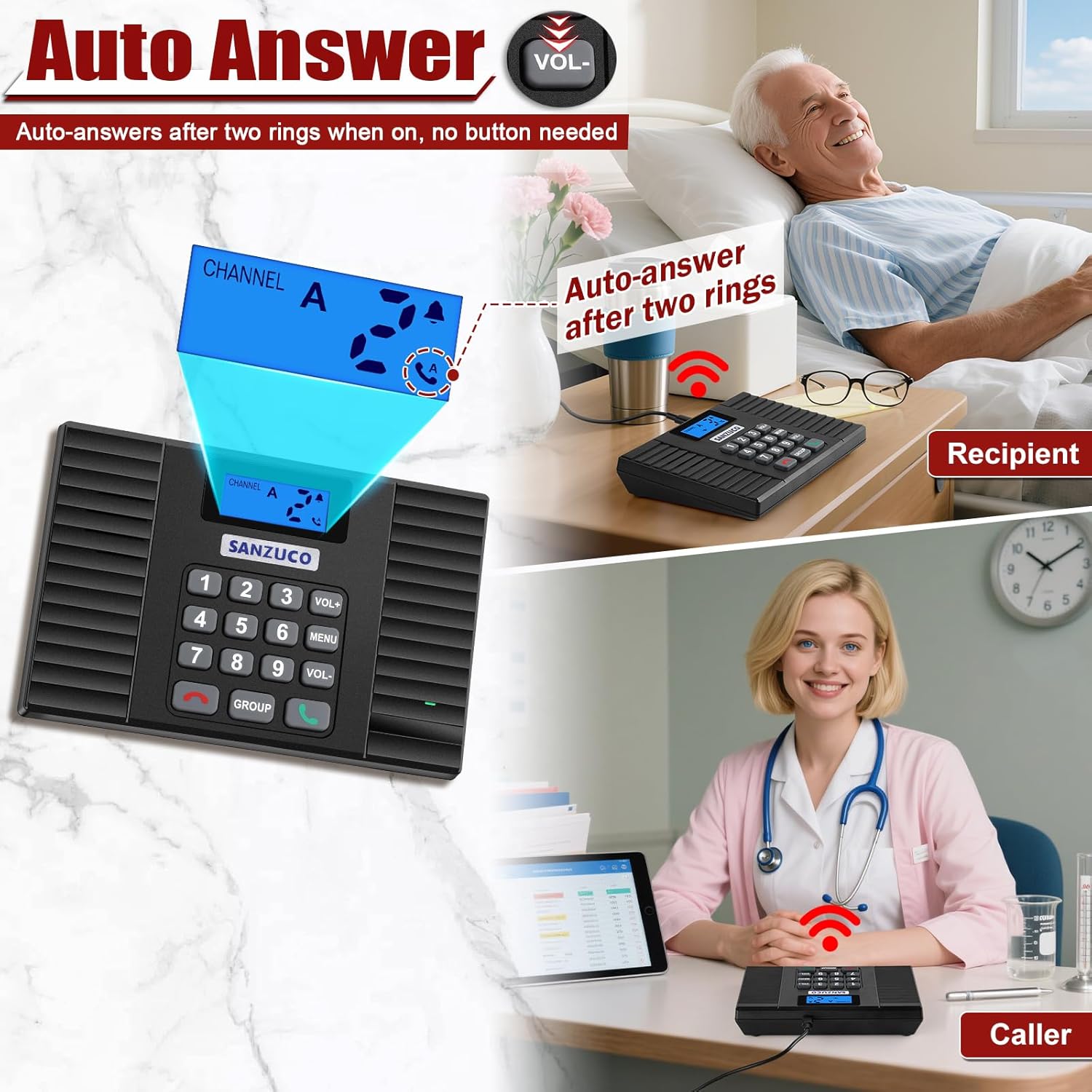
Figure 4: Auto-Answer feature in action. This image shows the intercom unit automatically answering a call, indicated by the display.
To enable or disable auto-answer, refer to the detailed instructions in the included user manual.
4. Mute Function
When the mute function is activated, the unit will not produce a ringtone for incoming calls. This feature is useful for quiet environments and is disabled by default.
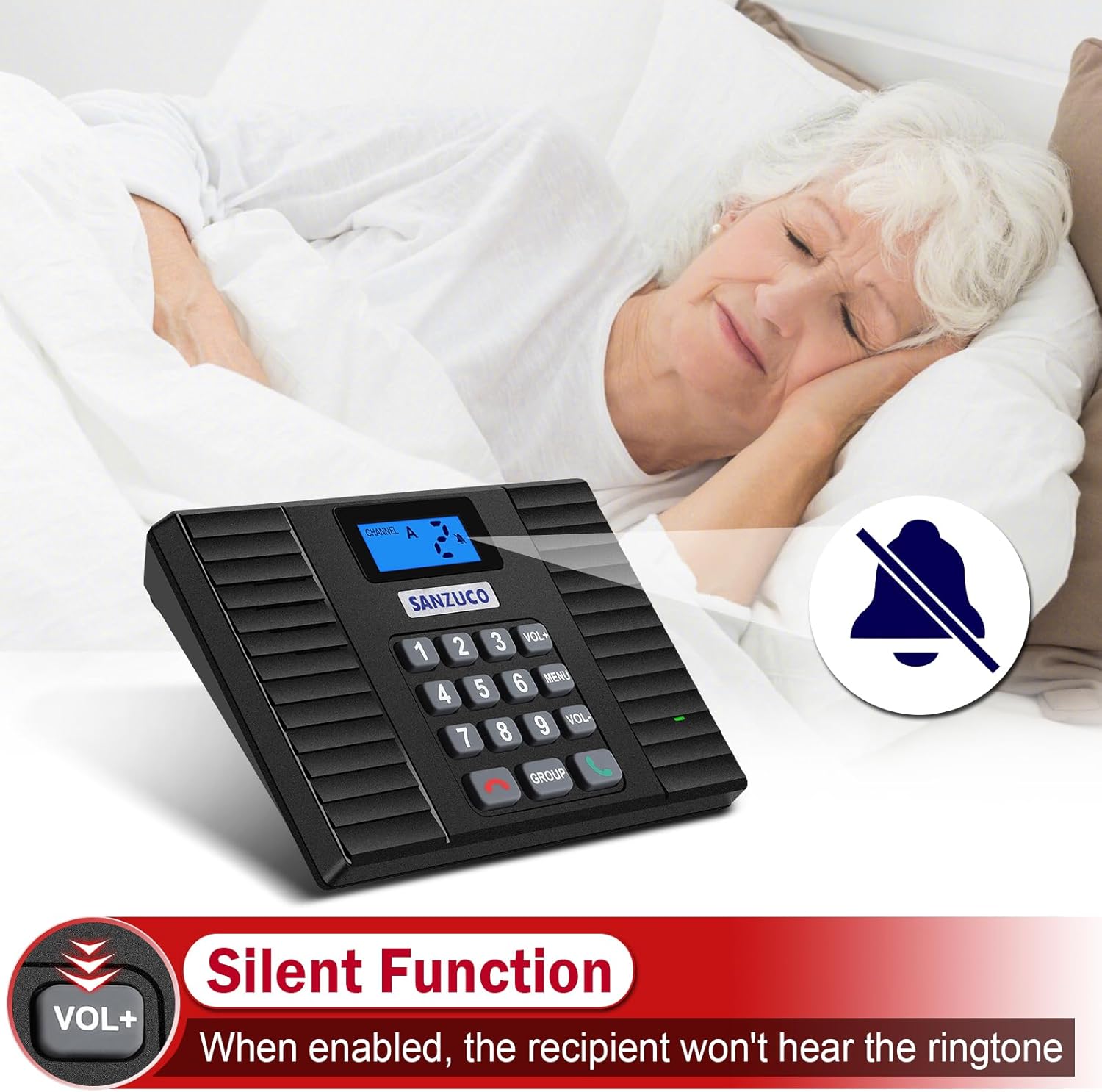
Figure 5: Silent Function indicator on the intercom. This image shows the display indicating that the silent function is active, meaning no ringtone will sound for incoming calls.
To enable or disable the mute function, refer to the detailed instructions in the included user manual.
5. Replay Function
The replay function allows you to quickly redial the last number called. Simply press the Green Call button without entering a number, and the unit will automatically call the last dialed intercom.
Video 5: How to Use Hands-Free Intercom (Preview). This short video demonstrates the replay function, allowing users to quickly redial the last contact.
6. Adjusting Volume
Use the VOL+ and VOL- buttons on the keypad to adjust the speaker volume during a call or when idle.

