

Introduction
The VicoSafe N002 Smart Bird Feeder with Camera allows you to observe and interact with birds visiting your garden. This device features a 2K HD camera, AI bird recognition, solar power, night vision, two-way audio, and app control for a comprehensive bird-watching experience. This manual provides instructions for setting up, operating, and maintaining your bird feeder.

Image: The VicoSafe N002 Smart Bird Feeder with Camera, showcasing its design and integrated camera.
What's in the Box
Verify that all components are present before proceeding with installation.
- 1 × VicoHome Smart Bird Feeder Camera
- 1 × Solar Panel with Charging Cable
- 1 × Mounting Bracket & Installation Accessories (straps, screws, wall anchors, wrench)
- 1 × USB Charging Cable
- 1 × Quick Start Guide
- 1 × Wi-Fi Antenna

Image: All included components laid out, including the bird feeder, solar panel, various mounting hardware, and cables.
Setup
1. Charging the Device
Before initial use, fully charge the bird feeder camera using the provided USB charging cable. The solar panel will maintain the charge during outdoor use, but an initial full charge is recommended.
2. App Download and Wi-Fi Connection
- Download the VicoHome App from your smartphone's app store.
- Create an account and follow the in-app instructions to add your N002 bird feeder.
- Ensure your Wi-Fi network is 2.4GHz. This product is not compatible with 5GHz networks.
- Perform the initial Wi-Fi setup and connection close to your Wi-Fi router to ensure a strong signal.
- Attach the provided antenna to the camera for improved Wi-Fi signal reception.
3. Installation
The VicoSafe N002 offers multiple installation options:
- Tree Mounting: Use the provided straps to secure the mounting bracket to a tree trunk. Ensure the tree is sturdy and the feeder is positioned for optimal sunlight exposure for the solar panel.
- Wall Mounting: Use the provided screws and wall anchors to attach the mounting bracket to a wall or fence.
- Post Mounting: The bracket can also be secured to a post.
Ensure the feeder is securely mounted to prevent damage and to protect visiting wildlife. Position the solar panel to receive maximum direct sunlight throughout the day for continuous charging.

Image: Side view of the bird feeder showing the mounting bracket attached, ready for installation on a tree or wall.
Operating Instructions
1. Live View and Recording
Access the VicoHome App to view a live 2K HD stream from your bird feeder camera. The camera features a 130-degree wide-angle lens to capture a broad view of the feeding area. You can manually record video or capture photos directly from the live view.
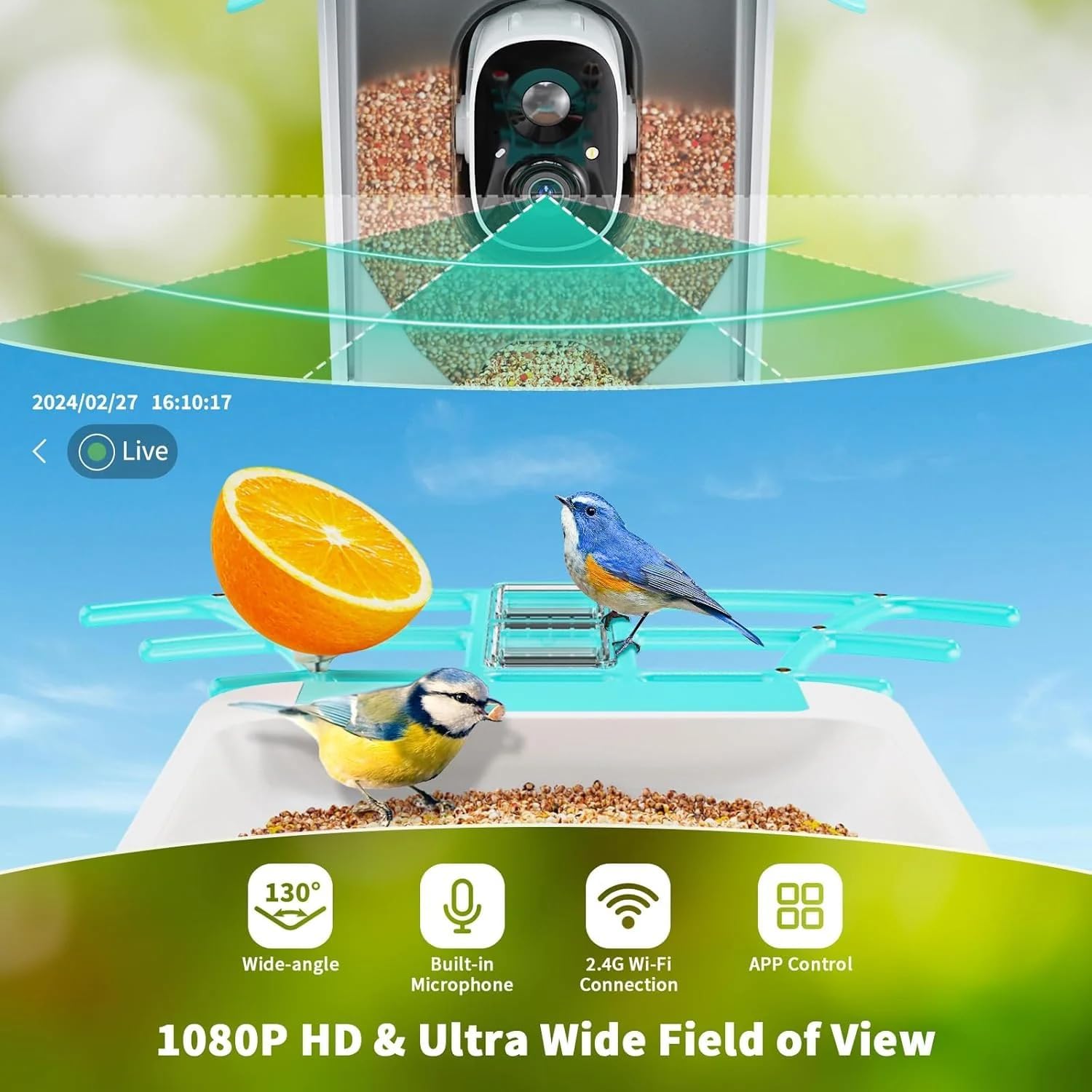
Image: Diagram illustrating the 130-degree wide-angle view, built-in microphone, 2.4G Wi-Fi connection, and app control features of the bird feeder camera.

Image: A screenshot from the live camera feed, showing a bird on the feeder with clear detail.
2. AI Bird Recognition and Motion Alerts
The camera utilizes advanced AI technology to identify over 11,000 bird species. When motion is detected, the camera automatically captures photos and videos and sends instant notifications to your VicoHome App. The app will also provide information about the identified bird species.

Image: A smartphone screen displaying a "Bird Detected" notification from the VicoHome App, indicating a bird has approached the feeder.
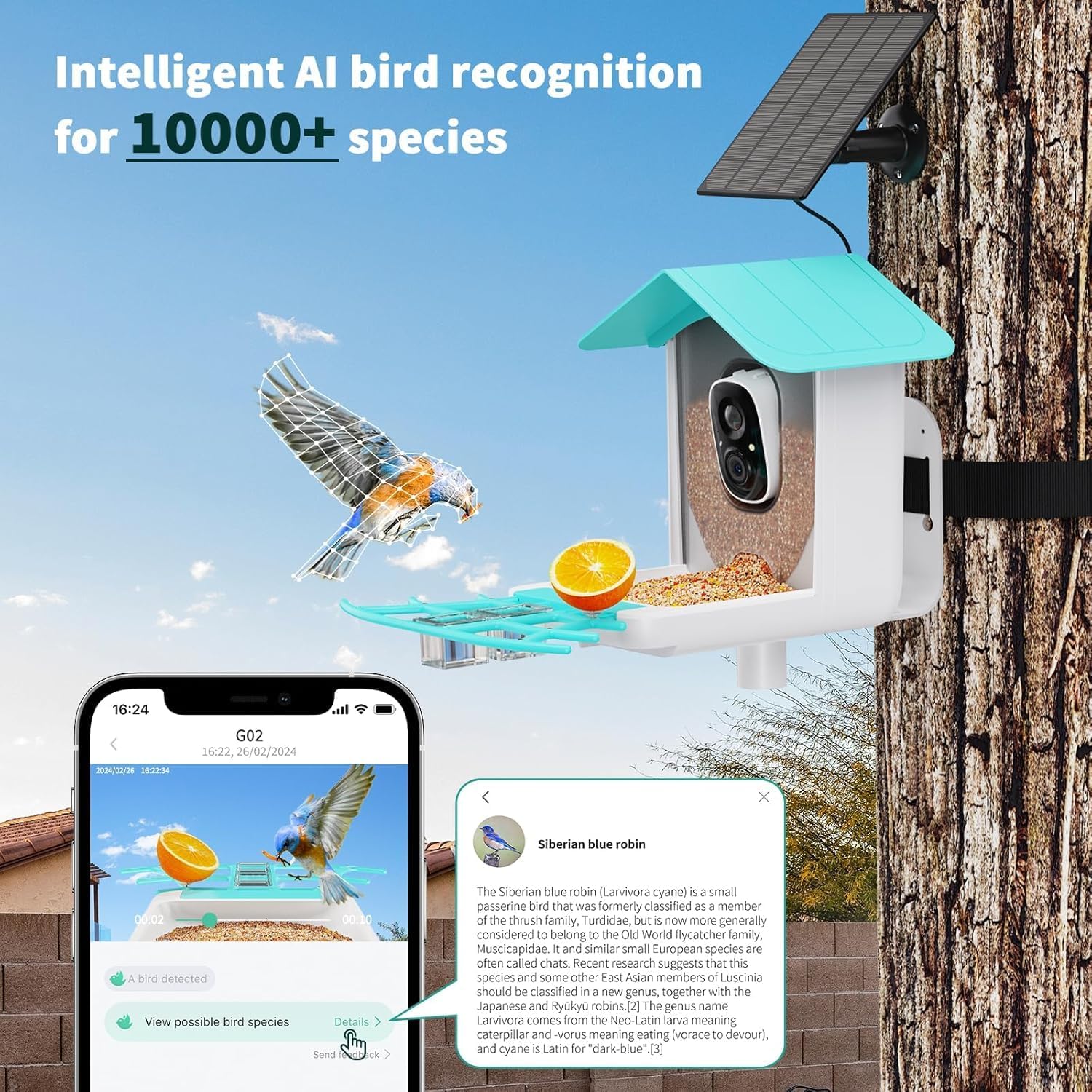
Image: A smartphone screen showing the VicoHome App interface with a detected bird and detailed information about its species, highlighting the AI recognition feature.
3. Night Vision
The N002 bird feeder camera is equipped with full-color night vision, allowing for clear observation of birds and other wildlife even in low-light conditions or complete darkness.
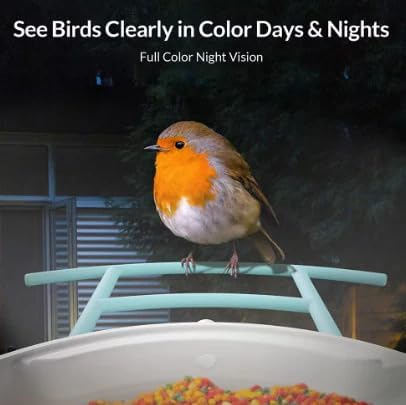
Image: A bird perched on the feeder at night, captured with the camera's full-color night vision, demonstrating clear visibility in darkness.
4. Two-Way Audio
Utilize the built-in speaker and microphone for two-way audio communication. This feature allows you to hear the sounds of nature or to gently deter unwanted visitors like squirrels from the feeder.
5. Storage Options
The N002 supports two storage methods for captured footage:
- Cloud Storage: Enjoy free 3-day cloud storage for your recordings.
- SD Card Storage: Insert a microSD card (up to 128GB, not included) for local storage of videos and photos.
Maintenance
1. Cleaning the Feeder
Regularly clean the bird feeder to prevent the spread of disease among birds. Disassemble the feeder components and wash them with warm, soapy water. Rinse thoroughly and allow to dry completely before reassembling and refilling.
2. Refilling Bird Seed
Monitor the seed level through the VicoHome App or by visual inspection. Refill with appropriate bird seed as needed. The feeder has a large capacity to reduce the frequency of refills.
3. Solar Panel Care
Periodically wipe the solar panel clean to ensure optimal charging efficiency. Dust, dirt, or debris can reduce its ability to convert sunlight into power.
Troubleshooting
- No Wi-Fi Connection: Ensure your router is broadcasting a 2.4GHz signal. Move the feeder closer to the router during setup. Check the antenna connection.
- Short Battery Life: Verify the solar panel is positioned in direct sunlight for several hours daily. Ensure the panel is clean and free of obstructions.
- No Motion Alerts: Check the motion detection settings in the VicoHome App. Ensure the sensitivity is set appropriately for your environment.
- Unclear Night Vision: Ensure the camera lens is clean. Check for any obstructions in front of the camera.
- Squirrels or Unwanted Animals: Utilize the two-way audio feature to deter them. Ensure the feeder is securely mounted and not easily accessible to larger animals.
Specifications
| Brand | VicoSafe |
| Model Number | N002 |
| Camera Resolution | 2K HD |
| Wi-Fi Compatibility | 2.4GHz only |
| Power Source | Solar Powered |
| Weather Resistance | IP65 Waterproof |
| Storage Options | 3-day Free Cloud Storage, MicroSD Card (up to 128GB) |
| Special Features | AI Bird Recognition, Night Vision, Two-Way Audio, Motion Detection |
| Material | Plastic |
| Item Weight | 4.11 pounds |
| Package Dimensions | 10 x 10 x 7.5 inches |
Warranty and Support
VicoSafe products are designed for reliability and customer satisfaction. This product typically comes with a 30-day return policy for refund or replacement. As a certified VicoSafe seller, we are dedicated to providing quality products and outstanding customer support.
For technical assistance, troubleshooting, or warranty inquiries, please contact VicoSafe customer support through the VicoHome App or visit the official VicoSafe website.