
Introduction
The JBL Bar 1300MK2 is an 11.1.4 Channel soundbar system designed to deliver a cinematic audio experience. It features detachable surround speakers, Dolby Atmos® and DTS:X® support for immersive 3D spatial audio, a powerful 8-inch dual-driver wireless subwoofer, and MultiBeam™ 3.0 technology for a wide soundstage. The system offers versatile connectivity options including Bluetooth® for portable use of the detachable speakers, and seamless integration with your TV.
What's in the Box
Please ensure all items listed below are present in your package:
- 1x JBL Bar 1300MK2 Soundbar
- 2x Detachable Wireless Surround Speakers
- 1x Wireless Subwoofer
- 1x Remote Control with 2 x batteries
- Power Cords (up to 6pcs depending on region SKUs)
- 1x HDMI Cable
- 4x Side Caps
- 2x L-shape Wall-Mount Bracket (main bar)
- 2x U-shape Wall-Mount Bracket (for surround speakers) kit with screws

Image: All components included in the JBL Bar 1300MK2 package, neatly laid out.
Setup
Setting up your JBL Bar 1300MK2 system is designed to be straightforward, providing a cinematic sound experience in minutes.
Initial Placement
Place the main soundbar unit in front of your television. Position the wireless subwoofer in a suitable location within the room, ideally near the soundbar, to achieve optimal bass response. The detachable surround speakers can be attached to the main soundbar for a compact setup or placed behind your listening position for a true surround sound experience.

Image: The JBL Bar 1300MK2 soundbar positioned below a television, with the wireless subwoofer to the side, demonstrating a typical living room setup.
Connecting to Your TV
Connect the soundbar to your TV using the provided HDMI cable. For optimal audio quality, use the HDMI ARC/eARC port on your TV if available. Alternatively, an optical connection can be used.

Image: A detailed view of the soundbar's rear panel, showing various input ports including HDMI, USB, Ethernet, and Optical.
Power Connection
Connect the soundbar and subwoofer to a power outlet using the respective power cords. The detachable speakers will charge when connected to the main soundbar.
Operating Instructions
The JBL Bar 1300MK2 offers a range of features to enhance your audio experience. Below are instructions for key functionalities.
Detachable Surround Speakers
For a true surround sound experience, simply lift the detachable wireless speakers from either end of the main soundbar. Place them behind your listening position. The speakers have long-lasting batteries for extended use. When finished, reattach them to the soundbar to recharge.

Image: A detailed view of one of the detachable wireless surround speakers, highlighting its compact design.
Dolby Atmos® and DTS:X® with MultiBeam™ 3.0
The system delivers immersive 3D spatial audio with true Dolby Atmos and DTS:X. Six up-firing speakers in the soundbar and wireless rear speakers create height channels. MultiBeam™ 3.0 technology ensures a wide, cinema-like soundstage, making every seat the best seat.

Image: An internal diagram of the soundbar, illustrating the placement of its multiple speakers, including the up-firing drivers for Dolby Atmos.
PureVoice 2.0
PureVoice 2.0 automatically optimizes dialogue clarity based on ambient sound and the soundbar's volume, ensuring you hear every word clearly and consistently.
Night Listening Mode
To enjoy content without disturbing others, place the wireless detachable speakers in front of you. Use the JBL ONE app to activate Night Listening mode. This mutes the soundbar and subwoofer, providing an intimate, high-quality audio experience through the detachable speakers.
Broadcasting
Take one or both detachable wireless speakers with you to another room to continue enjoying the audio from your main system. This feature allows you to move freely around your home without missing any sound.
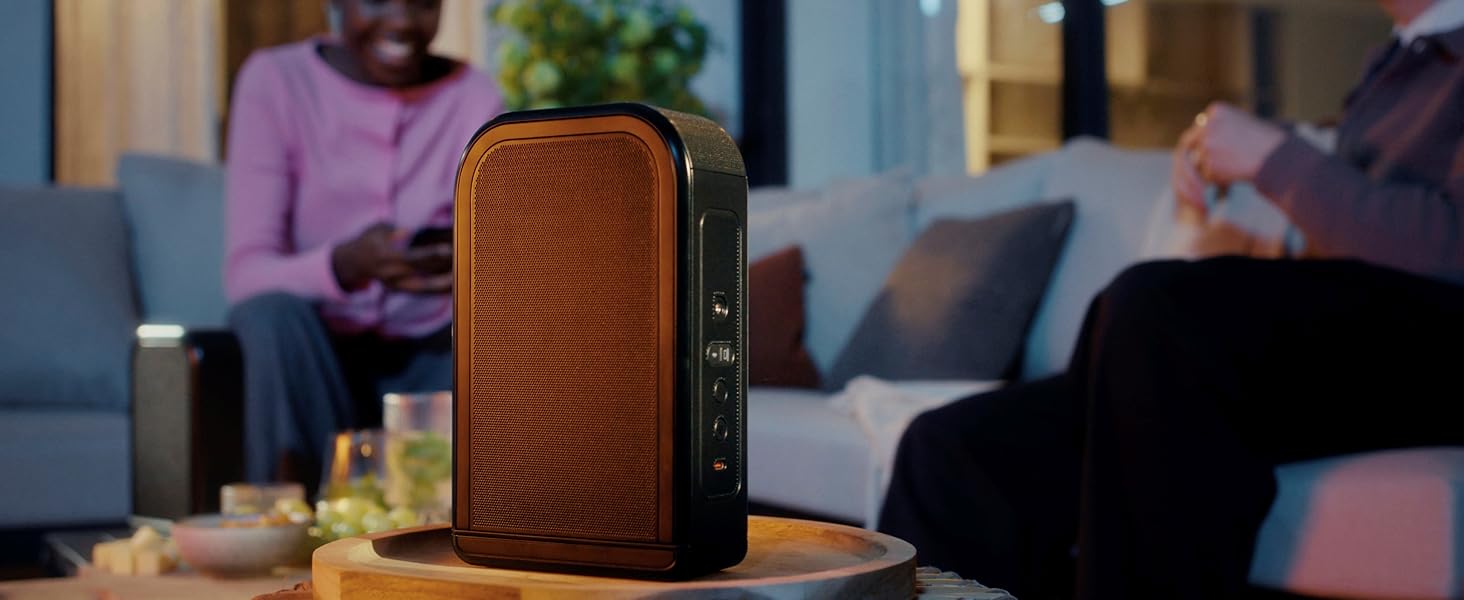
Image: A person carrying one of the detachable speakers from the living room into the kitchen, demonstrating the broadcasting feature.
Portable Bluetooth® Speakers
Pair one or both detachable speakers to any Bluetooth® device for portable and powerful sound anywhere in your home or outdoors.

Image: Individuals relaxing on an outdoor patio with portable JBL speakers, illustrating their use for on-demand audio.
Wi-Fi and HD Music Streaming
The soundbar supports Wi-Fi and HD music streaming. Enjoy your favorite music and podcasts in high-definition sound through various streaming services like AirPlay, Google Cast, Spotify Connect, Tidal Connect, and Roon Ready.
JBL ONE App
Use the JBL ONE app for setup, sound customization with a precise equalizer, browsing music apps, and receiving software upgrades for the latest features.
Maintenance
To ensure the longevity and optimal performance of your JBL Bar 1300MK2 system, follow these maintenance guidelines:
- Cleaning: Gently wipe the surfaces of the soundbar, subwoofer, and detachable speakers with a soft, dry cloth. Avoid using abrasive cleaners, waxes, or solvents as they may damage the finish.
- Ventilation: Ensure proper ventilation around all components. Do not block any ventilation openings.
- Storage: If storing the system for an extended period, disconnect it from power and store it in a cool, dry place away from direct sunlight and extreme temperatures.
- Battery Care (Detachable Speakers): For optimal battery life, avoid fully discharging the detachable speakers frequently. Recharge them regularly by attaching them to the main soundbar.
Troubleshooting
If you encounter issues with your JBL Bar 1300MK2, refer to the common troubleshooting steps below. For more complex problems, contact customer support.
| Problem | Possible Cause | Solution |
|---|---|---|
| No Sound | Incorrect input selection, volume too low, cables not connected properly. | Check input source on soundbar and TV. Increase volume. Ensure all cables (HDMI, Optical) are securely connected. |
| Subwoofer Not Connecting | Interference, out of range, pairing issue. | Ensure subwoofer is within range of the soundbar. Re-pair the subwoofer according to the quick start guide. Avoid placing other wireless devices too close. |
| Surround Speakers Not Working | Battery low, not properly detached/paired. | Ensure speakers are fully charged by attaching them to the soundbar. Verify they are properly detached for surround mode or paired via Bluetooth for portable use. |
| Poor Audio Quality | Incorrect audio settings, room acoustics, source quality. | Adjust EQ settings via JBL ONE app. Ensure audio source is high quality. Consider room calibration if available. |
Specifications
| Feature | Detail |
|---|---|
| Model Name | Bar 1300MK2 |
| Speaker Type | Soundbar |
| Surround Sound Channel Configuration | 11.1.4 |
| Speaker Maximum Output Power | 2470 Watts (max) |
| Subwoofer Diameter | 8 Inches (Dual-Driver) |
| Product Dimensions | 5.4"D x 55.3"W x 2.3"H |
| Item Weight | 63.1 pounds |
| Connectivity Technology | Bluetooth, Ethernet, HDMI, USB, Wi-Fi |
| Special Features | Built-in Microphone, Dolby Enabled, Multi-Room Audio, Stereo Pairing, USB Port |
| Compatible Devices | Gaming Console, Home Theater, Projector, Streaming Device, Television |
Warranty and Support
For warranty information and customer support, please refer to the documentation included with your product or visit the official JBL website. You can also find support resources via the JBL Store on Amazon.


