
Introduction
This instruction manual provides essential information for the safe and effective use of your Kircuit 20V AC Adapter. This adapter is specifically designed to meet the power requirements of the Hygger HG205 Dual-Channel Controller Submersible Aquarium LED Light (model YY24W-200F1200H-UW). Please read this manual thoroughly before using the product and retain it for future reference.
Product Overview
The Kircuit 20V AC Adapter converts standard AC power from electrical outlets into the DC power required by your compatible device. It is a reliable and portable power source for home, office, or on-the-go use.

Figure 1: Front view of the Kircuit 20V AC Adapter. This image displays the main body of the adapter with its two-prong plug, the Kircuit brand label, input/output specifications, and regulatory marks. The attached power cord with a barrel tip connector is coiled neatly beside it.

Figure 2: Two Kircuit 20V AC Adapters. This perspective shows two adapters, one slightly behind the other, emphasizing their compact and identical design. The power cords extend from the front of each adapter.
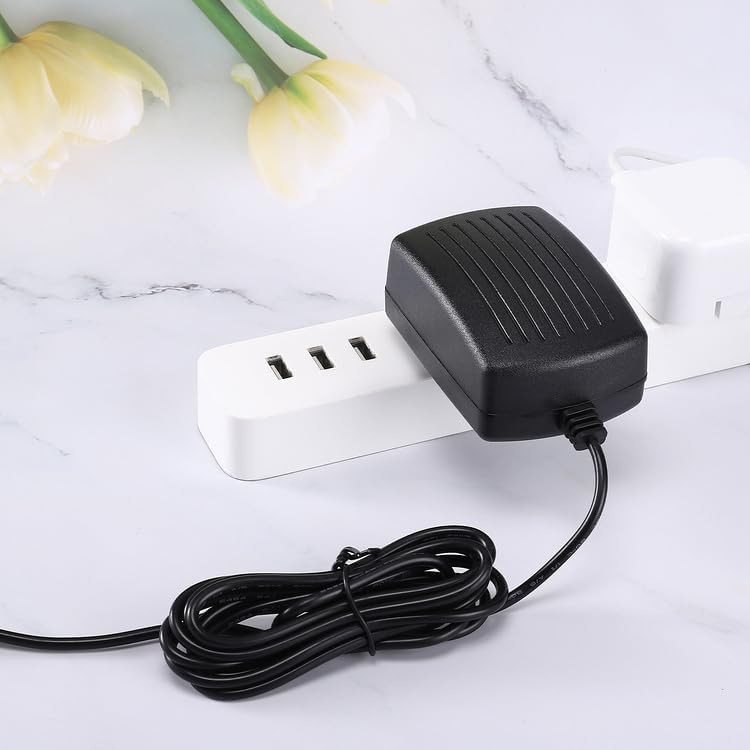
Figure 3: Kircuit 20V AC Adapter with Cord Length Indication. This image features the adapter with its power cord coiled, clearly showing a text overlay indicating "Cord Length: 6.5 ft". This highlights the extended reach of the adapter.

Figure 4: Adapter Plugged into a Power Strip. This image shows the Kircuit AC adapter plugged into one outlet of a white power strip, demonstrating its compact design that allows it to fit without obstructing adjacent outlets.
Setup Instructions
- Unpack: Carefully remove the AC adapter from its packaging.
- Inspect: Check the adapter and its cord for any signs of damage. Do not use if damaged.
- Connect to Device: Locate the power input port on your Hygger HG205 Dual-Channel Controller (YY24W-200F1200H-UW). Insert the barrel tip connector of the Kircuit AC adapter firmly into this port. Ensure a secure connection.
- Connect to Power Outlet: Plug the two-prong plug of the AC adapter into a standard electrical wall outlet (100-240V AC, 50/60Hz).
- Verify Connection: Once connected, your device should power on or begin charging, indicating a successful connection.
Operating Instructions
The Kircuit 20V AC Adapter is designed for straightforward operation. Once properly connected to your device and a power outlet, it will automatically supply the necessary power.
- Power Supply: The adapter provides continuous DC 20V power to your compatible device as long as it is plugged into a live electrical outlet.
- Charging: If your device has a rechargeable battery, the adapter will facilitate charging when connected. Refer to your device's manual for specific charging indicators.
- Disconnection: To disconnect, first unplug the adapter from the wall outlet, then gently remove the barrel tip connector from your device.
Maintenance
Proper maintenance ensures the longevity and safe operation of your AC adapter.
- Cleaning: Disconnect the adapter from all power sources before cleaning. Use a soft, dry cloth to wipe the exterior. Do not use liquid cleaners or sprays.
- Storage: When not in use, store the adapter in a cool, dry place away from direct sunlight and extreme temperatures. Avoid tightly coiling the cord to prevent damage.
- Handling: Do not pull the cord to unplug the adapter from the wall or device. Always grasp the plug or connector directly.
- Avoid Overloading: Do not connect the adapter to devices that exceed its specified output voltage or current.
Troubleshooting
If you encounter issues with your Kircuit AC adapter, refer to the following common problems and solutions:
| Problem | Possible Cause | Solution |
|---|---|---|
| Adapter not providing power. |
|
|
| Adapter feels hot during use. |
|
|
If the problem persists after trying these solutions, please contact customer support.
Specifications
| Feature | Detail |
|---|---|
| Brand | Kircuit |
| Model Compatibility | Hygger HG205 Dual-Channel Controller, YY24W-200F1200H-UW |
| Input Voltage | AC 100-240V, 50/60Hz |
| Output Voltage | DC 20V |
| Connector Type | Barrel Tip |
| Cord Length | 6.5 ft (approximately 2 meters) |
| Color | Black |
| Manufacturer | Shenzhen Waweis Technology Co., Ltd |
| Date First Available | July 24, 2025 |
Warranty and Support
For warranty information or technical support, please refer to the documentation provided with your purchase or contact the retailer/manufacturer directly. Keep your proof of purchase for warranty claims.
For further assistance, you may visit the Kircuit brand page on Amazon or contact your point of purchase.