
1. Introduction
The Reyke K2 Wallet Tracker Android Card is a slim, rechargeable device designed to help you locate your valuables. It integrates seamlessly with the Google Find Hub App on Android devices (Android 9 and above), allowing you to track items like your wallet, passport, or laptop. Its durable, waterproof design ensures reliability in various conditions.

Image: The Reyke K2 Wallet Tracker Card shown alongside a smartphone displaying its location on the Google Find Hub map.
2. Product Features
- Android Compatibility: Designed for Android 9 and above, working with the Google Find Hub App. Not compatible with iOS or Huawei devices.
- Rechargeable & Economical: Features wireless charging with a single charge lasting up to 5 months. Indicated by a color-changing LED light.
- Smart Global Tracking: Locate your card by sound within Bluetooth range (up to 180 ft) or view its location on a map via the Google network when out of range.
- Lost Mode: Activate Lost Mode to leverage the Google network for finding your device and receive alerts when it's detected. No subscription required.
- Share Functionality: Share your tracker's location with up to 4 other users via the app, ideal for shared items.
- Durable Design: Ultra-thin profile (1.8mm) fits easily into wallets. IP68 rated for water and dust resistance.

Image: Key features of the Reyke K2 Wallet Tracker Card, including its ultra-thin design, loud sound, IP68 rating, Bluetooth range, and wireless charging capability.
3. Package Contents
Upon unboxing your Reyke K2 Wallet Tracker, you should find the following items:
- Reyke K2 Wallet Tracker Android Card
- Quick Start Guide / Instruction Manual
Note: A wireless charger is required for charging and is not included in the package.
4. Setup and Pairing
Follow these steps to set up and pair your Reyke K2 Wallet Tracker with your Android device:
- Ensure Prerequisites: Make sure your Android phone is running Android 9 or above, and its Bluetooth and network are turned on.
- Power On the Card: Press the power button on the tracker card once. You will hear a long beep, indicating the card is powered on and in pairing mode.
- Open Google Find Hub App: Place the smart card close to your Android device. Open the Google Find Hub app. A pop-up should appear on your device.
- Connect: Tap "Connect" on the pop-up. Read and accept the prompts to complete the pairing process.
- Customize Device: In the Google Find Hub app, select "Smart Card" to customize the device name and category.
If no pop-up appears: Go to Settings → Google → All Services → Connected Devices & Sharing → Devices → Scan for nearby devices. Then follow the on-screen instructions to complete the connection.

Image: Step-by-step guide illustrating the pairing process of the Smart Card with an Android device via the Find Hub app.
Video: Tracker Card - Set Up Guide
Video Description: This video provides a visual guide on how to set up and pair the Reyke K2 Wallet Tracker Card with an Android device, including power on/off and connection steps.
5. Operating Instructions
Finding Nearby Items (Play Sound)
When your Reyke K2 card is within Bluetooth range (up to 180 ft / 50m), you can make it play a loud sound to help you locate it. Open the Google Find Hub app, select your Smart Card, and tap "Play Sound". The card will emit a high-pitched sound, guiding you to its location.

Image: The Google Find Hub app showing the 'Play Sound' option to locate the Smart Card, with an illustration of sound waves emanating from a wallet.
Global Tracking (Find Far Away)
If your card is out of Bluetooth range, the Google network will help you locate it. The card's last known location will appear on the map within the Google Find Hub app, leveraging millions of Android devices to anonymously detect and report its position.

Image: The global tracking capability of the Reyke K2 Wallet Tracker Card, showing its location on a world map via a smartphone.
Lost Mode
To enable Lost Mode, open the Google Find Hub app, select your Smart Card, and tap "Mark as Lost". You will receive notifications when your card is detected by another Android device on the Google network. This feature does not require a subscription.

Image: The 'Mark as Lost' function within the Google Find Hub app, demonstrating how to activate it for the Smart Card.
Share with Others
You can share the location of your Reyke K2 card with up to 4 other people. This is useful for family members or team travel. In the Google Find Hub app, select your Smart Card, then tap "Share Device" and follow the instructions to invite others.

Image: The 'Share device' feature of the Reyke K2 Wallet Tracker Card, showing two smartphones connected to the same card for shared tracking.
6. Charging
The Reyke K2 Wallet Tracker supports wireless charging. A full charge can last up to 5 months. The card features an LED indicator:
- During charging, the red light is always on.
- The light is off when fully charged.
Ensure the side with the charging icon is facing downward on the wireless charging pad.
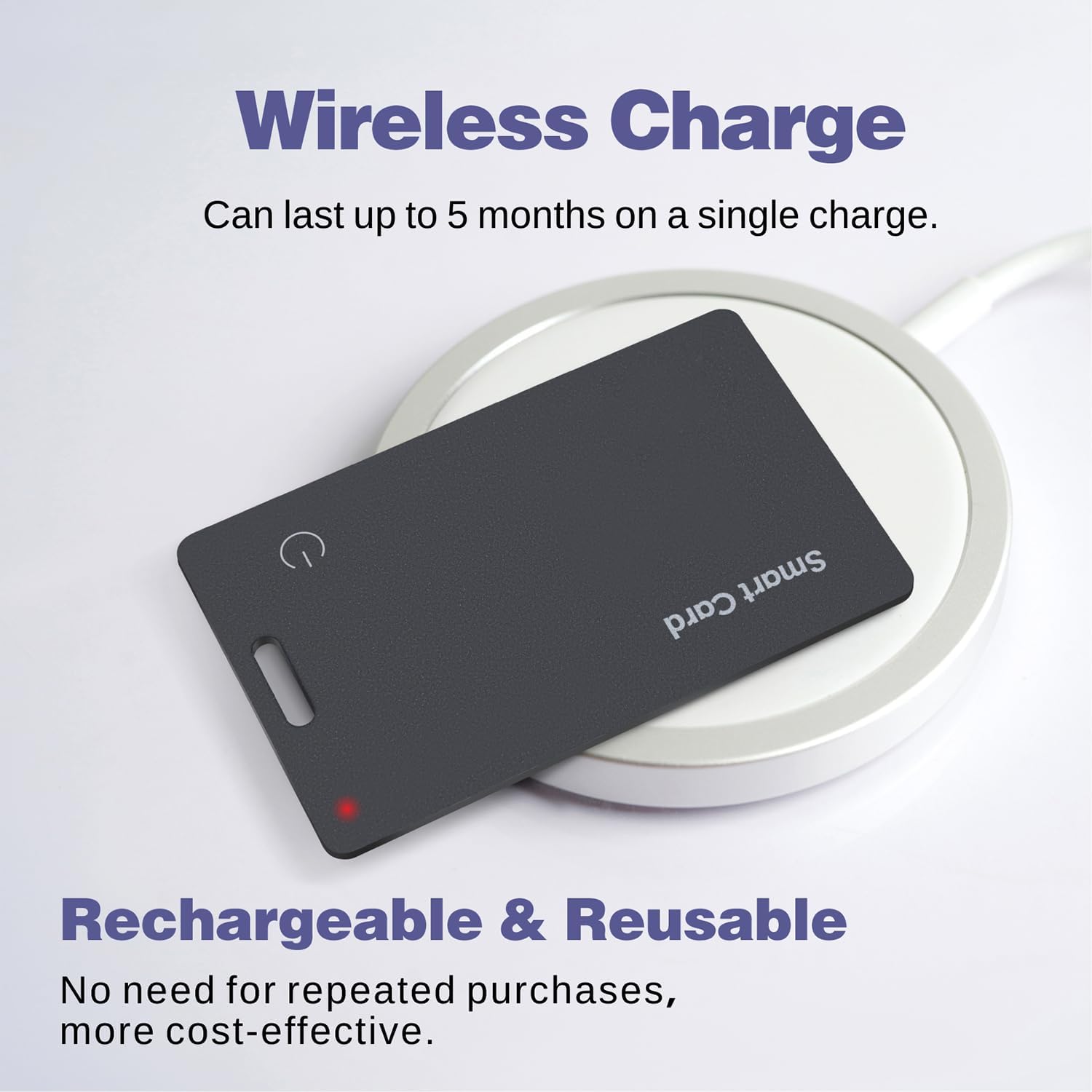
Image: The Reyke K2 Wallet Tracker Card undergoing wireless charging, with a visible red indicator light.
Video: The Use of Wallet Tracker Card for Android
Video Description: This video demonstrates the usage of the Wallet Tracker Card for Android, including its features and how it integrates with the Find Hub app.
7. Troubleshooting
If you encounter issues with your Reyke K2 Wallet Tracker, try the following steps:
- Check Phone Settings: Ensure your phone's network and Bluetooth are turned on.
- Restart the Card:
- Power Off: Press and hold the button for 3 seconds. If you hear 2 beeps, the card is powered off.
- Power On: Press the button once. If you hear a long beep, the card is powered on.
- Restart Your Phone: A simple phone restart can often resolve connectivity issues.
- Factory Reset the Card:
- First, make sure the card is disconnected from the Find Hub app.
- Quickly press the button 5 times. On the 5th press, press and hold until you hear a long beep. This confirms a successful factory reset.
8. Specifications
- Model Number: K2
- Product Dimensions: 3.35 x 2.13 x 0.08 inches
- Item Weight: 1.13 ounces
- Batteries: 1 Lithium Ion battery required (included)
- Material: Plastic
- Waterproof Rating: IP68
- Bluetooth Range: Up to 180 ft / 50m (approximate, may vary based on environment)
- Battery Life: Up to 5 months on a single charge
9. Warranty and Support
For any issues not resolved by troubleshooting, or for 1-year free return & replacement, please contact Reyke customer support. Refer to the contact information provided with your product packaging or visit the official Reyke website.


